Two skills make one routing decision
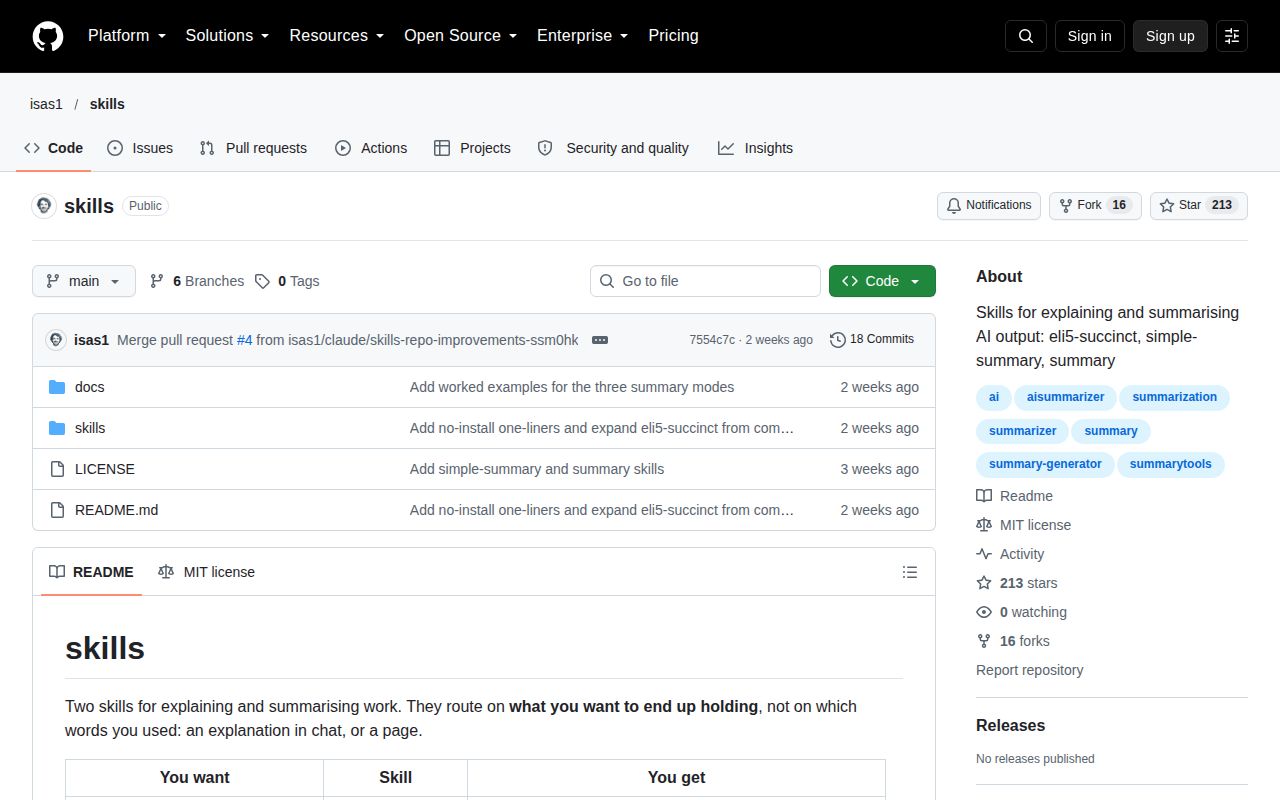
The 15-file repository contains 2 installable Claude Code skills. eli5-succinct answers in chat and normally stays under 150 words. summary writes one self-contained HTML page. Their shared routing rule asks what the user wants to hold at the end: an explanation in the conversation or a file that can be opened, printed, or sent. That distinction is clearer than matching a trigger word alone.
The README is unusually honest about the value. It publishes copy-and-paste prompts for shorter answers and says many users may not need installation. The skill folders package those prompts with routing and output constraints. That makes this a convenience layer with an editorial opinion, not a new reasoning engine. You are adopting defaults about length, format, and when Claude may write a file.
The HTML skill enforces a 200-word visual budget
A plain summary caps prose at 200 words and must be one offline HTML file with inline SVG, no framework, no CDN, and no external assets. The cap applies after headings, labels, axes, and figures are removed. Every section needs a drawing, no 3 text blocks may appear in a row, and the page may contain at most 1 table. Those rules attack the common failure where a visual summary becomes formatted prose.
The skill also tells Claude to inspect the real target first. For a repository it calls for git status, 20 recent commits, a diff summary, and the changed files. A branch should be compared with its base. Unknown values remain unknown. That evidence step is the strongest part of the package because a polished page built from stale session memory is worse than a plain, accurate handover.
What happened when we ran it
The lab did not run commit 7554c7c. GitHub reports no primary programming language, and the repository provides no Dockerfile or supported ecosystem that the harness could install. There are therefore no measured timings, package counts, disk figures, build outcomes, test counts, or audit findings for this review.
That absence fits the artifact. The tree contains Markdown instructions plus 4 HTML examples and their PNG renders. Installation is a pair of recursive copies into ~/.claude/skills. There is no package manager command. The README says both folders should be present because each description routes to the other. A successful copy only proves availability, not that Claude follows every rule on a real task.
Three modes change presentation without changing facts
The 3 mode files cover accessible, artistic, and animated summaries. The README shows a separate example for each plus the plain page, all summarizing the same repository. Modes can stack, with accessible rules winning conflicts. This gives reviewers a useful comparison because the content remains fixed while layout, motion, and emphasis change.
Accessible mode includes concrete requirements: body contrast of at least 4.5 to 1, semantic headings, alt text, no autoplay motion, and a reduced-motion path. Its ADHD variant limits the page to 2 screens and repeats the next action at the top and bottom. Those are sensible instructions. They are not an accessibility certification, and the repository does not publish automated checks against the example files.
Animated mode says information must exist at first paint and remain readable with JavaScript or motion disabled. Chart entrances should finish within 600 ms, while all load motion must finish within 1 second. Print CSS and prefers-reduced-motion remove the effects. Artistic mode takes the opposite visual risk, asking for one data-derived motif, a display element at least 5 times body size, and controlled asymmetry.
The explanation skill stays in chat
eli5-succinct normally caps its chat answer at 150 words and never writes a file. The number in eli5, eli15, or eli18 changes assumed background rather than length. A yes-or-no question gets its verdict first. Requests for Simplified Technical English keep the technical concepts while shortening sentences and using one term consistently. These are small rules, but they directly address bloated agent replies.
The trigger description is broad, which can be a benefit or a surprise. Phrases such as short summary, plain English, and what does this actually do can load it. Once active, it defaults to a short paragraph and avoids unrequested next steps. Test those triggers against your normal Claude Code conversations before team rollout, especially if another installed skill already owns summaries or explanation style.
Seven days of commits are not a release history
GitHub showed 213 stars and 16 forks after the repository's September 26, 2026 push. The visible tracker contains 4 closed pull requests and no open issues or pull requests. GitHub returned no tagged release. That is active early work with community attention, but it has not had time to establish stable upgrade behavior.
The 4 pull requests show useful iteration. The author merged 3 page-summary skills into 2 clearer outcomes, refreshed stale examples, added worked examples for each mode, and exposed no-install prompts after community feedback. These changes make the repository easier to judge. They also show that routing and format were still changing during its first week. Pin commit 7554c7c if the wording matters to your workflow.
Use the 15-file isas1/skills repository when its narrow opinion matches yours: short chat explanations and visual HTML summaries should be different tools. The 2-folder install is trivial, while reliable output is not. Compare generated pages against known repository facts, render them at desktop and mobile sizes, print them, disable motion, and decide which rules need automated checks before colleagues depend on the result.