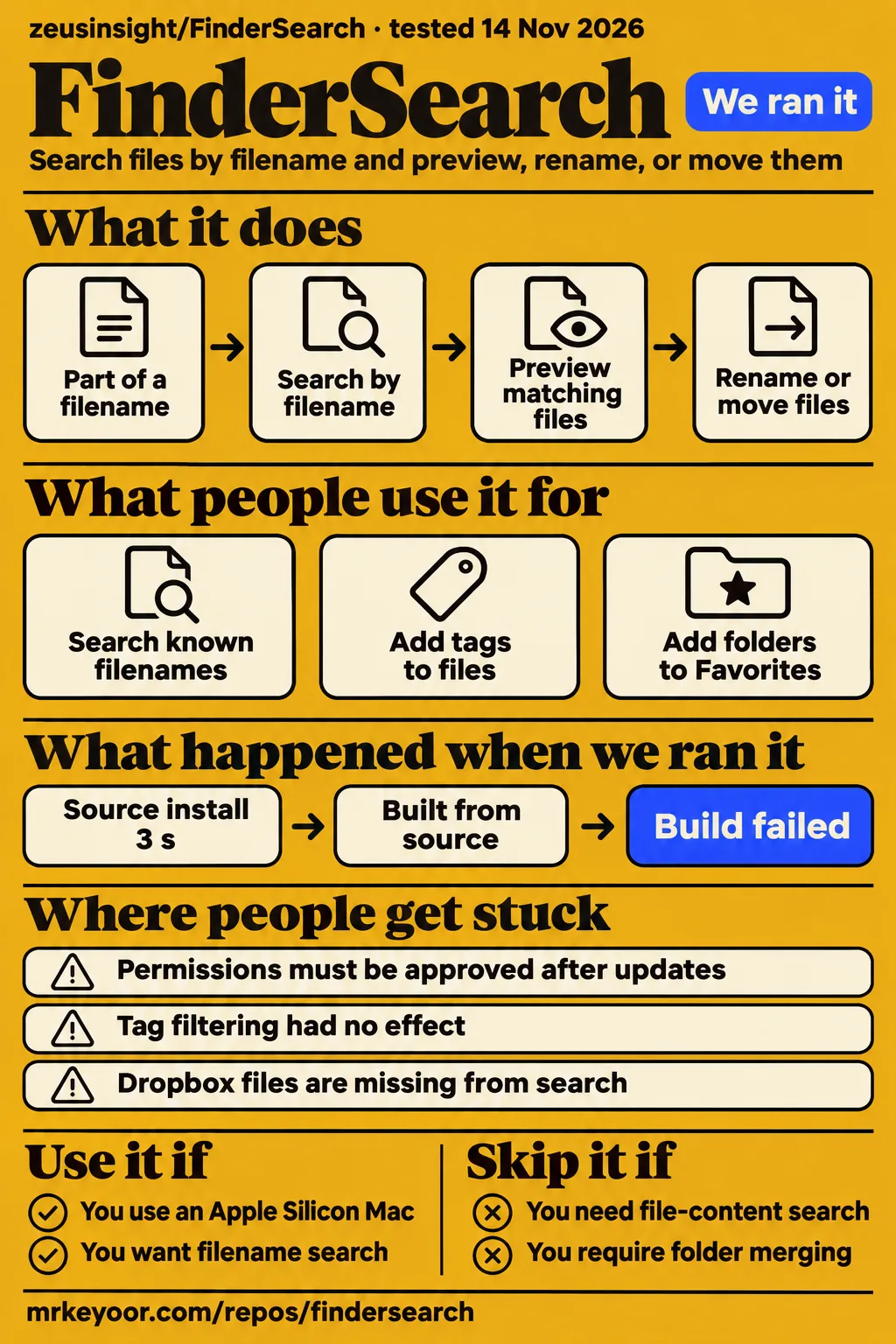
FinderSearch is worth considering as a second file browser for an Apple Silicon Mac when you remember part of a filename and want to act on the result. Our sandbox installed its Rust dependencies in 3 seconds, then failed to compile the engine with 42 errors. That leaves us recommending a look at the downloadable Mac app, rather than claiming a successful hands-on review of its interface.
The attraction is specific: fsearch filename lookup inside a native browser with Quick Look, tabs, and file operations. Keep Apple Finder available for its system integrations. The project's own usage guide calls FinderSearch an early prototype, and the published speed results concern a much narrower task than everyday browsing. FinderSearch usage guide
What people use FinderSearch for
The supplied reports show people searching known filenames and trying ordinary Finder habits, including tagging, sidebar shortcuts, and mouse navigation. Those reports are more useful for a purchase-style decision than the feature checklist: they show which familiar actions needed follow-up fixes.
| Who tried it | What they did | Outcome in the supplied record |
|---|---|---|
| Project benchmark authors | Compared exact-filename retrieval against Spotlight over 10,000 generated files | fsearch recorded lower medians in all three warm queries on one Apple M4. Benchmark method |
| The issue #18 reporter | Added tags and compared FinderSearch with Apple Finder | Tags appeared in Finder first; the maintainer reported a FinderSearch display fix in v0.4.7. Tag report |
| GitHub user ixqbar | Tried dragging a selected directory into sidebar Favorites | After a follow-up complaint, the maintainer reported folder-drop support in v0.4.7. Sidebar discussion |
| The issue #9 reporter | Used extra mouse buttons for Back and Forward | The maintainer reported active-tab navigation support in v0.4.6. Mouse-button report |
| The issue #12 reporter | Tried pasting a Finder path into Go to Folder | The maintainer reported editing-shortcut support in v0.4.7. Go to Folder report |
The sidebar exchange is telling. Reordering Favorites and adding a new Favorite sound like one feature, but the initial v0.4.6 response covered ordering and context menus. ixqbar still couldn't drag a selected directory into the sidebar. The second response assigned that separate fix to v0.4.7. If you use the app, match your symptom to the release note rather than treating the first closed thread as the answer to everything.
What happened when we ran it
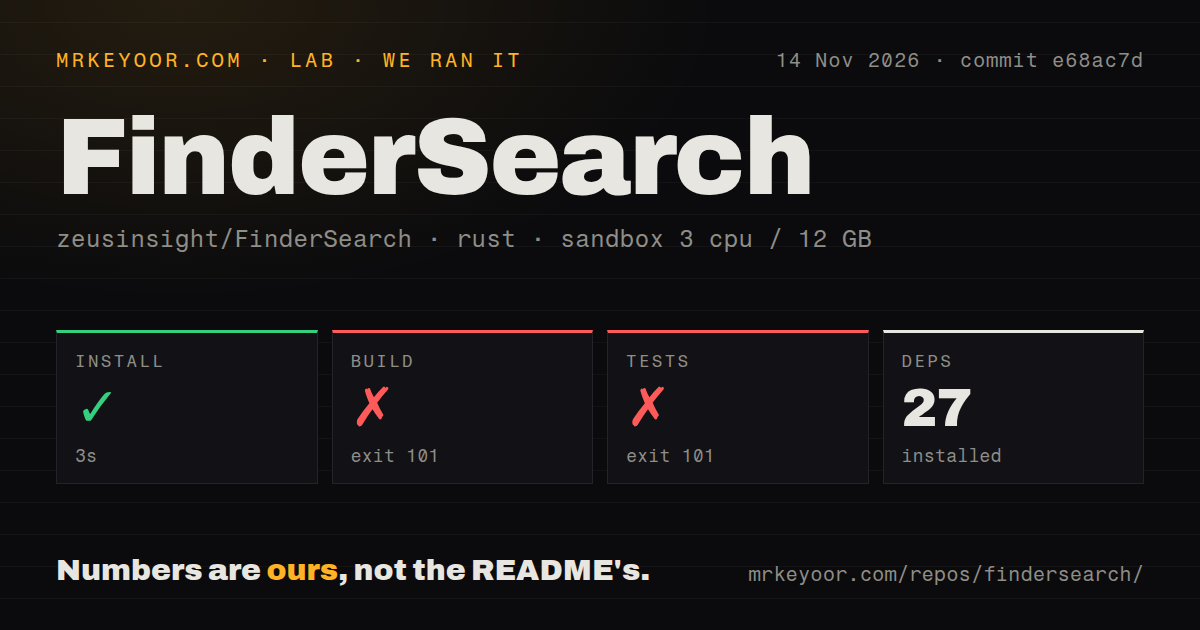
Our November 14, 2026 sandbox run installed dependencies in 3 seconds, then the Rust build failed after 33 seconds and the test command failed after 6 seconds. The measured checkout was commit e68ac7d, with the Rust project under ./vendor/fsearch/. This was an engine-source check, not a recording of the Mac interface in use.
| Recorded step | Result | Duration |
|---|---|---|
| Dependency installation | Succeeded; 27 dependencies recorded | 3 seconds |
| Build | Failed, exit 101 | 33 seconds |
| Tests | Failed, exit 101 | 6 seconds |
The configuration recorded 3 CPUs, 12 GB RAM, and image label lab-rust:1. The checkout contained 85 files, about 10,304 source lines, and occupied 2.9 MB. The scan found zero CI workflow files, no Dockerfile, and no tests directory. That last observation concerns a directory name, not proof that no tests exist anywhere in the repository.
The build tail says fsearch could not compile because of 42 previous errors. It names Rust error codes E0422, E0425, and E0433, alongside warnings about unnecessary mutability and an unused pair argument in src/content.rs. The test tail repeats the compilation failure for the library and library-test targets. The visible warnings aren't a diagnosis of those 42 errors, and a compiler failure isn't a failed assertion. Our record contains no passing-test count.
A separate automated hands-on attempt stopped at its safety check because no Compose file existed. Its label says "unsafe repo", meaning this runner requires a Compose file, not that it discovered malicious code. The pack also contains a generic run marker saying deployment used Compose, which conflicts with the failed step. We use the explicit failure as the outcome and make no successful deployment claim.
Teardown was recorded as successful. There are no task answers or lab screenshots in this pack. A Docker-oriented runner stopping before launch tells us little about a native Mac app, but it does explain why this page has no invented story about typing into FinderSearch.
Where people get stuck: permissions and familiar controls
Issue #22 separates two permission problems: the maintainer says v0.4.9 fixed an overlapping button, while permission resets after updates still require stable Developer ID signing. The thread remains open for that second problem. For someone updating the app regularly, repeated approvals are a practical cost that the download instructions alone don't explain. Permission-reset thread
| Symptom reported by users | Maintainer response or documented action | How to read it |
|---|---|---|
| Favorites cannot be reordered or removed through a context menu | v0.4.6 added ordering and right-click actions | A reported fix for sidebar management, distinct from adding a folder. Issue #10 |
| Tags appear in Finder but not FinderSearch | v0.4.7 refreshes colored tags across file views | A display fix; a later filtering complaint is a separate symptom. Issue #18 |
| Command-X fails in the search bar | Main commit c485990 adds cutting in the search field and cut-and-move for files | The response names a main-branch commit. Issue #7 |
| Dropbox items under CloudStorage are missing | Main commit c485990 restarts the restricted helper after Full Disk Access | Reopen after granting access; make cloud-only folders available offline if necessary. Issue #8 |
For protected folders, the usage guide says to grant Full Disk Access, quit, and reopen FinderSearch. If the helper doesn't inherit access, the guide names the bundled FinderSearch.app/Contents/Helpers/fsearch executable as another item to add. This is more actionable than deleting the index first: the documented restart retains it and rescans previously skipped folders. Permissions and indexing
The benchmark measures warm filename retrieval
The project benchmark recorded fsearch medians of 0.494 to 1.135 ms against Spotlight's 7.058 to 7.305 ms across three exact-filename queries. These are the project's measurements, recorded October 9 on one Apple M4 with warm indexes. Each query had one matching file. Published benchmark
That method answers a useful, narrow question: how long do the two backends take to retrieve a known filename once their indexes are ready? Both measurements include the IPC round trip, and Spotlight uses a persistent native metadata-query helper. Neither launches a process for each measured query. This avoids turning shell startup into a supposed search-engine difference.
Typing and seeing results involve more work. The README documents a 50 ms wait after typing stops, with Return submitting a pending query immediately. The app's footer is another distinct measurement: according to the usage guide, it excludes debounce, IPC, and rendering. Don't compare that footer directly with the benchmark table as if they timed the same path. README performance explanation, footer definition
File operations include conflict choices and recoverable replacements
FinderSearch documents Replace, Keep Both, and Skip choices for file conflicts, including an apply-to-all option. Replace puts the old item in Trash for Undo, while cancellation retains completed items and restores interrupted replacements. Those details matter more to file management than a fast filename match: finding a file and safely moving it are separate jobs. File-action behavior
Batch rename has a preview and offers Replace Text, Add Text, or Numbered Names. ZIP extraction creates a uniquely named folder beside the archive. The documented write controls also distinguish a real destination folder from search, Recents, and tag results, where a destination can be ambiguous. If your intended workflow is finding a batch of assets, inspecting it in Quick Look, and renaming or moving it, these are concrete reasons to consider the browser. Use disposable copies for that first exercise.
Local search leaves a shared index and a background daemon
The usage guide says searches and file data stay on the Mac, and the engine daemon can remain running after the interface closes. It stores its index in ~/Library/Application Support/FSearch; all fsearch installations for the same user share that directory. Closing a window therefore isn't the same operation as stopping the search engine. Engine state and privacy
This matters if you already use fsearch separately. FinderSearch leaves a daemon belonging to another installation running, and its guide tells you to quit that installation before reopening FinderSearch. The reindex utility moves the old index to a timestamped backup and refuses to proceed with a running app or another installation's daemon. Follow that sequence if you need a fresh crawl after changing permissions, rather than treating the index as a disposable cache shared by nobody else.
The release is ad-hoc signed and lacks Developer ID signing and Apple notarization. The official opening route, if macOS blocks it, is System Settings, Privacy & Security, Open Anyway. Full Disk Access is a separate decision that permits searching protected folders. A local-search promise and an ad-hoc signature answer different questions, so neither should stand in for a security assessment.
Dated fixes say more than the star count
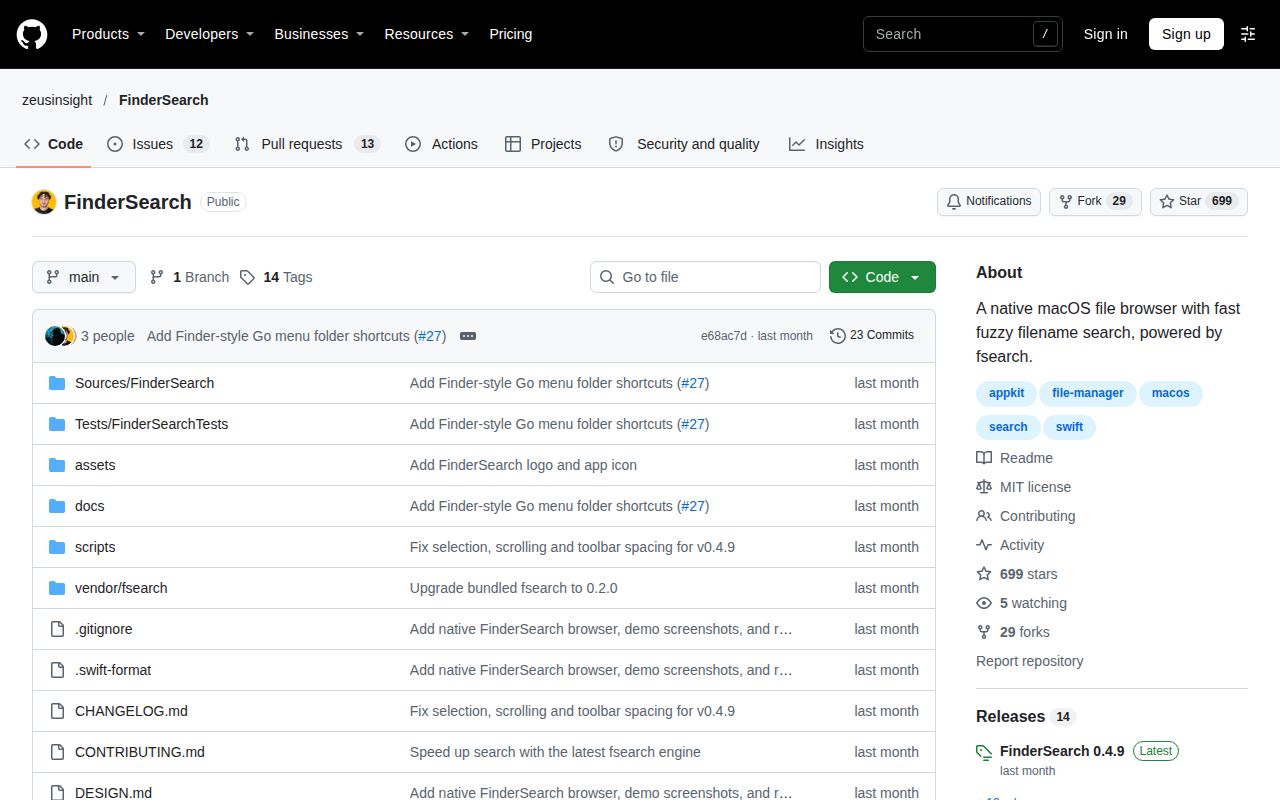
The public GitHub API returned 699 stars and a last-push timestamp of October 15, 2026; the latest-release endpoint returned v0.4.9, published October 13. Stars measure attention. The issue responses about sidebar behavior, navigation, and permissions provide more useful evidence of maintenance work than that count alone. Repository API, latest release
Those October fixes justify reading the release notes before dismissing an old complaint. They don't promise a future release schedule. The supplied issue #22 is still open, and other threads contain follow-up symptoms after a fix announcement. I would judge this as an early utility whose individual workflows deserve attention, rather than treating a closed-issue total as a reliability score.
Our numerical ratings use a five-point editorial scale: 1 means documented barriers dominate, 2 means important workflow gaps remain, 3 means the documented path covers the main use with caveats, 4 means detailed evidence across the assessed area, and 5 requires broad independent confirmation. Documentation earns 4 for its specific permission, operation, and recovery instructions. Maturity earns 2 for the explicitly early product scope and unresolved permission behavior. Setup and community are N/A: the supported Mac installation and support capacity sit outside our assessment.
FinderSearch vs Apple Finder, fsearch, and launchers
Choose FinderSearch for a graphical filename-search-and-browse workflow; choose the underlying fsearch when your main requirement is its command-line or indexed-content interface. The fsearch README describes a CLI, daemon, and Rust crate alongside indexed search inside files. fsearch README
| Alternative | Why choose it instead | What the supplied comparison supports |
|---|---|---|
| Apple Finder / Spotlight | Your workflow depends on Finder's OS integrations | FinderSearch documents missing integration features; its backend benchmark compares a specific search workload. FinderSearch scope |
| fsearch | You want content search, CLI access, or programmatic search | The supplied comparison separates engine interfaces from FinderSearch's browsing and previews. fsearch comparison |
| Raycast / Alfred | Your task is launching and invoking actions | Bytesprint positions these as launchers versus a file-browsing canvas. This is its category comparison. Bytesprint comparison |
| fzf with shell tools | You prefer selecting matches inside terminal workflows | Bytesprint describes the terminal approach; fzf's own README calls it a general-purpose command-line fuzzy finder. Comparison, fzf README |
The choice is mostly about where you want to work after locating a path. FinderSearch keeps you in a browser with previews and file actions. A terminal finder suits a shell workflow. Neither preference needs a speculative speed ranking, and the supplied comparisons offer no independent test of FinderSearch against Raycast, Alfred, or fzf.
What the other reviews get wrong
Bytesprint calls the published figures fuzzy-search benchmarks, but the project's benchmark method explicitly measures exact filenames. One reported median is 1.135 ms, so describing every result as sub-millisecond also overstates the table. Its claim about results rendering within a frame goes beyond that benchmark's stated scope. Bytesprint article, actual method
The same article attributes speed to stripping out content parsing and calls the app unsigned. The engine supports indexed content search, while FinderSearch's interface omits content-query syntax. The usage guide calls the release ad-hoc signed. These distinctions affect what you can search and what trust the signature supplies. Calling FinderSearch a drop-in file manager also conflicts with the project's own description of incomplete Finder parity. Usage guide, engine comparison
The annujk/findersearch fork's README describes a 300 ms typing delay, no batch rename, and refusal to overwrite conflicts. Upstream documents a 50 ms wait after typing stops. It also documents batch rename and Replace, Keep Both, or Skip conflict choices. Use the upstream project's documentation when evaluating zeusinsight/FinderSearch. The fork's older description isn't evidence that those upstream features are absent. Fork README, upstream README
OSRepos' v0.4.5 latest-release label and two-day project age belong to its October 11 health snapshot. They aren't November status reports. The later API push date and v0.4.9 release show why a dated health card needs context, without turning either source into a promise of continued activity. OSRepos snapshot
Questions people ask
FinderSearch's GitHub home is zeusinsight/FinderSearch, and its downloadable release is aimed at Apple Silicon Macs running macOS 15 or newer. Searches for Apple Finder troubleshooting or unrelated software named Finder concern different products. Start with the upstream repository and its linked usage guide. FinderSearch GitHub README
Can I use fsearch through a graphical interface, and will it still be as fast?
FinderSearch puts fsearch behind a native Mac file browser with four views and Quick Look. Its published backend benchmark measures three warm exact-filename queries, not complete interface responsiveness. Pick it for the browser workflow; the benchmark explains only the retrieval portion. Usage guide, benchmark scope
Can FinderSearch search inside files, or only match filenames?
FinderSearch exposes filename search, including filters such as ext:pdf and mtime:<7d, but its UI does not expose content-query syntax. The underlying fsearch engine supports indexed content search through its own interfaces. Adding the graphical browser doesn't expose every engine capability. Search documentation, fsearch comparison
Do I need Xcode and Rust to install FinderSearch?
The downloadable DMG route does not require building the source. Source builds additionally require Xcode 16 or compatible Command Line Tools and Rust 1.85 or newer with Cargo. The build bundles fsearch automatically, so a separate engine installation isn't part of that documented route. Requirements
Is FinderSearch notarized and ready to open without a macOS security exception?
FinderSearch is ad-hoc signed, not Developer ID-signed or Apple-notarized. Its guide says to use Open Anyway in Privacy & Security if macOS blocks it. That instruction is a manual security exception, so it won't suit a policy requiring notarized applications. Signing and opening instructions
Does FinderSearch upload my files or search data?
The project's usage guide says searches and file data stay on the Mac and the app does not upload them. It also distinguishes indexing from opening cloud files: opening or previewing a cloud file may trigger the provider's download. Treat that as documented behavior, rather than an independent network audit. Local search and cloud behavior
How much faster is FinderSearch than Spotlight, and what does the benchmark measure?
The project's three warm exact-filename tests recorded fsearch medians of 0.494 to 1.135 ms and Spotlight medians of 7.058 to 7.305 ms. The test used one Apple M4 and 10,000 generated files, with one match per query. It measures backend retrieval with IPC, excluding UI rendering. Benchmark results and method
Can FinderSearch fully replace Apple Finder?
The project describes FinderSearch as an early prototype with incomplete Finder parity and no OS-shell replacement. Use it alongside Finder when its filename-search workflow appeals to you. The documented integration and operation gaps are collected below, so you can compare them against your own daily work. Product scope
What file-management features does FinderSearch offer beyond search?
FinderSearch documents copy and move, batch rename, tags, ZIP tools, Trash, undo, and conflict choices, alongside tabs and Quick Look. Its appeal is completing the next file operation in the same browser where you found the item. Those are upstream feature descriptions, separate from our compiler results. Feature list
What is fsearch, and how does it relate to FinderSearch?
fsearch is Noah Dunnagan's search engine, bundled into FinderSearch; FinderSearch adds the native browsing interface and file workflows. GitHub lists FinderSearch's main language as Swift, while our Rust sandbox targeted its vendored engine. The distinction explains why our compilation result isn't a native-app evaluation. Project credits, repository facts
Why do I have to approve FinderSearch permissions again after every update?
In issue #22, the maintainer says permission resets after updates still need stable Developer ID signing. The v0.4.9 fix in that thread concerns overlapping permission controls. Updating to that release therefore shouldn't be read as a claim that repeated approvals are solved. Maintainer response
Can FinderSearch search Dropbox folders or accept custom index paths?
The guide says locally enumerable CloudStorage files, including Dropbox files, can be searched when the helper has Full Disk Access, without a Dropbox account connection or custom index path. The issue response recommends reopening and making cloud-only folders available offline when needed. It doesn't announce an arbitrary custom-path setting. Cloud-folder guide, Dropbox issue
How do I drag folders into sidebar Favorites and reorder or remove them?
The maintainer says v0.4.6 added drag reordering and right-click removal, and v0.4.7 added folder drops from the file view or Finder. Adding a Favorite leaves the folder in its original location. These are separate fixes recorded in the same sidebar discussion. Favorites fixes
What we have not tested yet
Our sandbox never reached a working native FinderSearch session, and the separate Compose-based attempt stopped before a task ran. We have not tested the downloadable DMG on supported macOS, Intel compatibility, first indexing, fuzzy-query relevance, typing-to-render latency, cold navigation, memory use, large folders, or file-operation recovery. The image label doesn't establish the sandbox's actual Rust or OS version. Full compiler logs are needed before assigning the 42 errors to a package, platform, or environment cause.
The published benchmark excludes real fuzzy queries, whole-disk searches, thumbnails, cold indexing, and rendered browsing. The supplied Dropbox response explicitly says a live Dropbox account was not checked. The tag thread contains an unanswered follow-up saying filtering had no effect, despite its closed status. Tags also depend on Spotlight coverage. Issue #16 reports an icon-registration change in v0.4.7 but says the original disappearance couldn't be reproduced; issue #40 closes as a duplicate without showing a bottom-bar layout fix. Dropbox boundary, tag follow-up, Dock-icon report, bottom-bar report
The documented product gaps are content search in the UI, AirDrop, Finder extensions, saved smart folders, folder merging, cloud-management UI, and persistent undo history. Folder replacement replaces the whole folder, rather than merging contents. Undo history lives in memory per tab. ZIP extraction supports standard unencrypted archives but rejects ZIP64, symbolic links, and special files. Search displays up to 500 matches, and slow disks or providers can still delay work. These are product boundaries, not failures reproduced in our sandbox. Usage and limits
We have no independent adoption count, support-capacity assessment, comparative launcher benchmark, or security audit. For a first Mac evaluation, use a disposable folder containing files you know, try a fuzzy filename and a preview, then exercise rename, conflict handling, and Undo. Finish by reopening the app and checking your permissions and cloud-folder coverage. That would supply the missing evidence for deciding whether this browser earns a place next to Finder.