fzf makes an existing list easier to choose from
Pipe a list of filenames into fzf and you can narrow it by typing fragments, then send the selected filename back to your shell. The same mechanism works with command history or Git output. That small contract is why I'd put fzf on a developer's everyday machine: it improves a task you already do without requiring you to move your work into another application.
The checkout we measured occupied 1.9 MB across 162 files, with about 42,918 source lines. You don't need to understand that code to use the distributed binary. You do need to decide which list it should search. A file picker fed by Git tracks a different set of files from one fed by a recursive directory scan, and fzf cannot select a candidate its input never included.
What happened when we ran it
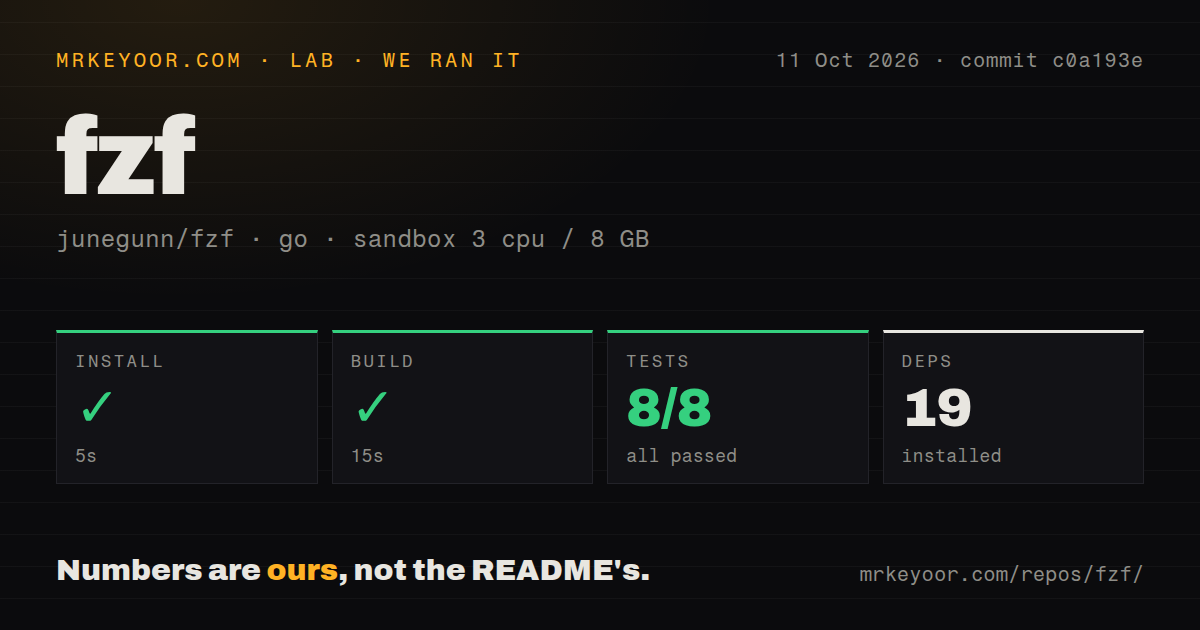
Our run of fzf at commit c0a193e installed 19 packages in 5 seconds, built successfully in 15 seconds, and passed all 8 reported Go tests in 12 seconds. We used golang:1.24-bookworm on October 11, 2026, in an unprivileged container with 3 CPUs, 8 GB of RAM, and no secrets. No step in the supplied result failed.
The lab also found 8 CI workflow files, a Dockerfile, and a tests directory. Those are useful maintenance signals alongside the passing commands. Our sandbox result establishes that this checkout could be prepared and checked in that environment. It does not establish search latency, terminal compatibility, or the correctness of every shell integration. The README's speed claims remain upstream claims because our run did not benchmark interactive matching.
Shell shortcuts require a separate configuration step
The shell integration instructions show Bash loading bindings through fzf --bash, with different instructions for Zsh, Fish, and Nushell. Installing the binary doesn't automatically give every package-manager user history search or file completion. The Git installer can edit shell configuration, so read the changes before accepting them into shared dotfiles. Basic filtering needs no account, hosted service, or API key.
Our 5-second source-install result doesn't measure the time you'll spend reconciling those bindings. CTRL-T selects paths, CTRL-R searches history, and ALT-C changes directory. You can disable bindings, but the README says their command variables must be empty when the integration loads. Setting them afterward has no effect. That distinction matters when a team already assigns those shortcuts to other shell tools.
Ignore rules belong to the candidate generator
The ignore-file example uses fd to supply paths while excluding the Git directory. fzf's default command variable applies to direct invocation, but the README explicitly says shell integration uses separate sources. Configuring one variable and expecting the file shortcut to inherit it is a recipe for two different pickers. Set the source for the shortcut you actually use.
The 19 packages in our lab install aren't an inventory of everything a customized terminal needs. README recipes can call fd, ripgrep, bat, or a clipboard utility, depending on the behavior you choose. Those commands are separate dependencies of your recipe. I'd start with the history binding and a plain file list before adding previews. It makes a missing executable easier to identify and keeps configuration understandable when you change machines.
Preview commands and filenames need deliberate handling
fzf can run an external preview command for the selected row and replace itself with an editor through become. The README explains why simple command substitution can mishandle filenames containing spaces or open an empty file after cancellation. Its alternatives include null-delimited output and become(vim {}). These details make the examples useful beyond a screenshot, especially if your picker opens files rather than merely displaying their names.
Passing 8 Go tests doesn't validate a command you paste into your own preview configuration. The documentation warns against applying a file-reading preview globally because fzf also receives inputs that aren't filenames. A process list deserves a different preview from a file list. Keep command execution attached to a specific workflow, and check the selected value before wiring the picker to a destructive action.
Popup behavior depends on tmux or Zellij
The README requires a supported tmux or Zellij version for popup mode and says that option is silently ignored outside them. A height-limited picker is the documented fallback. That's a practical reason to skip elaborate popup configuration on machines where you can't control the multiplexer: the same dotfiles may produce different layouts even while the underlying selection still works.
The October 11 release, v0.74.5, fixed popup behavior over zoomed tmux panes, escape-sequence handling, and security problems in the tmux helper and Zsh completion. The repository's last push was also October 11, 2026; GitHub reported 83,565 stars and 332 open issues and PRs. Recent closed input-handling and reload changes support a finding of active maintenance. The queue is not a count of confirmed bugs.
Choose fzf when you want to own the shell workflow
skim is worth considering if you specifically want a Rust fuzzy finder with a familiar command-line approach. peco focuses on interactive filtering and is a sensible comparison for a smaller selection workflow. Neither choice excuses leaving the input source unspecified. Compare the picker against the actual list and shell integration you intend to keep, rather than choosing by implementation language alone.
fzf's 15-second build and clean lab result make it easy to recommend for developers who repeatedly select paths or recall commands. I'd pass if you need a graphical search application, identical completion behavior across shells, or a ready-made editor command suite without another plugin. Start with one recurring selection task. If CTRL-R becomes the shortcut you reach for every day, you've already found a reason to keep it.