Three README demos make the CRT effect the whole point
The README opens with 3 terminal demos: amber, IBM DOS, and green. cool-retro-term wraps a real shell in a QML interface that imitates an old cathode-ray tube. Fonts, colors, glow, curvature, scan lines, and related effects can be changed from the context menu. It uses the QML port of qtermwidget, itself based on Konsole's terminal component, so commands still run in a terminal emulator rather than in a decorative text box.
The visual idea has more code behind it than the short README suggests. Our checkout held 485 files, about 37,041 source lines, and 57.9 MB before installation. That includes application code, QML effects, fonts, presets, packaging material, and the terminal widget submodule. The size makes sense for a desktop program with bundled visual assets. It also means a user who only wants green text on black can get a lighter result by theming an existing terminal.
What happened when we ran it
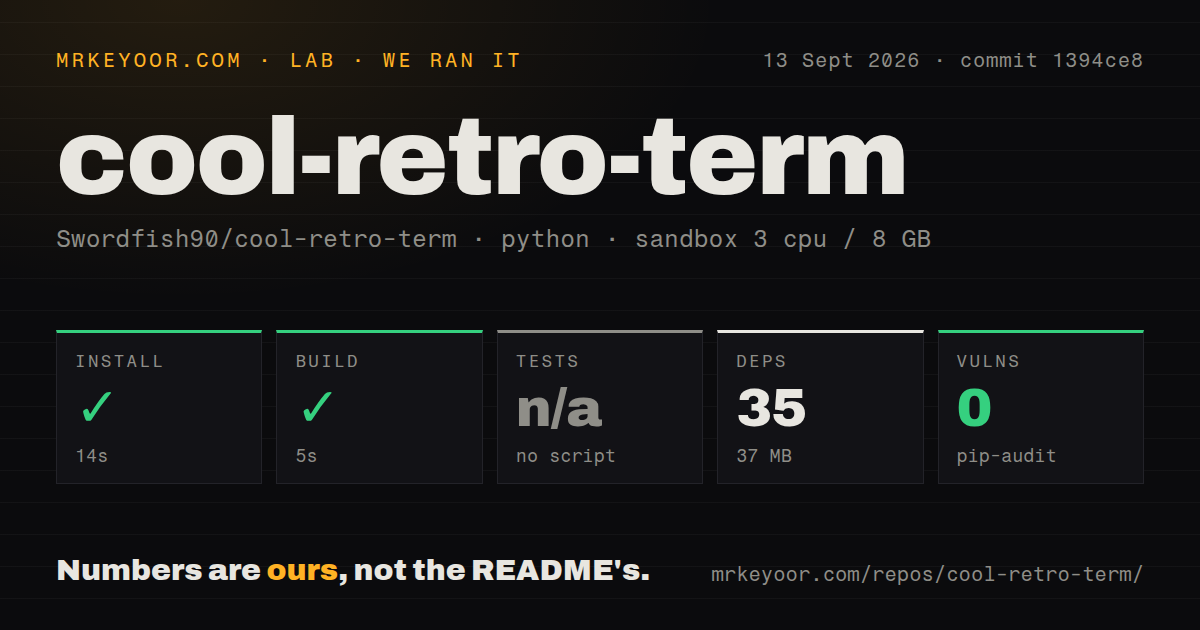
Our sandbox installed 35 packages in 14 seconds and occupied 37 MB on disk. The build then succeeded in 5 seconds. Pip-audit found 0 known vulnerabilities in the installed Python packages. Our measurement method used commit 1394ce8 in a fresh unprivileged Debian container with 3 CPUs and 8 GB of RAM. Those results establish that the lab's setup and build steps completed; they do not measure launch time, typing latency, animation speed, or terminal rendering.
The repository provided no test script or target, so our test step was skipped. Its 485-file checkout had 1 CI workflow, no Dockerfile, and no tests directory. A successful build is useful, but it cannot catch keyboard mappings, terminal escape handling, window-state problems, or graphics-driver crashes. The absence of a runnable suite is especially relevant here because most of the product's value appears inside a GUI and depends on Qt plus the host display stack.
Qt6 in the README conflicts with Qt5 in both build guides
The 57.9 MB checkout's current README says Linux and macOS support requires Qt6. It sends source builders to 2 wiki pages, one for each platform. Both pages still install Qt5, set Qt5 paths, and invoke qmake; the Linux page names packages such as qt5-qmake, while the macOS page points to Qt 5.15.2. Open issue 928 identifies the same contradiction and says some systems need qmake6. That is a documentation defect a builder will meet before touching the application code.
Packaged installation avoids most of that confusion. Release 2.0.0-beta2, published on May 31, 2026, provides an AppImage and a macOS DMG. The README also points Linux users to distribution packages, and the macOS wiki names Homebrew and MacPorts. None of these routes needs an online account or service credential. A package is therefore the sensible first trial. Build from source when you need to modify QML, qmltermwidget, or platform integration, and verify every Qt dependency yourself.
Qt6 and Mesa reports make graphics compatibility a local test
Open issue 934 describes a launch-time SIGABRT on an AMD Renoir system using Mesa 25.3.5, Qt6, EGL, and Wayland under Hyprland. Issue 958 reports an intermittent QSG render-thread segmentation fault on Gentoo with Mesa 26.0.7 after changing profiles or exiting. These are reports tied to particular machines, not proof that every AMD or Wayland setup fails. They do show why the 5-second build cannot answer the question that matters: whether the terminal stays stable on your graphics stack.
Mac compatibility has its own edges. Issue 973, opened September 7, 2026, asks for x86_64 support for current macOS versions or instructions for building on Intel hardware. Issue 962 reports that Option-generated characters on a Norwegian keyboard arrive with an Escape prefix on macOS Tahoe 26.5.1. Issue 950 says Backspace deletes a word in some terminal applications on macOS. Anyone who works through keyboard-driven editors or remote shells should test their actual layout and shortcuts before replacing a dependable terminal.
Release 2.0.0-beta2 is current, while 563 reports remain open
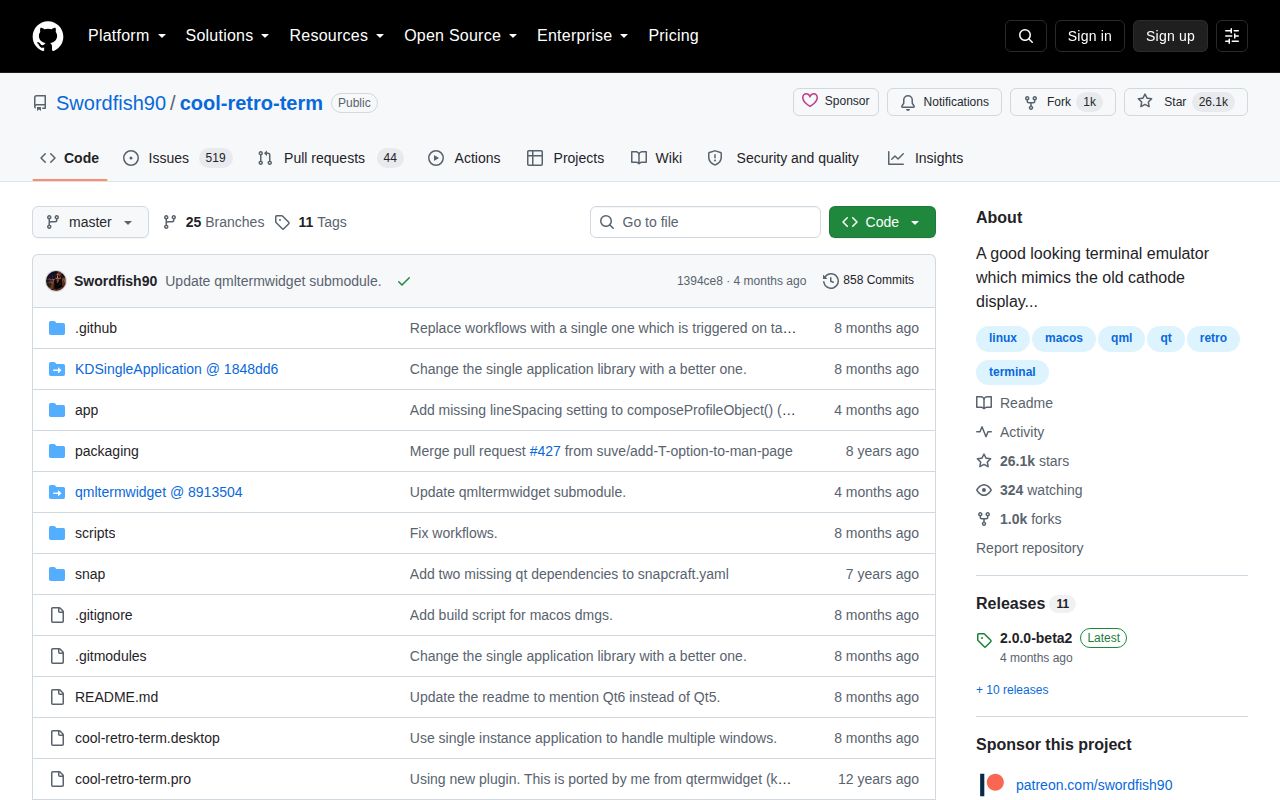
GitHub shows the last push on May 31, 2026, the same day as release 2.0.0-beta2. Its notes mention Linux resize-crash fixes, tab-management shortcuts, and smaller corrections. Issue conversations were still being updated in September 2026, so the project has recent code and user activity. The tag includes beta in its name even though GitHub does not mark the release as a prerelease. Buyers should judge the artifact by that tag and test it on their own desktop.
The repository had 26,143 stars and 563 combined open issues and pull requests when fetched. That combined number is not a count of confirmed defects, and the queue includes old requests. Several current reports are concrete enough to affect a decision: touchpad scrolling described as unusably fast in issue 927, Intel Mac packaging in issue 973, and the Qt5 wiki mismatch in issue 928. Popularity is easy to explain because the terminal looks distinctive. Maintenance capacity appears smaller than the backlog.
Use it as a second terminal before making it the daily driver
A 14-second install and 5-second build make cool-retro-term cheap to inspect, especially through a packaged release. Its best use is a themed workspace, recorded demo, retro-computing setup, or occasional shell where atmosphere matters. The settings expose enough control to make the effect personal instead of locking everyone to one green-screen imitation. Linux and compatible macOS users can try that experience without creating an account or changing their shell.
Daily use asks harder questions than the screenshots answer. The measured commit had no automated test target, the source instructions disagree over Qt5 and Qt6, and current issues reach into graphics, keyboard input, scrolling, and command-line behavior. Keep another terminal installed while checking those paths. Ghostty, Alacritty, and kitty make stronger defaults when predictable platform behavior or deeper terminal workflows outrank the CRT presentation.