Alacritty draws terminals and leaves workspace features elsewhere
Alacritty's design makes more sense once you accept what it refuses to become. It renders a cross-platform terminal with OpenGL, provides scrollback, selection, search, hints, keyboard and mouse bindings, and supports vi-style navigation. Tabs and splits stay outside the application. The FAQ recommends a terminal multiplexer such as tmux or a window manager for those jobs, and there is no GUI configuration editor.
That separation is excellent for users who already have a preferred session layer. It is irritating for someone moving from a terminal that bundles panes, profiles, remote sessions, and settings windows. Alacritty is not missing those features by accident. Its maintainers treat integration with other applications as part of the product boundary, so waiting for an all-in-one workspace conflicts with the stated direction.
What happened when we ran it
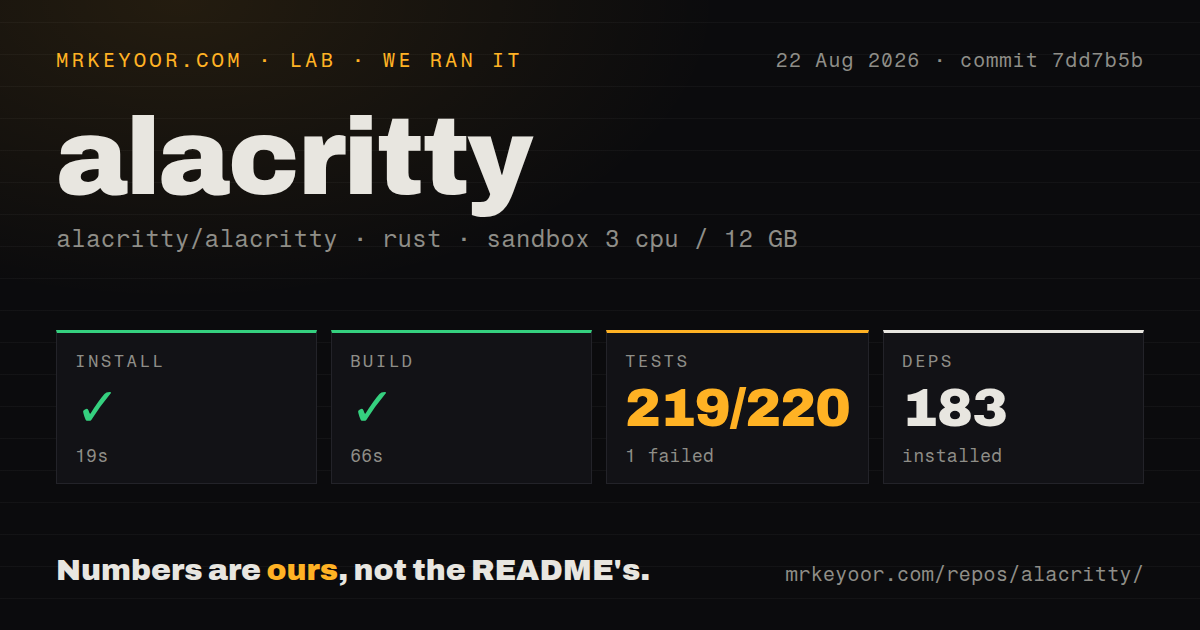
Our sandbox installed 183 Rust packages in 19 seconds. The build completed successfully in 66 seconds. Cargo tests then ended with exit code 101 after 42 seconds: 219 passed and 1 failed of 220. We used commit 7dd7b5b in an unprivileged Debian container with 3 CPUs and 12 GB of RAM.
The failing test was tty::unix::test_get_pw_entry in the terminal library. It called unwrap() on an error whose message was pw not found, and Cargo suggested rerunning -p alacritty_terminal --lib. The supplied log does not say whether the container's user database, test assumption, or another condition caused the lookup to fail. Calling it environment-specific beyond the observed password-entry lookup would be a guess.
The checkout contained 330 files, about 34,095 lines of source, and occupied 49.9 MB. Our scan found 2 CI workflow files, no Dockerfile, and no tests directory. Rust unit tests commonly live in source modules, which matches the 220 counted cases. The lab did not launch a graphical window, assess fonts, measure keystroke latency, or compare rendering throughput.
OpenGL ES 2.0 is the hard floor
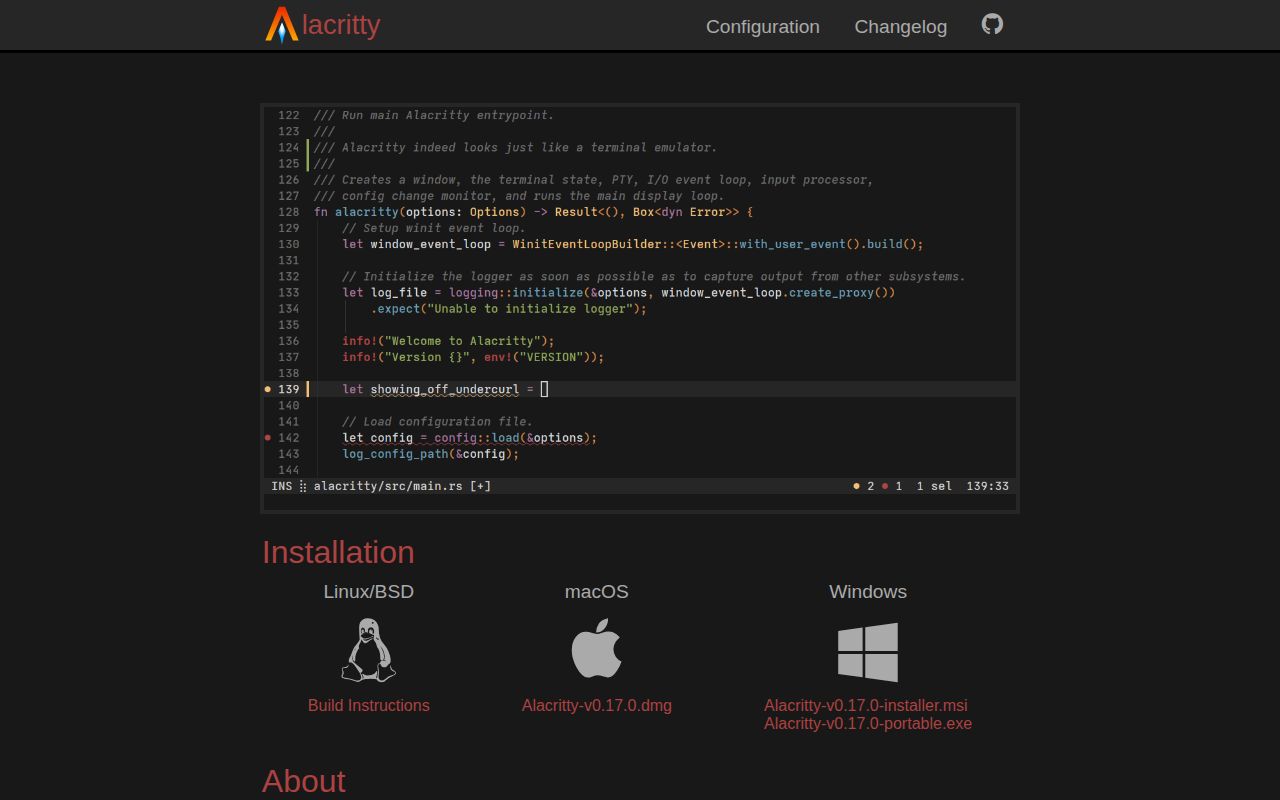
Alacritty requires at least OpenGL ES 2.0. On Windows it also requires ConPTY, available in Windows 10 version 1809 and later. BSD, Linux, macOS, and Windows are supported, but each platform has its own window system, font stack, input method, clipboard rules, and shell behavior. A successful 66-second compile in Debian does not certify those desktop paths.
Precompiled binaries are available from GitHub Releases for macOS and Windows, and the README points Linux and BSD users toward package managers or detailed build instructions. That is the sensible installation route for most people. Compiling 183 packages is appropriate for contributors, downstream packagers, or anyone pinning a patched commit, not a benefit in daily terminal use.
TOML configuration is explicit and file based
Alacritty does not create a configuration file. On Unix-like systems it checks several XDG and home-directory paths, then /etc/alacritty/alacritty.toml; Windows uses %APPDATA%. Documentation is available through the alacritty manpage and website. Version 0.17.0 added TOML 1.1 syntax support, so copying older YAML-era examples from search results is a poor way to configure a current installation.
File-based configuration works well in dotfiles and reproducible workstation setup. It also means users must identify option names, edit text, and diagnose errors without a settings panel. Release 0.17.0 fixed a brief error popup triggered when some editors saved the file, evidence that live reload is useful but still interacts with editor write behavior. Keep a minimal known-good file before importing a large theme or binding set.
Fast depends on the workload you care about
The project describes itself as fast and cites vtebench throughput results. Its own FAQ immediately narrows that claim. Latency, frame rate, frame consistency, and deliberate resource throttling are harder to compare, while a terminal that draws less aggressively may consume less power. The recommendation is to test the actual use case. We agree, and our lab numbers are build timings rather than terminal benchmarks.
A credible comparison should include the fonts, screen size, shell output, multiplexer, compositor, graphics driver, and power mode used on the target machine. It should also check text selection, scrolling, input methods, and waking from sleep. Issue 9030, updated August 25, reports freezing while switching windows; issue 9023 discusses input-method behavior around vi mode. Those reports are specific test cases, not proof of general instability.
v0.17.0 fixes crashes while beta remains explicit
Release v0.17.0 arrived April 6, 2026. It added wheel bindings, TOML 1.1 syntax, and Wayland resize increments, while fixing OpenGL-context reset and macOS input-method crashes. GitHub recorded a push on August 26. The project had 65,522 stars and 339 combined open issues and pull requests, with issue activity continuing that day.
The README still labels the software beta even though many people use it daily. Take that label seriously where a terminal is a critical work surface. Our 219 passing tests and one clearly reported Unix failure make the source worth trying, while the stated omissions decide the purchase: Alacritty is best for people who already chose separate tools for everything around the terminal grid.