Native tabs and splits are the reason to try Ghostty
Open a second shell beside your editor and Ghostty has a concrete answer: split the terminal inside the app. Its Mac and Linux applications also support tabs and multiple windows. The Mac interface uses SwiftUI; Linux uses GTK. That's a useful reason to try it if managing terminal windows interrupts your work. The platform overview explains how each interface follows its desktop's conventions.
Our source install stopped after 3 seconds, so a recommendation based on measured scrolling speed would be fiction. Ghostty's README makes performance claims, but this review rests on its documented desktop features and the setup failure we observed. Tabs and split panes are enough to justify a trial for someone who currently arranges separate windows by hand. They won't persuade someone whose existing terminal already fits.
What happened when we ran it
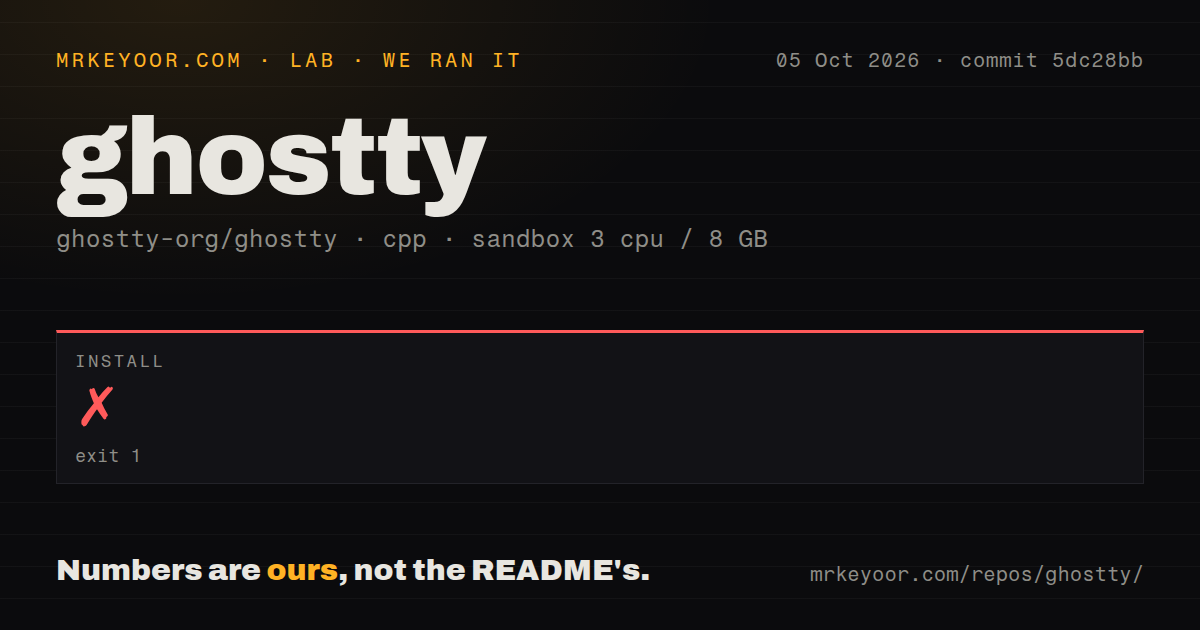
Our sandbox install of Ghostty commit 5dc28bb failed with exit code 1 after 3 seconds on October 5, 2026. We cloned it into a fresh Debian container with 3 CPUs and 8 GB of RAM, using image lab-cpp:1 without elevated privileges or secrets. CMake stopped at CMakeLists.txt:94 because it could not find ZIG_EXECUTABLE using the name zig. Configuration remained incomplete.
The Ghostty checkout contained 5,880 files and roughly 103,269 source lines, occupying 88.9 MB. The lab classified the ecosystem as cpp. That classification did not make the checkout usable with the tools in our image: the log explicitly required zig. Repeating the same error in the log tail does not reveal another failure. It shows the same unmet prerequisite, without explaining why the executable was unavailable.
The scan found 15 CI workflow files, a tests directory, and no Dockerfile. Those are repository signals, not passing results from our sandbox. The supplied measurement contains no successful build or test result to report. It also gives us no terminal latency or rendering measurement. We can say precisely where this attempt stopped, but cannot turn it into a claim that Ghostty's desktop app is unreliable.
Mac binaries and Linux packages have different maintainers
The 3-second failure belongs to our source-checkout path. The README directs ordinary users to a download page rather than presenting the repository as a ready-to-run app. Ghostty officially distributes Mac binaries; Linux users depend on distro and community packages. The package guide identifies that split. Choose the package maintained for your desktop before deciding whether source development is something you need.
Ordinary terminal use needs a local shell, without a hosted account or API key. The configuration guide documents optional text settings in a simple key = value format, including font and keybinding choices. You can reload settings, although some apply only to new terminals. I'd start with defaults and change the shortcuts that collide with my habits. Importing years of old configuration would obscure what Ghostty already does acceptably.
Indic text and temporary image files need a closer look
Ghostty's 15 workflow files don't settle whether your particular text renders correctly. Open issue #5637, updated October 5, describes overlapping characters, misplaced vowel marks, and cursor errors for Indic and related scripts. Tamil is specifically called out. If you read these scripts in logs or edit them in a terminal, this is a reason to keep your current app until you've checked representative text yourself.
Mac users sending inline images have a narrower concern. Open issue #14567 reports rejection of Kitty graphics temporary files placed in /tmp, while files under Ghostty's own temporary directory work. That report concerns a particular transfer mode. It doesn't establish that image support is generally broken. For a workflow built around frequent terminal images, check the client's transfer method before switching the application underneath it.
Embedding the terminal means accepting API changes
The 88.9 MB checkout contains a desktop project and code intended for reuse through libghostty. The README says libghostty-vt is usable from C and Zig and supports Windows and WebAssembly alongside Mac and Linux. It also says API signatures remain in flux and the library has no version tag. I'd explore it for a new terminal interface, while reserving time to update integration code as signatures change.
Choose alternatives by the workflow you need to preserve
Alacritty suits someone who prefers a focused terminal and uses other applications to organize sessions. kitty has extension tools called kittens, which may matter more to you than native window controls. WezTerm combines a terminal with a multiplexer and supports Windows. Keep the comparison tied to those differences. Our sandbox result offers no basis for ranking any of these applications by speed.
October activity shows maintenance, with a separate release channel
Ghostty's last push was October 11, 2026, and GitHub listed 62,052 stars with 268 open issues and PRs combined. The recently updated text-shaping and graphics reports show that specific limits remain under discussion. The download page lists version 1.3.1; GitHub's latest-release endpoint returned 404, while its tip release is explicitly nightly. That split isn't evidence of abandonment. Our 3-second install failure still leaves the practical decision with your desktop: try its packaged app with the text and image tools you actually use before replacing your current terminal.