BigFish follows the Harness host onto your desktop
DSH BigFish puts DeepSeek Harness task status in a native window that stays above other applications. If you switch to an editor while an agent works, that window can keep its current state visible. The project is Chinese-first, with an English README, and the companion interface is currently Chinese. That last detail matters more to an English-speaking user than the character's appearance.
The English README says BigFish observes Harness session events and does not read your screen. It shows progress only when the host supplies it. You should therefore expect a cue about the agent's reported state, rather than independent confirmation that its work is correct. Thinking, waiting for confirmation and completion are useful distinctions when another application has your attention.
What happened when we ran it
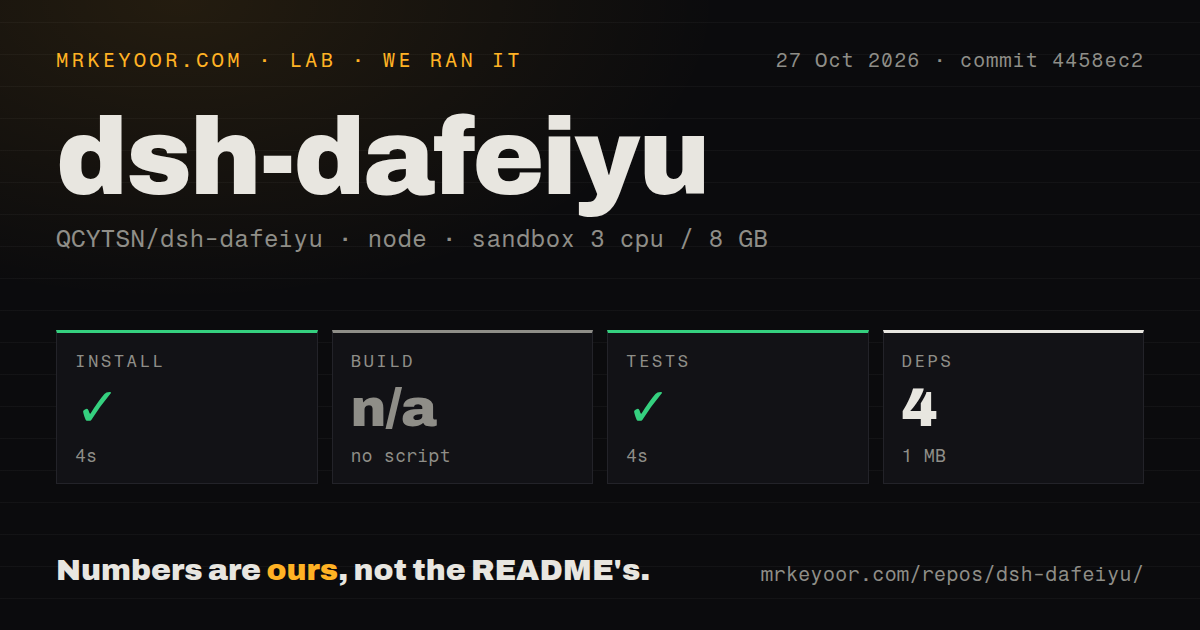
Our sandbox installed dsh-dafeiyu in 4 seconds and completed its test step in 4 seconds at commit 4458ec2 on October 27, 2026. The pnpm record lists 4 dependencies and 1 MB on disk. There was no build script or target, so the build step was skipped. No passing-test count accompanies the successful test result.
The checkout contained 3,615 files, approximately 11,702 source lines and 63.6 MB. Our scan found monorepo workspaces, a tests directory and 2 CI workflow files, with no Dockerfile. Those are repository observations. They do not establish what the hosted workflows passed or whether a packaged native helper launches correctly.
The recorded configuration was 3 CPUs, 8 GB of RAM and image label lab-node:22. That label does not verify the actual runtime or operating-system version. The small dependency footprint also excludes any claim about the complete desktop deployment: our record contains no measured native-window launch, memory use, display behavior or balance request. A successful repository test step leaves those device checks open.
WebUI and Desktop use different plugin profiles
Installing BigFish into the web profile does not install it into the desktop profile. The README explicitly warns that enabling both hosts starts two native companions. Before troubleshooting a missing fish, check which host you actually launched and which profile received the plugin.
For the official Desktop app, the documented route is its Plugins screen, followed by adding and enabling dsh-dafeiyu. Command-line users must use Desktop's bundled CLI to modify that app's profile. A separately installed npm or npx Harness CLI cannot do it. WebUI has its own command-line route. This distinction is an easy source of wasted effort because both clients share Web client code while retaining separate configuration.
The native window appears on the machine running the Host. A remote server or a Host without a graphical desktop cannot show a native window on your browser's machine. BigFish has an optional in-page companion, disabled by default, for browser display. That makes a remote browser session a different proposition from a local desktop installation.
Platform support has explicit limits
The README documents bundled helpers for Windows x64 and Linux x64. Linux needs a graphical desktop and glibc 2.35 or later. Linux arm64 lacks a matching bundled helper and uses a Python fallback requiring PySide6. macOS uses a Swift/AppKit helper and remains experimental. Our passing source checks certify none of those native routes.
Release v0.1.21, published October 27, addresses macOS cross-display dragging and retaining context-menu settings when Harness rejects a settings write. These are meaningful desktop details: a status companion becomes annoying if dragging or sizing behaves unpredictably. The release describes fixes, while the README still asks for real-machine validation of visual and multi-monitor behavior. Check your own displays before leaving it permanently enabled.
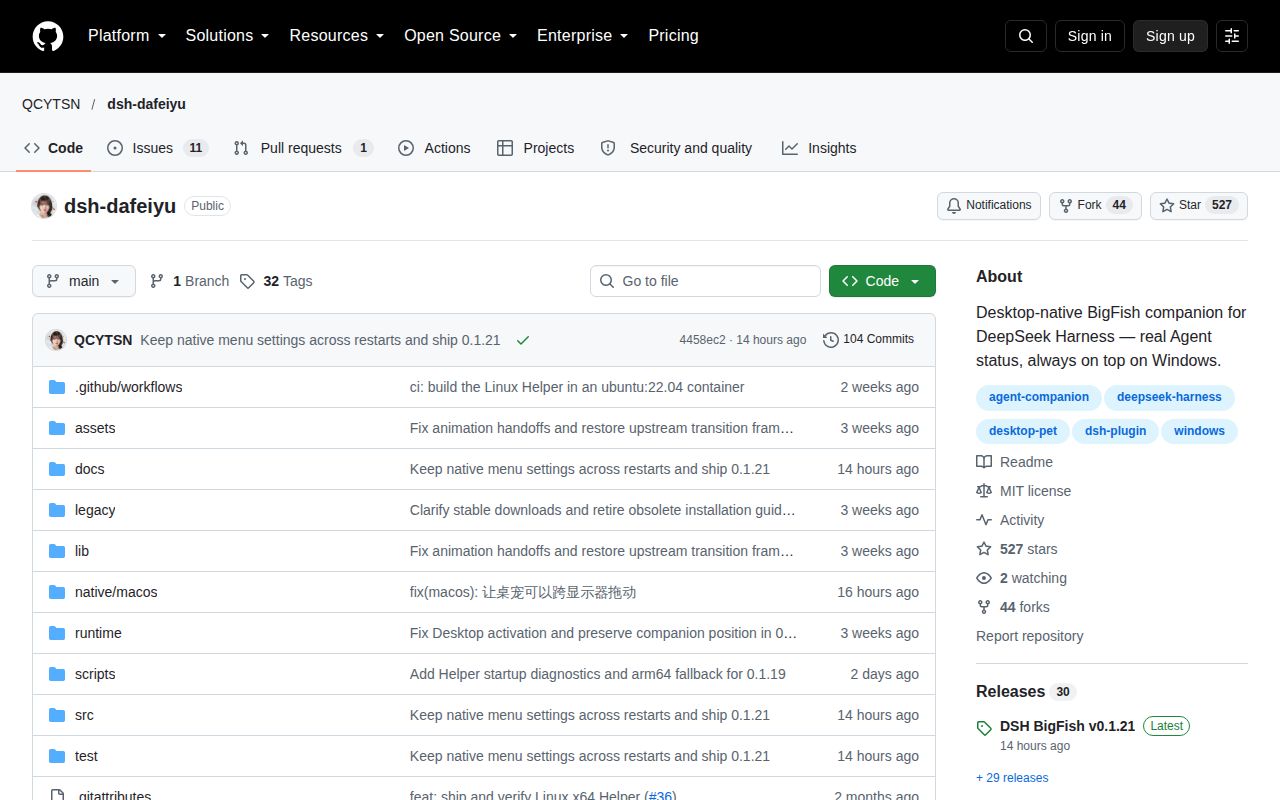
GitHub recorded the last push on October 27 and listed 12 open issues and PRs. Issue activity also continued that day, including a macOS dragging contribution and reports concerning settings persistence. The release responds to those specific areas, so open reports alone do not prove the older defects remain unchanged. This is visible maintenance, with no demonstrated support-response guarantee or long-term reliability result.
Balance display depends on Harness credentials
BigFish obtains balance credentials from Harness model or account settings. The README says task display still works without balance credentials, and balance display can be disabled. A custom gateway needs the compatible balance endpoint. A working model connection therefore does not by itself establish that the balance card will work.
The documentation says failed refreshes retain the last successful balance and mark it stale. Read that label before treating an amount as current. It also says credentials and raw upstream errors stay out of the companion event stream. We did not inspect traffic or audit that handling, so this remains documented behavior rather than our privacy finding.
Choose by the companion behavior you need
VS Code Pets puts pets in your code editor. Consider it when an editor pet is the main attraction and Harness status is unnecessary. dsh-pet documents custom pet packs and an animation-generation pipeline. Consider it when creating a character is the project. Neither alternative was measured against BigFish here.
BigFish's documentation earns 4/5 under a coverage rubric: 1 means a description alone, 3 adds startup and configuration guidance, 4 adds concrete platform limits and troubleshooting, and 5 requires those instructions to be independently verified. Its English README meets the fourth level. Setup, community support and production maturity remain unscored because our evidence does not assess those complete experiences.
Try BigFish with one local Harness profile and a task you can watch through completion. Check waiting-state notifications, stale balances and whether the window obstructs your normal work. If the Chinese interface or experimental macOS support rules it out, those are sufficient reasons to pass before configuring anything.