What our sandbox established
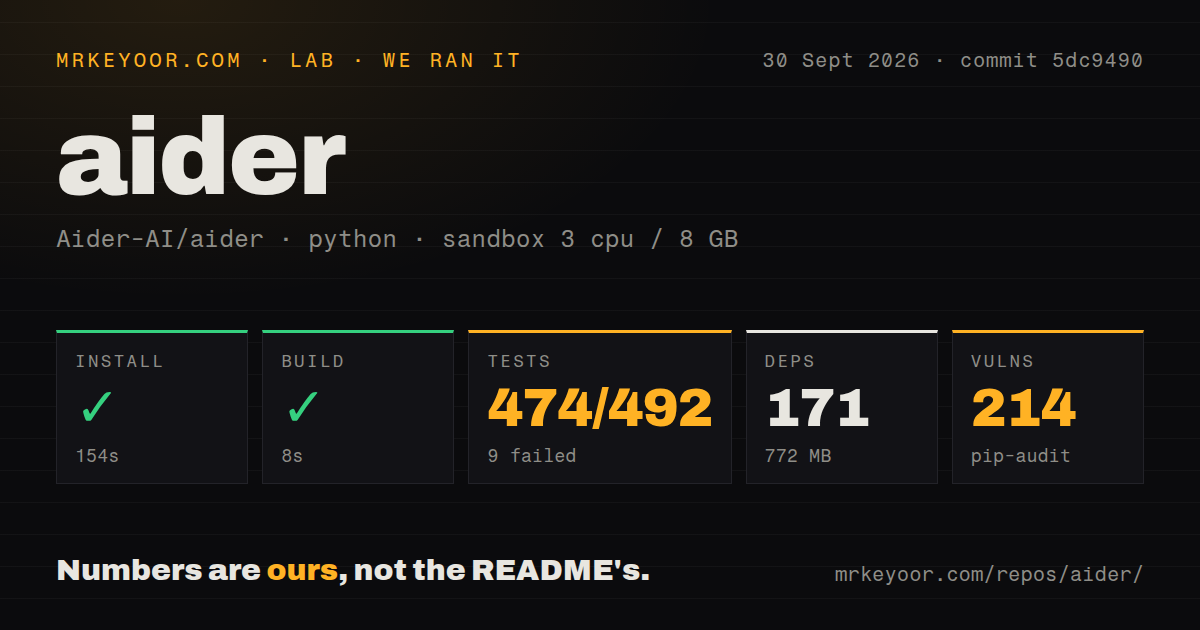
Our run on September 30, 2026, at commit 5dc9490 installed and built successfully, but its test command failed. Installation and build success justify a controlled evaluation; the failed suite leaves specific work before adoption.
The attached harness records each command's outcome, exit code, elapsed time, timeout status, and retained output tail. It also stores parsed test counts separately. The test command ran for 598 seconds and exited 1 without a harness timeout. Its raw pytest footer reports 584.61 seconds, which is a different timing field from the harness's command duration.
The stored parser summaries contain 474 passed, 9 failed, 1 skipped, 9 errors, and total 492. They do not establish exhaustive unique test coverage, and their fields should not be added together to manufacture a corrected total. The raw footer separately reports 67 passing subtests; these are not an additional verified count of unique tests. The skipped test was not a failure.
The MrKeyoor testing methodology explains how command outcomes and measurements reach a review. Its currently supplied text is provenance context, not evidence that this older run used today's procedure or completed a model workload. This correction uses the existing stored run and does not report a new execution.
The failures identify concrete reproduction work
The retained tail names five voice failures ending in aider.voice.SoundDeviceError. It also names three scraping failures. Their output includes an unsuccessful attempt to install browser dependencies through su, a missing Playwright browser executable, and a request that returned no content. These observations identify sandbox obstacles without proving that every scraping failure has the same cause.
The repository-map failure shows an unexpected __pycache__/sample.cpython-312.pyc entry in the generated output. That is more specific than a general claim that repository mapping is unreliable.
The nine errors are also identified: four repository sanity checks encountered getpwuid(): uid not found: 1000, and five help tests hit individual pytest timeouts above 120 seconds. Those individual timeouts do not mean the entire harness command timed out. Reproduce the relevant cases with a valid user mapping, the required browser setup, and your intended audio environment before deciding whether the failures block your workflow.
Git review is the reason to try Aider
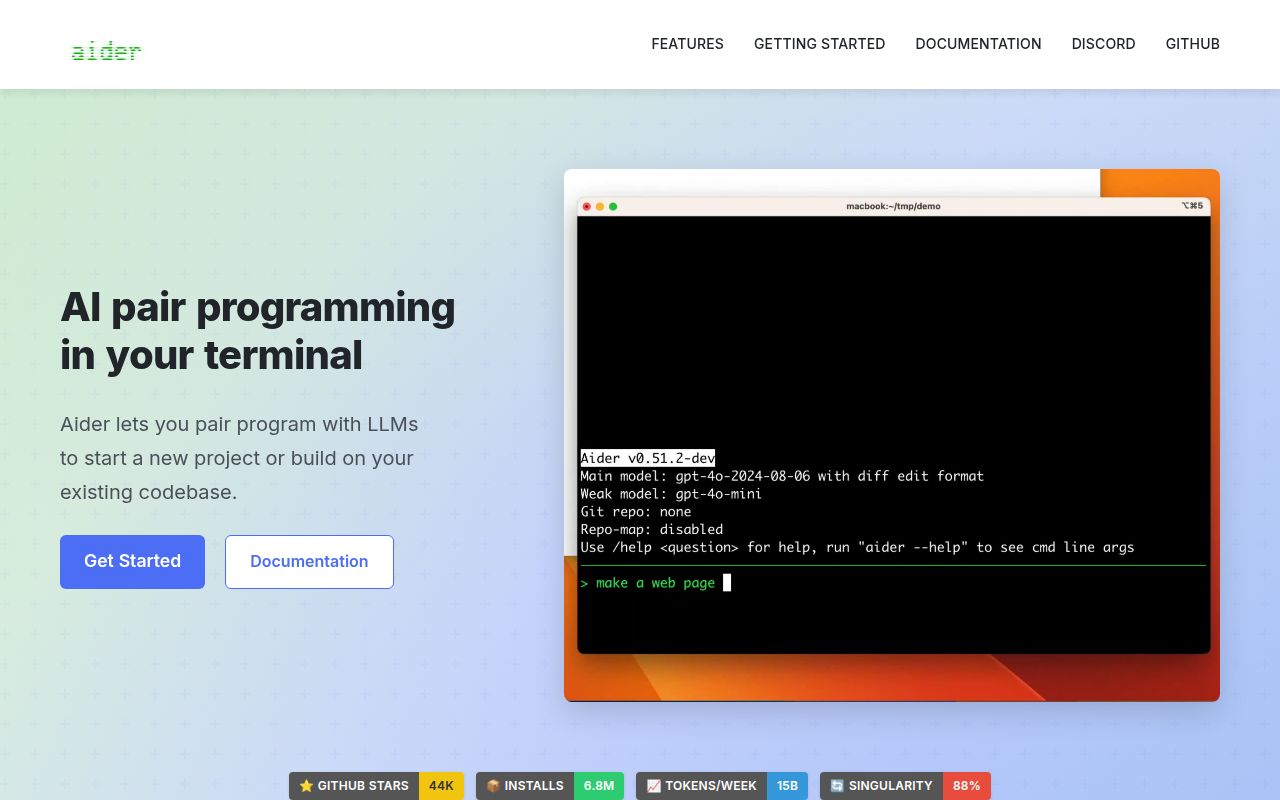
The README at the measured commit describes automatic Git commits, repository mapping, cloud and local model connections, and automatic linting and testing after edits. These are documented capabilities, rather than outcomes verified by our sandbox workload.
For a developer already comfortable reviewing diffs and undoing commits, that workflow gives a practical way to inspect proposed changes. Start on a disposable branch, configure the intended provider, request one bounded change, and inspect the patch before accepting it. Run the project's own checks as part of that trial. Our recorded install and build do not establish patch correctness, provider compatibility, model cost, or unattended task completion.
Treat the audit as a triage list
Our sandbox recorded 9 failed tests and 214 pip-audit advisories. The audit record associates advisories with 19 packages, but supplies no total scanned-package coverage. It is not a security assessment and does not establish exploitability.
Review the affected versions, advisory conditions, and reachable functionality before approving the environment. The 171 installed packages and 772 MB footprint describe the recorded installation; they are not evidence that pip-audit scanned every installed package. The supplied evidence also does not establish that every advisory blocks a supervised trial.
Headless automation needs an acceptance check
Issue 5552 reports fatal model API connection errors followed by exit code 0. This is a reported behavior, not something our run reproduced. The supplied thread also contains a proposed fix; it does not establish that the measured commit includes a resolution.
For automation, check the expected artifact, diff, and acceptance-test result before marking a task complete. A successful process exit alone cannot demonstrate that the requested model work happened. Our sandbox's build exit code is similarly limited to the recorded build step.
Alternatives depend on the workflow you need
Cline's VS Code extension supports file creation, command execution, and web browsing with human-in-the-loop approval. Consider Cline as a replacement candidate when those editor-based controls matter more to you than Aider's terminal workflow. Its documentation also allows auto-approval, so confirm the configured approval mode. We did not run Cline or compare its reliability with Aider.
Continue's repository is read-only and no longer actively maintained. The Continue README lists a CLI, VS Code extension, JetBrains plugin, and final 2.0.0 release. Consider it only if you specifically need that existing codebase and accept responsibility for maintenance. Its editor integrations alone are insufficient grounds to recommend it as a maintained replacement. Neither alternative is a required complement to Aider.
How to read the ratings
These are editorial ratings, not benchmark results. Setup ease uses 1 for a blocked installation, 3 for successful installation with unresolved evaluation work, and 5 for a verified first task without material setup obstacles. Aider receives 3 because installation succeeded but the suite needs investigation.
Documentation uses 1 for missing setup guidance, 3 for basic installation and usage guidance, and 5 for documented entry points across installation, models, configuration, usage, and troubleshooting. Aider receives 5 for that documented breadth; we did not execute every linked guide.
Community uses 1 for no visible support route, 3 for visible discussion without established response or resolution performance, and 5 for demonstrated sustained support. Aider receives 3 because the supplied issue thread shows discussion and a proposed fix, while maintainer response performance remains unmeasured.
Maturity uses 1 for an evaluation blocked before useful results, 2 for a runnable project with unresolved failures, 3 for a passing sandbox evaluation with limited workload evidence, and 5 for repeated workload validation. Aider receives 2 because this run produced concrete unresolved failures. Advisory totals alone do not determine that rating.