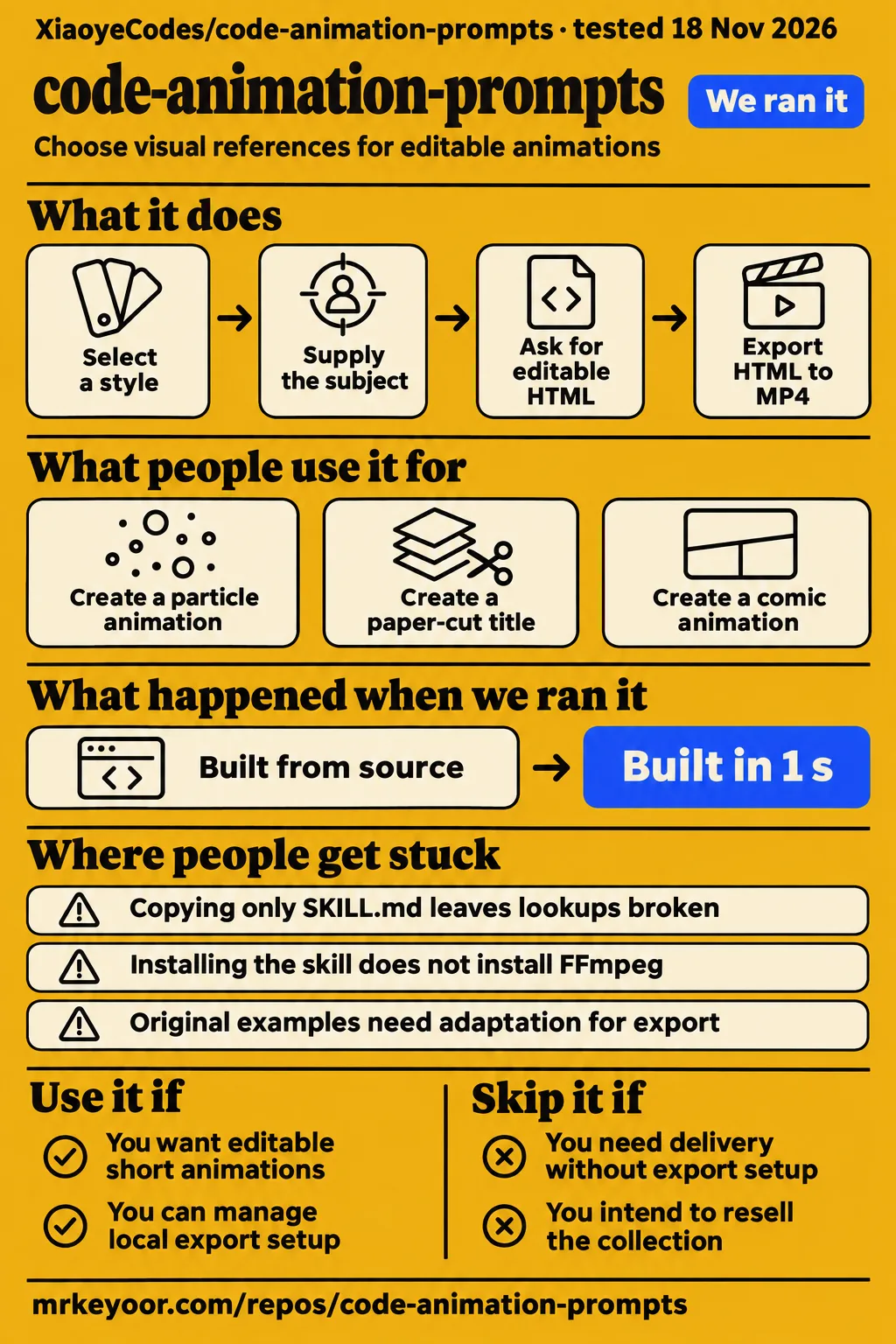
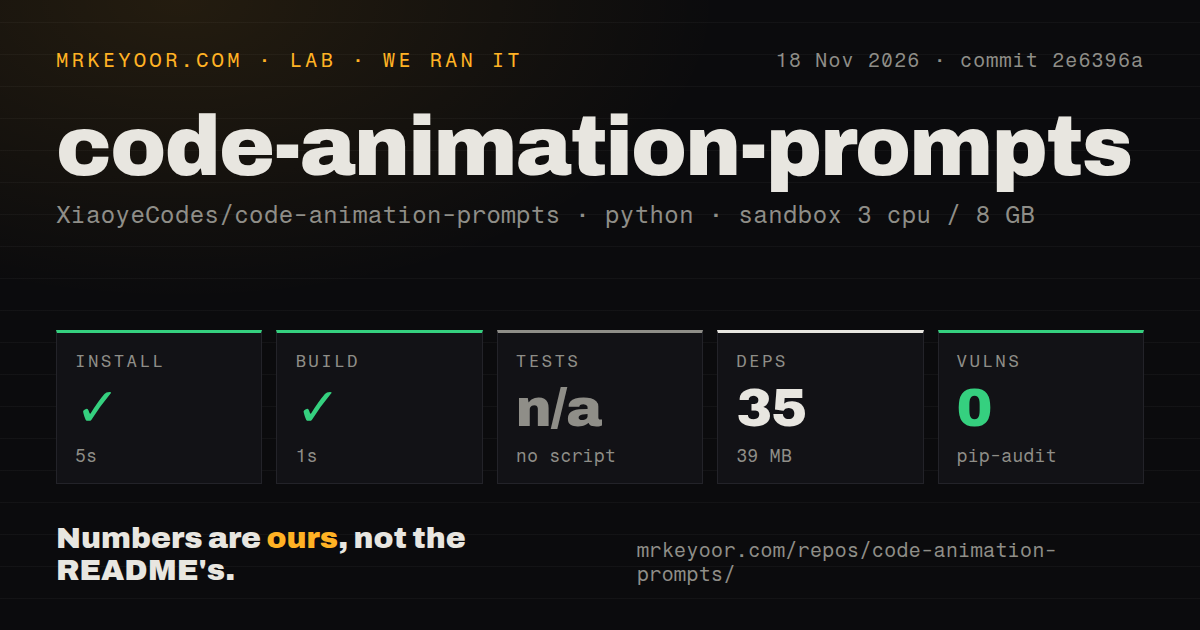
code-animation-prompts supplies local style references and a workflow for turning a brief into editable animation code. Use it when you want to choose a visual direction, inspect the result and revise its timing or wording. Choose a finished-video service instead when your requirement is delivery without owning the code and export setup. Our sandbox installation took 5 seconds and the build took 1 second at commit 2e6396a. The separate deployment attempt failed its Compose prerequisite. Our sandbox measurements and the hands-on safety failure describe those outcomes.
What people use code-animation-prompts for
Ordalin reports two 12-second MP4 exports using B3 Particle Assembly and Z5 paper-cut styling. The repository also preserves B6 and X7 examples, giving readers concrete artifacts to inspect alongside the catalog. These examples make short, visually directed animations a practical starting point: choose a recognizable style, describe the sequence and ask for editable source as part of the delivery. Keep the example's purpose in view when adapting it to a new subject.
| Who used it | Task | Documented outcome |
|---|---|---|
| Ordalin's reviewers | B3 Particle Assembly, showing an idea progressing through spark, build and completion | Reported a 12-second 1080p30 MP4 with 5,000 particles. B3 export report |
| Ordalin's reviewers | Z5 layered paper-cut title | Reported a 12-second 1080p30 MP4 with layered paper-cut styling. Z5 export report |
| The original collection's creators | B6 implementations preserved under the same prompt | HTML implementations and two MP4s are retained. Repository examples |
| The original collection's creators | X7 comic animation from a one-sentence prompt | HTML and an MP4 are retained. Repository examples |
Ordalin describes B3's particles forming a light bulb, breaking and rebuilding as a wall of bricks, then gathering into a circled checkmark. That sequence gives a brief writer something more useful than a style name alone: three distinct visual states connected by motion. For your own explainer, specify what each state means and which words belong on screen. Ask for keyframes so you can approve the sequence before requesting the final export. Ordalin's B3 sequence supplies the example behind that advice.
The Z5 result is described as a layered paper-cut title. For a similar brief, state the title, language, aspect ratio and duration directly, then approve the wording in the editable output. The repository's own Z5 request follows that pattern by naming the text, paper colors, shadows and 12-second duration. These are useful inputs to supply yourself rather than leaving the assistant to choose the message. The README's example requests show how the project frames that handoff.
What happened when we ran it
Our run at commit 2e6396a installed in 5 seconds and built in 1 second on November 18, 2026. The harness recorded 35 dependencies and 39 MB on disk. Its test step was skipped because no test script or target existed, and pip-audit reported 0 known vulnerabilities. These figures describe our sandbox setup checks. The separate hands-on record contains a failed Compose safety step, which belongs alongside the successful setup results.
| Sandbox check | Recorded result |
|---|---|
| Install | Succeeded in 5 seconds; 35 dependencies recorded, 39 MB on disk |
| Build | Succeeded in 1 second |
| Tests | No test script or target; skipped |
| Dependency audit | pip-audit reported 0 known vulnerabilities |
| Checkout | 587 files, approximately 446 source lines, 117.9 MB |
| Repository signals | 1 CI workflow file, no Dockerfile, no tests directory |
The sandbox configuration was 3 CPUs and 8 GB RAM with image label ghcr.io/astral-sh/uv:python3.12-bookworm. The harness classified the run as Python; the supplied GitHub metadata labels the repository HTML. Those labels describe different aspects of a collection containing scripts, prompts, images and HTML examples. The checkout's 117.9 MB and the installation's 39 MB are also separate recorded quantities, so neither should replace the other in a storage estimate. Our measurement record preserves both figures.
The hands-on summary says the project was deployed using its own Docker Compose with ports bound to localhost. Its detailed safety step says none of compose.yaml, compose.yml, docker-compose.yaml or docker-compose.yml existed. The detailed failure is the deployment outcome used here. The word "unsafe" appears in the harness's missing-Compose rule; it describes that prerequisite failure. Teardown was recorded as successful.
Ordalin reports B3 at 4.5 minutes, $0.76 and 23 turns, and Z5 at 3.8 minutes, $0.85 and 25 turns. Both reported outputs were 12.0-second MP4s at 1080p30; B3 used 5,000 particles and Z5 used layered paper-cut styling. These are Ordalin's export observations, kept separate from our installation and build measurements. They give readers two specific completed briefs to examine when deciding what an initial animation request should contain. Ordalin's export figures.
Where people get stuck: install the complete skill and configure export separately
The skill requires its surrounding assets, scripts and catalog files, so install the complete directory with relative paths intact. The README explicitly tells the assistant to preserve prompts, stills, HTML, videos and licensing files during installation. It also separates installing the style skill from installing video-rendering dependencies. That distinction helps identify the next action: restore missing library files for lookup problems, or configure the browser and encoder tools for MP4 export. Repository installation instructions.
| What stops you | Documented action | Requirement |
|---|---|---|
| Only SKILL.md was copied | Copy the entire skill directory, including assets and catalog files | Preserve relative paths |
| Destination already exists | Back up edits outside the assistant's skill-scanning directory, pull and reinstall | Installer refuses to overwrite |
| Picker appears as HTML source | Download it and open it locally in a browser | Preserve its position beside the prompt directory |
| MP4 renderer lacks dependencies | Configure Playwright, Chromium and FFmpeg separately | Skill installation handles files |
| Existing HTML cannot be exported | Supply window.renderAt(t) and stop the live loop in export mode | Adapt original examples to the renderer interface |
| Web chat cannot install files | Use a terminal-capable assistant or install manually | Installation requires local filesystem access |
MCP.so's installation and update guidance describes complete-directory installation, backups and overwrite behavior. The project README supplies the picker, assistant-access and export requirements. For a manual installation, it names Git and Python 3.10+ and provides separate Codex and Claude Code targets. Choose the target you use, preserve existing edits and keep backups outside directories the assistant scans for installed skills.
MP4 export requires a time interface in the HTML
The supplied renderer requires window.renderAt(t) and a stopped real-time loop when ?export=1 is active. Playwright, Chromium and FFmpeg are the documented export dependencies. The README points to a starter HTML file that exposes the time interface and says original examples need adaptation before using this renderer. Ask for compatible editable HTML in the initial brief so the requested deliverable and export method agree. The README's export instructions name the interface and tools.
The project distinguishes reading styles from rendering video: browsing prompts and using the picker require no rendering dependencies. Its browser tool exports compatible HTML frame by frame to MP4 and can mix in existing audio. A sensible delivery request therefore names the editable HTML, keyframes, MP4 settings and any supplied audio separately. That gives the assistant explicit outputs to work toward and gives you intermediate material to review before accepting the encoded clip. The README's sample requests use this staged delivery approach.
The catalog has 341 prompts and 196 stills
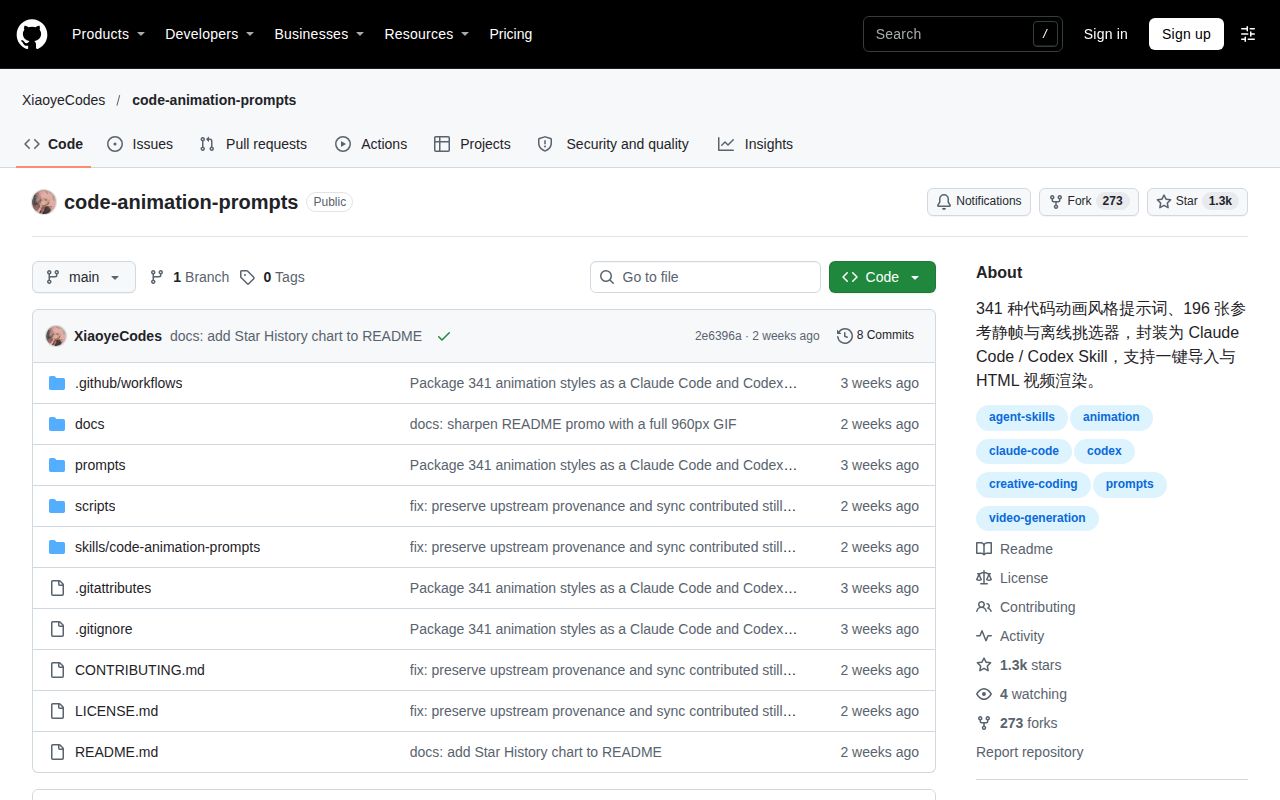
The documented catalog contains 341 prompts, 196 reference stills and 145 text-only entries. B6 is a separate original example outside the 341-entry index. The repository groups the catalog into 10 series covering motion, cartoon looks, Chinese styles, layouts and other visual references. Start with a style identifier and its prompt, then supply the subject and output requirements. MCP.so's catalog account and the repository's index summary describe that organization.
The offline picker supports searching, filtering, enlarging images, selecting styles and exporting a selection list. Download the repository and open the picker locally in Chrome or Edge, keeping its relative position beside the prompt directory. After selecting a style, add the topic, duration, aspect ratio and sound requirements before handing the list to the assistant. For one of the 145 text-only entries, read its instructions as the reference. The README's picker workflow explains those steps.
Chinese prompts make explicit language instructions useful
The style prompts and guides are written in Chinese, according to Ordalin, and the supplied project README is Chinese. Style identifiers such as B3 and Z5 give a translated brief a stable reference to name. Specify the language of on-screen text independently of the style selection, and provide exact wording when a title or caption matters. Ordalin's language description and the project's example requests support this approach.
The README's B3 request names a 12-second horizontal animation, three stages, 1920×1080 output, 30 fps, Chinese captions and silence. Its Z5 request supplies the title text and asks for editable HTML and keyframes before MP4 export. Those examples show how much useful direction can fit into a short brief. Keep the selected style code, approved wording and editable output together so later revisions can refer to the same materials instead of reconstructing the request from a finished video.
Free sharing has conditions
The collection permits free use and sharing but prohibits repackaging it for sale as a paid skill or course. Included third-party material retains its own licensing terms, and the repository says it has not relicensed all material as MIT. Keep source and attribution files with the material you install or redistribute. MCP.so's licensing summary and the repository's sharing statement make that distinction explicit.
Style lookup requires no API key or paid image service, according to the README; the coding assistant's own charges are separate. That makes the collection a local reference resource with an assistant workflow rather than a paid hosted animation API. If your intended business is selling this collection as training material or a skill bundle, the stated restriction is a reason to choose another resource. For reuse of particular components, read the supplied source and licensing files rather than assigning one license to the whole download.
code-animation-prompts vs alternatives
Remotion provides programmatic video creation and batch rendering, while Manim Community is an animation engine for explanatory math videos. Those are useful alternatives when the missing part of your workflow is the video project or animation engine itself. code-animation-prompts supplies style references and assistant instructions around editable animation. Choose according to the work you need to own, including the source, rendering setup and revisions. Remotion's README, Manim Community's README.
| Choice | What the evidence describes | Choose it when |
|---|---|---|
| code-animation-prompts | Style prompts, references, assistant workflow and compatible HTML export tools | You need a visual starting point for editable animation |
| Remotion | Videos as code using web technology, with batch rendering | You need a video project and rendering system to develop around |
| Manim Community | An animation engine for explanatory math videos | Your main task is a mathematical explanation |
| Generated-video workflows | A model generates frames from text or reference images | Generated footage is your intended deliverable |
Prompt Style Atlas distinguishes a model generating video frames from a coding assistant writing a browser animation program. That distinction helps readers choose the output before choosing a prompt collection. If you want to revise program parameters, timing or interactions, ask for editable code; if you want generated footage, start with that deliverable. The Atlas workflow explanation supplies the comparison. Remotion also states that a company license is required in some cases, so include its licensing requirements in a commercial shortlist.
What the other reviews get wrong
SkillsLLM says neither compared project includes SKILL.md, while the repository lists skills/code-animation-prompts/SKILL.md as its skill entry. The README also directs installers to read that file and preserve the complete skill directory. Readers looking for an assistant integration should follow those project instructions. SkillsLLM's missing-file claim conflicts with the repository's installation instructions and file tree.
Whereismy AI lists 193 reference stills as the collection total. The README explains that 193 belongs to the original package and three community reference cards bring the current count to 196. It credits Strange Leo through PR #1 for the additions. Keep the original package and current collection counts distinct when comparing descriptions. Whereismy AI's listing, the repository's attribution and counts.
FAQ
The catalog includes 145 text-only entries, and installation requires the complete skill directory. Preview coverage, copying the skill, updating safely and licensing are questions explicitly present in MCP.so's supplied account. The answers below keep those practical decisions together, followed by the output-choice question and the adjacent video questions collected in the research pack. MCP.so's questions and answers supply the installation and catalog guidance.
Do all 341 styles have visual previews?
196 entries have reference stills and 145 are text-only. Use the images to select a visual direction, then read the prompt attached to the chosen identifier. For a text-only entry, the prompt is the supplied reference for that choice. B6 remains a separate original example outside the catalog count. MCP.so's preview answer gives the coverage figures and distinguishes that example from the index.
Can I install code-animation-prompts by copying only SKILL.md?
No. Copy or install the complete skill directory with assets, scripts and catalog paths intact. The README includes prompts, stills, HTML, example videos and licensing files in the installation request. Its installation script copies files and preserves an existing destination instead of overwriting it. The repository's installation instructions and MCP.so's complete-directory answer describe the required package.
How do I update code-animation-prompts safely?
Back up local modifications outside the assistant's skill-scanning directory, pull the repository and reinstall. The installer refuses to overwrite an existing directory, and MCP.so warns against duplicate user-level and project-level copies. Keep your backup where the assistant will not discover it as another installed skill. MCP.so's update guidance supplies those steps; preserve your existing work before replacing an installation.
What does the code-animation-prompts license allow?
The main material allows free use and sharing under its attribution arrangement and prohibits repackaging for sale as a paid skill or course. Some third-party collections retain separate MIT terms. Keep the relevant licensing and attribution material with any component you reuse, and read those terms before redistribution. MCP.so's licensing answer explains why the collection as a whole should not be called MIT.
Should I choose generated video or editable code animation for my output?
Choose editable code animation when your deliverable is a runnable program you can revise; choose generated video when you want a model to generate frames. Prompt Style Atlas describes these as separate workflows. Write the requested output into the brief before selecting a visual reference, including whether you need HTML, keyframes or an encoded video. The Atlas output comparison explains the underlying distinction.
How can I create stick-figure animation videos using free AI tools?
The repository's documented route is to select a style, ask a coding assistant for editable animation and render compatible HTML locally. The four supplied adjacent-video records raise stick-figure and Roblox questions, but the installation and export instructions here come from this project's README. Specify the scene, wording, duration and output you need, and account separately for assistant charges. The project workflow supplies those steps; the evidence boundary for all four video records appears below.
What we have not tested yet
Our own run covers sandbox setup checks and a failed Compose prerequisite; it includes no rendered clip, animation-quality measurement, mobile-playback test or reproduction of Ordalin's costs. The skipped test step provides no passing-test count. The image label supplies a configured environment name, while actual runtime and operating-system versions require raw toolchain logs. The zero-advisory audit supplies no guarantee about generated JavaScript, assistant actions or future dependency changes.
Ordalin's B3 and Z5 reports cover two briefs, without establishing catalog-wide reliability, typical cost or an advantage over using the same assistant without the skill. The supplied UI-animation benchmark covers other skills and a different task. B6's inherited model labels provide source attribution rather than a controlled comparison conducted by this repository. Our setup checks also leave assistant discovery, complete catalog instruction accuracy and sustained export reliability unassessed.
The four adjacent video excerpts do not demonstrate this repository's stick-figure, Roblox or automatic-audio capabilities. The X result is flxrnc's repository roundup rather than a demonstrated run of this project. Nicheloom returned security verification, and two DeepWiki pages returned HTTP 429 checkpoints, leaving those records without substantive review findings. The supplied existing-page descriptions support a distinct animation-library review, but search volume, ranking and demand remain unknown. Start an evaluation with one illustrated style, exact wording, editable HTML and keyframes before committing to a larger production.