Six MCP tools turn a video into evidence Claude can inspect
The plugin exposes video_watch, video_analyze, video_detail, video_info, video_configure, and video_setup. The main tool extracts timestamped frames and processes audio in parallel, then gives both artifacts to Claude Code. The agent performs the interpretation. This division is sensible because the server remains a media pipeline while the model can vary sampling based on the question.
A one-second UI bug may need original frame rate and a narrow range. A one-hour lecture needs sparse frames and a transcript. The skill asks Claude to adjust frame rate, resolution, and time bounds rather than applying one preset to every file. Cached detail calls let it revisit a moment. Open issue 35 shows the cost of this flexibility: models have confused end_time with duration, and multiple documentation pull requests aim to make absolute timestamps explicit.
What happened when we ran it
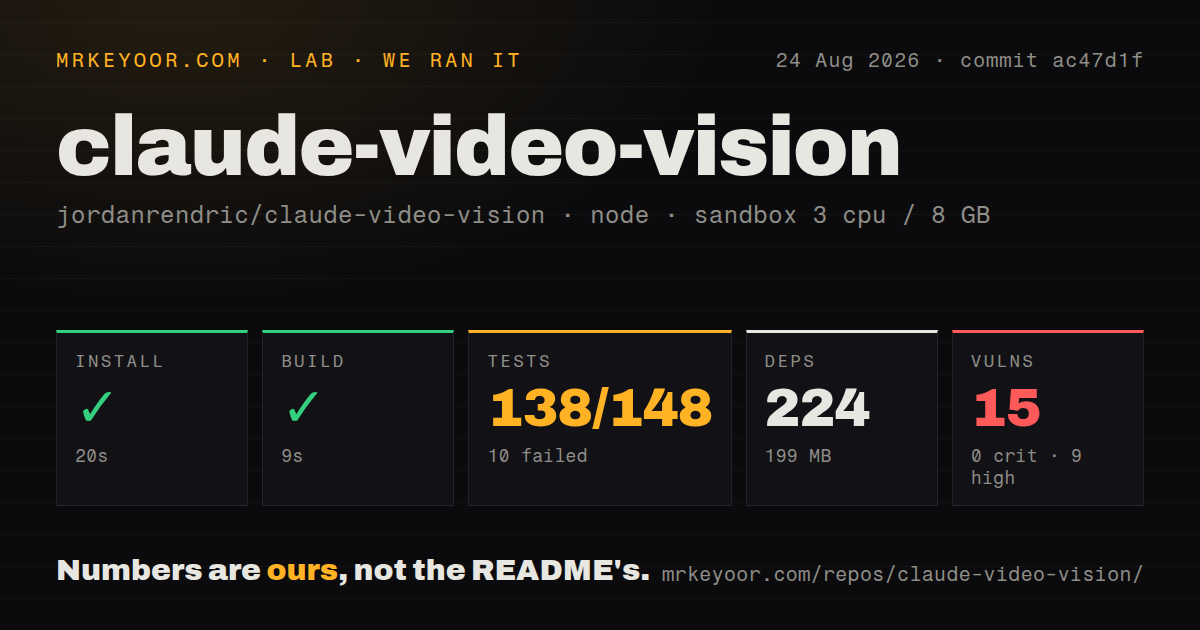
Our sandbox entered ./mcp-server at commit ac47d1f and installed 224 npm packages in 20 seconds. Dependencies occupied 199 MB, compared with a 0.6 MB checkout containing 70 files and about 6,100 source lines. TypeScript built successfully in 9 seconds. The repository had 2 CI workflow files, no Dockerfile, and a tests directory.
Tests ran for 9 seconds and exited with 138 passing and 10 failing tests out of 148. Four of 15 test files failed. The log identified spawn ffmpeg ENOENT in segment and frame extraction cases and spawn ffprobe ENOENT in metadata work. Those errors mean the operating system could not find the required binaries. The README does list ffmpeg as a requirement, so install it before judging the extraction code itself.
The dependency audit is the larger adoption warning
npm audit found 15 known vulnerabilities: 9 high, 4 moderate, 2 low, and 0 critical. Our measurements do not identify which dependency paths produced them, and a count alone does not prove they are exploitable through this MCP server. It does justify holding deployment until the tree is updated, reviewed, and audited again. An MCP process handles local filenames, video data, downloads, and API credentials.
The measured package version was 1.3.2, while the repository README's status section still says v1.0.0 initial release. GitHub had no published release object when checked. Open dependency pull requests proposed major jumps for the OpenAI client, Google client, and Zod, plus a Vitest patch. That combination suggests the npm package has moved ahead of some top-level documentation and maintenance work is waiting in pull requests. Pin the exact package instead of accepting @latest.
Local Whisper is the privacy-first audio path
All modes extract frames with ffmpeg. For sound, users choose Gemini, OpenAI, or local Whisper through whisper.cpp or Python openai-whisper. Cloud modes need their respective API keys and send audio for hosted processing. Local mode avoids that transfer but adds a Whisper installation and model files under ~/.claude-video-vision/models/. The first use can download a model automatically.
Configuration also stores frame format, resolution, maximum frame count, session age, and download age. JPEG is the default; PNG can preserve UI text and sharp screen-recording edges. These controls matter because 100 full-resolution frames can occupy far more model context than a short transcript. The project does not provide a quality benchmark in our lab block, so choose settings with a representative clip and inspect whether Claude received the moment needed to answer.
YouTube support adds yt-dlp and transcript provenance
A URL path downloads through yt-dlp, preserving source metadata and captions. The server prefers manual English subtitles, then automatic captions, then the configured audio backend when captions are absent or too sparse. It labels the result with a transcription source, allowing Claude to distinguish manual subtitles from automatic ones. That ordering can save local compute and API calls.
It also expands the trust and failure surface. yt-dlp must be installed and kept current as sites change. Downloads consume disk until retention cleanup. Captions can disagree with the spoken track, and automatic transcripts can fail on names or jargon. Copyright and site terms still apply to acquisition. For a local file, the pipeline is easier to reason about; for a URL, test download behavior and cleanup with non-sensitive material first.
Open issues map directly to analysis mistakes
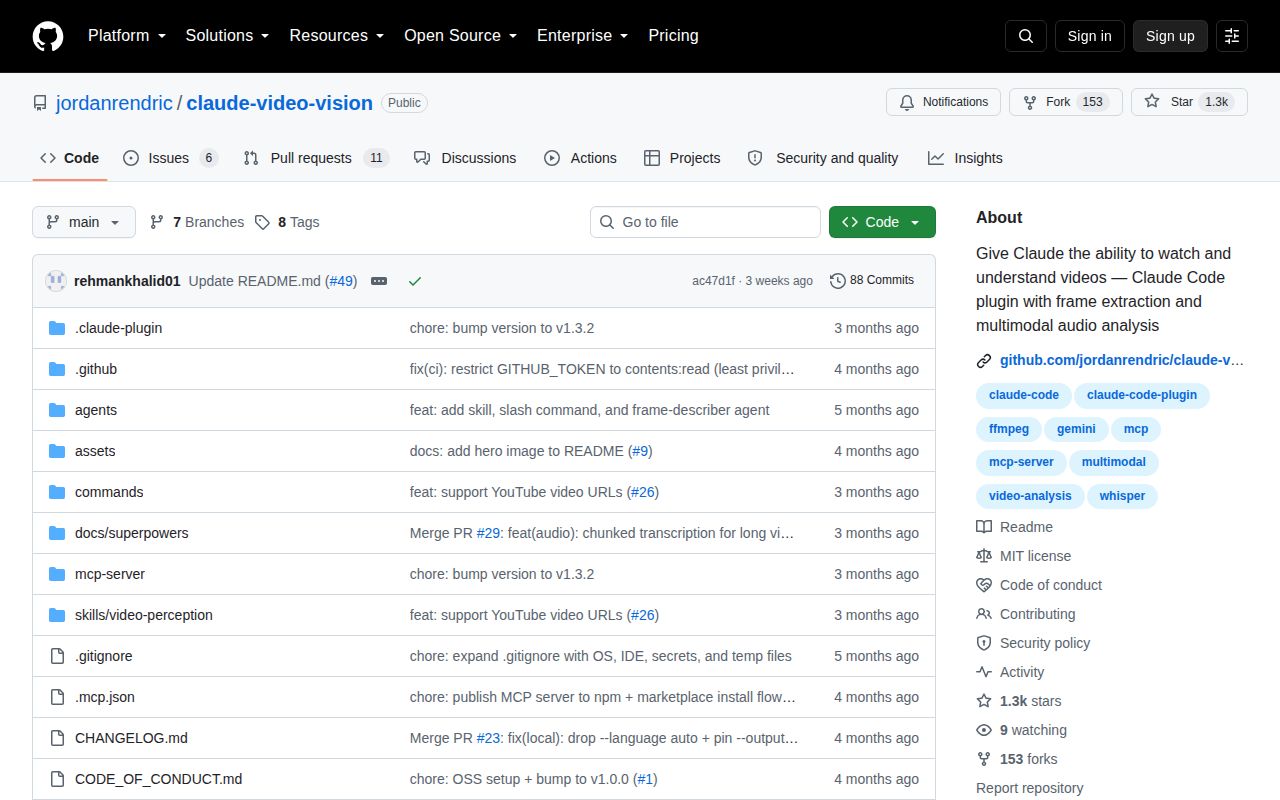
GitHub showed 17 combined issues and pull requests and a last push on August 7, 2026. Beyond timestamp ambiguity, open reports covered duplicate MCP server instances after reconnect, segments returning a continuous 1 fps range instead of separate snippets, scene arrays truncating around 01:09 on long films, and motion noise being classified as scene changes. These are specific defects, not cosmetic requests.
A pull request proposes whole-video understanding through another hosted backend, but it remains a proposal in an open PR. Another addresses a Windows startup problem by preferring a global binary over npx @latest. Judge the current default branch and package, not those unmerged changes. The MIT license is permissive, and the source is small enough for a focused audit, which helps teams willing to own the remaining maintenance risk.
Short, targeted review is its strongest use
Claude Video Vision is most convincing for bug recordings, demos, Shorts, and tutorials where a person can compare the answer with a visible timeline. Its adaptive frame selection and six tools give Claude a way to zoom in without uploading every frame. Local Whisper makes a fully local audio path possible after system setup.
The 10 failed tests and 15 audit findings keep it out of unattended or sensitive workflows today. Install ffmpeg and ffprobe, select one audio backend, disable network paths you do not need, pin version 1.3.2 or another reviewed version, and rerun all 148 tests. If that gate passes, start with a disposable short clip before granting the MCP server access to private video directories.