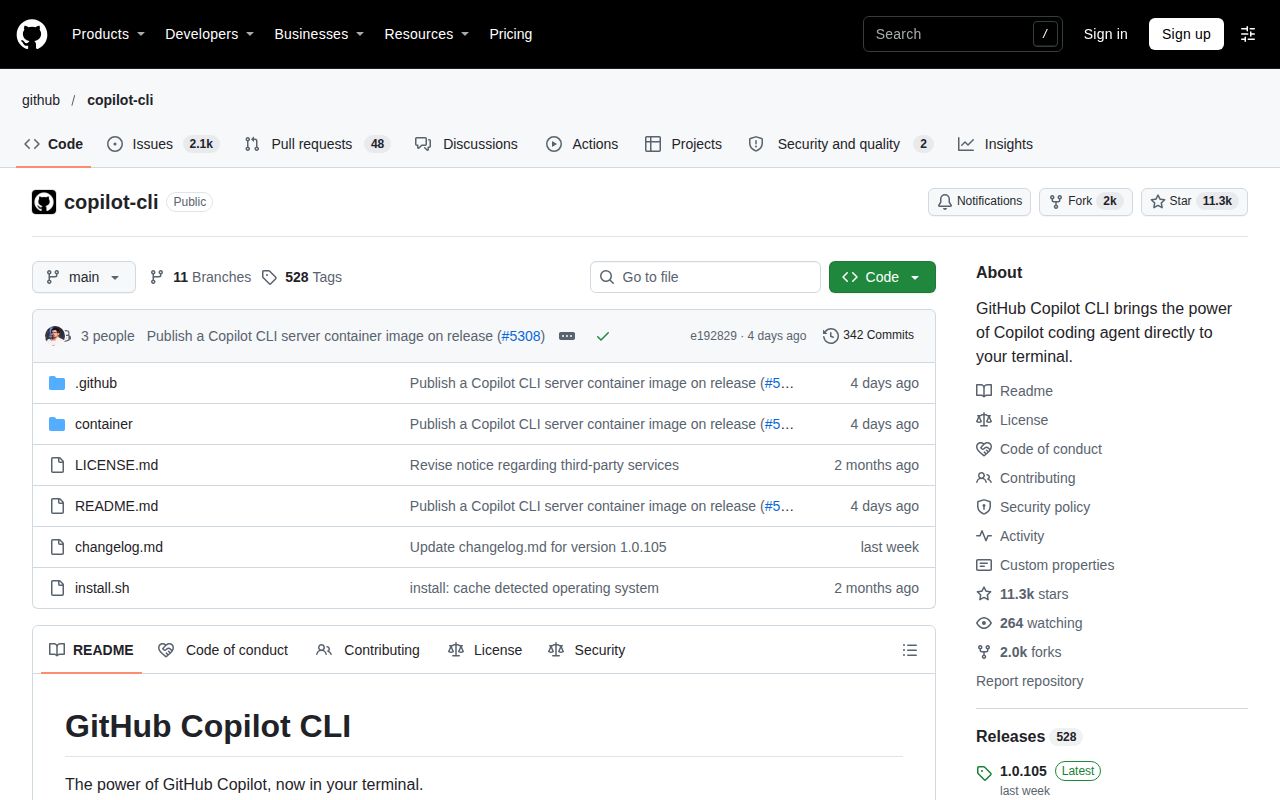
Copilot CLI can act on your repository from the terminal
GitHub Copilot CLI can modify files and run shell commands, according to GitHub's documentation. That makes the permission model part of the selection decision. A developer who wants suggestions to inspect and a team granting an agent reusable tool permissions are adopting different working habits, even if both launch the same CLI.
The documented appeal is straightforward: ask about code, request changes and interact with GitHub issues or pull requests without leaving the terminal. I would evaluate it for an existing GitHub workflow before adding custom integrations. A small, reviewable repository change gives you a useful first task, with a diff you can inspect afterward. This is an evaluation recommendation, not a task we completed.
What happened when we ran it
Our 2026-11-03 record for commit e192829 says NOT RUN: the harness found no supported ecosystem for the Python-labelled checkout and detected no Dockerfile. We did not execute GitHub Copilot CLI. There is no installation duration, dependency footprint or coding-task result to report.
The recorded configuration allocated 3 CPUs and 8 GB RAM, with image listed as n/a. An allocation is not evidence of workload execution, and the repository language label does not establish the runtime used by a distributed CLI package. The record supplies no actual toolchain version.
The current README documents packaged distribution routes, so the unsupported checkout should not be mistaken for proof that users cannot get the application. It also describes a container image for headless SDK clients, expressly excluding interactive terminal use. That current documentation and the dated no-Dockerfile scan describe different things. Neither establishes a container deployment result from our lab.
Public distribution does not grant modification rights
The GitHub Copilot CLI License withholds the right to modify the software or create derivative works. It permits redistribution only under stated conditions, including unmodified form as part of an application or service with additional functionality. A public GitHub repository should not be read as permission to maintain your own modified CLI.
For an employee choosing a supported coding tool, this restriction may be acceptable. For a developer who needs to alter and redistribute the assistant itself, it can end the evaluation immediately. Check the license against that requirement before investigating model settings or integrations. The presence of an issue tracker answers neither licensing question.
Directory trust and action approval need separate choices
The official documentation says trusted directories control where the CLI can read, modify and execute files. It also warns that permission scoping is heuristic and does not guarantee protection for every file outside those directories. Do not treat the initial trust prompt as proof of filesystem isolation.
GitHub documents local sandboxing and cloud-backed sessions separately. Their existence matters when isolation is a requirement, but we did not assess either implementation. Choose and verify the relevant boundary for your evaluation instead of inferring one from a directory prompt.
Action permissions are another layer. In manual approval mode, a tool request that is not already allowed can prompt you for approval. Granting a tool permission for the session broadens what can happen without another prompt. GitHub's example explains that approving repeated use of a removal command allows later uses of that command during the session.
The documentation also provides automatic-approval options for programmatic use. That makes headless operation a configuration choice, rather than a promise that every action always gets individual approval. If your evaluation requires reviewing commands as they occur, keep that requirement explicit when choosing the mode.
Account policy and extensions remain part of setup
The README asks for active Copilot access, explains organizational restrictions and documents /login for authentication. GitHub's current concept page says the CLI is available with all Copilot plans and requires the relevant organizational policy when access comes from an organization. Check entitlement and policy before spending time on a workstation configuration.
The README says GitHub's MCP server ships by default and custom MCP servers are supported. Additional tools make the assistant more useful only if their access fits the job. We did not verify an MCP connection or its permission behavior. Language servers are another explicit responsibility: the README says they are not bundled and provides user-level and repository-level configuration locations.
The last repository push was 2026-11-03, and recent user reports were updated that day. This supports continued development and discussion, without establishing support responsiveness. We have no basis for a runtime-maturity score from that activity alone.
Aider and Gemini CLI offer different selection reasons
Aider documents connections to cloud and local models. Evaluate it when model connection choice is central to your terminal workflow. That is a documented capability, not evidence that Aider produces better edits or costs less than Copilot CLI.
Gemini CLI describes its current role as enterprise Gemini Code Assist workflows on Google Cloud. Its README directs free individual and Google AI plan users to Antigravity CLI. Consider it for the supported organizational workflow, rather than assuming older free-access advice still applies.
Documentation coverage earns a score, execution does not
Documentation receives 4/5 on this scale: 1 covers purpose, 2 adds usage, 3 explains configuration, 4 also explains permission limits, and 5 requires execution corroboration of those instructions. Setup, support quality and runtime maturity remain unassessed.
For your first evaluation, choose a disposable branch with a small requested change. Decide the action permissions and isolation boundary beforehand, then inspect the resulting diff and command history. The useful result is an edit you can explain and accept.