mrkeyoor.com_
Tue 01 Sept 17:40 UTC
Automationevaluationupdated 26 Aug 2026

browser review

Lightpanda is a headless browser built for web automation and AI agents rather than human browsing. It implements web APIs, JavaScript, CDP, agent commands, and MCP access without shipping Chromium or WebKit.

+83stars / 7d
Verdict

Our run built Lightpanda's 122-package Rust subtree in 108 seconds, but Cargo found 0 tests and did not exercise the full Zig browser. Lightpanda is worth a controlled trial for high-volume extraction or agent browsing where Chromium's resource cost hurts. Keep Playwright or Chrome as a fallback until your own site set proves that the beta engine, unfinished CORS support, and CDP coverage meet the job.

We ran it

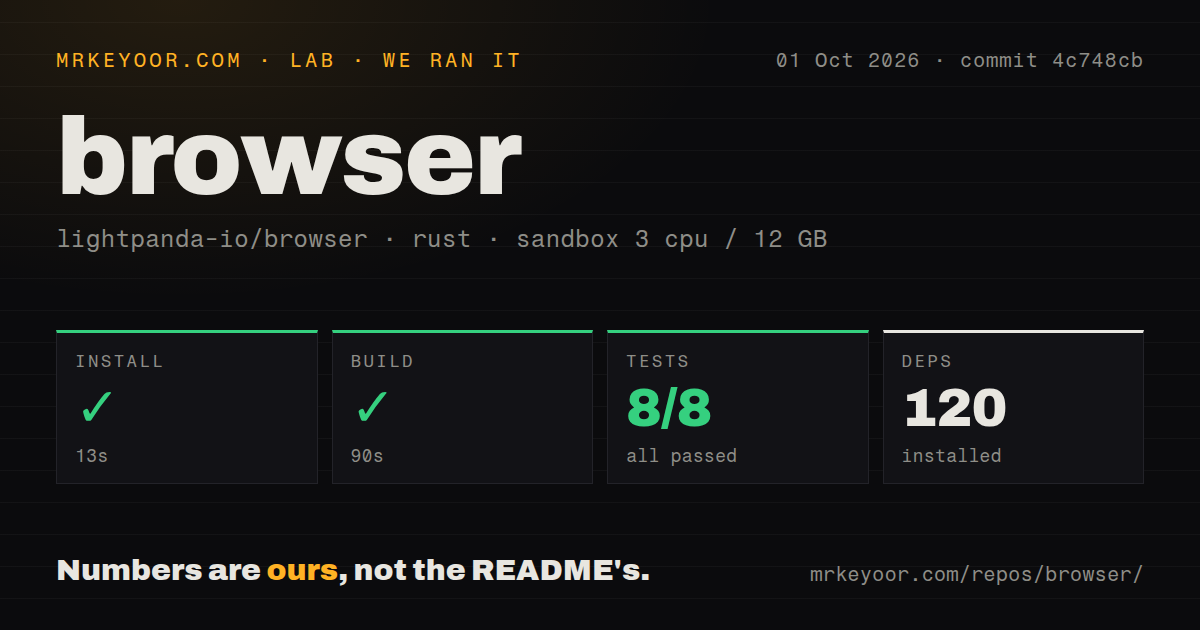
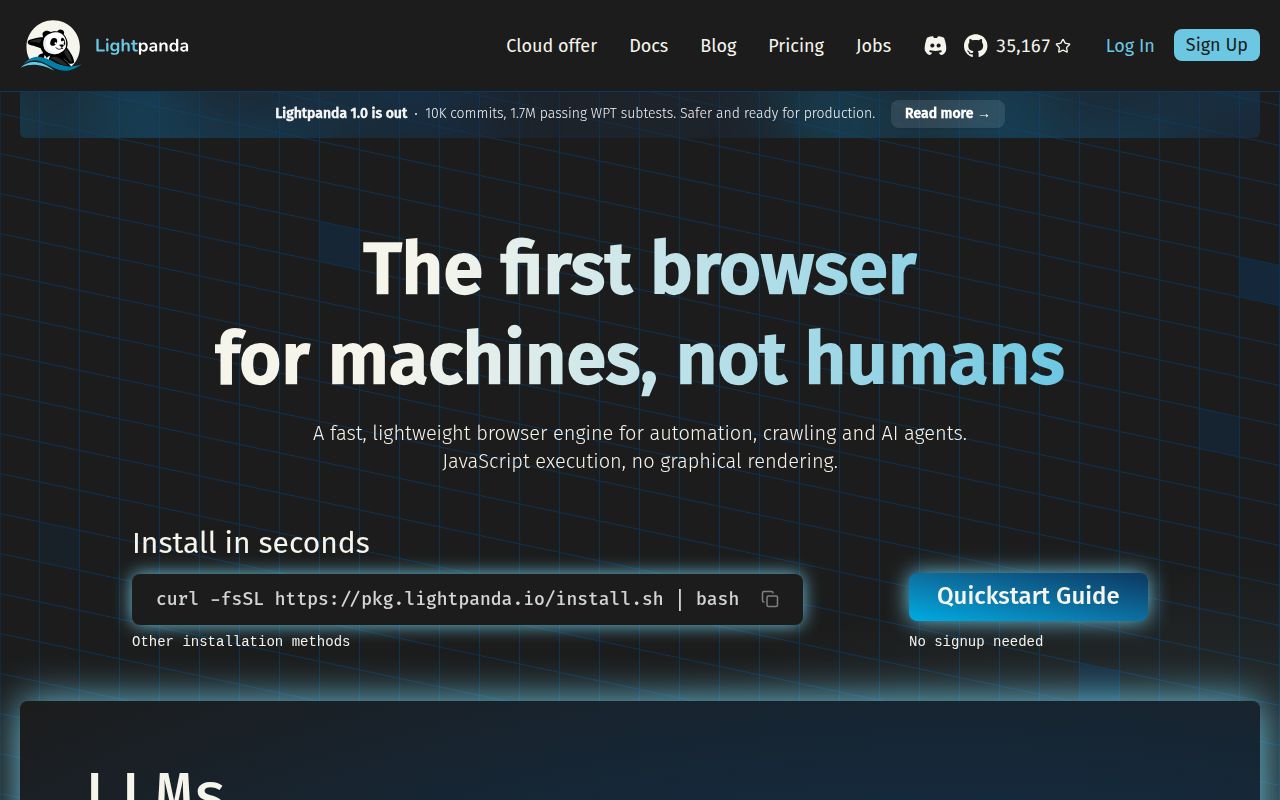
Lab card: what happened when we ran browserScreenshot of browser (lightpanda.io)
Install✓ · 22s122 packages
Build✓ · 108s
Tests✓ · 8s0 passed · 0 failed of 0 (cargo test)
Repo1082 files~4,803 lines of source · 12.6 MB · 9 CI workflows

Answers from our run

Does browser build from source?

Dependencies installed in 22 seconds (122 packages), and the build succeeded in 108 seconds. We cloned commit 0590bd0 into a clean Debian container with 3 CPUs and no project-specific setup.

Do browser's tests pass?

Yes: 0 of 0 passed when we ran the project's own test command (cargo test). Some failures need services or credentials a bare container does not have.

Who should not use browser?

Teams that need Chrome-level compatibility across arbitrary sites: the README calls Lightpanda beta, says crashes still occur, and lists CORS as unfinished.

What are the alternatives to browser?

Playwright, Puppeteer, Browserless. Our run built Lightpanda's 122-package Rust subtree in 108 seconds, but Cargo found 0 tests and did not exercise the full Zig browser.

Setup4/5Nightly binaries and Docker are easy; source builds need exact tooling
Docs4/5Clear quick starts, platform limits, agent, MCP, and test guidance
Community5/5Fresh pushes and active work across browser APIs, CDP, and MCP
Maturity3/5Useful beta with known crashes and incomplete Web API coverage

Discussed on

  1. hnShow HN: Lightpanda, an open-source headless browser in Zig319 points
  2. hnLightpanda: Headless browser designed for AI and automation154 points
  3. hnShow HN: Lightpanda, an open-source headless browser in Zig7 points

Who it’s for

Automation teams whose jobs mostly navigate pages, extract text, submit forms, or feed agents.
Puppeteer users willing to test their scripts against a newer CDP implementation.
Agent builders who want browser tools through MCP or replayable JavaScript scripts.
Infrastructure teams prepared to qualify each target site against a beta browser.

Who it’s NOT for

Teams that need Chrome-level compatibility across arbitrary sites: the README calls Lightpanda beta, says crashes still occur, and lists CORS as unfinished.
Windows operators who require a native binary: the documented route is WSL2, with the automation client on either side.
Alpine deployments expecting the nightly Linux binary to work directly: it is linked against glibc, so musl images need another base or a source build.
Products that require pixel-accurate screenshots: the documented PNG dump is text-only, and the project's core focus is automation rather than visual browser parity.
Organizations that cannot accept AGPL obligations or default telemetry without review: the repository is AGPL-3.0 and telemetry is enabled unless disabled.

Setup reality

Our sandbox measured only the Rust project under ./src/rust/, not the full Zig browser. Installing 122 packages took 22 seconds and its build succeeded in 108 seconds. Cargo test then finished in 8 seconds with 0 tests found, so this result confirms compilation of that Rust subtree but provides no test coverage signal.

For normal use, the README offers nightly binaries, Homebrew, AUR, or an official Docker image. Building the whole browser requires Zig 0.15.2, Rust, V8, libcurl, html5ever, and several system packages. End-to-end tests also need the separate demo repository, its Node dependencies, and Go newer than 1.24.

Linux binaries require glibc, Windows uses WSL2, and the browser is explicitly beta. LLM-backed agent mode needs a supported provider key, while MCP and CDP can run without one. Telemetry is on by default but can be disabled with LIGHTPANDA_DISABLE_TELEMETRY=true.

Lightpanda trades browser completeness for automation focus

Lightpanda is a new headless browser written mainly in Zig. It is not a Chromium or WebKit wrapper. The project implements an HTML parser, DOM, V8 JavaScript, network loading, forms, cookies, headers, proxies, interception, and a Chrome DevTools Protocol server. That scope targets crawlers and agents that need page structure and interaction but do not need tabs, extensions, video playback, or a human-facing interface.

The repository's own benchmark covers 933 pages on an AWS EC2 m5.large and reports lower time and memory than headless Chrome. Those are project figures, not our lab results, so they should be treated as a reason to benchmark your workload rather than a guarantee. Our checkout contained 1,082 files, about 4,803 source lines in the measured Rust subtree, and 12.6 MB on disk. The project's full Zig and vendored structure is broader than that source-line figure implies.

CDP compatibility makes trials cheap

Lightpanda exposes a WebSocket CDP endpoint that Puppeteer can connect to with browserWSEndpoint. Existing scripts may therefore need only connection changes for a first experiment. The browser also has direct commands for HTML, Markdown, and text-only PNG output, with wait controls for navigation, time, selectors, or scripts. This is a sensible surface for extraction jobs because it avoids pretending that every automation task needs a full testing framework.

The catch is coverage. The README labels Lightpanda beta, warns about errors and crashes, and says hundreds of Web APIs remain to be implemented. CORS is still unchecked in the status list, while 102 issues and pull requests were open in GitHub's combined count. Recent work on XHR response types, meta-refresh navigation, hidden elements, subframes, and CSS visibility shows how ordinary web behavior is still being filled in.

Agent mode can leave the model out of production

Agent mode accepts a plain-English task, drives pages inside the browser process, and can save the result as PandaScript. That generated JavaScript uses Lightpanda's native browser primitives and can be replayed later with lightpanda run. The useful idea is separation: use an LLM while discovering a procedure, inspect the saved script, then run deterministic code without paying for a model on every production execution.

Six provider routes are documented, including Anthropic, OpenAI, Gemini, Vertex AI, Hugging Face, and local Ollama. A --no-llm REPL avoids credentials entirely. Generated scripts still deserve code review because page actions can submit forms or expose session data. Lightpanda does not turn a model's browsing choices into trusted automation merely by saving them as JavaScript. Stable selectors, explicit navigation checks, and restricted credentials remain your responsibility.

MCP is native and session-aware

The browser can run an MCP server over stdio or HTTP. HTTP clients receive separate browsing sessions through the Mcp-Session-Id header, while agents can intentionally share an ID when collaborating on one page. Session tools create, list, and close contexts. This is more useful than a single global browser tab because 2 concurrent agents should not overwrite each other's cookies or navigation state.

Native MCP also removes an adapter process from an agent stack, but it widens the security boundary. An HTTP MCP listener can control a browser that reaches internal or authenticated pages. Bind it deliberately, protect network access, and close sessions when work ends. The README's example uses port 9223 for MCP and 9222 for CDP. Neither port should become a public unauthenticated browser-control endpoint.

What happened when we ran it

Our sandbox installed 122 Rust packages in 22 seconds under ./src/rust/. That subtree built successfully in 108 seconds using 3 CPUs and 12 GB of RAM. Cargo test completed in 8 seconds and reported 0 passed and 0 failed out of 0. The repository has no tests directory, although GitHub shows 9 CI workflow files.

This measurement needs a narrow reading. Lightpanda's README says the full browser build uses Zig 0.15.2, V8, libcurl, html5ever, Rust, and system libraries. Our harness identified and built the Rust project, not the complete Zig browser described by the quick start. A green Rust build with 0 discovered tests does not establish that page navigation, CDP, MCP, or JavaScript compatibility works. It establishes that the measured Rust component compiled in our fresh container.

Binaries are easier than the source build

Most evaluators should start with the nightly binary or official Docker image. Linux downloads cover x86_64 and aarch64 but require glibc, so Alpine users need a glibc base or a source build. macOS has both architectures. Windows has no native binary; the documented path is WSL2, which forwards localhost so a Windows-side client can reach port 9222.

Source contributors face a more involved stack and separate test layers. Unit tests run through make test. End-to-end coverage needs the adjacent demo repository, Node requirements, and Go newer than 1.24. Web Platform Tests use a project fork and publish results daily. The nightly release label was created in 2024 and stays current as an asset channel, so its old publication date is not proof of inactivity. The last repository push was 2026-08-26.

Use a fallback until compatibility is proven

Lightpanda is most convincing for repetitive extraction where a controlled set of sites dominates cost. Run the same corpus through Lightpanda and Chrome, compare completed tasks and extracted fields, and keep failure samples. The project's claimed resource gains matter only after correctness clears your threshold. A browser that finishes quickly with a missing field is still a failed job.

AGPL-3.0 licensing and default telemetry also need an operational decision. Telemetry can be disabled through an environment variable, and core dumps have a separate suppression control. For internal evaluation, those switches are simple. For a commercial service, have counsel review the license and keep Chromium available for unsupported pages. Lightpanda has enough working surface to test now, but its own beta warning should shape the rollout.

Alternatives

ProjectWhat it isPick it when
Playwright gh↗A mature automation library covering Chromium, Firefox, and WebKit.pick this instead when browser compatibility, testing tools, and cross-browser coverage matter most.
Puppeteer gh↗Chrome-focused browser automation with a widely used JavaScript API.pick this instead when you need dependable Chrome behavior and do not want to qualify a beta engine.
BrowserlessA deployable browser service built around Chromium automation workloads.pick this instead when you want managed concurrency and browser infrastructure while keeping Chromium compatibility.

What people are saying

  1. [hackernews] Show HN: TeXbrain, a LaTeX editor that runs pdfTeX in the browser via WASM
  2. [velocity-scout] lightpanda-io/browser
  3. [velocity-scout] browser-use/macos-harness
  4. [hackernews] Show HN: GlassBox – what the browser reveals, and how identifiable you are
  5. [mastodon-trends] Stop using Brave Browser
  6. [theverge] Doodle generative compositions in your browser with Musical Spirograph

Sources

  1. Lightpanda Browser README
  2. Lightpanda documentation
  3. Lightpanda nightly release
  4. Lightpanda issues and pull requests

More automation reviews

rclone · lego · OpenCLI · web-access · Karabiner-Elements · WiiUDownloader · the whole board →