One CDP connection gives an agent your real Chrome session
Browser Harness attaches a coding agent to Chrome through one Chrome DevTools Protocol connection. The practical attraction is login reuse: an agent can work inside pages where the user is already authenticated instead of launching a blank profile and asking for credentials again. The skill reserves ordinary HTTP tools for public pages and uses the browser when a task needs clicking, typing, JavaScript rendering, uploads, downloads, or a protected session.
That access is powerful and personal. A wrong click can send a message, modify an account, publish content, buy something, or expose a private page. The skill tells the agent to stop for passwords, MFA, consent, and ambiguous account selection, though available single sign-on may be used automatically. Teams should add their own approval rules for irreversible actions because being logged in removes the website's most obvious barrier.
Python helpers make repeated site work easier to audit
Core browser code stays protected while the agent writes task-specific functions to agent-workspace/agent_helpers.py. If an upload or unusual widget needs a helper, the agent can implement it once and reuse it later. Domain skills can also supply site-specific instructions, but they are disabled unless BH_DOMAIN_SKILLS=1 is set. When enabled, the skill requires reading every matching domain file before improvising.
The interaction model favors the accessibility tree for locating controls, then calculates a box center and sends a coordinate click. Raw DOM JavaScript is a fallback for canvas or unusual elements, and screenshots are reserved for layout or imagery. This keeps normal actions close to what a user sees. It does not make generated helpers safe by default. Review network calls, selectors, loops, and file paths before a helper is allowed to operate unattended.
What happened when we ran it
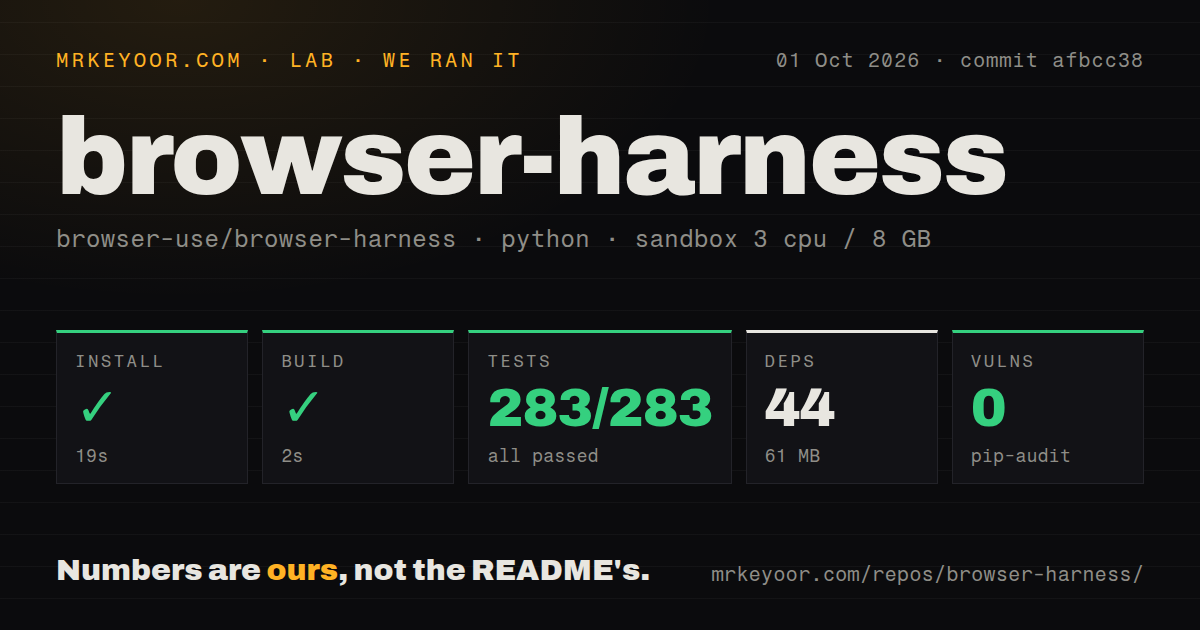
Our Python 3.12 sandbox installed 42 packages in 39 seconds and used 60 MB on disk. The build succeeded in 10 seconds. Pytest then completed in 12 seconds with 140 passed and 0 failed of 140. Pip-audit reported 0 known vulnerabilities. commit 41108b8 therefore cleared every install, build, test, and dependency-audit check supplied to our fresh environment.
The checkout was small beside the other agent tools in this group: 177 files, about 8,406 lines of source, and 3.4 MB. We found 1 CI workflow, a tests directory, and no Dockerfile. Those results cover package mechanics and automated behavior, not the safety of using a personal browser. Our sandbox had no secrets, did not connect to a logged-in profile, did not approve remote debugging, and did not perform actions on an external account.
Chrome 144 or newer asks before remote debugging
The recommended installer uses uv with Python 3.12, registers the generated skill, and runs page_info() as a connection check. Chrome's remote-debugging page requires a one-time checkbox, and newer Chrome sessions can show an Allow prompt for the connection. On macOS, browser-harness mac-approve can handle that sheet if the terminal or IDE has Accessibility permission. The doctor command reports whether Chrome, the daemon, and cloud authentication are healthy.
Open issue 631 describes repeated approval prompts when daemon retries or concurrent invocations create fresh CDP connections. The report names short handshake timeouts, competing daemon starts, and aggressive health probes as causes in v0.1.9. Version 0.1.10 added an orchestrator health check and fail-closed daemon ownership behavior, but the issue remained open. Test connection recovery after Chrome restarts before expecting an unattended task to resume cleanly.
Recordings are useful evidence and sensitive local data
Fresh installs keep recording disabled. Enabling it saves screenshots and action traces locally, which can later support a video or an account of what the agent did. The install guide requires asking once and defaulting to no. It also says to preserve an existing preference during upgrades. This is the right default because a trace can contain inboxes, dashboards, customer records, session details, or anything else shown in the browser.
Configuration state lives under the user's config directory unless BH_HOME or BROWSER_HARNESS_HOME changes it. That location may include auth, a telemetry identifier, sockets, logs, screenshots, temporary files, and the agent workspace. Put it under normal workstation access controls, define retention for recordings, and inspect logs before sharing a bug report. Release v0.1.10 specifically redacted CDP credentials from daemon logs, showing that log contents are part of the security surface.
Cloud browsers trade personal state for parallel capacity
Local Chrome needs no Browser Use API key and suits one personal task. The skill recommends Browser Use Cloud for parallel agents, headless servers, or sites likely to present bot defenses. Cloud sessions provide managed browsers, previews, proxies, and other hosted features. They require authentication, and the instructions warn that a remote daemon can continue billing until it is stopped or reaches its timeout.
GitHub recorded 17,169 stars, 274 combined issues and pull requests, and a push on August 26, 2026. Version 0.1.10 shipped that day with daemon health, log redaction, timeout separation, and Windows or cloud fixes. Activity is high, but the version number and open issue 652 about an untracked Chrome process argue for supervision. Use a spare profile first, verify actions after each navigation, and close both local artifacts and paid remote sessions deliberately.