AutoShorts saves the viewing pass, not the editorial decision
AutoShorts takes a long video or audio recording through import, audio extraction, transcription, moment analysis, ranking, and vertical cutting. The output is a set of 9:16 clip candidates rather than a finished social campaign. That boundary is useful. Anyone who has scrubbed a 90-minute interview knows that finding the promising minute can take longer than polishing it. The app tries to shorten that search while leaving the creator responsible for whether a moment is accurate, complete, and worth publishing.
The desktop stack is Tauri 2 with a React interface, Rust commands, and SQLite project storage. Transcripts, candidate moments, names, and rendering data stay in a local database. FFmpeg handles audio extraction, portrait cropping, H.264 output, and captions. The app can send transcription and analysis to cloud providers, or use Ollama and Whisper for an offline path. Local-first here describes storage and the available workflow choice. It does not mean every dependency arrives inside one installer.
The offline path still has five moving parts
Offline onboarding asks for Ollama, a supported local model, Python, the OpenAI Whisper package, and FFmpeg with FFprobe available on PATH. AutoShorts can pull an Ollama model and checks for missing pieces in the interface. The README itself cautions that its suggested 3B and 7B local models are weaker at picking moments and returning useful timestamps. That is an author recommendation, so test it with your own recording style before assuming offline mode is good enough.
Cloud setup is shorter but sends work to outside services. Deepgram handles transcription, while DeepSeek or Anthropic can analyze moments and hooks. The example environment file also names Groq. API credentials can be entered during onboarding and changed later. A creator choosing this path should decide which recordings may leave the machine, then inspect each provider's retention terms. Keeping the SQLite project local does not keep cloud transcription local.
What happened when we ran it
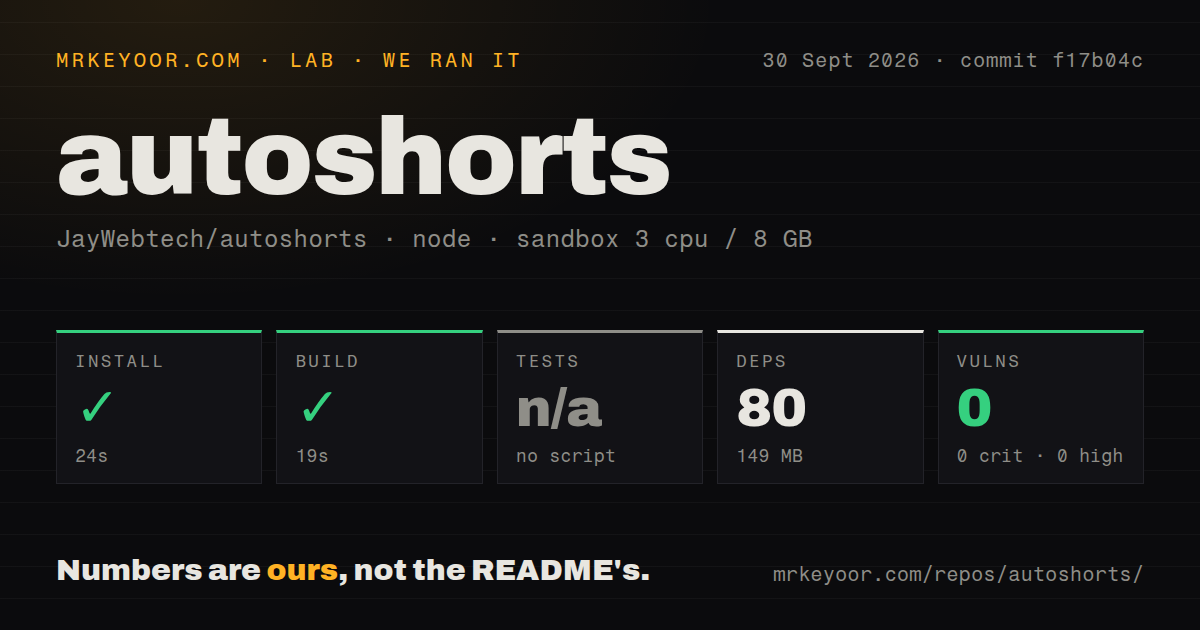
Our fresh Debian sandbox installed commit f17b04c in 24 seconds. npm added 80 packages, which occupied 149 MB on disk. The container had 3 CPUs, 8 GB of RAM, Node 22, no secrets, and no elevated privileges. npm audit reported 0 known vulnerabilities across critical, high, moderate, and low severities.
The repository build succeeded in 19 seconds. Its build script runs TypeScript followed by a Vite production build, so this proves that the React front end compiled at that commit. It does not prove that Tauri produced installers, that Rust compiled for every advertised platform, or that a media file completed transcription and rendering. Those are different paths, and our lab block contains no result for them.
Tests were skipped because the project has no test script or target. Our scan also found no tests directory and one CI workflow file. For a media app, the missing checks matter: file paths, FFmpeg filters, model output, timestamps, and desktop permissions vary by operating system. A 19-second web build cannot catch a Windows-only caption filter failure.
Windows captions can fail after the clip itself renders
Open issue 41 documents a concrete Windows bug. AutoShorts passes a font path such as C:/Windows/Fonts/SegoeUIb.ttf into FFmpeg's drawtext filter, where the drive-letter colon is read as filter syntax. The flat clip renders, but captions are skipped. The report includes a small escaping fix and says it was verified on Windows 10 and 11, yet the issue remained open when checked.
Installation has another Windows constraint. Release v0.1.5 contains EXE and MSI files whose names still carry application version 0.1.3. The README says the package is self-signed and tells users to continue through SmartScreen. Issue 24 reports that Windows 11 Smart App Control blocks both formats and asks for a signed installer. macOS users get a similar Gatekeeper bypass instruction. Those steps may be acceptable on a personal editing machine, but many managed work computers will reject them.
The July release and August push show a young project
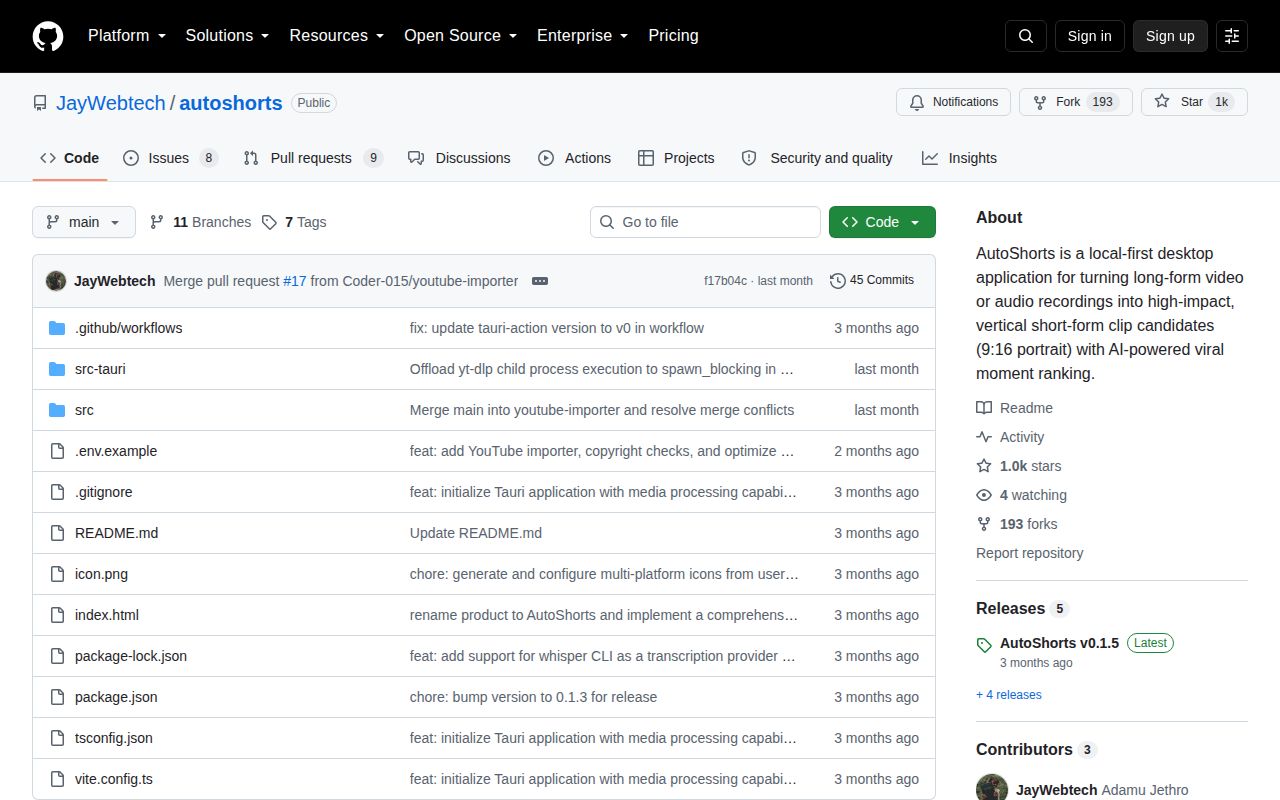
GitHub listed 1,013 stars, 193 forks, and 17 combined open issues and pull requests. Release v0.1.5 was published July 1, 2026, and the repository's last push was August 2. Users continued filing issues in September, including missing local Whisper model setup and a proposal for processing long streams. Recent user interest is visible, while code activity had paused for nearly two months on the date of this review.
There is also no detected license on GitHub and no LICENSE file at the repository root. Public source is not automatically permission to reuse, redistribute, or ship a modified build. That makes AutoShorts easier to evaluate as an end-user tool than to adopt as a foundation for a commercial product. Ask the maintainer to add explicit terms before building a business around the code.
It is best treated as a candidate finder
AutoShorts has a sensible shape for solo creators: import once, keep projects locally, get ranked moments, then cut portrait clips without moving into a browser service. The small checkout and 24-second npm install make the front-end code approachable. Its value still depends on the quality of timestamps from the selected model and transcription path, neither of which our run measured.
Use the generated list as an editing queue. Watch the source around each boundary, check names and claims against the full conversation, and preview burned captions on the target operating system. If you want manual frame-accurate cutting, LosslessCut is a narrower choice. If you want a full timeline, OpenCut is closer. AutoShorts is for the specific moment when the expensive task is finding clips, and its 0.1.x state means your review step remains part of the product.