Keep the useful footage without re-encoding it
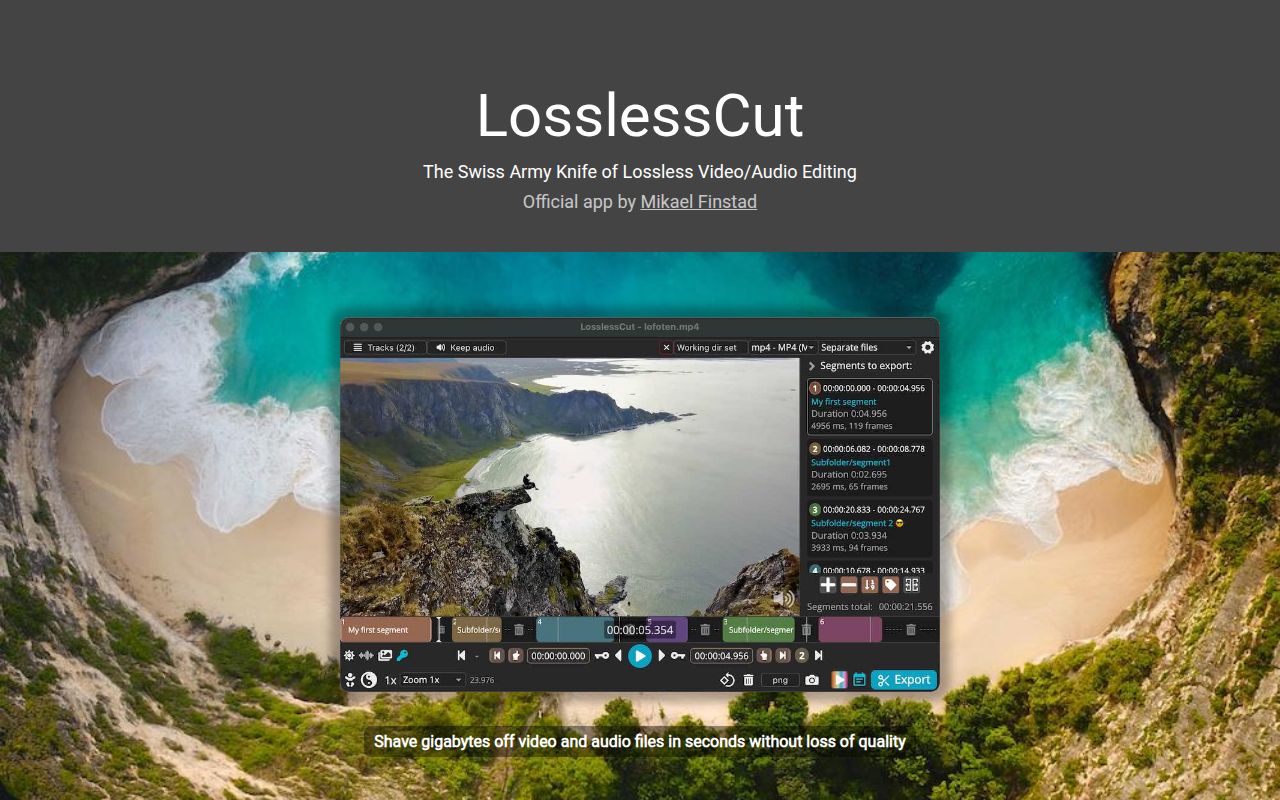
Mark the part of a camera recording you want to keep, then export it without choosing a bitrate. That's LosslessCut's appeal. It uses FFmpeg to copy existing media rather than recompress every frame, so trimming away unwanted footage can preserve the retained picture quality. For someone sorting drone clips or recorded talks, that removes an unnecessary encoding decision. The catch is where the cut begins: compressed video doesn't always permit the exact boundary you picked.
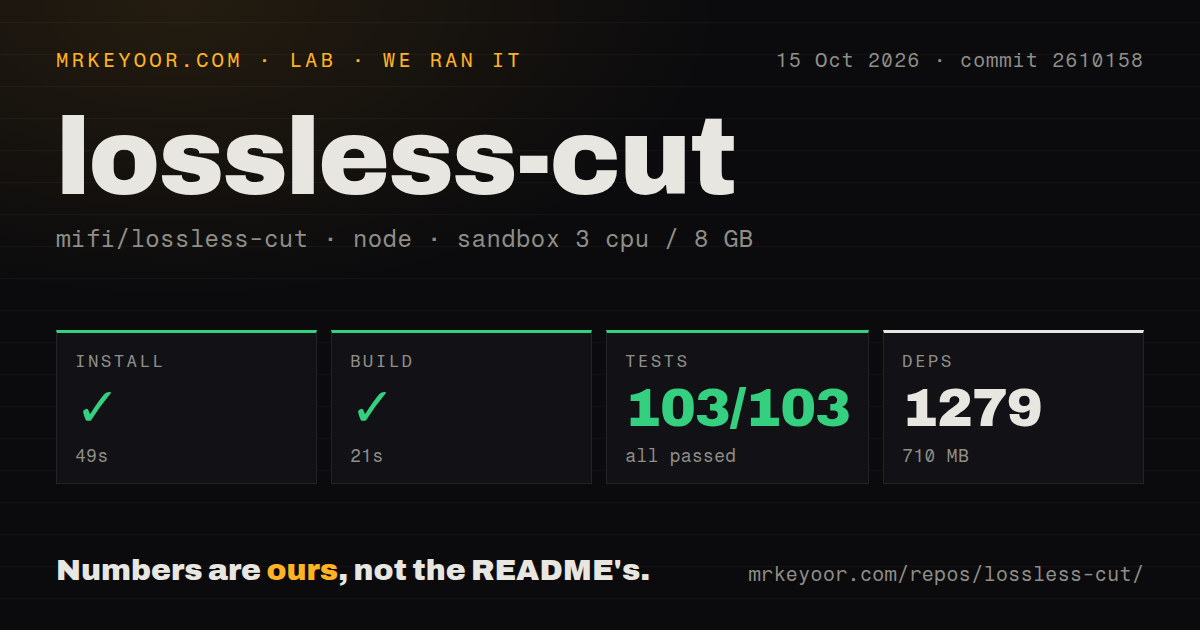
Our 103 passing tests make the source checkout a reasonable starting point for developers, but they don't settle that editing tradeoff. The project is organized around selecting segments, preserving tracks, and changing containers. You can remove an unwanted audio track or extract subtitles without rebuilding a whole production timeline. I'd use it to prepare footage for another editor, or to keep an excerpt whose start can tolerate adjustment.
What happened when we ran it
Our sandbox installed LosslessCut commit 2610158 in 49 seconds, built it in 21 seconds, and passed all 103 Vitest tests in 3 seconds on October 15, 2026. The fresh Debian container used image lab-node:22 with 3 CPUs and 8 GB of RAM. It ran without elevated privileges or secrets. No step in the supplied result failed, so there's no installation error to explain away.
The Yarn installation added 1,279 packages and occupied 710 MB on disk. Before that, the checkout contained 330 files, about 28,781 source lines, and occupied 9.7 MB. That's a substantial expansion for a focused desktop utility. It matters if you're keeping a development environment around to change one feature. These figures describe the source installation, and should not be read as download sizes for the packaged desktop application.
The repository scan found 2 CI workflow files, no Dockerfile, and no tests directory. Vitest still reported 103 passed and 0 failed: a directory name isn't evidence that checks are missing. This run establishes that the measured install, build, and test commands completed. It supplies no export benchmark, playback check, or evidence that a particular camera file will cut cleanly. Those remain separate questions.
Desktop users can skip the development environment
The README directs ordinary users to desktop downloads or stores. Developers taking the source route should budget the 710 MB measured environment and read the development instructions. Those instructions cover Electron setup and FFmpeg availability, including platform-specific download commands. Basic local editing needs no hosted API credential or database. You do need access to your input files and somewhere to write the exported copies.
A successful 21-second build doesn't choose the right desktop package for you. The v3.69.0 release warning says its Windows ARM64 package lacks ffmpeg.exe and directs affected users to a nightly build. The README also warns against its APPX and PKG artifacts. Use the listed archive, DMG, or Linux package for your platform, and check the OS requirements before replacing an older installation.
Ordinary cuts can start before the point you selected
The cut-accuracy documentation says segment starts normally round toward a previous keyframe. Keyframes provide decoding starting points, which makes them consequential when copying compressed video. A neat-looking marker on the timeline therefore doesn't guarantee the same opening frame in the output. Smart Cut attempts cuts between keyframes, but the README labels it experimental. I wouldn't make it the foundation of work that demands precise dialogue edits.
For rough selects, accepting an earlier start may be harmless. For a clip that must exclude the sentence immediately before it, the same behavior changes the meaning of your export. Check the resulting file before sharing it. If precise timing matters more than preserving the original compressed frames, choose an editor with a re-encoding workflow. Shotcut supplies a multitrack timeline, filters, and transitions for that broader editing job.
Matching tracks matter more than matching file extensions
LosslessCut's README limits lossless concatenation to files with identical codec parameters. Two recordings ending in .mp4 aren't necessarily compatible. Clips from the same camera setup are a more plausible starting point than unrelated downloads. Track selection is useful here: you can remove unwanted streams, extract them separately, or combine tracks from different files. That gives you control over a recording's contents without requiring effects or compositing.
Bulk processing is another reason to walk away. The README explicitly says there is no mass batch export, and the FAQ describes the CLI and HTTP API as basic. A folder full of recordings doesn't become an unattended processing queue just because the app has automation interfaces. I'd choose FFmpeg directly for scripted repeatable jobs, or Kdenlive when assembling clips into a production that needs effects and a conventional editing timeline.
Preview compatibility can differ from export compatibility
Chromium's player limits which media LosslessCut can preview natively. The README offers FFmpeg-assisted playback or a converted preview for unsupported material, while keeping export tied to the original file. Our 3-CPU, 8 GB sandbox result doesn't establish hardware decoding compatibility on your computer. Try representative recordings before committing to the app, especially if preview trouble would interrupt a large sorting job. A file extension alone won't tell you whether playback works.
October activity shows maintenance beyond the June release
GitHub recorded a push on October 15, 2026, and showed 44,577 stars with 326 open issues and PRs. Release v3.69.0 dates to June 4, but recent activity includes CLI argument fixes and work on file-path handling. The older tag doesn't establish abandonment. The README does say one person maintains LosslessCut, which is worth considering if your workflow needs predictable support.
Keep your first adoption check small: export a representative camera clip and inspect its opening, ending, and audio in the player your audience uses. LosslessCut earns its place when preserving footage matters and you can accept its cut boundaries. If your first task needs transitions, burned-in captions, or unattended batch delivery, start with the tool that already handles that task.