Short answer: the Mac preview is for evaluation
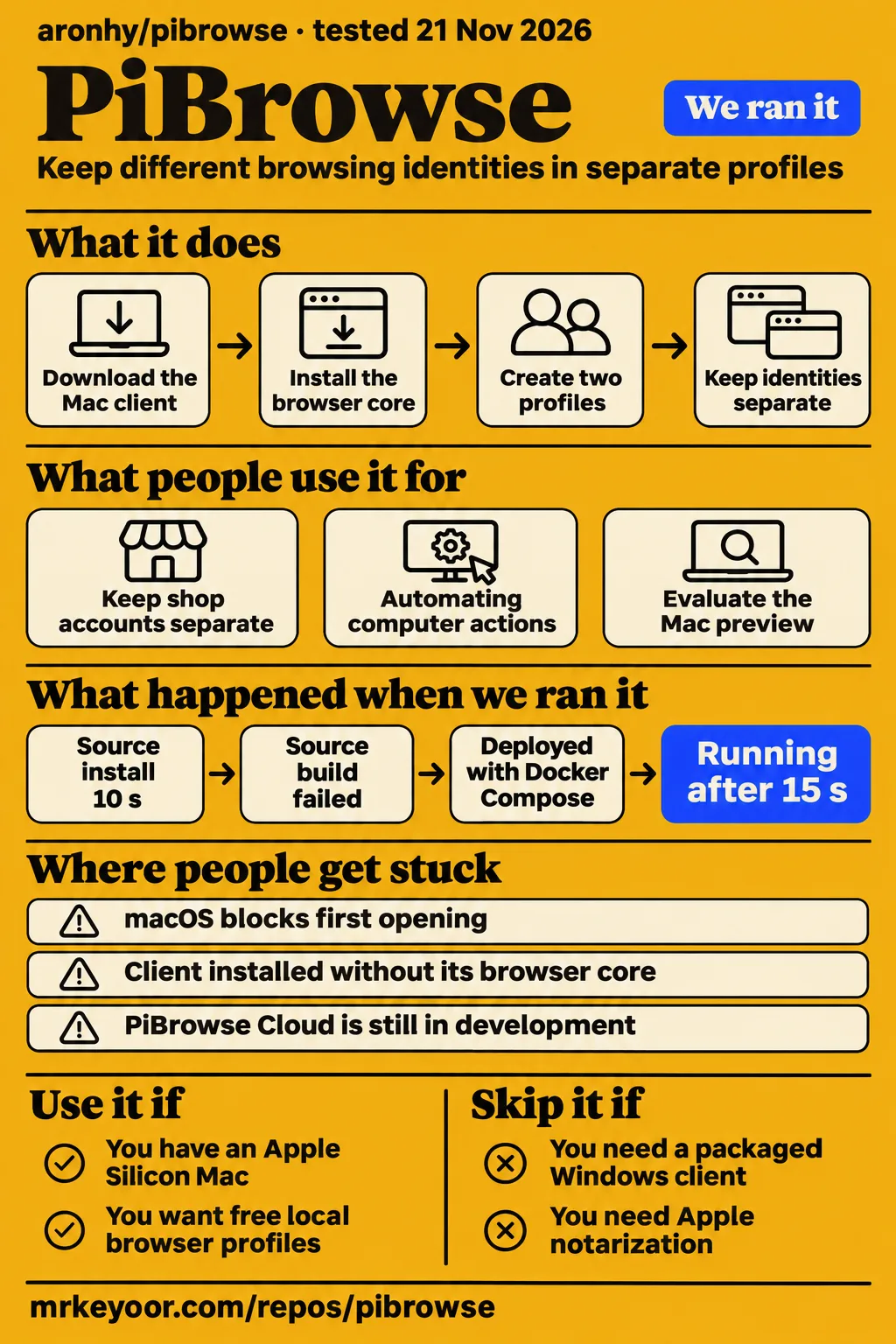
Our PiBrowse build failed after 241 seconds because a desktop resource was missing; use the preview if you have an Apple Silicon Mac and want to evaluate free local browser profiles, and skip it if you need packaged Windows or Intel Mac support. The build log names the missing resource, while the PiBrowse README excludes those other desktop packages. That makes this a review of an early fork with a usable download route, rather than a recommendation to move valuable accounts today.
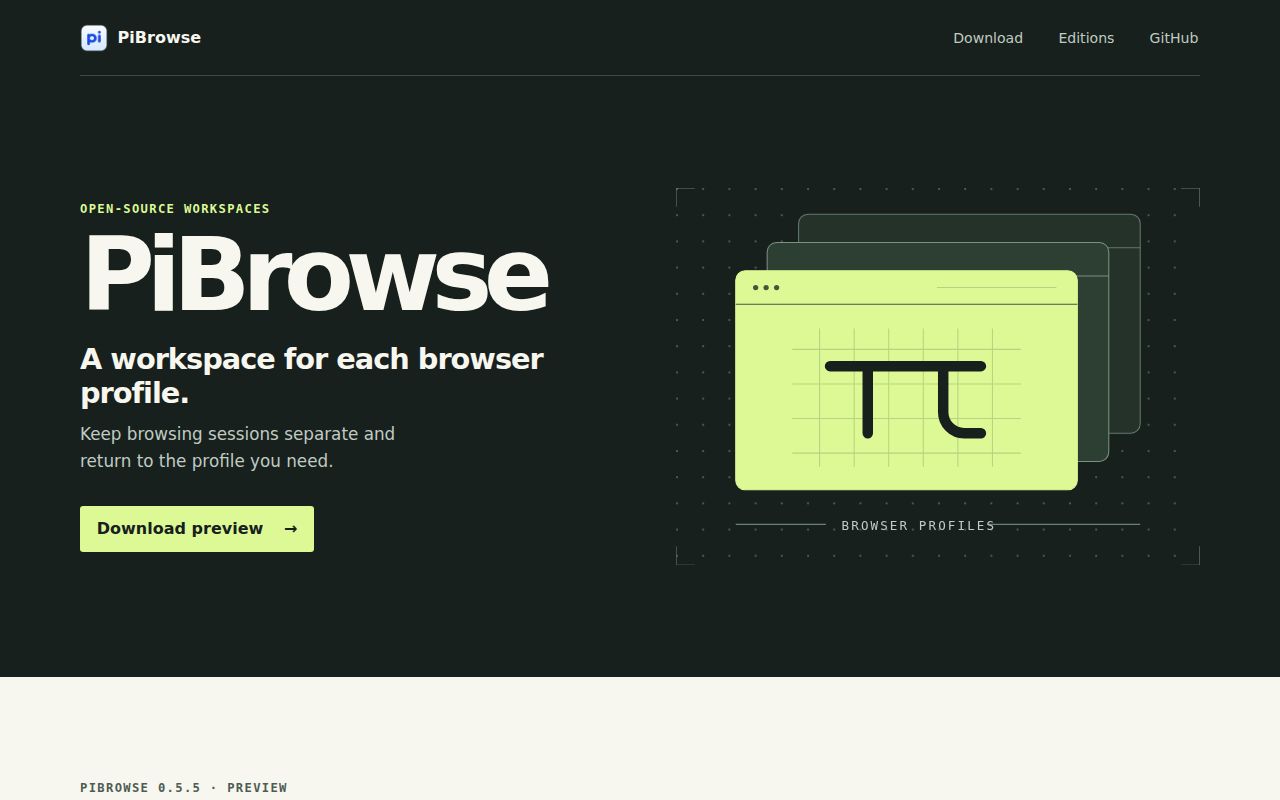
Aronhy/PiBrowse is an open-source fingerprint browser built on Fury for keeping browser profiles separate. A fingerprint is the collection of details a website can read about your browser and machine. Separate profiles give you places to keep different browsing identities. The author describes local use and self-hosting as free, with a separate paid Cloud service still in development. If avoiding a recurring profile subscription is your reason to look, that distinction is the starting point.
What you can do with PiBrowse
PiBrowse describes local browser-profile separation and self-hosting for teams, with Fury as its foundation. Its introductory documentation identifies both the purpose and the upstream project. You can approach it as a desktop application first, instead of assuming that running a server is part of every installation. The separate Chromium core is the browser engine the desktop client launches.
The current README offers a desktop DMG and a separate Chromium core archive, and says the client's Download the browser button installs that core. This matters if you're picturing a single download that contains everything. Getting the client onto your Mac and getting a browser ready to launch are separate steps. For an initial evaluation, the packaged route is the one described for users, while the source workspace is a contributor route with its own packaging requirements.
The longer documentation describes an agent, a local automation API and an MCP server, the protocol AI assistants use to call outside tools. Those paragraphs sit under Upstream Fury documentation. Read them for architecture and provenance. A sentence saying Fury ships a tool is different from a demonstration of that tool in PiBrowse's Mac preview.
What people use pibrowse for
Aron's release and aronhouyu's automation post show project creation and work in progress, rather than an independent customer's completed deployment. The distinction lets you judge the reports without discarding them: the developer's account is useful for understanding intent and first-launch friction, but it answers a different question from whether your workflow will finish reliably.
- X user aronhouyu says they made a Mac client and started RPA and MCP work inside it. RPA means automating repetitive computer actions. The post describes starting that work, with instructions for approving the application in macOS, rather than reporting a completed job and its results.
- Aron says subscription costs led him to build PiBrowse on Fury. The resulting 0.5.5 release is an Apple Silicon preview, making this a concrete author release rather than a hypothetical project announcement.
X user mybitstar supplies another useful perspective: their post frames separate environments around different shop accounts and explains the two-package download. It also compares subscription costs. That is an attributed explanation of the appeal, not a documented migration of those shops to PiBrowse. The practical advice worth carrying into your own evaluation is to name profiles after the account and platform you intend them to represent, rather than filling a list with indistinguishable test names.
What happened when we ran it
Our deployment step completed in 15 seconds on November 21, 2026, at commit 54a5b5201440, with every port bound to 127.0.0.1. The deployment record reports the duration, and the run record identifies the commit and loopback bindings. This was the project's Compose deployment on the lab server, separate from opening its packaged Mac client.
The run reached its model connection and health checks. Then it stopped at the point that should have exercised a task: the recipe step failed with no runnable adapter yet for recipe generic. That message belongs to the task harness. There was no completed browser job to score, so the health result cannot stand in for a successful automation result.
| Deployment observation | Recorded outcome | What you can take from it |
|---|---|---|
| Compose deployment | ok in 15 s | The deployment step completed |
| Ollama connection | ollama-connect: ok | The connection check completed |
| Model pull | Digest verification and a 4.7 GB layer at 100% | The excerpt repeats progress output and cuts off mid-line |
| Health check | healthy: ok in 0.1 s | The health check returned successfully |
| Task recipe | FAILED; no runnable adapter yet for recipe generic | The harness stopped before a browser task result |
| Idle containers | Server 1 MiB, database 37 MiB, total 38 MiB | A server-and-database snapshot |
| Later containers | Server 1 MiB, database 37 MiB, total 38 MiB | The second snapshot has the same values |
| Teardown | teardown: ok | The cleanup step completed |
The second memory entry is labelled “after the questions,” but the task step failed before there was an answer to inspect. Both snapshots cover the named server and database containers. They are not the memory cost of a desktop browser, open profiles or the model service. A low idle number would be an especially poor basis for choosing how many accounts to put on a laptop.
The source workspace stopped on a missing desktop resource
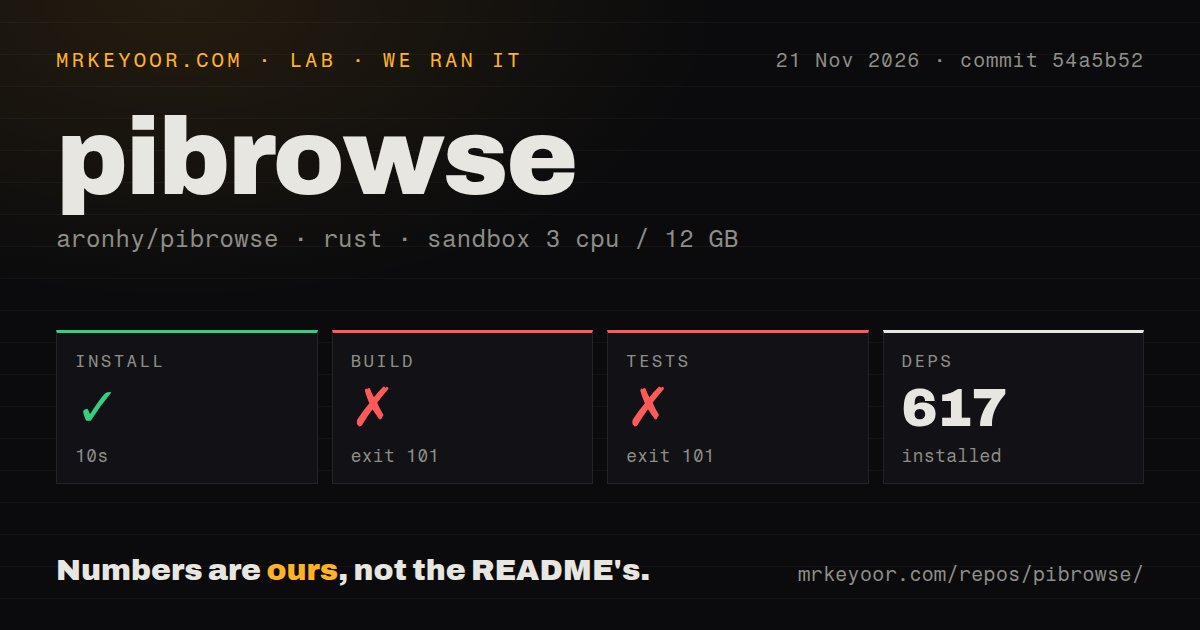
Our sandbox dependency-install step succeeded in 10 seconds and recorded 617 dependencies. The source build failed with exit 101 after 241 seconds, and tests failed with exit 101 after 6 seconds. Both tails end at the same missing resource, binaries/fury-agent-x86_64-unknown-linux-gnu. The log names a file it could not find. It doesn't identify a dependency package to install or demonstrate a runtime defect in the Mac application.
| Source-workspace step | Our result | Scope |
|---|---|---|
| Install | Succeeded in 10 s; 617 dependencies recorded | Dependency setup |
| Build | Failed, exit 101, in 241 s | Missing desktop resource |
| Tests | Failed, exit 101, in 6 s | Same missing-resource error |
The recorded sandbox configuration was 3 CPUs, 12 GB RAM and image lab-rust:1, using commit 54a5b52. The image label doesn't identify an actual Rust or operating-system version. The checkout scan counted 516 files, about 109,302 source lines and 30.8 MB; it found five CI workflow files, a Compose file, no Dockerfile and no tests directory. A missing tests directory says nothing about Rust tests embedded in source files. The failed command gives us no passing-test count.
Where people get stuck: opening the app and finding the core
The PiBrowse preview is ad-hoc signed and lacks Apple notarization, so its own README documents manual first-launch approval. The current instructions say to move PiBrowse.app to Applications, try opening it, then use System Settings → Privacy & Security → Open Anyway if macOS blocks it and you trust the download. X user aronhouyu describes the same approval route. Approval creates an exception for the app; it doesn't confer notarization.
| Obstacle | Documented next step | Status of that advice |
|---|---|---|
| macOS blocks first opening | Approve PiBrowse through Privacy & Security after checking the download source | Author-documented workaround, not notarization |
| Client installed without its browser core | Use Download the browser to install the separate core | Current PiBrowse README describes this path |
| Windows or Intel Mac package needed | The 0.5.5 preview excludes those binaries | No package for those platforms in this preview |
| Source build cannot find the agent resource | Preserve the exact resource path when investigating the build | Our log contains no demonstrated fix |
| A managed team service is expected | PiBrowse Cloud is still in development | Self-hosting and hosted Cloud are different offers |
For a Mac evaluation, follow the PiBrowse-specific introduction before the inherited installation guide. The project explicitly says those installation and team guides come from Fury. Copying an upstream application name or update instruction into the fork's setup can send you toward the wrong artifact. Keep the desktop client, its core download and the release version together when recording a problem.
English instructions exist, but much of the inherited detail is Russian
PiBrowse's introduction and first-launch instructions are available in English, while the inherited Fury README says most of its detailed documents are Russian. The live README makes both boundaries visible: its first-launch section is bilingual English and Chinese, and the upstream documentation section says document 15 is the English installation exception. This is a documentation distinction, not a finding about the interface language.
If you only want to open the Mac preview, the English introduction answers the immediate download and approval questions. If you need to operate a team server or inspect the fingerprint architecture, expect to consult the inherited material and distinguish product names while reading. A Chinese X post can be useful setup evidence without telling you what language the desktop menus use.
PiBrowse vs AdsPower and Fury
PiBrowse's documented advantage in this comparison is free local use and self-hosting, while the author identifies Fury as the codebase he built on. Aron's explanation supports that cost-and-control argument. It doesn't rank the fork above its upstream project on fingerprint quality, and the subscription complaint isn't a side-by-side product test.
| Choice | Why it enters this decision | When to consider it |
|---|---|---|
| PiBrowse | Aron promises a free open-source edition for local use and self-hosting | You want to evaluate this Mac fork and own its operation |
| AdsPower | X user mybitstar compares recurring environment fees with PiBrowse's free edition | You are comparing a commercial subscription against doing more yourself |
| Fury | Aron identifies it as PiBrowse's upstream foundation | You want to examine the original project and its own release documentation |
The AdsPower comparison is mybitstar's subscription argument, not our current price check or a claim that its support is better. Compare the service you would actually buy against the work you would take on yourself. Free software can remove a profile licence fee while leaving you responsible for the machine, any proxy service and your operating procedures. PiBrowse Cloud being a future paid option doesn't change the author's promise about the open-source edition.
For Fury, provenance is the useful comparison. The inherited documentation names its separate platform support and signing history. Those statements can help you decide what to investigate upstream. They do not travel automatically with a new app name, release package or signing identity.
Outdated claims, corrected
NeshDevTech's mirrored PiBrowse page points readers to the 0.5.4 Mac preview, while the GitHub release listing identifies 0.5.5 as the Apple Silicon preview published on November 11, 2026. The mirrored getting-started text names 0.5.4; the GitHub release entry names 0.5.5. The current PiBrowse README also links 0.5.5, so use that version's instructions and artifacts when following this review.
There is a separate reading hazard within the mirrored page: its PiBrowse introduction says the Mac preview isn't notarized, followed by an explicitly labelled block describing Fury's notarized releases. The correction isn't to accuse the whole page of saying PiBrowse is notarized. Read the labels. Its opening disclaimer and upstream heading assign those claims to different products. PiBrowse's own release boundary is the one that governs its download.
Questions people ask
PiBrowse's open-source edition is described as free for local use and self-hosting; choosing it for multiple accounts means evaluating the Apple Silicon preview rather than assuming the capabilities of a commercial service. Aron's project introduction states the free-edition terms and Cloud distinction.
Should I choose open-source PiBrowse or a commercial fingerprint browser for multiple accounts?
Choose PiBrowse for an Apple Silicon evaluation if free local operation and control of the code are your priorities. Its README states the platform boundary, and mybitstar's X post frames the commercial comparison around subscription fees. If your decision depends on vendor support or a supported package for another platform, examine those requirements in the commercial product's own terms before cancelling anything. A fee comparison alone doesn't settle the cost of changing tools.
How do I use the Pi Browser mobile app discussed in the YouTube tutorial?
The YouTube tutorial titled How to Use the Pi Browser App describes using the search field, recently visited URLs, clear-list control and home button. Its narrator walks through those mobile-app controls. The transcript doesn't identify the channel, so attribution here stops at the video title. This is not a PiBrowse Mac installation walkthrough: Google Play identifies the mobile Pi Browser as Pi Community Company's app.
What does “pibrowser” refer to?
“Pibrowser” is ambiguous: aronhy/PiBrowse, Pi Network's mobile browser and several similarly named developer tools have different owners and purposes. PKOcto/pi-browser describes AI-model browser automation, @edlsh/pi-browse describes browser controls for Pi, and PyPI Browser is a graphical Python Package Index browser. Use the full owner and project name when looking up installation help. The mobile app's reviews and download counts cannot be treated as adoption of aronhy/PiBrowse.
What we have not tested yet
Our task harness stopped before a runnable browser workflow, and our source build stopped on the missing desktop agent resource. We have not tested the packaged Apple Silicon application's first launch, separate-core installation, profile isolation, MCP calls or a completed RPA task. The partial model-pull excerpt names no model, and there are no checked question-and-answer results from this run. The two server-container memory snapshots are not a browser-capacity benchmark.
We also have not tested account safety, resistance to fingerprint detection, concurrent profile limits, proxy leakage, team permissions, encryption or recovery after interrupted synchronisation. The X post by mybitstar warns that platforms also consider IP addresses, payment methods and behaviour. That is a useful caution, not an independent safety study. We found no independent PiBrowse hands-on deployment in the pages and posts examined, and the GitHub facts snapshot doesn't establish maintainer response times or production adoption.
A useful next evaluation would open the exact Mac release, install its matching core, create two disposable profiles and record a complete automation task against a known result. Until that exists, our recommendation stops at evaluating the preview with accounts you can afford to keep out of production.