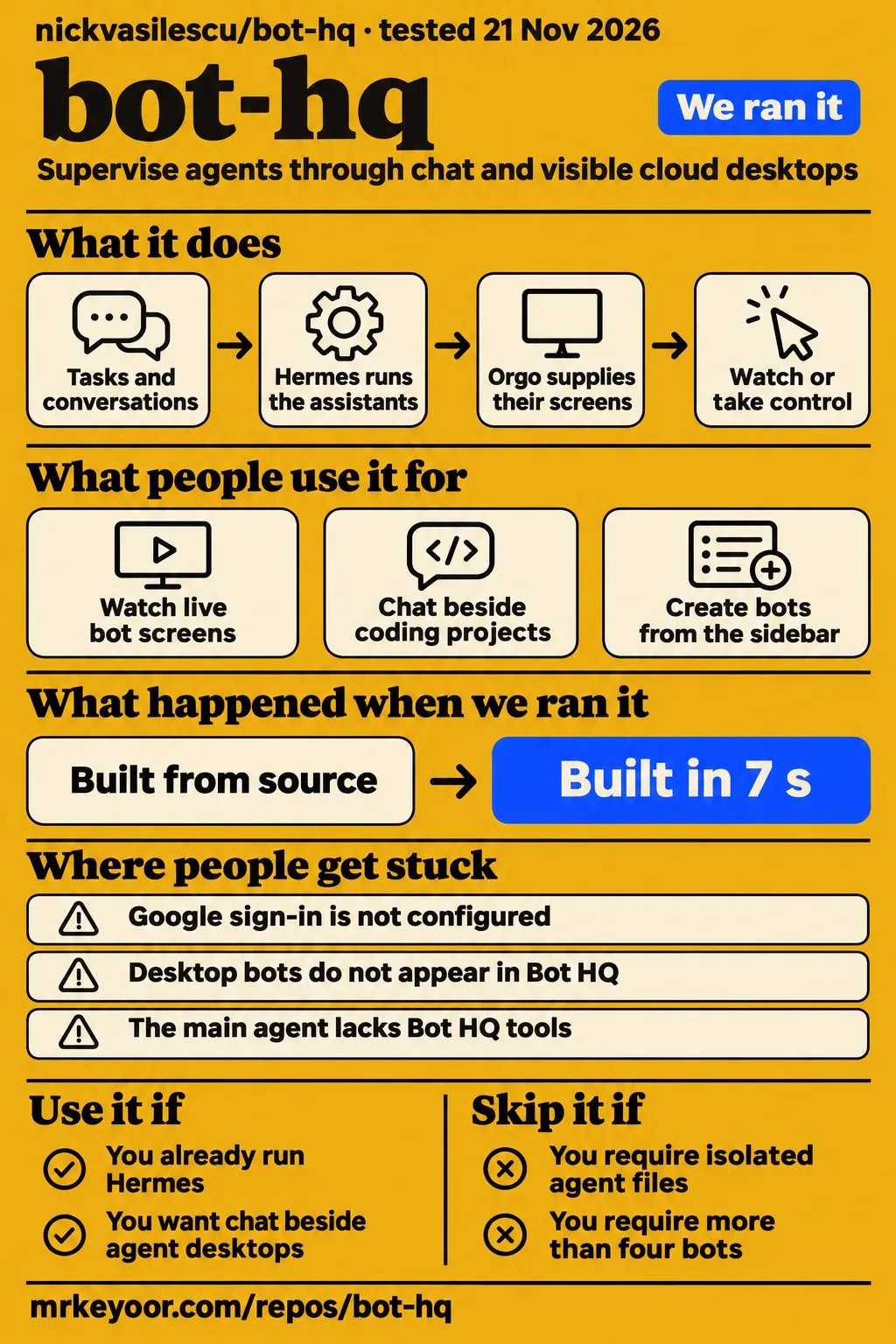
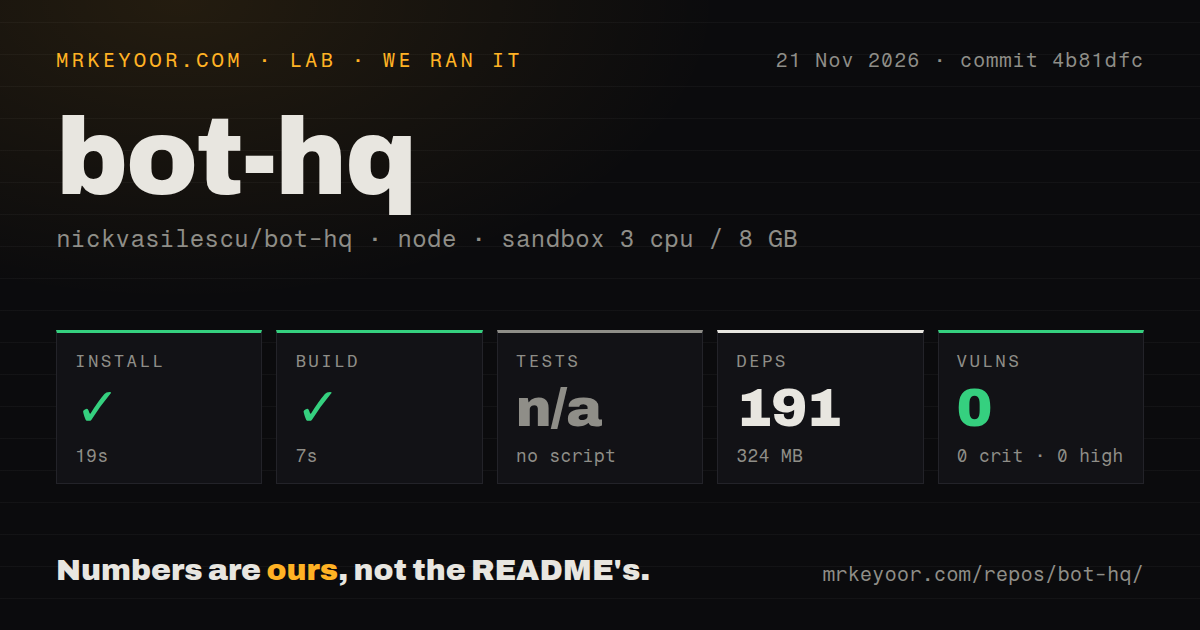
Bot HQ installed in 19 seconds and built in 7 seconds in our November 21 sandbox run at commit 4b81dfc. The November 22 deployment attempt stopped at a missing-Compose safety check. Use Nick Vasilescu's app if you already run Hermes and want chat beside visible agent desktops. Skip it if you require isolated agent files or approval before browser and shell actions: its README describes shared files and excludes those actions from approval cards.
What you can do with Bot HQ
Bot HQ gives Hermes agents chat and a separate screen per bot on one Orgo computer, according to the project README. Hermes runs the assistants, Orgo supplies their screens, Composio connects apps, and xAI supplies voice and research on X. You can watch a screen in the side panel, open it full size or take control with your mouse and keyboard. The documented Orgo configuration allows four bots because the computer has four screens.
Each additional bot gets a Hermes home and gateway, with its own model choice, sign-in, memory and browser profile. Tasks, recurring routines and a Library for saved files sit alongside conversations. The app exposes its tools to Hermes through MCP, including connected apps, X search, tasks and messages to other bots. This gives an existing Hermes user a workspace around the assistant engine, with the browser view beside the conversation rather than hidden behind a task-status message.
What people use bot-hq for
The recorded uses are the author's running installation and an experimental T3 Code integration that puts persistent bots beside coding projects. These accounts describe two different arrangements: the upstream Orgo workspace and a modified application. The captured Bot HQ README identifies which images came from a running installation, while the T3 + Bots README explains the integration's source-preview status and the desktop environment its maintainers exercised.
| Who used it | What they did | What the account shows |
|---|---|---|
| Bot HQ's README author | Ran an installation and illustrated live bot screens | The chat screenshot at the top uses sample data; two other images are identified as coming from a running installation. Captured image explanation. |
| Maintainers of zznorthstar/t3-bots | Integrated Bot HQ into T3 Code beside projects and coding threads | They report exercising the integrated desktop on Ubuntu 26.04 x64 and releasing a source preview. T3 integration README. |
The T3 integration creates bots from the left sidebar, keeps chat in the main view and puts the computer, tasks, routines and memory in a right-hand Bot tab. Its maintainers say they wanted it for their own workflow and are not proposing it as an upstream T3 feature. Separately, Alexvx_nft recommends Bot HQ to existing Claude subscribers. That post supplies an audience recommendation, while the two installation accounts describe actual uses.
What happened when we ran it
Our run at commit 4b81dfc installed in 19 seconds and built in 7 seconds, according to our November 21 measurements. The checkout contained 134 files, approximately 15,641 source lines and 11.4 MB of repository data. The sandbox configuration recorded 3 CPUs, 8 GB RAM and image label lab-node:22. The following table separates completed checks from the skipped test step and the next day's deployment failure.
| Recorded check | Answer | Verdict | Why |
|---|---|---|---|
| npm installation | Succeeded in 19 seconds; 191 dependencies; 324 MB on disk | Installation completed | The harness recorded a successful installation exit. |
| Build | Succeeded in 7 seconds | Build completed | The recorded build step succeeded. |
| Tests | No tests script or target; skipped | No test result | The harness skipped this step. |
| npm audit | 0 known vulnerabilities: 0 critical, 0 high, 0 moderate, 0 low | No advisory findings | These are the recorded npm audit results. |
| Repository scan | 134 files; approximately 15,641 source lines; 11.4 MB checked out | Checkout size recorded | These figures describe the measured source checkout. |
| Project signals | Monorepo workspaces and a tests directory; 0 CI workflow files; no Dockerfile detected | Structure recorded | A tests directory existed despite the skipped test step. |
| November 22 deployment safety step | Failed because none of four recognized Compose filenames existed | Deployment route stopped | The lab required a Compose file. |
| November 22 run summary | Says deployment used the repository's Docker Compose | Conflicts with the safety log | The summary claims deployment while the step log records the missing required file. |
| November 22 teardown | Reported ok |
Teardown reported success | This is the teardown record's stated outcome. |
The safety step returned unsafe repo: none of compose.yaml, compose.yml, docker-compose.yaml, docker-compose.yml exists (rule: a compose file is required). That error describes the lab's deployment requirement. The README instead documents an Orgo installation script and local Node development. The contradictory run summary cannot turn that failed step into a successful deployment; the specific safety log records where the attempt stopped, and teardown subsequently reported ok.
Where people get stuck: services and separate bot rosters
The README's installation route puts Bot HQ and Hermes on the same Orgo computer and exposes the app on port 8787. You package the app, copy the archive and installation script to that computer, then run the installer as root. It installs under /opt/hq and adds a Supervisor program named hq-app. The next setup step adds the app's tools to Hermes before you open the public URL and sign in.
| Where people get stuck | Documented route | Concrete detail |
|---|---|---|
| Google sign-in is not configured | Run the sign-in-link script on the computer | It prints a one-time sign-in link. |
| Desktop bots do not appear in Bot HQ | Manage the two rosters separately | Bots made in either interface do not appear in the other. |
| The main agent lacks Bot HQ tools | Run the Hermes configuration helper | It adds mcp_servers.hq and keeps a dated configuration backup. |
| Grokbot names appear during an upgrade | Follow the current upgrade instructions | Legacy environment variables, database paths and cookies retain compatibility handling. |
The current installation and upgrade instructions distinguish local development from installation on the computer. Local development requires Node.js 22 or newer and a Hermes gateway with its API server enabled. Server and web development use separate workspaces. The captured README also notes remaining Grokbot names in the page title, package names and database file; the newer upgrade text describes how older names continue to work.
Security: approval cards cover connected apps
The current README says Composio app actions wait for approval, including reads, until an action receives an Always allow choice. Its limits section separately says browser and shell actions are ungated and Hermes risky-command prompts are absent from the app. The current security limits also say bots run as root on the shared computer and can reach each other's files. Separate screens, memories and browser profiles organize the bots' work without providing file isolation.
Public sign-in uses an allowed-email list, and the server refuses the example session secret. The upgrade instructions restrict development login to localhost but retain a sign-in-link script that can sign someone in from the computer regardless of that list. For unattended routines, an approval card waits up to 25 minutes before an unanswered routine is skipped. Existing Always allow choices persist, so saved approval decisions affect later scheduled work as well as the conversation in which they were made.
Bot HQ vs Grok Bot, Hermes Bot Mode and T3 + Bots
Bot HQ uses separate Hermes homes, a gateway per extra bot and its own scheduler; Hermes Desktop Bot Mode uses profiles, a shared gateway and Hermes cron jobs. The upstream comparison also distinguishes HTTP transport from Desktop's JSON-RPC over WebSocket. These differences affect where you manage bots and routines, even though both interfaces use Hermes as their assistant engine.
| Alternative | Why you might choose it | Evidence for the distinction |
|---|---|---|
| Grok Bot | Consider it alongside Bot HQ when comparing the products discussed in Alexvx_nft's recommendation | The X post favors Bot HQ for existing Claude subscribers. |
| Hermes Desktop Bot Mode | Keep bot management and Hermes cron jobs inside Desktop | The Bot HQ README describes separate rosters and different gateway arrangements. |
| zznorthstar/t3-bots | Put persistent assistants beside T3 coding projects and threads | The integration README describes an independent experimental fork and a source preview exercised on Ubuntu 26.04 x64. |
The strongest documented reason to choose the T3 fork is its interface arrangement: projects and agent threads stay in one application, with the bot's computer and routines available in a side panel. Its maintainers describe the integration as an experiment for their workflow. For existing Desktop users, roster separation is more immediate: creating a bot in Bot HQ does not add it to Desktop's Bots tab, and creating one in Desktop does not add it here.
Existing subscriptions cover model access
Bot HQ's README says Hermes agents can use existing model subscriptions or API keys, while Orgo, Composio and xAI provide surrounding services. Provider sign-in opens Hermes' own sign-in flow on the bot's screen. The model instructions tell users to check their provider's terms before running an agent on a consumer subscription. This makes the bot's provider account a separate setup choice from the computer and connected-app credentials.
Alexvx_nft's recommendation favors Bot HQ for people already paying for Claude. The README's credential list gives a more complete inventory for planning: Orgo identifies the computer and screens, Composio connects apps, xAI supports voice and X search, and the session secret protects sign-in sessions and agent tokens. The MIT code license addresses permission to use the software; the deployment instructions still require accounts and credentials for the services the application calls.
What the README gets wrong
The captured README's approval wording needs its browser-and-shell exception, and its settings-preservation wording needs the documented configuration-helper exception. Its limits section narrows approval cards to Composio writes, while the current README extends connected-app approval to reads as well. Neither version's approval description covers browser or shell activity. Reading the feature table together with the limits section gives the relevant boundary instead of a universal approval promise.
The README also says the app never rewrites the first agent's settings, yet its setup instructions add mcp_servers.hq to Hermes' config.yaml. The current setup instructions say the helper keeps a dated copy and Hermes picks up the change without restarting. This is a specific, documented configuration edit. The broader preservation statement should be read with that setup step included, rather than as a claim that the configuration file is untouched.
Asset credits differ between the captured and current README. The captured version identifies Grok Bot artwork and some icons as belonging to their owners; the current version says the project's characters, icons and screenshots were made for it, with Lucide icons and runtime app logos credited separately. The current license and credits therefore describe a different asset statement from the earlier capture, while the project code remains identified as MIT.
Search results mix up two Bot HQ projects
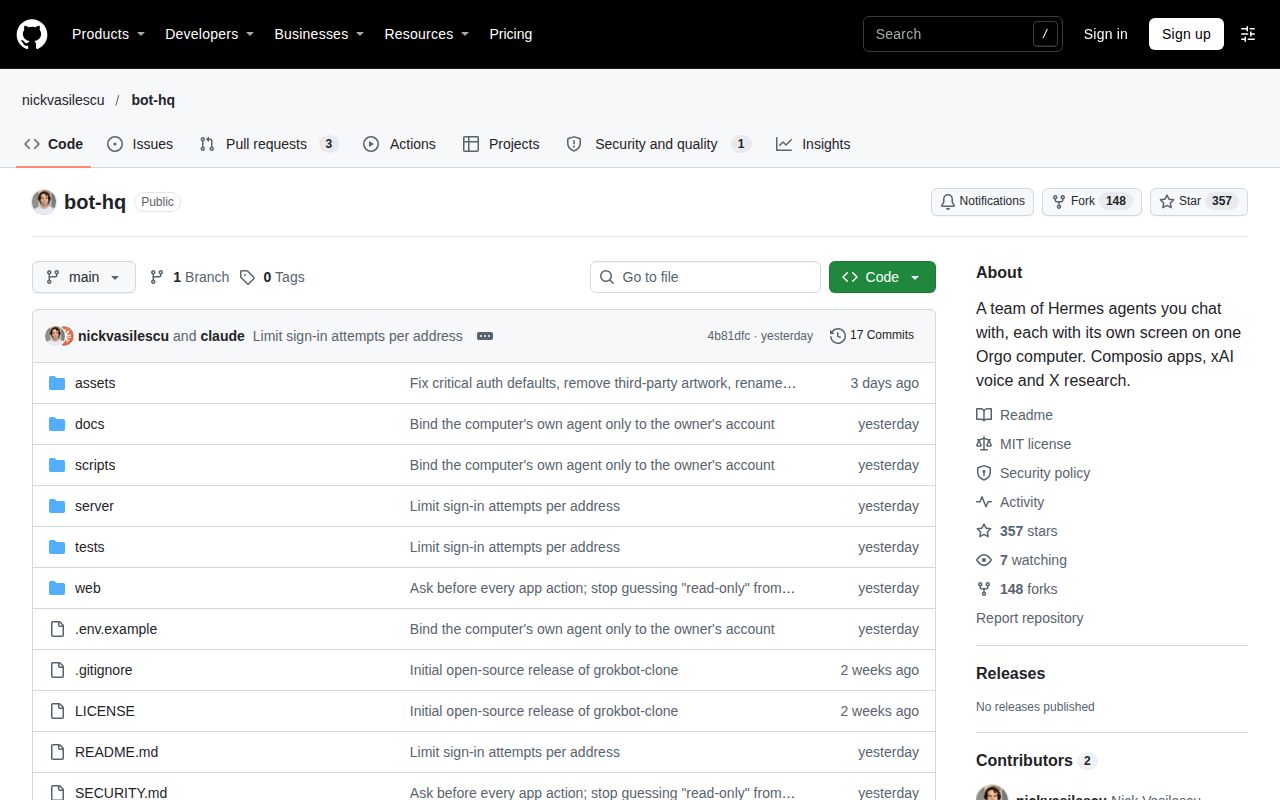
RohanRJ389/hermes-bot-hq is the dashboard plugin discussed in the plugin questions below; nickvasilescu/bot-hq is the cloud-computer workspace reviewed here. The plugin README describes its fleet interface as Desktop-only and its web-dashboard surface as a future direction. Those statements concern the plugin. Keeping the repository owner in view prevents a dashboard feature request from becoming a reported defect in Nick Vasilescu's different application.
The virtual-office video also names a different product: its transcript identifies agents running within Grok Bot. The creator says there are at least 35 agents there. That figure belongs to the creator's Grok Bot account, while Bot HQ's README specifies four bots on its Orgo configuration. Similar office imagery and shortened product names do not make those two configurations interchangeable.
FAQ
Bot HQ uses Hermes as its engine but maintains a bot roster separate from Hermes Desktop Bot Mode. That distinction answers the upstream relationship question and helps place the three plugin questions below. The plugin's issue listing concerns RohanRJ389/hermes-bot-hq, whose Desktop dashboard is a separate project. The links retain that repository name so readers can follow each question to the relevant tracker.
Would you give a bot a seat in your team chat?
Bot HQ supports bot-to-bot messages and connected apps, according to its README. For a Hermes user supervising accounts through visible desktops, that is a reason to consider it. Its shared files and browser-and-shell approval exceptions make it a poor fit for assignments requiring agent isolation or approval before every consequential action. Alexvx_nft posed the team-chat question alongside the recommendation for existing Claude subscribers.
How does Bot HQ relate to Hermes Bot Mode?
Bot HQ has its own bot layer over Hermes' gateway HTTP API, with separate homes, extra gateways and an app scheduler. Desktop Bot Mode uses Hermes profiles and cron jobs. The README's comparison explicitly says bots created in either interface do not appear in the other. Choose Desktop when keeping that roster and scheduler is the priority; choose Bot HQ for its separate chat-and-screen workspace.
Why do send_prompt buttons fail with SESSION_NOT_OWNED while Bot Chat is open in the separate RohanRJ389/hermes-bot-hq plugin?
Plugin issue #15 is the tracker link associated with this reported question about Bot Chat in Desktop. It concerns the dashboard plugin rather than Nick Vasilescu's workspace. The useful distinction for this review is the repository identity: a plugin button report belongs with RohanRJ389/hermes-bot-hq, while the installation measurements above belong to nickvasilescu/bot-hq at commit 4b81dfc.
Can the separate RohanRJ389/hermes-bot-hq plugin appear in the Hermes web view?
The plugin README says its fleet interface is Desktop-only and its web-dashboard surface does not exist yet. Plugin issue #13 requests web-view support. The plugin's known limits describe the existing interface, including its local plugin scanning. That answer applies to the dashboard plugin's web-view question; Bot HQ's own README describes a browser application with a public URL on the Orgo computer.
Can bots see their rendered Home in the separate RohanRJ389/hermes-bot-hq plugin?
Plugin issue #8 asks to let bots see what their Home looks like and carries enhancement and help-wanted labels in the issue listing. It is a request about the plugin's Home interface. Nick Vasilescu's README instead describes live computer screens that a human can watch or take over, so the two interfaces should keep their own names and tracker links.
What we have not tested yet
Our completed measurements cover installation, build and npm audit at commit 4b81dfc; the November 22 deployment attempt stopped at the Compose safety check. Tests were skipped, and the README's descriptions of security and end-to-end suites are not passing-test results from our run. The image label lab-node:22 records sandbox configuration rather than an actual runtime-version log. The conflicting deployment summary supplies no additional completed check beyond the step records.
This review has not established the T3 fork's execution permissions or isolation boundary. It also has no measured upstream task-completion result, response latency, voice quality, operating memory under load, repeated-session reliability, service-cost breakdown or side-by-side competitor run. Live-account file access, browser and shell approvals, sign-in controls and recovery were not exercised. The current README's security and artwork statements are documentation evidence rather than findings from the older measured checkout.
The plugin issue material identifies questions and requests, without a supported diagnosis or resolution for the SESSION_NOT_OWNED report or an implementation outcome for the rendered-Home request. Existing-page records also do not substantiate the earlier draft's claimed inspection of related reviews. Rendered layout, resolved links and recommendation modules are outside these recorded checks. A useful next evaluation would be one disposable-account task with its output and allowed actions recorded; this review reports no such completed task.