mrkeyoor.com_
Fri 16 Oct 18:52 UTC
Automationevaluationupdated 08 Oct 2026

arc-cua review

arc-cua bundles two related tools: a macOS driver that lets an agent inspect and control one app window, and a decision-model loop that carries out bounded desktop tasks. The driver works through Python or MCP without a model, while the action loop can use JEV through TypeSafe or a compatible custom provider.

+6stars / 7d
Verdict

Our arc-cua run built in 2 seconds and passed 360 tests, but 8 macOS-dependent tests failed on Debian and pip-audit reported 2 known vulnerabilities. The standalone driver is worth a guarded macOS trial when background window control and MCP access solve a specific problem. Keep it away from unsupervised destructive work until the open close-button, pixel-coordinate, save, and stale-screenshot reports are resolved.

We ran it

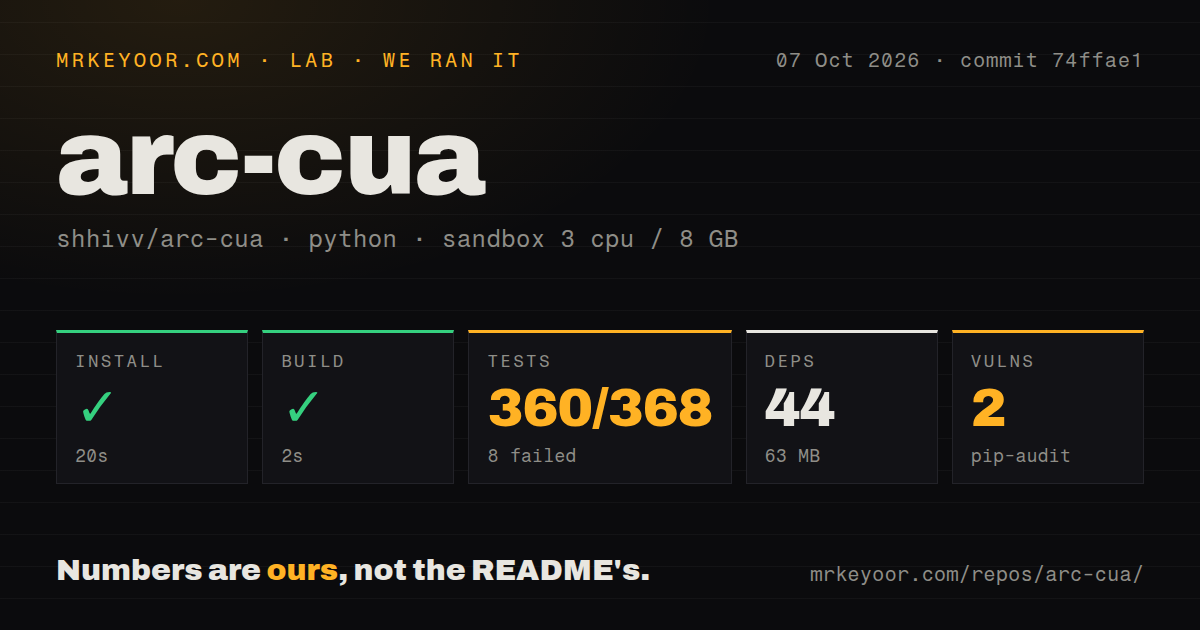
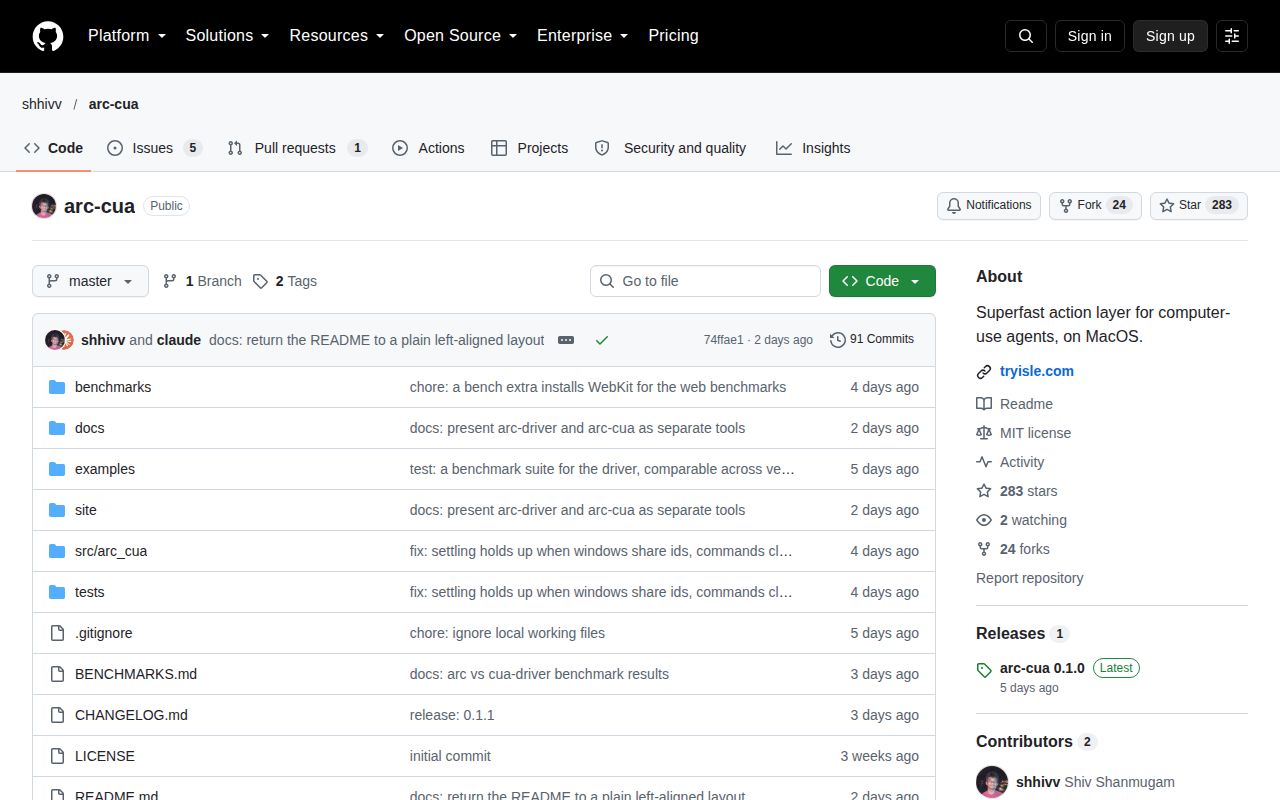
Lab card: what happened when we ran arc-cuaScreenshot of arc-cua (github.com/shhivv/arc-cua)
Install✓ · 20s44 packages · 63 MB
Build✓ · 2s
Tests✗ · 33s360 passed · 8 failed · 1 skipped of 368 (pytest)
Known vulns2(pip-audit)
Repo100 files~19,853 lines of source · 1.1 MB · 0 CI workflows · tests dir

Answers from our run

Does arc-cua build from source?

Dependencies installed in 20 seconds (44 packages), and the build succeeded in 2 seconds. We cloned commit 74ffae1 into a clean Debian container with 3 CPUs and no project-specific setup.

Do arc-cua's tests pass?

Not all of them: 360 of 368 passed and 8 failed when we ran the project's own test command (pytest). Some failures need services or credentials a bare container does not have.

Does arc-cua have known vulnerabilities in its dependencies?

pip-audit flagged 2 known advisories in the dependency tree at the time of our run.

Who should not use arc-cua?

Linux or Windows teams needing native desktop control: the driver is macOS-only, although the separate Chrome backend is cross-platform.

What are the alternatives to arc-cua?

Cua, Browser Use, OpenAdapt. Our arc-cua run built in 2 seconds and passed 360 tests, but 8 macOS-dependent tests failed on Debian and pip-audit reported 2 known vulnerabilities.

Setup2/5Small install, but macOS extras and two privacy grants are required
Docs5/5Exact setup, MCP tools, permissions, results, and limits
Community3/5283 stars with recent pushes and detailed issue reports
Maturity2/5v0.1.0 is young and current issues affect safe action handling

Who it’s for

macOS developers giving an existing agent structured control over native app windows.
Claude Code, Codex, or other MCP users who want the agent to work in a background app.
Teams prepared to grant Accessibility and Screen Recording permissions to the host process.
Agent builders who can define narrow goals, allowed risks, literal inputs, and their own success checks.

Who it’s NOT for

Linux or Windows teams needing native desktop control: the driver is macOS-only, although the separate Chrome backend is cross-platform.
Automations that may close unsaved windows: open issue 5 shows an unlabeled macOS close button bypassing the stated allowed_risks guard.
Pixel-driven tasks that require exact placement today: issue 4 reports click, drag, and scroll coordinates offset by the window origin.
Workflows saving a new untitled document in a background app: issue 6 reproduces Save and Command-S returning without opening the sheet.
Agents trusting screenshots of covered Chromium apps: issue 7 reports byte-identical stale frames while Spotify's state changed.
Release gates requiring a green fresh-Debian suite: our run ended with 8 failures and an audit reported 2 known vulnerabilities.

Setup reality

Our sandbox installed commit 74ffae1 in 20 seconds, adding 44 packages and using 63 MB. The build passed in 2 seconds. Pytest failed with exit 1 after 33 seconds, reporting 360 passed, 8 failed, and 1 skipped of 368. All 8 failures named the missing macOS ApplicationServices dependency or told us to install arc-cua[macos]. Pip-audit reported 2 known vulnerabilities.

The standalone driver needs Python 3.12 or newer, the macos extra, and macOS Accessibility permission. Screenshots also require Screen Recording. MCP clients can launch it with uvx; the decision loop additionally needs a TypeSafe JEV API key or an implementation of the documented choice-provider interface.

The driver is macOS-only and cannot reach windows on another desktop Space. Chrome automation can run on macOS, Linux, or Windows with the browser extra. The 1.1 MB repository has a tests directory, no Dockerfile, and no CI workflow files, so adopters should establish their own macOS checks before granting desktop permissions.

Version 0.1.1 contains a driver and a decision loop

Version 0.1.1 packages two tools that deserve separate decisions. arc-driver exposes macOS windows, accessibility elements, menu commands, screenshots, and input through Python or MCP. Your existing agent chooses each action, and the driver needs no model key. arc-cua adds a loop in which a decision model picks from the actions currently available for a bounded subtask. That separation lets a team adopt the driver without adopting JEV.

The driver targets one exact window by process ID and window ID. A snapshot records elements and the actions each one offers, then freshness checks can refuse an action when the app or target changed. This is a better contract than telling a model to click whatever happens to occupy a screen coordinate. It also lets Claude Code, Codex, or another MCP client inspect a background app without taking over the user's pointer.

What happened when we ran it

Our sandbox installed commit 74ffae1 in 20 seconds, pulled 44 packages, and used 63 MB on disk. The build succeeded in 2 seconds. The checkout itself had 100 files, about 19,853 lines of source, and occupied 1.1 MB. We found a tests directory, no Dockerfile, and 0 CI workflow files.

Pytest failed with exit 1 after 33 seconds. Its summary reported 360 passed, 8 failed, and 1 skipped of 368. Every failure shown in the supplied log was tied to the macOS path: ApplicationServices was unavailable, or the runtime asked for pip install 'arc-cua[macos]'. The result does not show eight unrelated product defects. It shows that the default Debian install cannot complete the full suite.

Pip-audit reported 2 known vulnerabilities, without advisory details in the measurement block. That count deserves investigation before deployment, but naming affected packages would be guesswork. The 360 passing tests are encouraging for a young codebase. They do not replace a macOS test on the exact OS version, permissions, and applications an agent will control.

Version 0.1.1 needs macOS privacy permissions

Version 0.1.1 requires Python 3.12 or newer and the macos extra for native desktop work. The process hosting the driver needs Accessibility permission; screenshots add Screen Recording. macOS grants those rights to the terminal or application that launched the MCP server, so a correct uvx command can still fail until the host process is approved in Privacy and Security settings.

Hidden and minimized windows are part of the appeal. The driver can use accessibility directly, or move a window onto an invisible display when real input or pixels are required, then restore it. Windows on another Space remain unreachable, HTML5 drag and drop is unsupported, and menu commands act on the app's key window. Those limits matter when several documents from one app are open.

Four open issues affect action accuracy or safety

Four issues opened on October 6 and 7, 2026 describe failures that cut into the core promise. Issue 4 reports pixel actions landing offset by the window's origin. Issue 5 shows an unlabeled title-bar close button escaping the close risk check. That second report says the decision loop clicked a TextEdit close control without allowed_risks permitting it.

Issue 6 finds that saving an untitled TextEdit document in the background does nothing, even though the driver returns done with reacted: false. Issue 7 reports stale screenshots for a covered Spotify window, including 2 byte-identical frames taken 10.9 seconds apart while playback state changed. These are precise reports with reproduction details, which is useful, but adopters still inherit the unresolved behavior.

One decision model chooses only offered actions

The decision loop can use JEV through TypeSafe, or a custom transport that returns typed choices, confidence, and probabilities. The caller supplies the goal, verification criteria, literal inputs, action cap, and allowed risk categories. Secret inputs are hidden from model-facing text, although screenshots are explicitly not redacted. Invalid model choices execute nothing and can be retried once by default.

That design narrows what a fast model may do, but issue 5 shows why labels cannot be the only safety boundary. An unlabeled close button slipped past a word-based check even though backend metadata knew its role. Until that path is fixed, run dry checks where possible, keep destructive tasks supervised, and verify outcomes outside the driver rather than treating done as proof.

The October 6 push follows the v0.1.0 release

GitHub showed 283 stars and 6 combined open issues and pull requests after a push on October 6, 2026. Release v0.1.0 arrived on October 3, while the checked-in package metadata says 0.1.1. The repository is moving and issue reports received detailed technical write-ups, but it is still an early release with action-layer defects found within days.

Try the standalone driver first, on a spare macOS user account and a harmless app. Its exact-window model, MCP surface, and background control are distinctive enough to justify that test. Delay unattended use of the decision loop until the risk guard and pixel paths are fixed, then rerun the suite with the macOS extra and review the 2 audit findings.

Alternatives

ProjectWhat it isPick it when
Cua gh↗A broader framework for building and running computer-use agents.pick this instead when you want a larger computer-use stack rather than a focused macOS window driver.
Browser Use gh↗An agent framework centered on browser tasks.pick this instead when every target is a web page and native macOS windows are outside the job.
OpenAdaptA desktop automation project built around demonstrating and replaying workflows.pick this instead when recorded human demonstrations fit the task better than element-by-element agent decisions.

What people are saying

  1. [velocity-scout] shhivv/arc-cua

Sources

  1. arc-cua README
  2. arc-driver documentation
  3. arc-cua v0.1.0 release
  4. Risk guard close-button report
  5. Background save report
  6. Covered Chromium screenshot report
  7. Window-coordinate offset report

More automation reviews

supersidian · genspark-claw · orc-claude-plugin · tiktok-views-bot · Ydisks-Xianyu-Helper · jev-gui-delegate · the whole board →