Nine stages turn a topic into editable shot code
anything2explainer is a production playbook wrapped around Remotion. An agent researches a topic, writes narration, creates speech and word timings, plans one visual beat per line, writes each shot as a React component, renders the film, and reviews selected frames. The output is a 1280 by 720 H.264 video with subtitles, chapter cards, a top HUD, and a bottom progress bar.
The repository is explicit that it is not a CLI. Its value sits in the instructions, visual primitives, prompt templates, scripts, and completed RAG film used as a quality bar. Research notes, narration, storyboard, shot source, rendered frames, review reports, and delivery notes remain inspectable. That paper trail makes a factual or visual correction possible without asking a generative video model to recreate an entire scene.
Four checkpoints catch expensive changes early
The process pauses for length and language, narration approval, voice choice, and a 30-second visual pilot. Narration approval carries the most weight because voice timing becomes hard-coded into every shot. Once those frame ranges exist, changing a word shifts subtitles and visuals downstream. The pilot tests the style after one shot group rather than after every group has been built.
This is sensible supervision for agent work. It also prevents a fully unattended run. The README estimates a complete film at roughly 1 to 3 hours depending on length and parallelism, with several agents writing shot groups. A user must be available at all 4 checkpoints, and a machine needs spare storage and enough memory for concurrent Remotion bundles. The method trades convenience for inspectable decisions.
What happened when we ran it
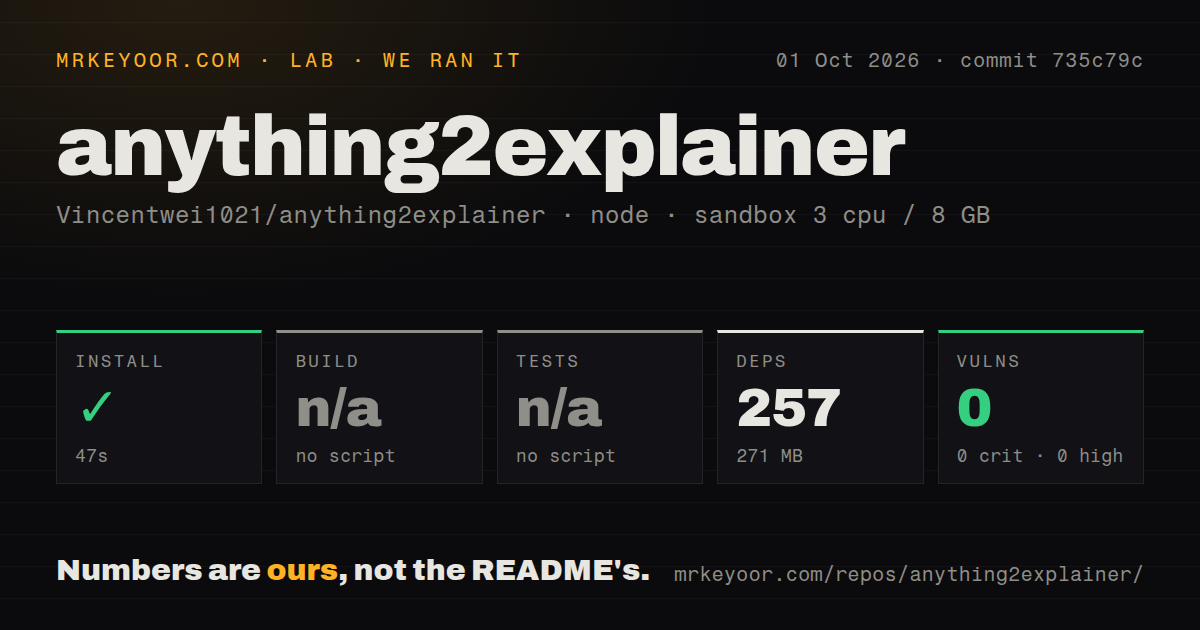
Our sandbox cloned commit 735c79c, entered the template directory, and completed npm install in 47 seconds. The run used Node 22 in an unprivileged Debian container with 3 CPUs, 8 GB of RAM, and no secrets. Npm installed 257 packages, consumed 271 MB, and reported 0 known vulnerabilities.
Our harness found no supported build script or target, so it skipped the build. It also found no supported test script or target and skipped tests. The checkout had 209 files, about 9,224 source lines, and occupied 23.6 MB. There were 0 CI workflow files, no Dockerfile, and no tests directory. Installation proves the template dependency tree resolves at that commit; it does not prove a film renders.
Speech choices change the local dependency burden
Chinese defaults to edge-tts and a Microsoft-hosted voice with word-boundary timing. English defaults to the local Kokoro 82M model and eSpeak NG. Users can supply finished audio or select other engines, including documented ARM-friendly choices. FFmpeg handles extraction and transcoding, while Python scripts create speech timing, storyboards, and frame metrics. Remotion renders through a headless Chromium browser on CPU.
The README pins edge-tts because endpoint behavior has changed across releases. Linux on ARM needs a system Chromium path because Remotion does not provide its usual browser there. Kokoro can be awkward on ARM with newer Python because of its dependency chain, so the guide offers ONNX and Piper paths. These are workable options, though they make the product a collection of coordinated tools rather than one portable binary.
One visual system keeps output consistent and narrow
Every film uses a black canvas, white line art, purple accents, heavy display type, and either a dot or star background. The skill supports English and Chinese typography but not arbitrary themes. Changing the house look means editing the style guide and shared UI primitives. Vertical 9:16 video is unsupported because the template and safe areas assume 1280 by 720.
That constraint is a feature when a channel wants a repeatable identity. It becomes a problem for clients with separate brand systems or short-form vertical feeds. Presenter-led footage and films dominated by live action also fall outside the design. Optional outside footage must be licensed and recorded in a manifest, while the default scenes are drawn in code with seeded randomness for repeatable frames.
Windows portability remains under review
Issue 16 records a successful manual Windows route but says 5 supplied scripts could not run unchanged because Git Bash lacked zsh and rsync, while python3 resolved incorrectly. The reporter replaced those steps with PowerShell, then rendered sample frames and an H.264 clip. Those figures are the reporter's results, not measurements from our sandbox.
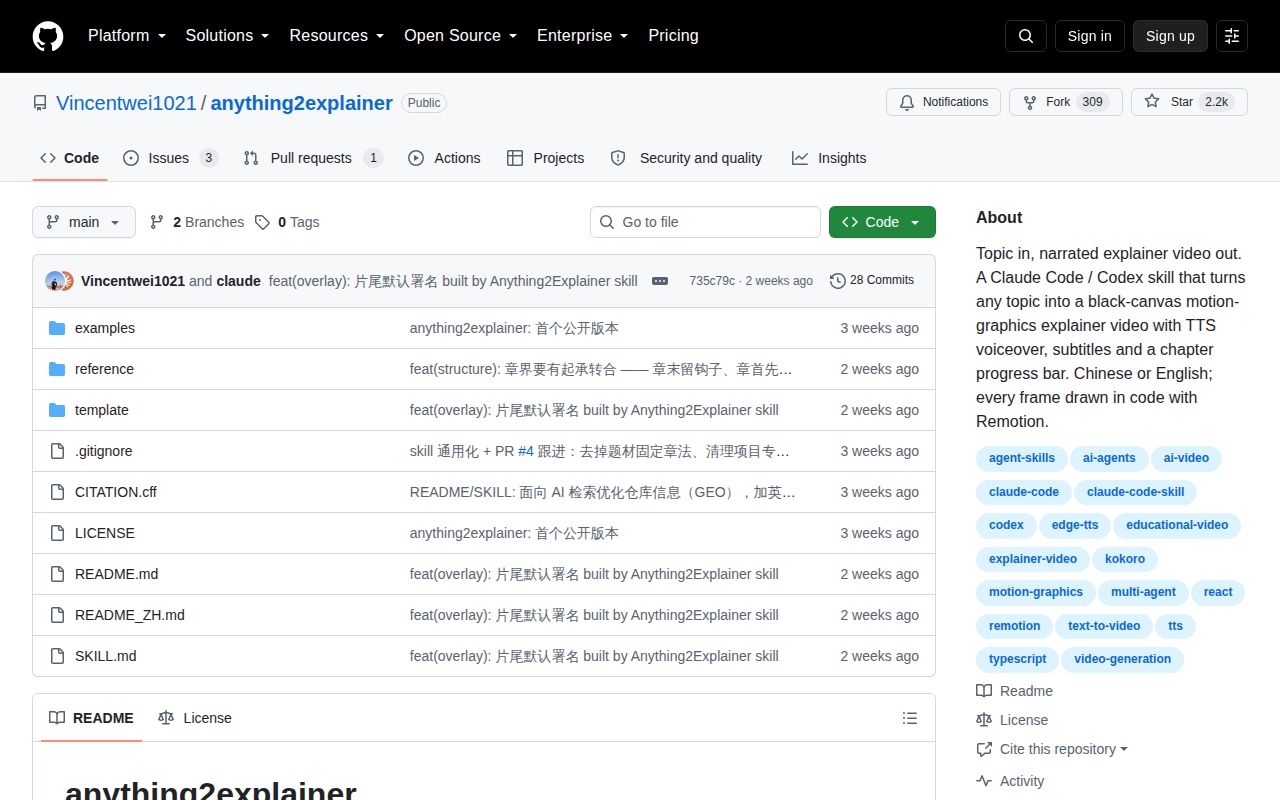
Pull request 17 proposes bash-compatible frame splitting, a Python interpreter fallback, and ordinary copy behavior when rsync is absent. It was still open on October 2, 2026. GitHub showed 2,224 stars, 4 combined issues and pull requests, and a last repository push on September 18. Active discussion is visible, but there is no tagged release or CI workflow to turn those platform claims into a repeatable matrix.
The license blocks unapproved commercial use
The toolkit uses PolyForm Noncommercial 1.0.0. The README says videos created with it belong to their makers, while commercial use of the toolkit requires prior authorization. Bundled fonts and Remotion have separate terms. A studio should review all three layers before putting the workflow into paid client work.
For a noncommercial technical channel, the package offers more than a starter template: it specifies who researches, who builds, where a person intervenes, and what evidence stays behind. Our run leaves one gap that matters. The 257-package install was clean, but no standard build or test followed it. Produce a short pilot on your own machine before trusting the full multi-agent workflow.