google-cloud-storage review
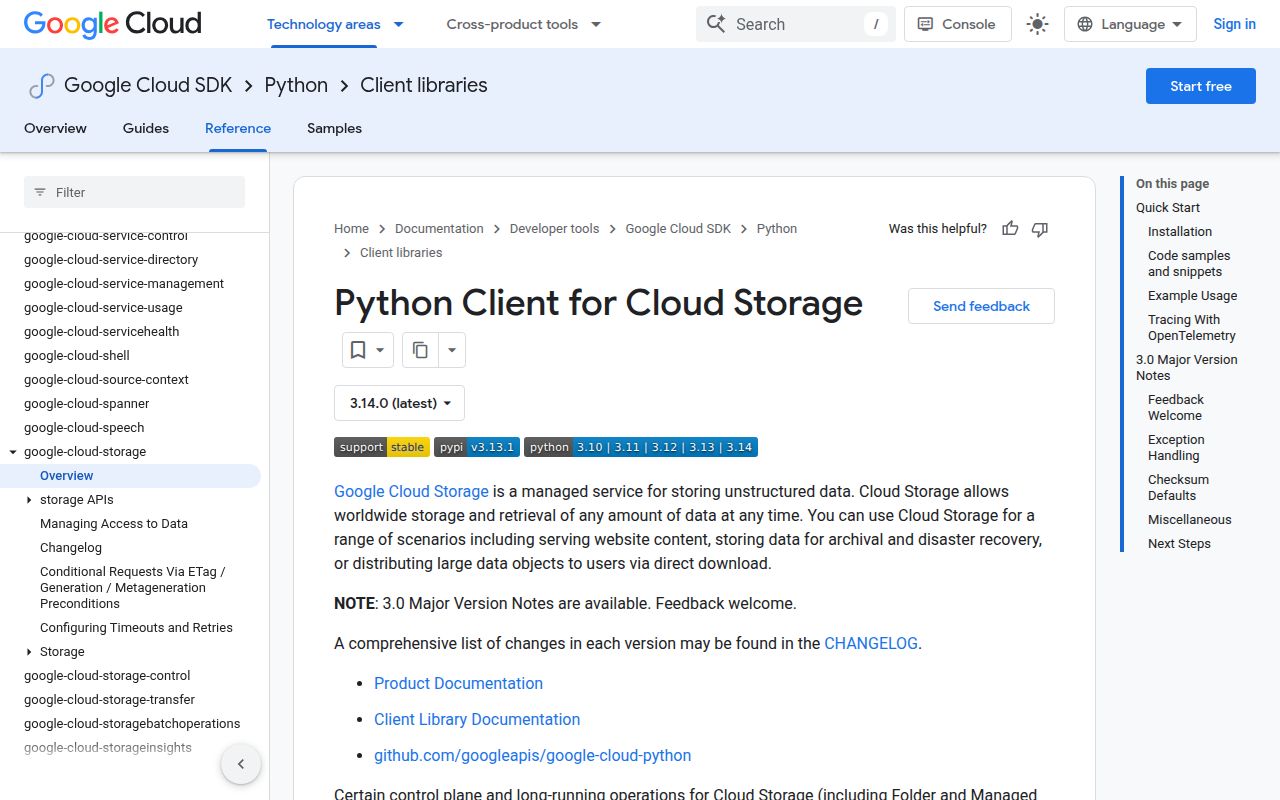
google-cloud-storage 3.13.1 is Google's Python client for buckets, objects, metadata, signed URLs, resumable transfers, and IAM-facing storage operations. The ordinary `Client`, `Bucket`, and `Blob` API uses authenticated requests and gives each mutable object a generation number that can guard writes against races. It belongs in services already committed to Google Cloud Storage; it is not a provider-neutral filesystem layer. Version 3.13.1 raises the runtime floor to Python 3.10, grpcio 1.59.0, and Protobuf 6.33.5 for the relevant extras. The preceding 3.13.0 release added an option to disable checksums and improved full-object checksum validation for the async appendable writer.
google-cloud-storage 3.13.1 installed in 0.4 seconds but occupied 27 MB across 19 packages in our sandbox, with typed code and 0 known vulnerabilities, so its cost is justified for services committed to GCS rather than thin multi-cloud adapters. Use generation preconditions on writes and settle Application Default Credentials before debugging the object calls.
We installed it
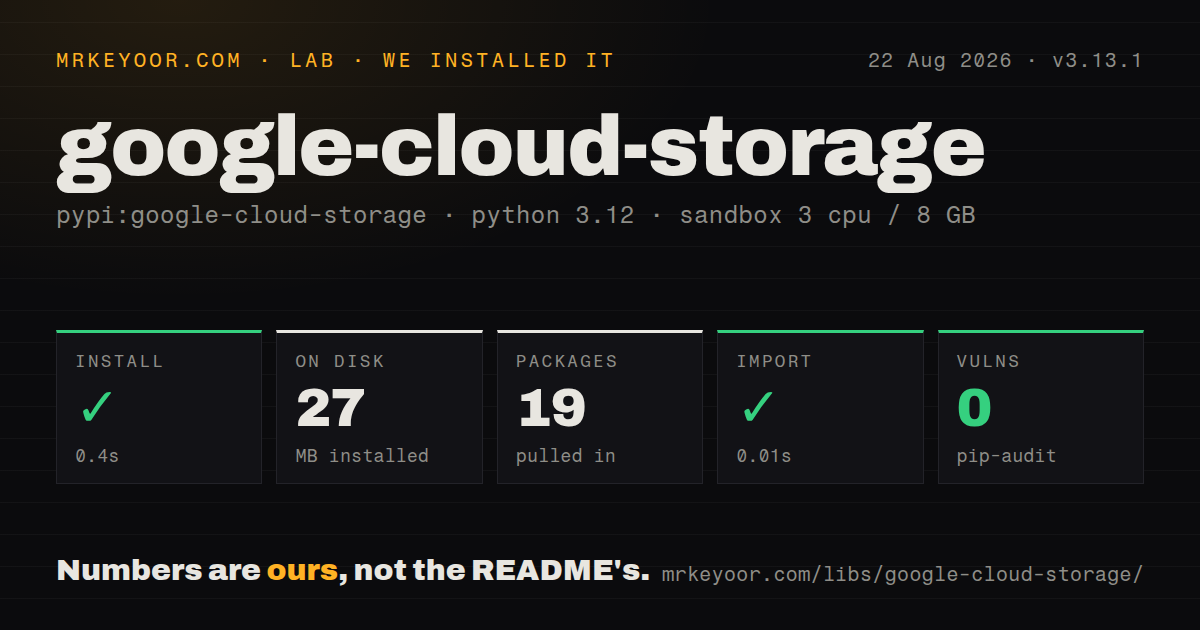
| Install | ✓ · 0.4s | 19 packages on disk · 27 MB |
| Import | ✓ | import google in 0.01s · pure Python · py.typed · requires Python >=3.10 |
| Known vulns | 0 | (pip-audit) |
Answers from our run
Does google-cloud-storage install cleanly?
Yes. In a fresh container with an empty cache, pip install google-cloud-storage finished in 0.4s, leaving 19 packages and 27 MB on disk. pip-audit reported no known vulnerabilities.
What does google-cloud-storage need to run?
Python >=3.10, and nothing compiled: it is pure Python. In our run import google succeeded in 0.01s, and the package ships py.typed for type checkers.
google-cloud-storage or gcloud-aio-storage: which should you use?
gcloud-aio-storage: Use it when an asyncio service needs nonblocking Google Cloud Storage object calls. google-cloud-storage 3.13.1 installed in 0.4 seconds but occupied 27 MB across 19 packages in our sandbox, with typed code and 0 known vulnerabilities, so its cost is justified for services committed to GCS rather than thin multi-cloud adapters.
When should you not use google-cloud-storage?
The same code must switch among S3, Azure Blob Storage, and local files; this client models Google Cloud Storage rather than a common filesystem API
Discussed on
- hnIntroducing Google Cloud Storage Nearline366 points
- hnGoogle Cloud Storage Nearline graduates to general availability80 points
- hnGoogle Cloud Storage adds several highly requested features54 points
- hnArq Backs Up to Google Cloud Storage Nearline32 points
- hnGoogle Cloud Storage Has New API, Lower Price23 points
Use it if
- Your Python service reads or writes Cloud Storage objects and should use Application Default Credentials
- You need generation or metageneration preconditions to prevent stale workers from overwriting newer data
- You need resumable uploads, ranged downloads, signed URLs, or batch transfers through Google's supported client
- Your deployment already has a Google Cloud project, billing, the Storage API, and IAM roles configured
- The same code must switch among S3, Azure Blob Storage, and local files; this client models Google Cloud Storage rather than a common filesystem API
- Your runtime is Python 3.9 or older; version 3.13.1 declares Python 3.10 as its minimum
- You need a small dependency footprint in a short-lived function; our install left 19 packages and 27 MB on disk
- Your application is async throughout and only needs the established JSON object API; most `Client`, `Bucket`, and `Blob` methods remain synchronous, while newer async gRPC features cover a different surface
- You want folder rename semantics; object names contain slashes, and copy or rewrite plus delete is different from an atomic filesystem rename
Setup reality
Our clean Python 3.12 sandbox installed google-cloud-storage 3.13.1 in 0.4 seconds. It left 19 packages using 27 MB on disk. The package metadata lists 38 direct requirements across its base and extras, the wheel is pure Python, and it includes py.typed. import google took 0.01 seconds, and pip-audit reported 0 known vulnerabilities. These are our install results; How we test records the container method.
A successful import does not prove that credentials, billing, or IAM work. storage.Client() follows Application Default Credentials and needs a project for project-scoped calls. Local development commonly uses gcloud auth application-default login; deployed code should use its workload identity or attached service account. A JSON key through GOOGLE_APPLICATION_CREDENTIALS works, but it creates a long-lived secret that must be mounted and rotated. The Storage API must also be enabled for the project.
Version 3.13.1 defaults applicable transfers to checksum='auto', selecting CRC32C when its fast implementation is available and otherwise MD5. Ranged or transcoded downloads may lack a server checksum, and chunked downloads can log that validation was skipped. Add if_generation_match=0 when an upload must create a new name, or pass the known generation when replacing an existing object. That precondition also lets the conditional retry policy repeat a write without duplicating its effect.
Large transfers bring their own process model. Transfer Manager defaults to process workers for large files, serializes and recreates the client in each child, and warns that custom changes to Client._http may not survive. Its 32 MB default chunk is documented for concurrent single-file transfer, while Blob streaming chunks must be multiples of 256 KB. Inspect every returned result because batch helpers can return exceptions per item. Signed URLs also need credentials capable of signing, not merely a token that can call Storage.
Patterns
Create a client with an explicit project create-client
from google.cloud import storage

client = storage.Client(project='acme-prod')
bucket = client.bucket('acme-reports')
blob = bucket.blob('daily/2026-08-26.json')
Creating `Bucket` and `Blob` references sends 0 requests; the first operation needs working Application Default Credentials.
Upload a file with metadata and a precondition upload-file
from google.cloud import storage

client = storage.Client()
blob = client.bucket('acme-reports').blob('daily/report.json')
blob.cache_control = 'no-cache'
blob.upload_from_filename(
    'report.json',
    content_type='application/json',
    if_generation_match=0,
    checksum='auto',
)
`if_generation_match=0` makes this a create-only upload; an existing object causes a precondition failure instead of an overwrite.
Download an object to a file download-file
from google.cloud import storage

client = storage.Client()
blob = client.bucket('acme-reports').blob('daily/report.json')
blob.download_to_filename('report.json', checksum='auto', timeout=60)
The 60-second timeout applies to an individual HTTP request, while retry settings control the wider operation.
Read a small UTF-8 object read-text
from google.cloud import storage

client = storage.Client()
blob = client.bucket('acme-config').blob('flags.txt')
text = blob.download_as_text(encoding='utf-8')
print(text)
`download_as_text()` holds the object content in memory; use a file or `Blob.open()` for larger data.
Stream an object through a file-like reader stream-object
from google.cloud import storage

client = storage.Client()
blob = client.bucket('acme-data').blob('events.ndjson')
with blob.open('rt', encoding='utf-8', chunk_size=256 * 1024) as src:
    for line in src:
        handle(line)
Blob streaming chunk sizes must be multiples of 256 KB; text mode adds decoding on top of the byte stream.
List objects under one prefix list-prefix
from google.cloud import storage

client = storage.Client()
for blob in client.list_blobs(
    'acme-reports',
    prefix='daily/2026-08/',
    fields='items(name,size,generation),nextPageToken',
):
    print(blob.name, blob.size, blob.generation)
The iterator fetches pages during iteration; constructing it does not load every matching object at once.
Replace only the generation you read prevent-lost-update
from google.cloud import storage

client = storage.Client()
blob = client.bucket('acme-config').get_blob('settings.json')
if blob is None:
    raise FileNotFoundError('settings.json')

blob.upload_from_string(
    new_json,
    content_type='application/json',
    if_generation_match=blob.generation,
)
A competing write changes the generation, so this update fails instead of deleting the other writer's result.
Patch metadata without replacing the object body patch-metadata
from google.cloud import storage

client = storage.Client()
blob = client.bucket('acme-data').get_blob('export.csv')
if blob is None:
    raise FileNotFoundError('export.csv')

blob.metadata = {**(blob.metadata or {}), 'source': 'billing'}
blob.patch(if_metageneration_match=blob.metageneration)
The metageneration precondition protects metadata changes; object generation guards body replacement.
Issue a short-lived download URL generate-signed-url
from datetime import timedelta
from google.cloud import storage

client = storage.Client()
blob = client.bucket('acme-private').blob('invoices/42.pdf')
url = blob.generate_signed_url(
    version='v4',
    expiration=timedelta(minutes=15),
    method='GET',
)
A V4 signed URL needs signing-capable credentials; some token-only runtime credentials can call Storage but cannot sign locally.
Copy an object and keep the source generation fixed copy-object
from google.cloud import storage

client = storage.Client()
source_bucket = client.bucket('incoming')
source = source_bucket.get_blob('report.csv')
if source is None:
    raise FileNotFoundError('report.csv')

destination = client.bucket('archive')
source_bucket.copy_blob(
    source,
    destination,
    new_name='2026/report.csv',
    if_source_generation_match=source.generation,
)
Copying and then deleting is 2 object operations, so it does not have atomic filesystem rename semantics.
Inspect results from parallel downloads batch-download
from google.cloud import storage
from google.cloud.storage import transfer_manager

client = storage.Client()
bucket = client.bucket('acme-reports')
results = transfer_manager.download_many_to_path(
    bucket,
    ['a.csv', 'b.csv'],
    destination_directory='downloads',
    max_workers=4,
)
for name, result in zip(['a.csv', 'b.csv'], results):
    if isinstance(result, Exception):
        print(name, result)
Batch helpers can return an exception in the matching result position; 1 failed object need not raise for the whole list.
Charge a requester-pays bucket to a project requester-pays
from google.cloud import storage

client = storage.Client(project='analytics-prod')
bucket = client.bucket(
    'partner-dataset',
    user_project='analytics-billing',
)
for blob in client.list_blobs(bucket, prefix='2026/'):
    print(blob.name)
The billing project needs permission and billing enabled; access to the bucket alone is insufficient for requester-pays requests.
Alternatives
| Package | Registry | Pick it when |
|---|---|---|
| gcloud-aio-storage | PyPI | Use it when an asyncio service needs nonblocking Google Cloud Storage object calls |
| gcsfs | PyPI | Use it when fsspec paths and dataframe integrations matter more than bucket administration |
| boto3 | PyPI | Use it when the storage target is Amazon S3 and the application needs AWS service integration |
More infra guides
semver · boto3 · opentelemetry-api · @opentelemetry/api · psutil · distro · the whole shelf →
How this guide is made: grounded in the library's documentation, release notes, changelog, and issue history, on a fixed rubric — not a hands-on install of every release. The 50 most-downloaded entries are additionally install-verified in clean containers. Corrections: contact the desk.