textual review
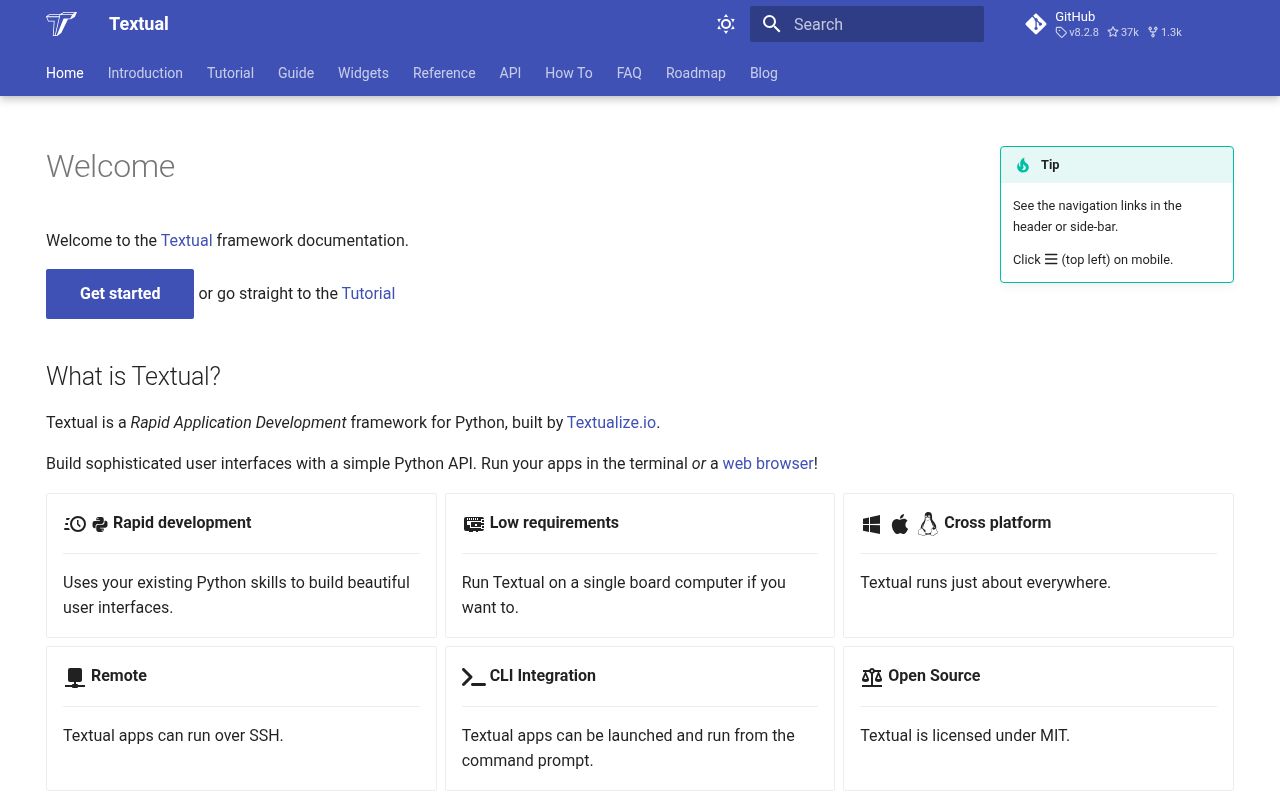
Textual 8.2.8 is an asynchronous Python framework for applications that own a terminal screen. An `App` runs the message loop and screen stack, widgets form a queryable tree, reactive attributes connect state to display updates, TCSS describes layout and styling, and workers keep I/O or blocking calls away from input handling. Built-in pieces include forms, data tables, trees, editors, command palettes, navigation, mouse events, and headless test controls. Version 8.2.8 repairs multi-codepoint Kitty key events and a crash caused by clicking screen padding, while making macOS backspace combinations consistent in `Input` and `TextArea`. Our typed pure-Python install imported in 0.46 seconds.
Textual 8.2.8 installed in 0.7 seconds and occupied 12 MB across 10 packages, with typed code and no audit findings in our sandbox; that cost is justified for a real screen-and-widget terminal product. A formatted report or prompt sequence should stay with Rich or prompt-toolkit.
We installed it
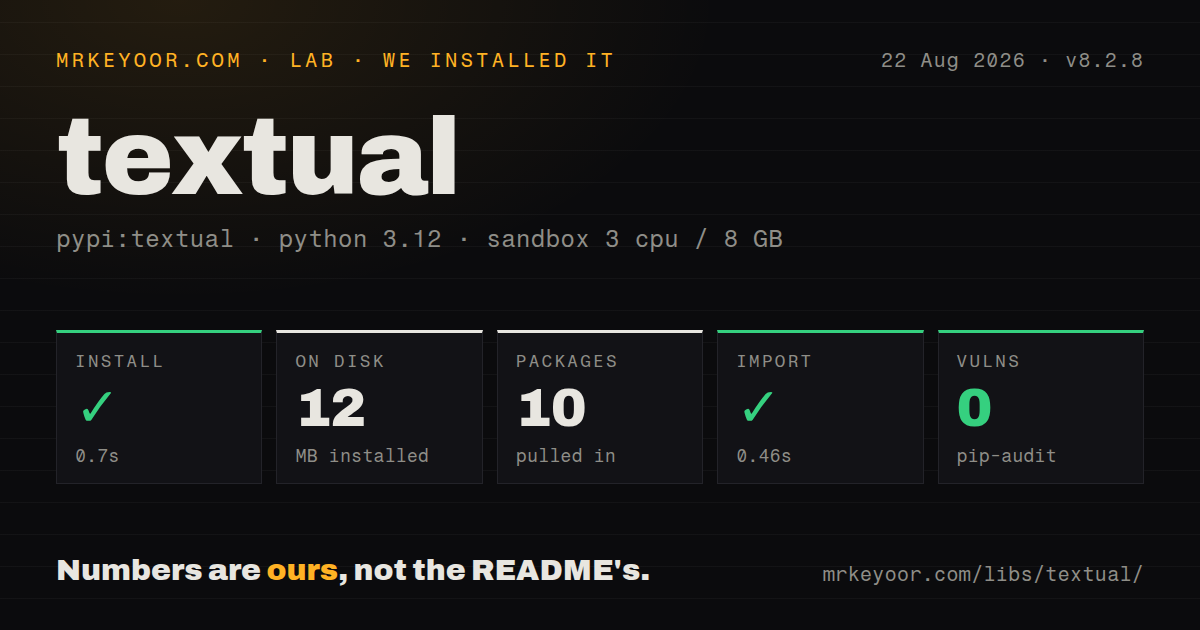
| Install | ✓ · 0.7s | 10 packages on disk · 12 MB |
| Import | ✓ | import textual in 0.46s · pure Python · py.typed · requires Python >=3.9,<4.0 |
| Known vulns | 0 | (pip-audit) |
Answers from our run
Does textual install cleanly?
Yes. In a fresh container with an empty cache, pip install textual finished in 0.7s, leaving 10 packages and 12 MB on disk. pip-audit reported no known vulnerabilities.
What does textual need to run?
Python >=3.9,<4.0, and nothing compiled: it is pure Python. In our run import textual succeeded in 0.46s, and the package ships py.typed for type checkers.
textual or rich: which should you use?
rich: Use it for styled output, tables, tracebacks, and progress without a persistent event loop. Textual 8.2.8 installed in 0.7 seconds and occupied 12 MB across 10 packages, with typed code and no audit findings in our sandbox; that cost is justified for a real screen-and-widget terminal product.
When should you not use textual?
The program only prints styled logs, progress, tables, or tracebacks. Rich does that without owning an application lifecycle.
Discussed on
- hnTextual: Rapid Application Development framework for Python291 points
- hnTextual – A TUI framework for Python inspired by modern web development74 points
- hnTextual 1.0 Release25 points
- hnTextual-web: Run TUIs and terminals in the browser22 points
- hnShow HN: Textual Web – turn TUIs in to web apps5 points
Use it if
- You are building a full-screen operations dashboard, browser, monitor, editor, or admin client that must remain usable over SSH.
- The interface needs focus, key bindings, mouse events, dialogs, tables, trees, or several screens rather than a linear prompt flow.
- Async workers and headless user-interaction tests should be framework features instead of custom terminal-loop code.
- The team is prepared to learn widget composition, event messages, reactive state, and a terminal-specific CSS dialect.
- The program only prints styled logs, progress, tables, or tracebacks. Rich does that without owning an application lifecycle.
- The product is mainly a REPL, completion engine, or advanced input prompt. prompt-toolkit is designed around those interactions.
- Precise typography, media, dense charts, or drag-heavy controls define the interface. A browser has the more suitable rendering surface.
- Existing code performs blocking database, network, or subprocess work inside callbacks and cannot be moved. One slow handler freezes input and rendering.
- Automation must pipe and redirect the same command output. A full-screen alternate buffer needs a separate plain-output or machine-readable mode.
- Your team will not test actual terminals, SSH paths, and multiplexers. Version 8.2.8 itself contains fixes for terminal-specific key and click behavior.
Setup reality
We installed Textual 8.2.8 in a fresh unprivileged Python 3.12 Bookworm sandbox. The install finished in 0.7 seconds and left 10 packages using 12 MB. import textual took 0.46 seconds. The package declares 22 direct dependencies, requires Python 3.9 through the Python 3 line, is pure Python, carries py.typed, and uses the MIT license. pip-audit reported zero known vulnerabilities in our environment.
A real project quickly grows an App, widget composition, screen classes, handlers, workers, and TCSS. Textual owns the terminal, so ordinary debug prints can corrupt its display. The separate textual-dev package provides a console, inspector, and CSS hot reload from another terminal. Keep that tooling in development dependencies and route application diagnostics through Textual's logging interface.
Handlers execute on the app event loop. Await asynchronous I/O, and send blocking functions to @work(thread=True). Exclusive workers can cancel an older search when a new query arrives, but thread work cannot be force-stopped at an arbitrary instruction. UI changes made from a thread must return through call_from_thread(). Reactive assignment runs watchers; mutating a contained list in place may require reassignment or explicit mutation notification.
Terminal emulators differ in colors, Unicode width, mouse reporting, modifier keys, and Kitty protocol support; SSH plus tmux adds another layer. Test the combinations users actually run. Version 8.2.8 fixed multiple-codepoint Kitty keys and padding clicks. run_test() and Pilot cover deterministic actions without a visible terminal, but queued messages need time to settle before assertions. Keep business rules outside widgets so they can be tested without rendering.
Patterns
Build a three-widget terminal screen compose-basic-app
from textual.app import App, ComposeResult
from textual.widgets import Footer, Header, Static

class StatusApp(App):
    def compose(self) -> ComposeResult:
        yield Header()
        yield Static("Ready", id="status")
        yield Footer()

if __name__ == "__main__":
    StatusApp().run()
`run()` controls the terminal until exit. Keep the launch behind a main guard so tests and other modules can import the app class safely.
Center and frame one widget with TCSS style-with-tcss
class StatusApp(App):
    CSS = """
    Screen { align: center middle; }
    #status { width: 40; padding: 1 2; border: round $accent; }
    """
TCSS syntax resembles browser CSS but its properties and layout rules are Textual-specific. Use `CSS_PATH` for a separate file that development tools can reload.
Receive presses from one matching button handle-specific-button
from textual import on
from textual.widgets import Button, Static

@on(Button.Pressed, "#refresh")
def refresh(self) -> None:
    self.query_one("#status", Static).update("Refreshing")
The selector limits this method to one button. `query_one()` raises when the tree contains zero or several incompatible matches, which catches stale IDs early.
Update a widget when its counter changes watch-reactive-state
from textual.reactive import reactive
from textual.widgets import Static

class Counter(Static):
    count = reactive(0)

    def watch_count(self, value: int) -> None:
        self.update(f"Count: {value}")

    def on_click(self) -> None:
        self.count += 1
Assigning the reactive attribute invokes its watcher. An in-place change inside a reactive list may need reassignment or `mutate_reactive()`.
Run only the newest asynchronous search cancel-stale-search
from textual import work

@work(exclusive=True)
async def search(self, query: str) -> None:
    rows = await api.search(query)
    results = self.query_one("#results")
    results.clear()
    results.extend(rows)
An exclusive worker cancels the preceding run in its group. Clean up network responses or other async resources when cancellation is raised.
Parse a file outside the message loop offload-blocking-call
from textual import work

@work(thread=True)
def load_report(self, path: str) -> None:
    report = blocking_parser(path)
    self.call_from_thread(self.show_report, report)
A worker thread cannot mutate the widget tree directly. `call_from_thread()` schedules the display change back on Textual's app thread.
Connect visible shortcuts to app actions declare-key-bindings
class StatusApp(App):
    BINDINGS = [
        ("r", "refresh", "Refresh"),
        ("q", "quit", "Quit"),
    ]

    def action_refresh(self) -> None:
        self.load_data()
Focused widgets may define their own bindings. Test modifier combinations in target terminals because key reports vary by emulator and protocol support.
Dismiss a confirmation screen with a value return-modal-result
from textual.screen import ModalScreen
from textual.widgets import Button

class Confirm(ModalScreen[bool]):
    def compose(self):
        yield Button("Delete", id="yes")
        yield Button("Cancel", id="no")

    def on_button_pressed(self, event: Button.Pressed) -> None:
        self.dismiss(event.button.id == "yes")
Awaiting a screen result is asynchronous and often runs from a worker. A callback is available when the caller should not wait.
Drive key and mouse input without a terminal test-with-pilot
async def test_reset():
    async with CounterApp().run_test() as pilot:
        await pilot.press("up", "up")
        await pilot.click("#reset")
        await pilot.pause()
        assert pilot.app.query_one(Counter).count == 0
Pilot actions enter through the normal message system. `pause()` lets pending handlers and reactive updates finish before the assertion reads state.
Create table columns and stable rows after mount populate-data-table
from textual.widgets import DataTable

def on_mount(self) -> None:
    table = self.query_one(DataTable)
    table.add_columns("Name", "State")
    table.add_row("worker-1", "ready", key="worker-1")
    table.add_row("worker-2", "busy", key="worker-2")
    table.cursor_type = "row"
Populate after the widget exists. Stable row keys let later events update a record without depending on its visible position.
Alternatives
| Package | Registry | Pick it when |
|---|---|---|
| rich | PyPI | Use it for styled output, tables, tracebacks, and progress without a persistent event loop. |
| urwid | PyPI | Use it when an established codebase already fits Urwid's older widget and event model. |
| prompt-toolkit | PyPI | Use it for shells, REPLs, completion, history, and editor-like command entry. |
| asciimatics | PyPI | Use it for terminal animations, effects, and simpler screen-oriented forms. |
More cli & tooling guides
commander · chalk · typescript · esbuild · yargs · click · the whole shelf →
How this guide is made: grounded in the library's documentation, release notes, changelog, and issue history, on a fixed rubric — not a hands-on install of every release. The 50 most-downloaded entries are additionally install-verified in clean containers. Corrections: contact the desk.