prompt-toolkit review
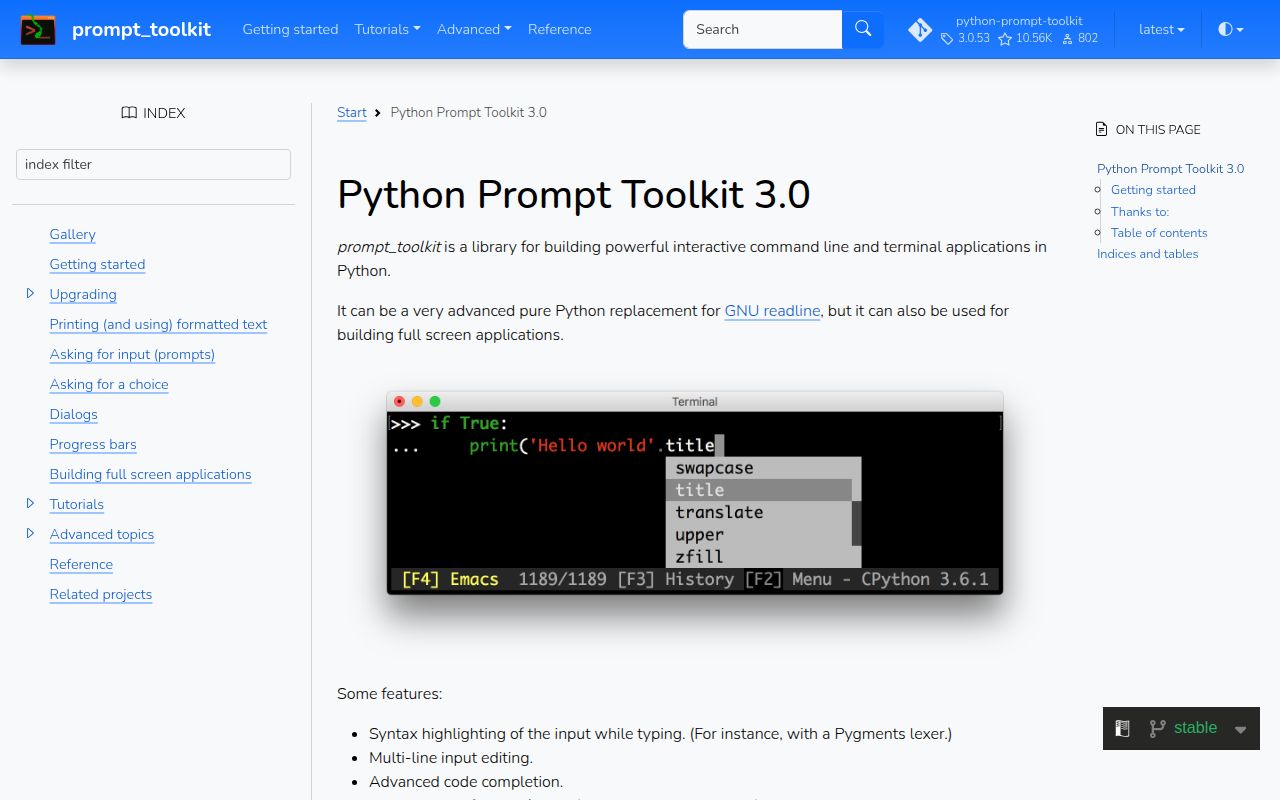
prompt-toolkit 3.0.53 is the input and screen-management layer behind Python REPLs and interactive terminal programs. PromptSession provides editing, persistent or in-memory history, completion, validation, multiline input, styled text, and Emacs or Vi bindings. Full-screen code composes buffers, controls, windows, containers, filters, and an asyncio Application. The 3.0.53 release moves the minimum to Python 3.10, supports Python 3.14 and 3.15, adds numbered ChoiceInput display, and fixes terminal color ranges, cursor-word lookup, surrogate pairs in history, macOS kqueue EOF behavior, telnet decoding, and type annotations.
Our prompt-toolkit 3.0.53 install took 0.2 seconds, occupied 4 MB, imported in 0.50 seconds, and had no audit findings. It fits a real REPL or custom terminal screen; a short questionnaire is easier through Questionary or InquirerPy.
We installed it
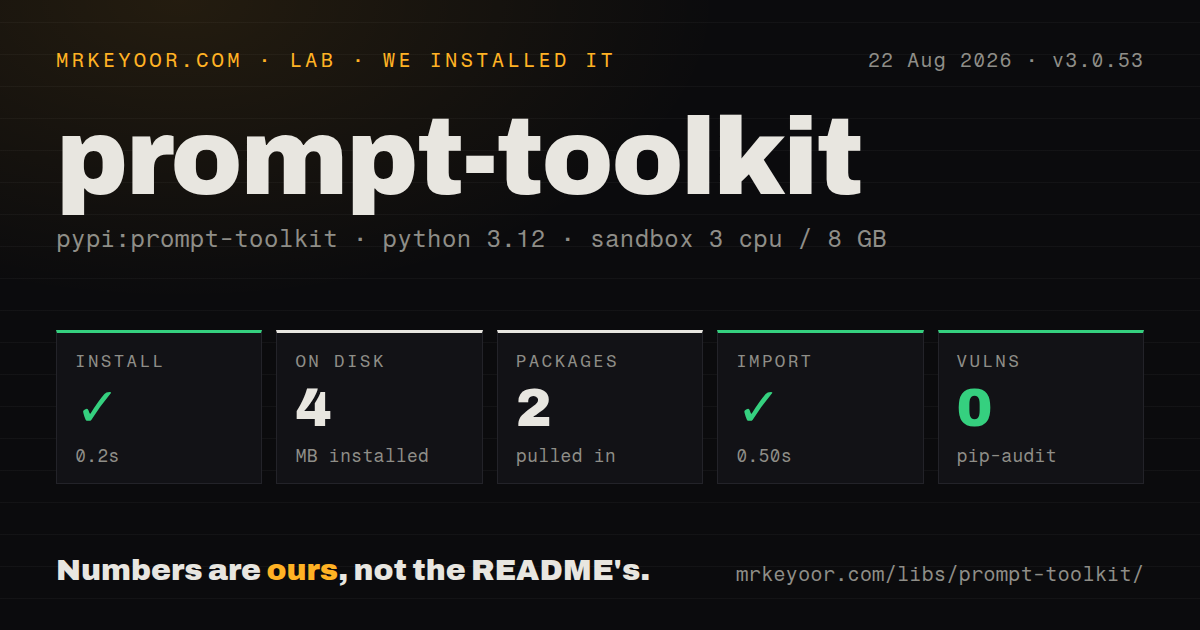
| Install | ✓ · 0.2s | 2 packages on disk · 4 MB |
| Import | ✓ | import prompt_toolkit in 0.50s · pure Python · py.typed · requires Python >=3.10 |
| Known vulns | 0 | (pip-audit) |
Answers from our run
Does prompt-toolkit install cleanly?
Yes. In a fresh container with an empty cache, pip install prompt-toolkit finished in 0.2s, leaving 2 packages and 4 MB on disk. pip-audit reported no known vulnerabilities.
What does prompt-toolkit need to run?
Python >=3.10, and nothing compiled: it is pure Python. In our run import prompt_toolkit succeeded in 0.50s, and the package ships py.typed for type checkers.
prompt-toolkit or questionary: which should you use?
questionary: Choose it for short confirm, select, checkbox, password, and text flows built on prompt-toolkit. Our prompt-toolkit 3.0.53 install took 0.2 seconds, occupied 4 MB, imported in 0.50 seconds, and had no audit findings.
When should you not use prompt-toolkit?
The CLI only asks confirms, text, checkboxes, or menus; Questionary and InquirerPy expose those questions at a higher level
Discussed on
Use it if
- A REPL or database shell needs editable history, completion, syntax coloring, and multiline entries
- An asyncio application must await terminal input without stopping the event loop
- Worker logs must print while the current input line redraws intact
- A custom terminal screen needs Vi or Emacs bindings, several buffers, and an owned layout
- The CLI only asks confirms, text, checkboxes, or menus; Questionary and InquirerPy expose those questions at a higher level
- A widget-heavy full-screen app should not require hand assembly of controls, containers, filters, and dimensions
- The same path must behave identically under a TTY, piped stdin, cron, and CI; interactive editing depends on terminal capabilities
- The requirement is tables, progress output, or formatted tracebacks rather than editable input
- An obscure terminal bug needs a rapid fix; GitHub currently lists 706 open issues and pull requests
Setup reality
We installed prompt-toolkit 3.0.53 in 0.2 seconds in a fresh Python 3.12 sandbox. Its 2 installed packages used 4 MB, with wcwidth as the single direct dependency. pip-audit found 0 known vulnerabilities. The distribution is pure Python, declares Python 3.10 or newer, ships py.typed, and reports a BSD License. import prompt_toolkit succeeded in 0.50 seconds.
No credentials or compiler are involved. pip installs prompt-toolkit, while Python imports prompt_toolkit. Pygments becomes relevant only when an application selects one of its lexers or styles. FileHistory needs a writable file and records entered text verbatim. is_password masks the screen but does not prevent a configured history object from storing the secret, so password and token prompts should use no persistent history.
Keep a PromptSession when successive prompts share settings and history. A slow synchronous completer can pause input between keystrokes; disable complete_while_typing or implement asynchronous completion. patch_stdout temporarily coordinates normal prints with prompt redraws, preventing worker logs from cutting through the input row. In 3.0.53, certain macOS kqueue add_reader failures are interpreted as EOF, so code should handle EOFError as a normal terminal-close path.
An existing asyncio loop must await prompt_async(); calling prompt() there blocks every task. A full-screen Application also owns terminal modes, rendering, signals, and background tasks, so test Ctrl-C, EOF, cancellation, and redirected input cleanup. Recent Windows 10 terminals get the best VT behavior, while the project README still says Unix terminals work better. Version 3.0.53 fixes missing VT100 cube and grayscale colors, but the terminal ultimately decides what appears.
Patterns
Read one line with terminal editing read-edited-line
from prompt_toolkit import prompt

name = prompt("Project name: ")
print(f"Creating {name}")
prompt() assumes interactive terminal behavior; branch separately when the command also consumes redirected stdin.
Persist one REPL's command history persist-command-history
from pathlib import Path
from prompt_toolkit import PromptSession
from prompt_toolkit.history import FileHistory

history_file = Path.home() / ".inventory_history"
session = PromptSession(history=FileHistory(history_file))

while True:
    command = session.prompt("inventory> ")
    if command == "quit":
        break
Every submitted line reaches the named file, so credentials and tokens must use a session without FileHistory.
Complete four known commands complete-known-words
from prompt_toolkit import PromptSession
from prompt_toolkit.completion import WordCompleter

commands = WordCompleter(
    ["list", "show", "delete", "quit"],
    ignore_case=True,
)
session = PromptSession(completer=commands)
command = session.prompt("> ", complete_while_typing=False)
complete_while_typing=False prevents work on each keypress while leaving explicit completion available.
Complete only the current host prefix write-custom-completer
from prompt_toolkit.completion import Completer, Completion

class HostCompleter(Completer):
    def get_completions(self, document, complete_event):
        prefix = document.get_word_before_cursor()
        for host in known_hosts:
            if host.startswith(prefix):
                yield Completion(
                    host,
                    start_position=-len(prefix),
                    display_meta="server",
                )
The negative start_position replaces the typed prefix; zero would duplicate it by appending the candidate.
Accept only ports 1 through 65535 validate-input
from prompt_toolkit import prompt
from prompt_toolkit.validation import Validator

port_validator = Validator.from_callable(
    lambda text: text.isdigit() and 1 <= int(text) <= 65535,
    error_message="Enter a port from 1 to 65535",
    move_cursor_to_end=True,
)
port = int(prompt(
    "Port: ",
    validator=port_validator,
    validate_while_typing=False,
))
validate_while_typing=False waits for submission before displaying the range error.
Suggest the rest of a previous command suggest-from-history
from prompt_toolkit import PromptSession
from prompt_toolkit.auto_suggest import AutoSuggestFromHistory
from prompt_toolkit.history import FileHistory

session = PromptSession(
    history=FileHistory(".console-history"),
    auto_suggest=AutoSuggestFromHistory(),
)
line = session.prompt("console> ")
The session must own history for suggestions to appear, and the default right-arrow binding accepts one.
Insert list with Ctrl-L define-key-bindings
from prompt_toolkit import prompt
from prompt_toolkit.key_binding import KeyBindings

bindings = KeyBindings()

@bindings.add("c-l")
def insert_list(event):
    event.app.current_buffer.insert_text("list ")

result = prompt("> ", key_bindings=bindings)
This Ctrl-L handler replaces any active binding for that key, including behavior users may expect from their editing mode.
Protect the input row from worker logs protect-background-output
from prompt_toolkit import PromptSession
from prompt_toolkit.patch_stdout import patch_stdout

session = PromptSession()
with patch_stdout():
    command = session.prompt("worker> ")
patch_stdout() must surround the active prompt so normal prints trigger a coordinated redraw.
Await terminal input without blocking tasks await-async-prompt
import asyncio
from prompt_toolkit import PromptSession
from prompt_toolkit.patch_stdout import patch_stdout

async def repl():
    session = PromptSession()
    while True:
        with patch_stdout():
            line = await session.prompt_async("async> ")
        if line == "quit":
            return

asyncio.run(repl())
prompt_async() keeps the loop available; the REPL still needs explicit EOFError and KeyboardInterrupt exit behavior.
Style the account label and bottom row style-status-lines
from prompt_toolkit import HTML, prompt
from prompt_toolkit.styles import Style

style = Style.from_dict({
    "account": "ansigreen bold",
    "bottom-toolbar": "bg:#222222 #ffffff",
})
value = prompt(
    HTML("<account>prod</account> > "),
    bottom_toolbar=lambda: "Ctrl-C cancels",
    style=style,
)
The account tag resolves to the account style key, and a callable lets toolbar text update between renders.
Collect several lines in one prompt collect-multiline-text
from prompt_toolkit import prompt

body = prompt(
    "note> ",
    multiline=True,
    prompt_continuation=lambda width, line, wrapped: "." * width,
)
print(body)
multiline changes Enter into a newline action, so the interface must disclose or define its submit key.
Show numbered deployment choices choose-from-options
from prompt_toolkit.shortcuts import choice

region = choice(
    message="Deployment region",
    options=[
        ("eu", "Europe"),
        ("us", "United States"),
        ("ap", "Asia Pacific"),
    ],
    default="eu",
    show_numbers=True,
)
choice() requires 3.0.52, while configurable show_numbers needs 3.0.53; older locked environments cannot run this snippet.
Alternatives
| Package | Registry | Pick it when |
|---|---|---|
| questionary | PyPI | Choose it for short confirm, select, checkbox, password, and text flows built on prompt-toolkit |
| InquirerPy | PyPI | Choose it for Inquirer-style questions and fuzzy selection without constructing layouts |
| click | PyPI | Choose it when options and subcommands matter more than owning the terminal editor |
More cli & tooling guides
commander · chalk · typescript · esbuild · yargs · click · the whole shelf →
How this guide is made: grounded in the library's documentation, release notes, changelog, and issue history, on a fixed rubric — not a hands-on install of every release. The 50 most-downloaded entries are additionally install-verified in clean containers. Corrections: contact the desk.