safetensors review
safetensors 0.8.0 writes named tensors as a bounded JSON header followed by contiguous little-endian data. The format cannot carry Python objects or executable pickle instructions, and safe_open() can inspect names or read selected tensors and slices without materializing a full checkpoint. Framework adapters cover PyTorch, NumPy, TensorFlow, JAX/Flax, Paddle, and MLX over a Rust extension. Version 0.8.0 adds direct Apple Silicon MPS loading, a pread backend, ellipsis and stepped slices, MUSA devices, two AMD FNUZ FP8 dtypes, GIL-free serialization, and new Windows ARM64 and RISC-V wheels. It also requires Python 3.10 and changes the low-level serialize input to TensorSpec.
safetensors 0.8.0 installed in 0.3 seconds and used 2 MB in our sandbox, with a 0.01-second import, typed-package metadata, and 0 audit findings; it is the better default for shared model weights that do not need pickle objects. Keep training state elsewhere, use save_model() for tied weights, and remember that a non-executable file format does not certify the model inside it.
We installed it
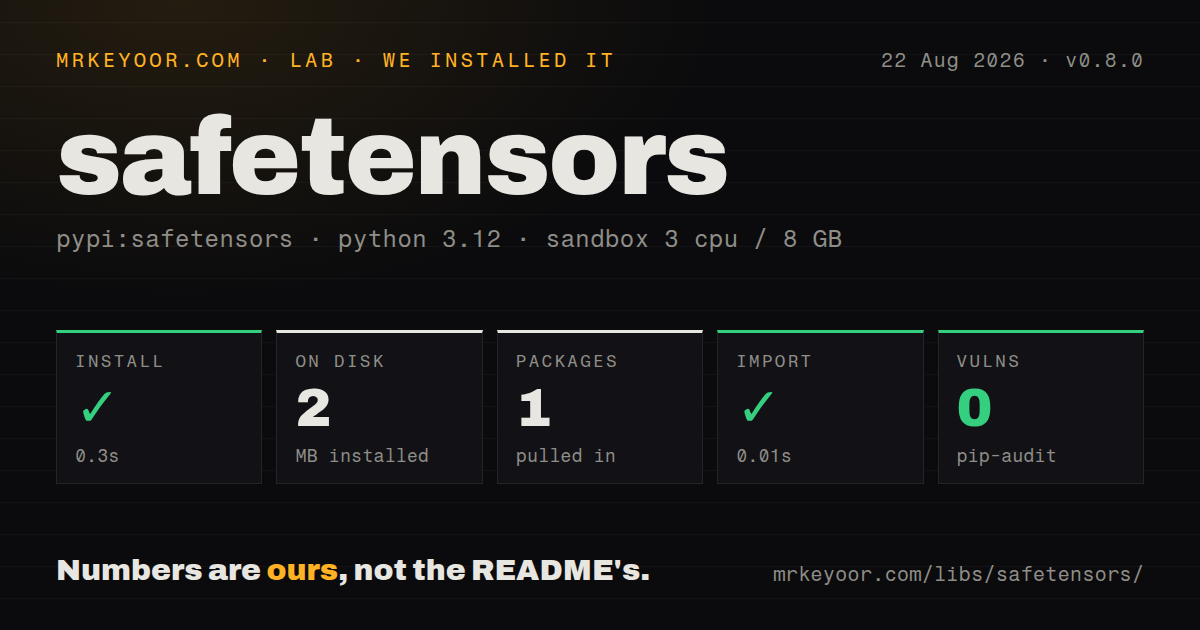

| Install | ✓ · 0.3s | 1 package on disk · 2 MB |
| Import | ✓ | import safetensors in 0.01s · compiled extensions · py.typed · requires Python >=3.10 |
| Known vulns | 0 | (pip-audit) |
Answers from our run
Does safetensors install cleanly?
Yes. In a fresh container with an empty cache, pip install safetensors finished in 0.3s, leaving 1 package and 2 MB on disk. pip-audit reported no known vulnerabilities.
What does safetensors need to run?
Python >=3.10, and a platform wheel with compiled extensions. In our run import safetensors succeeded in 0.01s, and the package ships py.typed for type checkers.
safetensors or torch: which should you use?
torch: Use torch.save for a trusted, Python-specific training checkpoint containing optimizer and other non-tensor state. safetensors 0.8.0 installed in 0.3 seconds and used 2 MB in our sandbox, with a 0.01-second import, typed-package metadata, and 0 audit findings; it is the better default for shared model weights that do not need pickle objects.
When should you not use safetensors?
One artifact must preserve optimizer objects, scheduler state, RNG state, custom classes, and nested training metadata. The format accepts tensors plus string-to-string metadata.
Use it if
- Model weights cross a trust boundary and the loader must avoid pickle's ability to construct Python objects.
- A Transformers, Diffusers, or Hub workflow already publishes named .safetensors files or shards.
- Distributed startup should inspect a header and read only the tensor names or row slices assigned to one rank.
- Apple Silicon PyTorch inference can use version 0.8.0's pread path to load directly into shared MPS buffers.
- One artifact must preserve optimizer objects, scheduler state, RNG state, custom classes, and nested training metadata. The format accepts tensors plus string-to-string metadata.
- The destination expects GGUF quantization metadata or an ONNX computation graph. safetensors stores tensor values and does not carry either runtime contract.
- Sparse, strided, or overlapping storage must survive exactly as stored. The format uses contiguous C-order bytes, and save_file() rejects non-contiguous or shared tensors.
- A safe file parser is being treated as proof that a model is trustworthy. Tensor values can still contain NaN or infinity, and loading weights does not review model behavior.
- The runtime is Python 3.9. Version 0.8.0 raises the package floor to Python 3.10.
Setup reality
Our safetensors 0.8.0 install completed in 0.3 seconds in a fresh Python 3.12 Bookworm container. It left one package and 2 MB on disk; pip-audit found 0 known vulnerabilities. Package metadata recorded 36 direct dependencies, Python 3.10 or newer, and the Apache Software License. import safetensors worked in 0.01 seconds. The wheel contains compiled .so code and a py.typed marker. This base check did not install PyTorch or another tensor framework.
Choose the adapter that owns your tensors, such as safetensors.torch or safetensors.numpy. Those framework packages are separate requirements. Building from source needs Rust and Python build tooling; version 0.8.0 publishes additional Windows ARM64 and RISC-V wheels, but an unsupported target can still reach that native build path. The file carries named tensors plus optional string-to-string metadata. Numbers or nested metadata need an encoding your readers agree on.
PyTorch save_file() accepts dense, contiguous tensors and refuses overlapping storage. Tied embeddings therefore need safetensors.torch.save_model(), which selects one stored name and records how omitted names relate; load_model() restores values into the model. Do not treat a weights file as a full training checkpoint. Keep optimizer, scheduler, RNG, data-loader, and scalar step state in a separate explicit artifact. A crash-consistent publication flow should write and verify the file before replacing the advertised checkpoint.
safe_open() defaults to mmap and can return one tensor or a get_slice() view. Version 0.8.0 adds backend='pread', plus ellipsis and step handling such as [:, ::8] wherever the library performs slicing. The MPS pread path can fill shared Metal buffers directly; CUDA still requires data movement to device memory. Low-level serialize() and serialize_file() now take TensorSpec objects and release the GIL. Do not mutate their source buffers while another thread is writing them.
Patterns
Write a PyTorch tensor dictionary save-pytorch-tensors
import torch
from safetensors.torch import save_file

weights = {
    'encoder.weight': torch.zeros((1024, 1024)),
    'encoder.bias': torch.zeros(1024),
}
save_file(weights, 'model.safetensors')
save_file() requires dense contiguous tensors without overlapping storage. Use save_model() when a model ties parameter storage.
Load every tensor onto the CPU load-pytorch-file
from safetensors.torch import load_file

weights = load_file('model.safetensors', device='cpu')
print(weights['encoder.weight'].shape)
load_file() returns the full name-to-tensor dictionary. Use safe_open() when only a few entries from a large file are needed.
Read one named tensor lazily lazy-load-one-tensor
from safetensors import safe_open

with safe_open(
    'model.safetensors', framework='pt', device='cpu'
) as handle:
    names = list(handle.keys())
    embedding = handle.get_tensor('model.embed_tokens.weight')
The file stays mapped inside the context. Match framework='pt' with PyTorch; other adapters use their documented framework value.
Load selected rows and columns read-tensor-slice
from safetensors import safe_open

with safe_open('model.safetensors', framework='pt') as handle:
    view = handle.get_slice('model.embed_tokens.weight')
    print(view.get_shape())
    shard = view[1000:2000, ::8]
Version 0.8.0 honors slice steps where safetensors performs the read. get_slice() avoids materializing the complete tensor first.
Read tensors with pread instead of mmap use-pread-backend
from safetensors.torch import load_file

weights = load_file(
    'model.safetensors',
    device='cpu',
    backend='pread',
)
Version 0.8.0 adds backend='pread' alongside the default mmap backend. Test both on the actual filesystem and access pattern.
Use the Apple Silicon MPS path load-directly-to-mps
from safetensors import safe_open

with safe_open(
    'model.safetensors',
    framework='pt',
    device='mps',
    backend='pread',
) as handle:
    state_dict = handle.get_tensors()
The 0.8.0 pread path can fill shared Metal buffers and pass them to PyTorch through DLPack. This path is specific to Apple Silicon MPS.
Store a small metadata map attach-string-metadata
from safetensors.torch import save_file

save_file(
    weights,
    'model.safetensors',
    metadata={'framework': 'pt', 'training_step': '12000'},
)

from safetensors import safe_open
with safe_open('model.safetensors', framework='pt') as handle:
    print(handle.metadata())
Metadata keys and values must be strings. Encode numeric or nested state yourself, and do not use this map as an optimizer checkpoint.
Handle shared PyTorch parameters save-model-with-tied-weights
from safetensors.torch import save_model, load_model

save_model(model, 'model.safetensors')

restored = MyModel()
missing, unexpected = load_model(
    restored, 'model.safetensors', strict=False
)
print(missing, unexpected)
save_model() removes duplicate shared storage and records which names point to the kept tensor. Raw save_file() rejects that overlap.
Exchange ordinary NumPy arrays roundtrip-numpy-arrays
import numpy as np
from safetensors.numpy import save_file, load_file

arrays = {
    'embedding': np.zeros((100, 768), dtype=np.float32)
}
save_file(arrays, 'embedding.safetensors')
restored = load_file('embedding.safetensors')
The bytes are framework-neutral when both sides support the dtype. The NumPy adapter still requires dense contiguous arrays.
List names, shapes, and dtypes inspect-header-only
from safetensors import safe_open

with safe_open('model.safetensors', framework='pt') as handle:
    for name in handle.keys():
        view = handle.get_slice(name)
        print(name, view.get_shape(), view.get_dtype())
Shape and dtype come from the header, so this loop does not allocate every tensor. Values such as NaN and infinity are not validated there.
Create an in-memory safetensors blob serialize-to-bytes
import torch
from safetensors.torch import save, load

blob = save({'weight': torch.ones(4)})
restored = load(blob)
print(restored['weight'])
The bytes API materializes the complete serialized artifact in process memory. Prefer file APIs for checkpoints too large to duplicate in RAM.
Convert a trusted PyTorch weights file convert-pickle-weights
import torch
from safetensors.torch import save_file

state = torch.load(
    'pytorch_model.bin',
    map_location='cpu',
    weights_only=True,
)
contiguous = {name: value.contiguous() for name, value in state.items()}
save_file(contiguous, 'model.safetensors')
Conversion must open the original pickle-based file. Run untrusted conversion in an isolated environment even with weights_only=True.
Alternatives
| Package | Registry | Pick it when |
|---|---|---|
| torch | PyPI | Use torch.save for a trusted, Python-specific training checkpoint containing optimizer and other non-tensor state. |
| numpy | PyPI | Use .npy or .npz for general NumPy arrays when framework-neutral model conventions and newer ML dtypes are unnecessary. |
| h5py | PyPI | Use HDF5 when hierarchical groups, chunking, compression, and partial scientific-array access matter more than a small weights format. |
More ai / ml guides
@modelcontextprotocol/sdk · openai · mcp · huggingface-hub · @anthropic-ai/sdk · openai · the whole shelf →
How this guide is made: grounded in the library's documentation, release notes, changelog, and issue history, on a fixed rubric — not a hands-on install of every release. The 50 most-downloaded entries are additionally install-verified in clean containers. Corrections: contact the desk.