@modelcontextprotocol/sdk review
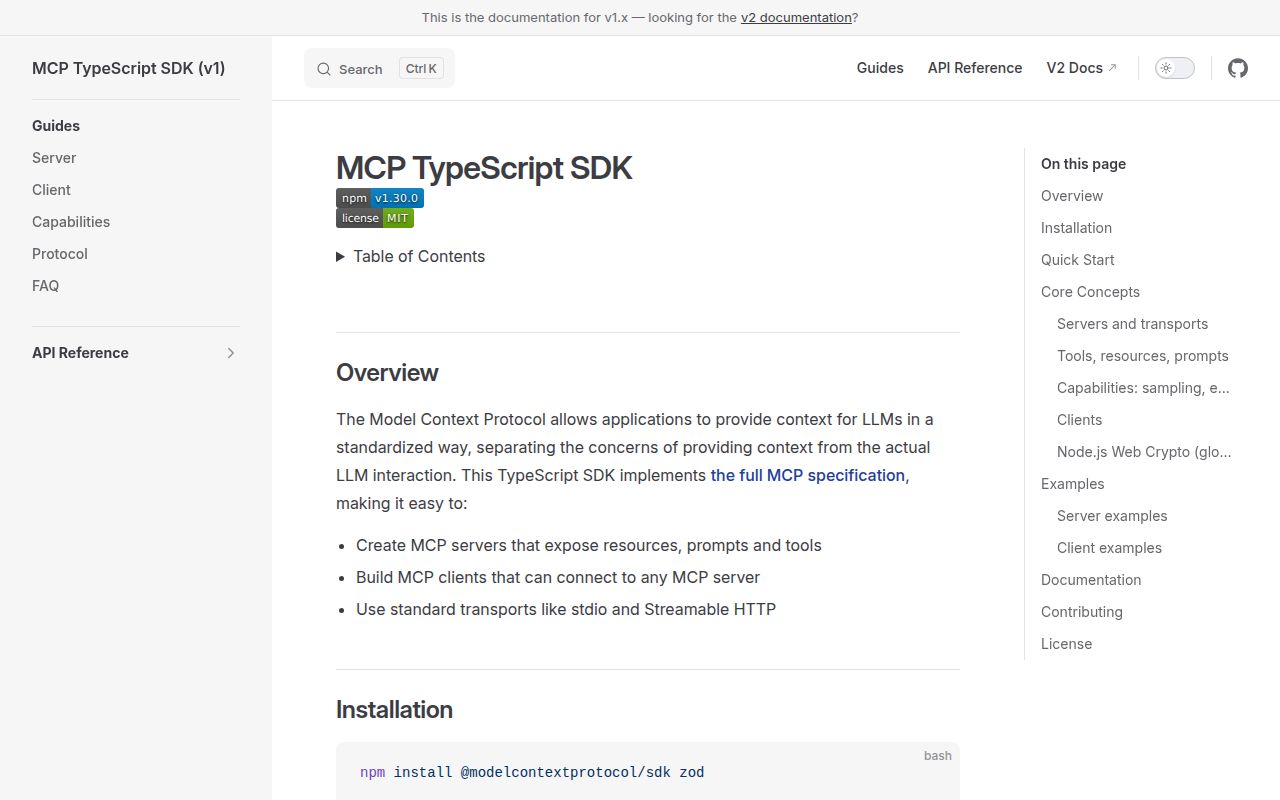
Our clean Node 22 install of @modelcontextprotocol/sdk 1.30.0 finished in 3.5 seconds and occupied 27 MB, but both a CommonJS require and an ESM import failed on Node 22.23.2. This package is the first-generation TypeScript implementation of MCP for building clients and servers with stdio or Streamable HTTP. Version 1.30.0 fixes stdio buffer handling, Zod 3.25 method literals, JSON media-type validation, and SSE keep-alive behavior. The maintainers now direct new projects to the split v2 server and client packages.
Keep 1.30.0 for an existing v1 integration after proving its imports in your runtime. New TypeScript work belongs on the split v2 packages, and our failed import tests make this package a poor blind install today.
We installed it
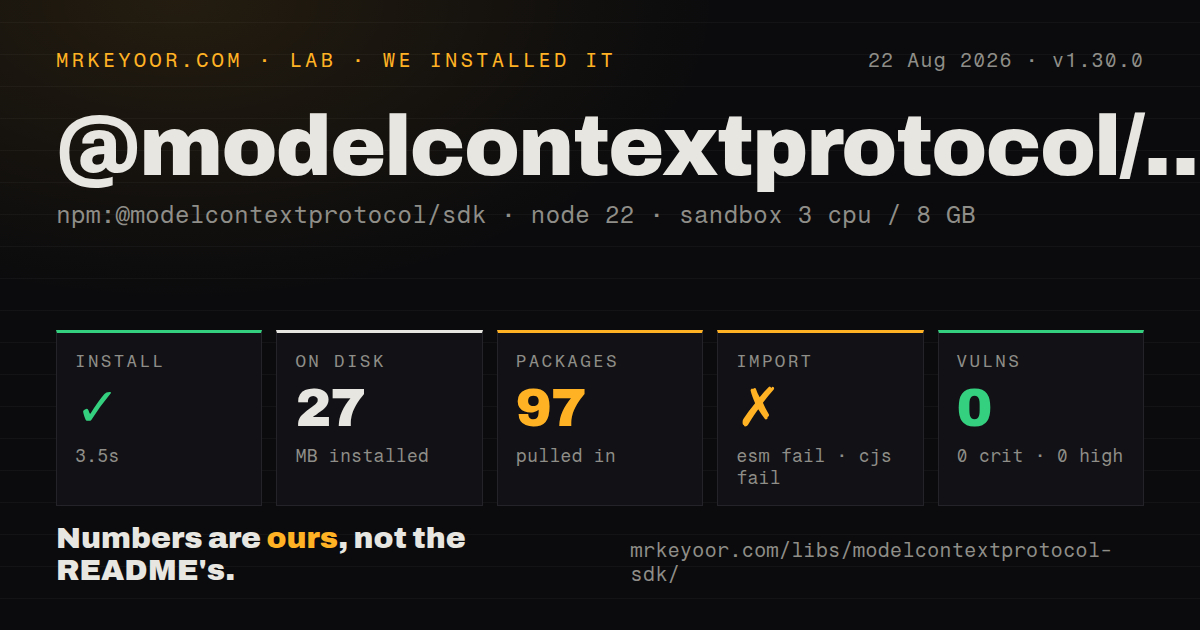
| Install | ✓ · 3.5s | 97 packages on disk · 27 MB |
| Import | ✗ | ESM import fails · require() fails · ESM package with exports map |
| Browser | n/a | could not be bundled for the browser (Node-only code, most likely) |
| Types | — | no TypeScript types found |
| Known vulns | 0 | 0 critical · 0 high · 0 moderate · 0 low (npm audit) |
Answers from our run
Does @modelcontextprotocol/sdk install cleanly?
Yes. In a fresh container with an empty cache, npm install @modelcontextprotocol/sdk finished in 4 seconds, leaving 97 packages and 27 MB on disk. npm audit reported no known vulnerabilities.
Can @modelcontextprotocol/sdk run in a browser?
Not directly: esbuild could not bundle it for the browser in our run, which normally means it depends on Node built-ins. Use it on the server, or find a browser-targeted alternative.
Does @modelcontextprotocol/sdk work with both ESM and CommonJS?
Neither plain import nor require succeeded in our sandbox, so it needs a bundler or extra setup.
Does @modelcontextprotocol/sdk include TypeScript types?
No type declarations were found in our install, so TypeScript users need their own declarations.
@modelcontextprotocol/sdk or @modelcontextprotocol/server: which should you use?
@modelcontextprotocol/server: Choose the stable v2 server package for a new TypeScript MCP server and the 2026-07-28 protocol revision. Keep 1.30.0 for an existing v1 integration after proving its imports in your runtime.
When should you not use @modelcontextprotocol/sdk?
You are starting a new MCP project: the repository calls v2 the stable release line and publishes its server and client APIs as separate packages
Use it if
- You own a v1 MCP server that imports paths such as @modelcontextprotocol/sdk/server/mcp.js and need the July 2026 fixes without taking on a v2 migration
- A host, template, or integration in your deployment still expects the combined v1 package instead of the separate v2 server and client packages
- You need one Node package that contains MCP client and server APIs plus stdio, Streamable HTTP, legacy SSE, and OAuth helpers
- Your tool and prompt schemas already use Zod 3.25 or Zod 4 raw shapes, which the v1 README documents as the supported schema contract
- You are starting a new MCP project: the repository calls v2 the stable release line and publishes its server and client APIs as separate packages
- You need a browser bundle: our esbuild browser build failed, and the installed dependency set includes Node server frameworks and process-spawning code
- You cannot spend time diagnosing module loading: both require() and ESM import failed in our Node 22.23.2 sandbox despite the package declaring an exports map
- You only need a small stdio server and care about install weight: the clean install left 97 packages and 27 MB on disk
- You need stable long-running task APIs: the v1 docs place tasks under an experimental namespace and say those APIs may change without notice
Setup reality
The clean install of v1.30.0 succeeded in 3.5 seconds with no cache. It left 97 packages using 27 MB on disk. The package itself has 17 direct dependencies, 2 peer dependencies, a 6,220 KB unpacked size, an MIT license, and a Node >=18 engine rule. npm audit reported zero known vulnerabilities at every severity level.
Install Zod beside the SDK because the README calls it a required peer dependency and accepts Zod 3.25 or Zod 4. Basic stdio servers need no credentials. Remote OAuth deployments do: you supply the provider, token storage, redirect handling, and authorization policy. On localhost, use createMcpExpressApp or explicit Host validation because the v1 server guide warns about DNS rebinding.
The package has type: module and an exports map. Even so, require() and ESM import both failed under Node 22.23.2 in our sandbox. Our scan also found no TypeScript types. Treat a minimal import as an acceptance test before migrating an existing service, since the published metadata and the observed artifact did not agree in this run.
The browser-targeted esbuild bundle failed, so plan around a server-side Node runtime. Stdio reserves stdout for JSON-RPC; send diagnostics to stderr. Streamable HTTP can be stateless, while sessions and resumability require storage and cleanup that your application owns. The project docs prescribe stateless requests, shared persistent state, or message routing for multi-node deployments.
Patterns
Expose a tool over stdio create-stdio-server
import { McpServer } from '@modelcontextprotocol/sdk/server/mcp.js';
import { StdioServerTransport } from '@modelcontextprotocol/sdk/server/stdio.js';
import { z } from 'zod';

const server = new McpServer({ name: 'math-server', version: '1.0.0' });
server.registerTool(
  'add',
  { inputSchema: { a: z.number(), b: z.number() } },
  async ({ a, b }) => ({
    content: [{ type: 'text', text: String(a + b) }],
  })
);

await server.connect(new StdioServerTransport());
The v1 schema is a raw object of Zod fields. Keep stdout reserved for protocol messages when stdio is connected.
Return typed tool data return-structured-output
server.registerTool(
  'calculate-bmi',
  {
    inputSchema: { weightKg: z.number(), heightM: z.number() },
    outputSchema: { bmi: z.number() },
  },
  async ({ weightKg, heightM }) => {
    const output = { bmi: weightKg / (heightM * heightM) };
    return {
      content: [{ type: 'text', text: JSON.stringify(output) }],
      structuredContent: output,
    };
  }
);
When outputSchema is present, structuredContent must validate against it. Text content keeps the result readable to older clients.
Serve a resource by URI register-resource-template
import { ResourceTemplate } from '@modelcontextprotocol/sdk/server/mcp.js';

server.registerResource(
  'user-profile',
  new ResourceTemplate('users://{userId}/profile', { list: undefined }),
  { title: 'User profile', mimeType: 'application/json' },
  async (uri, { userId }) => ({
    contents: [{
      uri: uri.href,
      text: JSON.stringify(await getUser(userId)),
    }],
  })
);
Resources should expose reference data without side effects. Use a tool when reading the value performs an action or heavy computation.
Publish a prompt template register-prompt
server.registerPrompt(
  'review-code',
  {
    title: 'Code review',
    description: 'Review submitted code',
    argsSchema: { code: z.string() },
  },
  ({ code }) => ({
    messages: [{
      role: 'user',
      content: { type: 'text', text: `Review this code:\n\n${code}` },
    }],
  })
);
Clients list prompts for user selection. A prompt is not invoked by the model as a tool.
Handle stateless Streamable HTTP serve-stateless-http
import { createMcpExpressApp } from '@modelcontextprotocol/sdk/server/express.js';
import { StreamableHTTPServerTransport } from '@modelcontextprotocol/sdk/server/streamableHttp.js';

const app = createMcpExpressApp();
app.post('/mcp', async (req, res) => {
  const server = buildServer();
  const transport = new StreamableHTTPServerTransport({
    sessionIdGenerator: undefined,
  });

  res.on('close', () => {
    transport.close();
    server.close();
  });
  await server.connect(transport);
  await transport.handleRequest(req, res, req.body);
});

app.listen(3000, '127.0.0.1');
Create a server and transport for each stateless request. Reusing one pair across concurrent requests can mix client state.
Limit accepted Host headers validate-host-header
import express from 'express';
import { hostHeaderValidation } from '@modelcontextprotocol/sdk/server/middleware/hostHeaderValidation.js';

const app = express();
app.use(express.json());
app.use(hostHeaderValidation([
  'localhost',
  '127.0.0.1',
  'mcp.internal.example',
]));
createMcpExpressApp enables protection for localhost defaults. Binding to 0.0.0.0 needs an explicit allowed-host policy.
Spawn a local MCP server connect-stdio-client
import { Client } from '@modelcontextprotocol/sdk/client/index.js';
import { StdioClientTransport } from '@modelcontextprotocol/sdk/client/stdio.js';

const transport = new StdioClientTransport({
  command: 'node',
  args: ['server.js'],
  env: { NODE_ENV: 'production' },
  stderr: 'inherit',
});
const client = new Client({ name: 'local-client', version: '1.0.0' });
await client.connect(transport);

const { tools } = await client.listTools();
connect() starts the child process. The child must write protocol traffic to stdout and ordinary logs to stderr.
Call a remote MCP tool connect-http-client
import { Client } from '@modelcontextprotocol/sdk/client/index.js';
import { StreamableHTTPClientTransport } from '@modelcontextprotocol/sdk/client/streamableHttp.js';

const client = new Client({ name: 'remote-client', version: '1.0.0' });
const transport = new StreamableHTTPClientTransport(
  new URL('https://tools.example.com/mcp')
);
await client.connect(transport);

const result = await client.callTool({
  name: 'lookup-order',
  arguments: { id: 'A-1042' },
});
Streamable HTTP is the recommended remote transport in the v1 docs. SSEClientTransport exists for legacy servers.
Report a recoverable tool failure return-tool-error
server.registerTool(
  'find-user',
  { inputSchema: { id: z.string() } },
  async ({ id }) => {
    const user = await db.findUser(id);
    if (!user) {
      return {
        isError: true,
        content: [{ type: 'text', text: `No user found for ${id}` }],
      };
    }
    return { content: [{ type: 'text', text: JSON.stringify(user) }] };
  }
);
isError keeps an expected failure inside the tool result so the model can react. Thrown errors become protocol failures.
Enable a tool after authorization toggle-runtime-tool
const deleteUser = server.registerTool(
  'delete-user',
  { inputSchema: { id: z.string() } },
  async ({ id }) => {
    await removeUser(id);
    return { content: [{ type: 'text', text: `Deleted ${id}` }] };
  }
);

deleteUser.disable();

async function onRoleChanged(role) {
  if (role === 'admin') deleteUser.enable();
  else deleteUser.disable();
}
The returned tool handle sends a tools/listChanged notification when enable(), disable(), update(), or remove() changes availability.
Offer prompt argument completions complete-prompt-argument
import { completable } from '@modelcontextprotocol/sdk/server/completable.js';

server.registerPrompt(
  'greet',
  {
    argsSchema: {
      name: completable(z.string(), value =>
        ['Alice', 'Bob', 'Charlie'].filter(name =>
          name.toLowerCase().startsWith(value.toLowerCase())
        )
      ),
    },
  },
  ({ name }) => ({
    messages: [{ role: 'user', content: { type: 'text', text: `Hello, ${name}` } }],
  })
);
The client must call complete() for suggestions. Registering a completable field does not make a client UI request them automatically.
Send progress and honor cancellation send-progress
server.registerTool(
  'count',
  { inputSchema: { n: z.number().int().min(1).max(100) } },
  async ({ n }, extra) => {
    for (let i = 1; i <= n; i++) {
      if (extra.signal.aborted) {
        return { isError: true, content: [{ type: 'text', text: `Cancelled at ${i}` }] };
      }
      if (extra._meta?.progressToken !== undefined) {
        await extra.sendNotification({
          method: 'notifications/progress',
          params: { progressToken: extra._meta.progressToken, progress: i, total: n },
        });
      }
    }
    return { content: [{ type: 'text', text: `Counted to ${n}` }] };
  }
);
Send progress only when the request includes a progress token. Check extra.signal so client cancellation stops the work.
Alternatives
| Package | Registry | Pick it when |
|---|---|---|
| @modelcontextprotocol/server | npm | Choose the stable v2 server package for a new TypeScript MCP server and the 2026-07-28 protocol revision |
| @modelcontextprotocol/client | npm | Choose the stable v2 client package when your application only consumes MCP servers |
| fastmcp | npm | Use a higher-level TypeScript server framework when its CLI and framework conventions suit the project better than the reference SDK |
| mcp | PyPI | Use the official Python SDK when the tools and service code already live in Python |
More ai / ml guides
openai · mcp · huggingface-hub · @anthropic-ai/sdk · openai · tiktoken · the whole shelf →
How this guide is made: grounded in the library's documentation, release notes, changelog, and issue history, on a fixed rubric — not a hands-on install of every release. The 50 most-downloaded entries are additionally install-verified in clean containers. Corrections: contact the desk.