mcp review
mcp 2.0.0 is the official Python implementation of the Model Context Protocol for building servers and clients. MCPServer turns typed functions into tools, URI templates into resources, and functions into prompts; Client connects in memory, through stdio, or over Streamable HTTP. Version 2 is a major redesign for the 2026-07-28 protocol revision and earlier revisions. It replaces the v1 FastMCP-centered surface, adds a direct Client API, changes transport configuration, and removes several old helpers and experimental features.
For a new Python MCP endpoint, the official v2 SDK is the baseline. Existing v1 servers should pin until migration tests cover imports, transports, validation, concurrency, and client compatibility.
We installed it
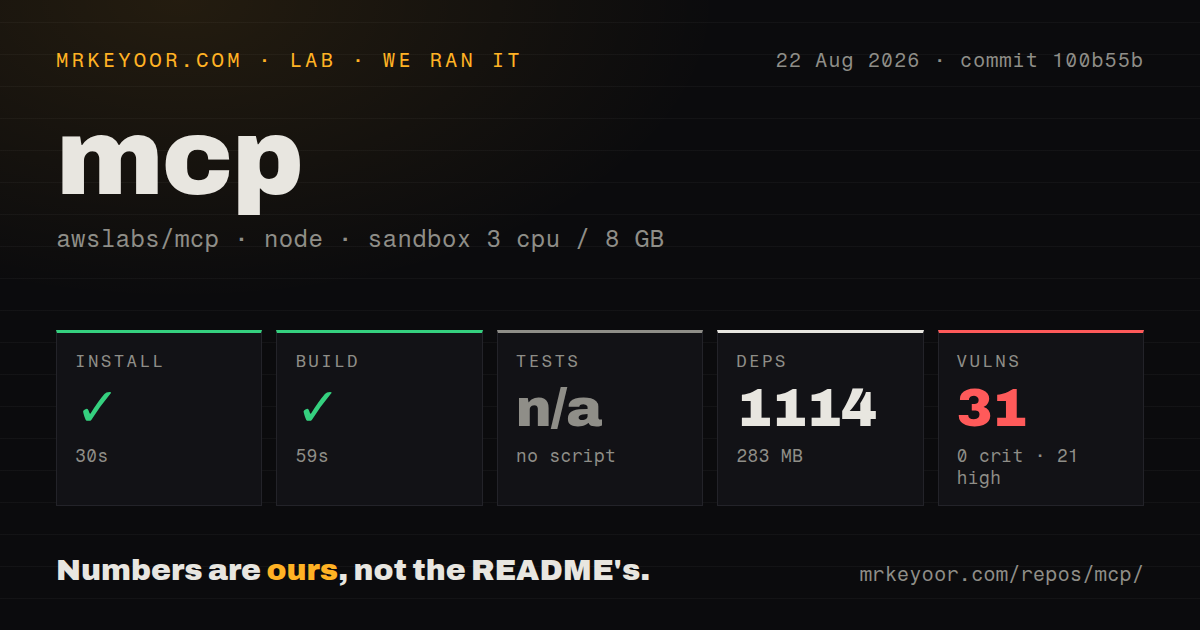
| Install | ✓ · 1.4s | 28 packages on disk · 32 MB |
| Import | ✓ | import mcp in 1.64s · pure Python · py.typed · requires Python >=3.10 |
| Known vulns | 0 | (pip-audit) |
Answers from our run
Does mcp install cleanly?
Yes. In a fresh container with an empty cache, pip install mcp finished in 1 seconds, leaving 28 packages and 32 MB on disk. pip-audit reported no known vulnerabilities.
What does mcp need to run?
Python >=3.10, and nothing compiled: it is pure Python. In our run import mcp succeeded in 1.64s, and the package ships py.typed for type checkers.
mcp or fastmcp: which should you use?
fastmcp: Use it for its independent server composition, authentication, and deployment features or a v1-like decorator style. For a new Python MCP endpoint, the official v2 SDK is the baseline.
When should you not use mcp?
A private agent calls only local functions and gains no interoperability from a protocol boundary
Use it if
- A Python service must expose tools, resources, or prompts to independent MCP hosts
- Integration tests should connect directly to an MCPServer without opening a port
- A client needs one API for stdio subprocesses and deployed Streamable HTTP servers
- A new project needs current protocol negotiation and the supported v2 SDK surface
- A private agent calls only local functions and gains no interoperability from a protocol boundary
- The application cannot budget a real v1 migration; FastMCP imports and several transport helpers changed in v2
- WebSocket transport or the experimental v1 Tasks API is required; v2 removed them
- A small dependency footprint matters; our install created 28 packages and used 32 MB
- A stdio program cannot keep logs off stdout; any stray output can corrupt protocol messages
Setup reality
mcp 2.0.0 installed in 1.4 seconds in our clean Python 3.12 sandbox. Twenty-eight packages occupied 32 MB. The distribution declares 19 direct dependencies, is pure Python, requires Python 3.10 or newer, uses MIT, and ships py.typed. pip-audit found no known vulnerabilities. import mcp completed in 1.64 seconds, noticeably slower than the small utility packages in this batch.
Install the cli extra only when the mcp command is needed. mcp dev launches the Inspector workflow, which also depends on Node tooling. Plain SDK users can avoid that extra. Version 2 examples import MCPServer from mcp.server and Client from mcp. Most v1 examples import FastMCP or construct ClientSession around transports; copy them only after checking the migration guide.
stdio uses stdout as the protocol channel. Send diagnostics to stderr through logging, and never print banners or progress text to stdout. Streamable HTTP is the deployment transport; put authentication and origin policy in front of any server reachable outside a trusted network. Tool annotations are model-visible metadata, not authorization. Validate identity and permissions inside or before each sensitive operation.
Sync handlers now run through worker threads, while async handlers share the event loop. Avoid blocking calls in async tools and bound thread work. A Context can report progress and access request state, but clients may cancel calls, so long operations should honor cancellation and leave external state consistent. Low-level v2 servers do not preserve every v1 validation behavior. Test invalid tool arguments, structured results, protocol negotiation, and both intended transports before deployment.
Patterns
Publish one tool and one resource minimal-server
from mcp.server import MCPServer

mcp = MCPServer("Demo")


@mcp.tool()
def add(a: int, b: int) -> int:
    """Add two numbers."""
    return a + b


@mcp.resource("greeting://{name}")
def greeting(name: str) -> str:
    """Greet someone by name."""
    return f"Hello, {name}!"


if __name__ == "__main__":
    mcp.run()
Type annotations and docstrings contribute protocol schemas and descriptions. They do not replace application authorization.
Serve the same endpoint over Streamable HTTP run-streamable-http
from mcp.server import MCPServer

mcp = MCPServer("Demo")


@mcp.tool()
def add(a: int, b: int) -> int:
    """Add two numbers."""
    return a + b


if __name__ == "__main__":
    mcp.run(transport="streamable-http", port=3001)
    # clients connect to http://127.0.0.1:3001/mcp
Port belongs to run in v2. Protect deployed endpoints with authentication, request limits, and an explicit origin policy.
Report progress from an async tool tool-context-progress
from mcp.server import MCPServer
from mcp.server.mcpserver import Context

mcp = MCPServer("Jobs")


@mcp.tool()
async def crunch(dataset: str, ctx: Context) -> str:
    """Process a dataset with progress updates."""
    for i in range(5):
        await ctx.report_progress(i, 5, f"chunk {i}")
    return f"[request {ctx.request_id}] done with {dataset}"
Long work should also honor cancellation and keep external writes recoverable if the client disconnects.
Return a typed structured result structured-output
from pydantic import BaseModel
from mcp.server import MCPServer

mcp = MCPServer("Bookshop")


class Book(BaseModel):
    title: str
    author: str
    year: int


@mcp.tool()
def lookup_book(title: str) -> Book:
    """Look up a book by its exact title."""
    return Book(title="Dune", author="Frank Herbert", year=1965)
A Pydantic return model gives clients structured content. Keep the model stable because hosts may generate UI from it.
Test a server without a subprocess in-memory-testing
import asyncio
from mcp import Client

from server import mcp  # your MCPServer instance


async def main() -> None:
    async with Client(mcp) as client:
        result = await client.call_tool("add", {"a": 1, "b": 2})
        print(result.structured_content)  # {'result': 3}


asyncio.run(main())
Passing MCPServer directly to Client exercises protocol behavior in memory and keeps tests independent of ports.
Connect to a deployed MCP endpoint http-client
from mcp import Client


async def main() -> None:
    async with Client("http://localhost:3001/mcp") as client:
        print(client.protocol_version)
        listing = await client.list_tools()
        for tool in listing.tools:
            print(tool.name, tool.input_schema)
A URL selects Streamable HTTP. Enter the client context before listing or calling capabilities.
Ask the host for additional input elicit-user-input
from typing import Annotated
from pydantic import BaseModel
from mcp.server import MCPServer
from mcp.server.mcpserver import AcceptedElicitation, Elicit, ElicitationResult, Resolve

mcp = MCPServer("Bookshop")


class Quantity(BaseModel):
    copies: int


async def ask_quantity() -> Elicit[Quantity]:
    return Elicit("How many copies?", Quantity)


@mcp.tool()
async def reserve(title: str, quantity: Annotated[ElicitationResult[Quantity], Resolve(ask_quantity)]) -> str:
    """Reserve copies of a book."""
    if isinstance(quantity, AcceptedElicitation):
        return f"Reserved {quantity.data.copies} of {title!r}."
    return "Nothing reserved."
Elicitation depends on client support and may be declined. The tool must handle every result state.
Return a model-visible tool failure tool-error-handling
from mcp import MCPError
from mcp.types import INVALID_PARAMS
from mcp.server import MCPServer

mcp = MCPServer("Bookshop")


@mcp.tool()
def checkout(book_id: str) -> str:
    """Check out a book."""
    if not book_id.startswith("bk_"):
        # model-visible failure -> is_error tool result, model can retry
        raise ValueError(f"bad id {book_id!r}, expected bk_ prefix")
    if book_id == "bk_banned":
        # deliberate wire error -> passes through with code intact
        raise MCPError(INVALID_PARAMS, "this title is restricted")
    return f"checked out {book_id}"
Ordinary exceptions become tool errors a model can inspect. MCPError is for deliberate protocol-level codes and data.
Alternatives
| Package | Registry | Pick it when |
|---|---|---|
| fastmcp | PyPI | Use it for its independent server composition, authentication, and deployment features or a v1-like decorator style. |
| @modelcontextprotocol/sdk | npm | Use the official TypeScript SDK when the implementation and deployment stack is Node. |
| openai-agents | PyPI | Use it for agent orchestration that consumes MCP rather than publishing a general MCP server. |
More ai / ml guides
@modelcontextprotocol/sdk · openai · huggingface-hub · @anthropic-ai/sdk · openai · tiktoken · the whole shelf →
How this guide is made: grounded in the library's documentation, release notes, changelog, and issue history, on a fixed rubric — not a hands-on install of every release. The 50 most-downloaded entries are additionally install-verified in clean containers. Corrections: contact the desk.