rimraf review
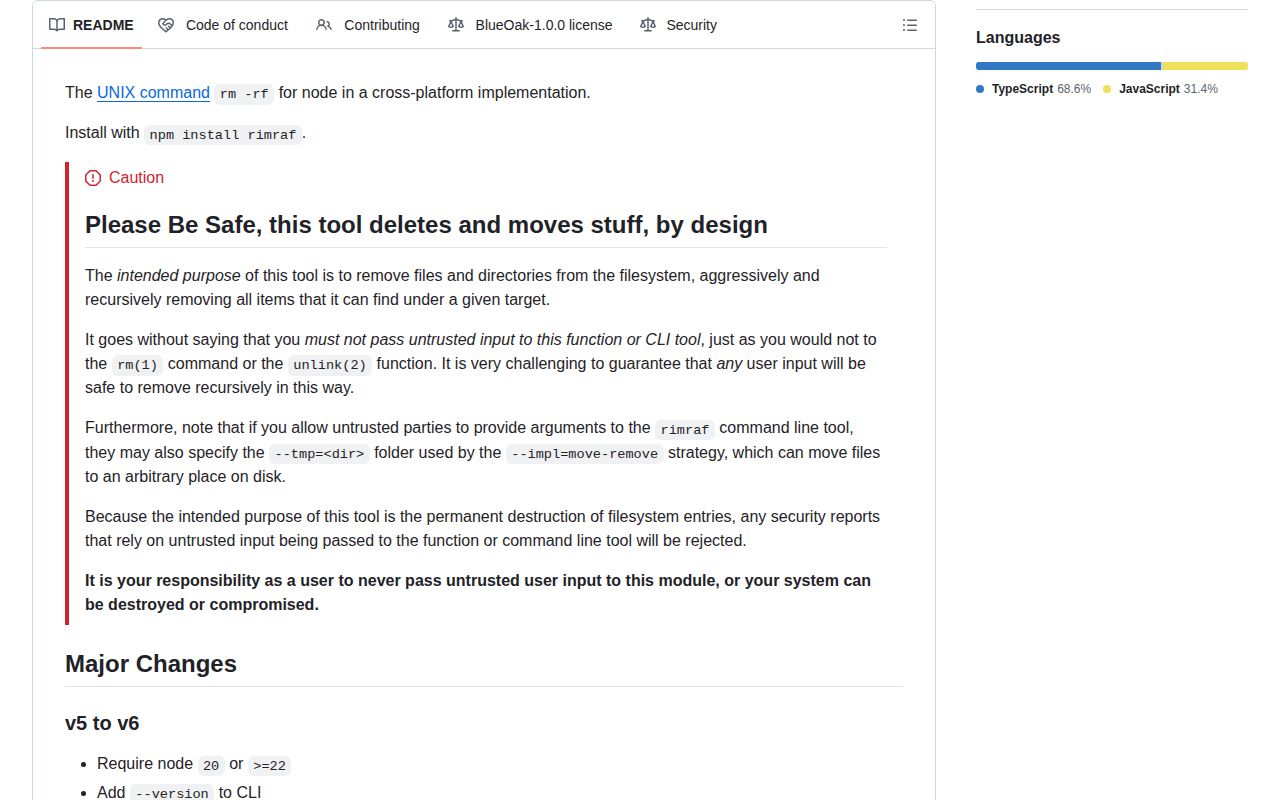
rimraf 6.1.3 permanently removes files and directory trees through a cross-platform CLI or JavaScript API. It can accept one path or an array, opt into glob expansion, preserve selected entries with a filter, stop future work through AbortSignal, and choose native, POSIX, Windows, or move-remove implementations. Every removal function resolves to a boolean, which is false only when a filter kept something. Version 6 requires Node 20 or 22 and newer and adds --version. The 6.1.3 changes add an explicit warning against untrusted targets, narrow CI permissions, and refresh dependencies.
rimraf 6.1.3 installed in 0.8 seconds and used 8 MB across 9 packages in our sandbox, with working require and import and 0 audit findings; its browser build failed. Install it for portable cleanup and Windows retries, but keep all targets inside a validated application-owned root.
We installed it
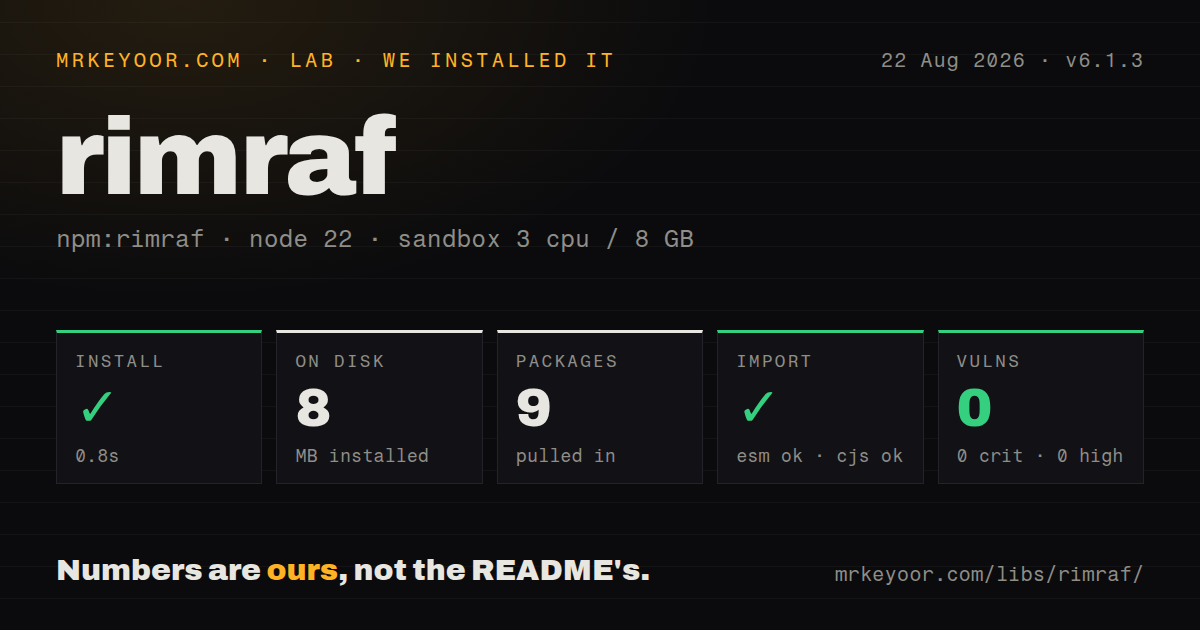
| Install | ✓ · 0.8s | 9 packages on disk · 8 MB |
| Import | ✓ | ESM import works · require() works · ESM package with exports map |
| Browser | n/a | could not be bundled for the browser (Node-only code, most likely) |
| Types | ✓ | TypeScript types bundled |
| Known vulns | 0 | 0 critical · 0 high · 0 moderate · 0 low (npm audit) |
Answers from our run
Does rimraf install cleanly?
Yes. In a fresh container with an empty cache, npm install rimraf finished in 0.8s, leaving 9 packages and 8 MB on disk. npm audit reported no known vulnerabilities.
Can rimraf run in a browser?
Not directly: esbuild could not bundle it for the browser in our run, which normally means it depends on Node built-ins. Use it on the server, or find a browser-targeted alternative.
Does rimraf work with both ESM and CommonJS?
Yes. Both import 'rimraf' and require('rimraf') worked in Node 22 in our run. The package is published as ESM with an exports map.
Does rimraf include TypeScript types?
Yes, type declarations ship inside the package, so no @types install is needed.
rimraf or del: which should you use?
del: Choose it for glob-centered deletion with dry-run and returned path reporting. rimraf 6.1.3 installed in 0.8 seconds and used 8 MB across 9 packages in our sandbox, with working require and import and 0 audit findings; its browser build failed.
When should you not use rimraf?
One fixed path on current Node only needs fs.rm(path, {recursive: true, force: true}); the built-in API avoids another package
Use it if
- An npm clean script must delete the same literal build directories on Windows and POSIX machines
- Deletion needs an opt-in glob, per-entry filter, AbortSignal, or an explicit implementation rather than one fs.rm call
- Windows build agents regularly encounter EBUSY, EMFILE, ENFILE, EPERM, or nonempty-directory races that need retry and fallback behavior
- A tool must remove several known output paths through the same promise-based API and confirm whether filters preserved anything
- One fixed path on current Node only needs fs.rm(path, {recursive: true, force: true}); the built-in API avoids another package
- Node 18 or an older runtime remains in production; rimraf 6 accepts Node 20 or Node 22 and newer
- Any target comes directly from a request, archive entry, repository value, or shell argument that has not been confined to an approved directory
- The operation must be recoverable; rimraf deletes permanently, while trash sends supported desktop files to the operating-system recycle bin
- Client-side execution is required; our esbuild browser bundle failed because recursive filesystem removal is a Node task
Setup reality
We installed rimraf 6.1.3 without a cache in a fresh Node 22 Bookworm sandbox. npm completed in 0.8 seconds and left 9 packages using 8 MB. The package is 672 KB unpacked, declares 2 direct dependencies and 0 peers, and uses BlueOak-1.0.0. npm audit reported 0 known vulnerabilities. It is an ESM package with an exports map and bundled TypeScript declarations; both require and ESM import worked in our check.
No configuration or credential is needed. Safety comes from resolving the target before rimraf sees it. Compare path.relative against a fixed application-owned root, reject the root itself, and reject any result that escapes through .. or an absolute relative path. preserveRoot protects filesystem roots by default, but it does not know which project directory or tenant path your application intended.
Version 6 disables globbing unless glob:true or -g is supplied. Quote CLI patterns so the shell does not expand them first. A filter prevents native fs.rm use and returns false when any entry remains. AbortSignal also selects a manual implementation; cancellation leaves already deleted files gone. Async removal is normally faster than rimrafSync because tree deletion can run concurrently.
Windows removal retries transient locks and can fall back to moving entries before deletion. A move-remove failure may leave temporary names beside the target, while opts.tmp must be on the same physical device. Our browser build failed in esbuild, which matches this Node filesystem API. Keep deletion out of frontend bundles and never expose CLI options such as --tmp or --no-preserve-root to untrusted callers.
Patterns
Remove one known build directory basic-delete
import { rimraf } from 'rimraf'

await rimraf('./dist')
// or CJS: const { rimraf } = require('rimraf')
Resolve and confine the path before this call. Successful deletion is permanent and has no rollback.
Delete synchronously in a short script sync-delete
import { rimrafSync } from 'rimraf'

rimrafSync('./coverage')
rimrafSync blocks the event loop and is usually slower for trees. Keep it out of servers and long-running workers.
Clean several literal outputs together multiple-paths
import { rimraf } from 'rimraf'

await rimraf(['./dist', './coverage', './.turbo'])
Array members remain literal because version 6 does not enable globbing unless the glob option is set.
Opt into glob matching glob-delete
import { rimraf } from 'rimraf'

await rimraf('dist/**/*.map', { glob: true })
// CLI equivalent:
// rimraf -g "dist/**/*.map"
Quote a CLI pattern so rimraf, rather than the user's shell, applies the documented glob rules.
Create a cross-platform clean script npm-script-clean
{
  "scripts": {
    "clean": "rimraf dist coverage .cache",
    "prebuild": "rimraf dist"
  }
}
This command works on Windows and POSIX shells without relying on rm being installed.
Keep selected files inside a removed tree filter-entries
import { rimraf } from 'rimraf'

const removedAll = await rimraf('./cache', {
  filter: (path) => !path.endsWith('.gitkeep'),
})
The result is false when a filter preserves an entry. Its required parent directories remain, and native fs.rm is bypassed.
Stop scheduling more deletion work abort-signal
import { rimraf } from 'rimraf'

const ac = new AbortController()
setTimeout(() => ac.abort(), 5000)
await rimraf('./huge-node-modules-tree', { signal: ac.signal })
Abort does not restore entries already removed. A retry must tolerate a partially deleted tree.
Tune retries for transient Windows locks windows-retries
import { rimraf } from 'rimraf'

await rimraf('C:/temp/build', {
  maxRetries: 15,
  backoff: 1.5,
  maxBackoff: 1000,
})
Retry settings address temporary sharing and file-table errors. They do not repair permissions or make an unsafe path safe.
Reject a path outside the cleanup root confine-target
import path from 'node:path'
import { rimraf } from 'rimraf'

const root = path.resolve('/srv/app/tmp')
const target = path.resolve(root, userValue)
const relative = path.relative(root, target)
if (!relative || relative.startsWith('..') || path.isAbsolute(relative)) {
  throw new Error('unsafe cleanup target')
}
await rimraf(target)
Check the resolved relative path and reject the root itself. preserveRoot only protects filesystem roots, not this application directory.
Use Node's fs.rm implementation explicitly force-native
import { native } from 'rimraf'

const removed = await native('./dist', {
  maxRetries: 3,
  retryDelay: 100,
})
native cannot support rimraf filters or AbortSignal. Use it only when Node fs.rm semantics are the desired contract.
Confirm targets from a terminal interactive-cli
rimraf -i -- dist coverage-- separates options from paths and -i prompts before deletion. Interactive mode is for a terminal, not unattended CI.
Choose the Windows move-remove fallback move-remove-windows
import { moveRemove } from 'rimraf'

await moveRemove('C:/build/output', {
  tmp: 'C:/build/.rimraf-tmp',
})
The temporary directory must share the target's physical device. A failed run can leave renamed entries behind for later cleanup.
Alternatives
| Package | Registry | Pick it when |
|---|---|---|
| del | npm | Choose it for glob-centered deletion with dry-run and returned path reporting. |
| fs-extra | npm | Choose it when remove belongs beside copy, move, ensure-directory, and JSON filesystem helpers. |
| trash | npm | Choose it for recoverable user-facing cleanup through the operating system trash. |
More cli & tooling guides
commander · chalk · typescript · esbuild · yargs · click · the whole shelf →
How this guide is made: grounded in the library's documentation, release notes, changelog, and issue history, on a fixed rubric — not a hands-on install of every release. The 50 most-downloaded entries are additionally install-verified in clean containers. Corrections: contact the desk.