del review
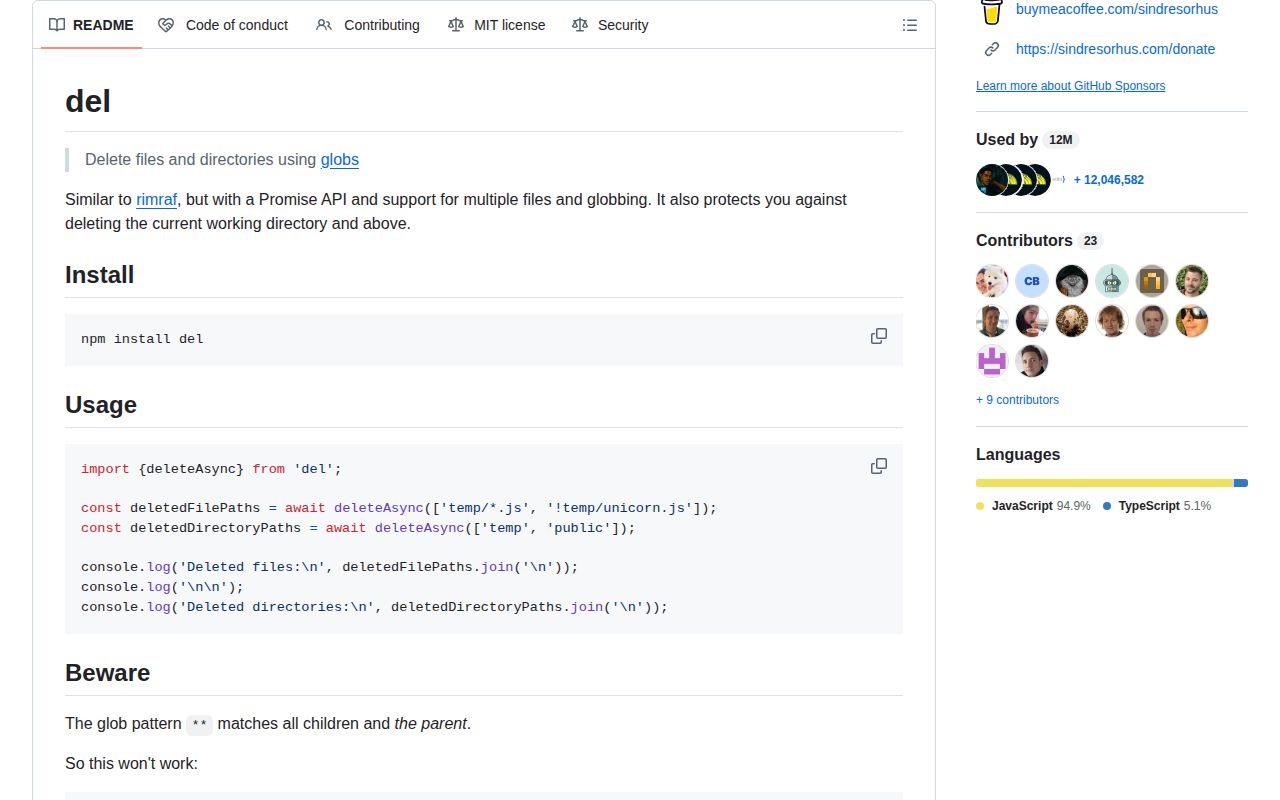
del 8.0.1 removes files and directories from Node programs using globs. deleteAsync and deleteSync accept multiple patterns, negative patterns, and globby options, then return absolute paths for the entries they removed. The package refuses to delete the current working directory or anything above it unless force is enabled. Version 8 requires Node 18 or newer; 8.0.1 changes internals without adding a public call. Our browser build failed, which confirms that this is file-system tooling for Node rather than a client-side utility.
del 8.0.1 installed in 1.5 seconds, used 2 MB across 29 packages, and returned zero npm audit findings in our Node 22 sandbox. Install it for guarded glob cleanup; use native fs.rm when the target is already known.
We installed it
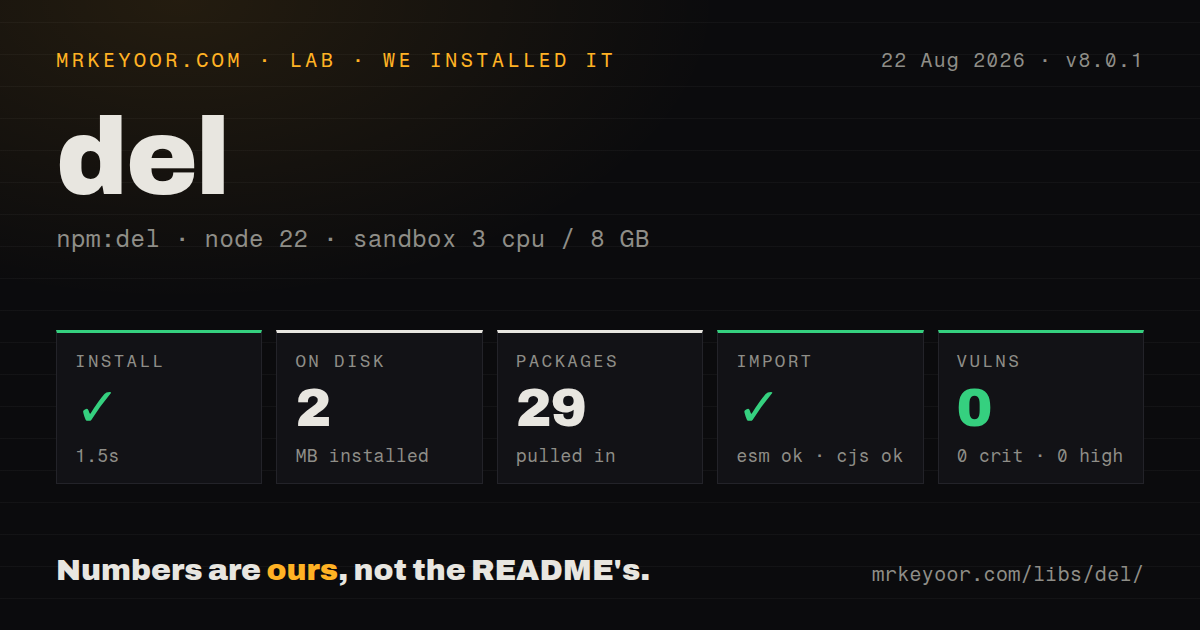
| Install | ✓ · 1.5s | 29 packages on disk · 2 MB |
| Import | ✓ | ESM import works · require() works · ESM package with exports map |
| Browser | n/a | could not be bundled for the browser (Node-only code, most likely) |
| Types | ✓ | TypeScript types bundled |
| Known vulns | 0 | 0 critical · 0 high · 0 moderate · 0 low (npm audit) |
Answers from our run
Does del install cleanly?
Yes. In a fresh container with an empty cache, npm install del finished in 2 seconds, leaving 29 packages and 2 MB on disk. npm audit reported no known vulnerabilities.
Can del run in a browser?
Not directly: esbuild could not bundle it for the browser in our run, which normally means it depends on Node built-ins. Use it on the server, or find a browser-targeted alternative.
Does del work with both ESM and CommonJS?
Yes. Both import 'del' and require('del') worked in Node 22 in our run. The package is published as ESM with an exports map.
Does del include TypeScript types?
Yes, type declarations ship inside the package, so no @types install is needed.
del or rimraf: which should you use?
rimraf: Use it for an rm -rf style API and command with its own cross-platform handling. del 8.0.1 installed in 1.5 seconds, used 2 MB across 29 packages, and returned zero npm audit findings in our Node 22 sandbox.
When should you not use del?
You are deleting one fixed path. node:fs/promises rm can do that without del's seven direct dependencies.
Use it if
- A build cleanup has several include and exclude globs rather than one known directory.
- CI should inspect a dry-run result before allowing a broad deletion.
- A long cleanup needs progress callbacks or a limit on concurrent file operations.
- You want a default check that rejects the working directory and its parents.
- You are deleting one fixed path. node:fs/promises rm can do that without del's seven direct dependencies.
- A person is running the cleanup and may need recovery. The README directs interactive use toward trash-cli, while del removes matches permanently.
- The code can reach a browser bundle. esbuild could not produce a browser build in our test because del depends on Node file-system behavior.
- Your team assumes ** names children only. del's README warns that this glob may include the parent directory, which changes how exclusions must be written.
- Windows patterns are assembled with path.join. Globs require forward slashes, so path.posix.join is the documented construction method.
Setup reality
We installed del 8.0.1 in 1.5 seconds under Node 22. The fresh install left 29 packages and 2 MB on disk. del declares seven direct dependencies, zero peers, an MIT license, and a Node >=18 engine. npm audit reported zero findings at every severity. Bundled declarations were present, and both require() and ESM import worked in our sandbox even though package metadata says ESM and exposes an exports map.
Setup stops at an import; there are no credentials or project files. Three globby defaults are changed: expandDirectories, onlyFiles, and followSymbolicLinks are false. Wildcards omit dotfiles unless dot is true or the dot is written literally. No match produces an empty list, so a typo does not automatically fail a build. Decide whether zero deletions is acceptable and check the returned array when it is not.
Pattern review matters more than installation. ** can match its parent, so preserving one descendant also requires negative patterns for the parent chain. A glob on Windows must contain forward slashes. The force option disables protection for outside paths and the current directory; never combine it with a raw user value or an unchecked environment variable. Use dryRun to inspect scope, while remembering that the preview and deletion are two separate traversals.
The async function uses unlimited concurrency by default. Set concurrency when clearing large trees or network storage. onProgress fires after each removal and reports percent from 0 to 1 plus an optional absolute path. deleteSync blocks Node until scanning and removal finish. The browser build failed in our esbuild check, so keep every del import on the server or in build scripts.
Patterns
Remove source maps from output remove-build-maps
import {deleteAsync} from 'del'

const paths = await deleteAsync(['dist/**/*.map'])
console.log(`removed ${paths.length} maps`)
The result contains absolute paths. Treat an empty result as an error if this cleanup is expected to find generated files.
Keep a manifest during cleanup preserve-one-output
await deleteAsync([
  'public/assets/**',
  '!public/assets',
  '!public/assets/manifest.json',
])
Negative patterns must retain the parent as well as manifest.json because `**` may select public/assets itself.
Reject an oversized dry run preview-delete-scope
const matches = await deleteAsync(['reports/**'], {dryRun: true})
if (matches.length > 100) throw new Error('scope too broad')
await deleteAsync(['reports/**'])
dryRun is a separate scan, so another process can change the tree before the real deletion starts.
Clear hidden cache entries include-hidden-entries
await deleteAsync(['.cache/*'], {dot: true})dot defaults to false. Set it when wildcard cleanup must include names such as .state and .lock.
Limit parallel file removal bound-delete-concurrency
await deleteAsync(['workspace/**'], {concurrency: 16})Async concurrency otherwise defaults to Infinity, which can put unnecessary pressure on large trees and network mounts.
Report completed removals observe-delete-progress
await deleteAsync(['artifacts/**'], {
  onProgress({deletedCount, totalCount, percent, path}) {
    console.log({deletedCount, totalCount, percent, path})
  },
})
percent is between 0 and 1. path may be absent when no entry was removed, and callback work delays the operation.
Build a Windows-safe pattern make-portable-glob
import path from 'node:path'

const pattern = path.posix.join('packages', packageName, 'dist', '**')
await deleteAsync([pattern])
path.posix.join keeps forward slashes in a glob. Ordinary Windows paths without glob characters may still use backslashes.
Delete outside the project deliberately remove-external-tree
await deleteAsync(['/srv/app-old/**'], {force: true})force permits targets outside cwd and permits cwd itself. Keep this target fixed or validate it before calling del.
Use Node for one known path remove-fixed-directory
import {rm} from 'node:fs/promises'

await rm('coverage', {recursive: true, force: true})
The native force option suppresses missing-path errors; del's force option instead relaxes its working-directory boundary.
Alternatives
| Package | Registry | Pick it when |
|---|---|---|
| rimraf | npm | Use it for an rm -rf style API and command with its own cross-platform handling. |
| trash | npm | Use it when deleted items should go to the operating system trash for possible recovery. |
| globby | npm | Use it to find files when your program will decide what action to take rather than delete every match. |
More cli & tooling guides
commander · chalk · typescript · esbuild · yargs · click · the whole shelf →
How this guide is made: grounded in the library's documentation, release notes, changelog, and issue history, on a fixed rubric — not a hands-on install of every release. The 50 most-downloaded entries are additionally install-verified in clean containers. Corrections: contact the desk.