readline-sync review
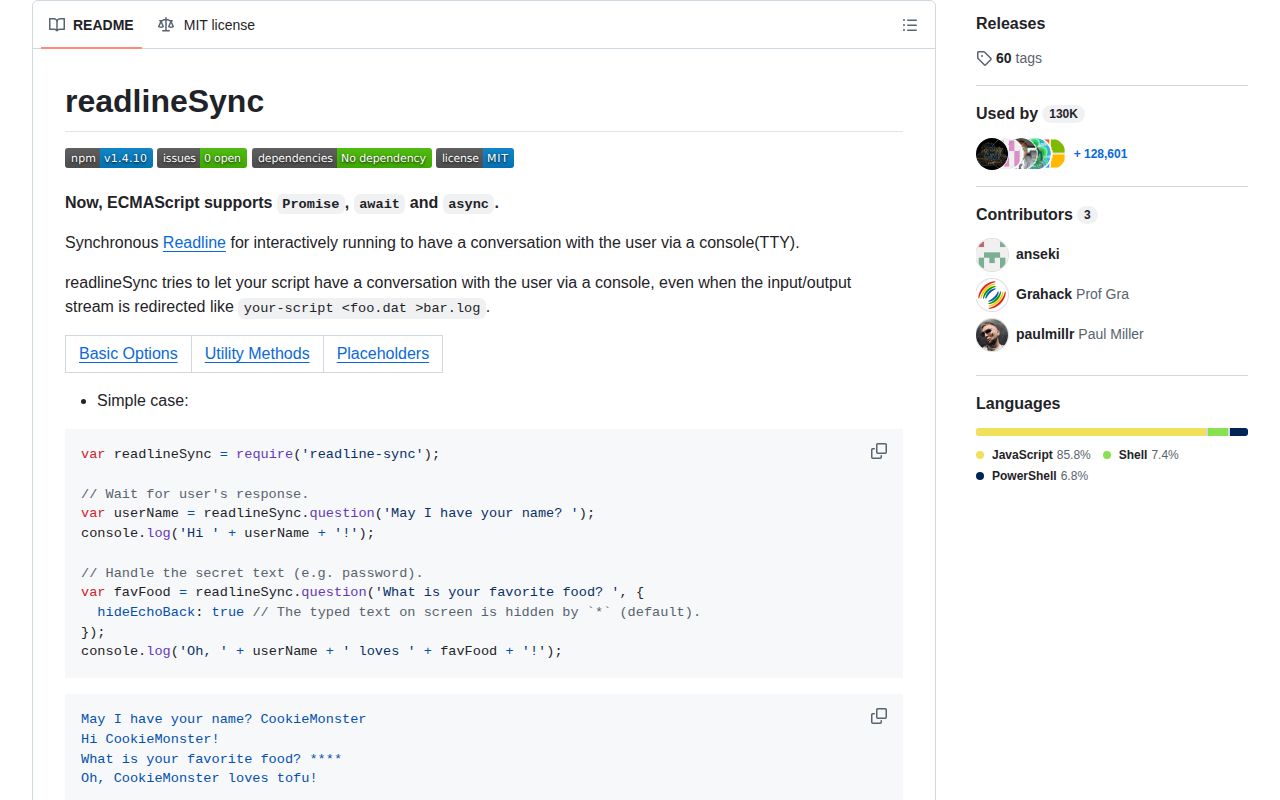
readline-sync 1.4.10 asks for terminal input and blocks the entire Node process until the user responds. Its CommonJS API includes line questions, masked secrets, one-key choices, yes/no confirmation, numbered menus, validated numbers, paths, and small command loops. Version 1.4.10 only adjusted internal use of Node constants, reformatted code, and clarified `keyInPause`; the prompt API did not change. Straight-line calls are convenient, but timers, sockets, promises, and every other task stop while input is pending. GitHub archived the repository in November 2022.
readline-sync 1.4.10 installed in 0.7 seconds as a single 1 MB package with 0 audit findings, but our browser build failed and GitHub archived it in 2022. Keep it for tiny interactive scripts where stopping the process is harmless; use an async prompt library or core readline for maintained CLIs, servers, and automated execution.
We installed it
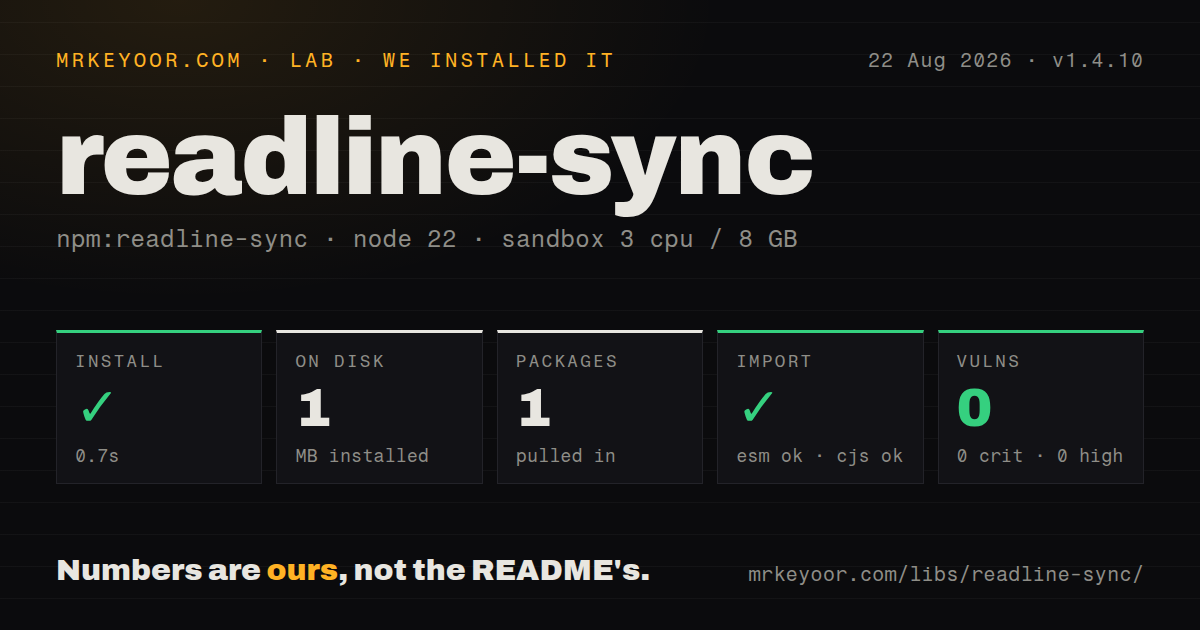
| Install | ✓ · 0.7s | 1 package on disk · 1 MB |
| Import | ✓ | ESM import works · require() works · CommonJS package |
| Browser | n/a | could not be bundled for the browser (Node-only code, most likely) |
| Types | — | no TypeScript types found |
| Known vulns | 0 | 0 critical · 0 high · 0 moderate · 0 low (npm audit) |
Answers from our run
Does readline-sync install cleanly?
Yes. In a fresh container with an empty cache, npm install readline-sync finished in 0.7s, leaving 1 package and 1 MB on disk. npm audit reported no known vulnerabilities.
Can readline-sync run in a browser?
Not directly: esbuild could not bundle it for the browser in our run, which normally means it depends on Node built-ins. Use it on the server, or find a browser-targeted alternative.
Does readline-sync work with both ESM and CommonJS?
Yes. Both import 'readline-sync' and require('readline-sync') worked in Node 22 in our run. The package is published as CommonJS.
Does readline-sync include TypeScript types?
No type declarations were found in our install, so TypeScript users need their own declarations.
readline-sync or prompt-sync: which should you use?
prompt-sync: Use it when blocking input is mandatory and a smaller prompt surface is enough. readline-sync 1.4.10 installed in 0.7 seconds as a single 1 MB package with 0 audit findings, but our browser build failed and GitHub archived it in 2022.
When should you not use readline-sync?
The process serves requests, maintains sockets, runs timers, or displays a live progress indicator. Every prompt blocks all of that work until a human answers.
Use it if
- A short local script needs one or two prompts and has no useful concurrent work while a person types.
- Teaching material benefits from straight-line input code more than it benefits from current async conventions.
- An existing CLI already depends on helpers such as `keyInSelect`, `questionInt`, or `questionNewPassword`.
- Single-key input or masked text is needed and the supported terminal behavior has been tested on every target platform.
- The process serves requests, maintains sockets, runs timers, or displays a live progress indicator. Every prompt blocks all of that work until a human answers.
- The command must work unattended in CI, cron, containers, or piped workflows. Interactive reads can throw when a usable terminal is unavailable, so flags and environment variables need to cover every answer anyway.
- You want ongoing maintenance. npm last published 1.4.10 in July 2019, and GitHub archived the project in November 2022.
- TypeScript declarations must ship with the runtime package. Our install found none, and the project remains CommonJS without an exports map.
- Browser or edge execution is required. Our esbuild browser attempt failed because readline-sync relies on Node process, filesystem, and terminal behavior.
Setup reality
We installed readline-sync 1.4.10 in 0.7 seconds in a fresh Node 22 Bookworm sandbox. It left 1 package and 1 MB on disk. The package has 0 direct dependencies, 0 peers, a 156 KB unpacked size, an MIT license, and a declared floor of Node 0.8. npm audit found 0 known vulnerabilities. CommonJS require() and ESM import both worked in our checks, while no TypeScript declarations were present.
There are no credentials, native addons, or config files. The unusual part is the synchronous terminal implementation. Node's normal readline API is asynchronous, so this package can invoke an external program and block while it obtains input; older runtimes have additional file-piping fallbacks. Our browser bundle failed, which is expected for code tied to a local TTY. Treat it as Node-only even when a bundler can resolve the CommonJS entry.
Automation needs an alternate path before the first prompt. Read flags, environment variables, or a config file first, then prompt only when stdin is interactive. A missing TTY can raise an error instead of choosing a default. Masked input is also platform dependent: the README says redirected input on some Windows environments may use * or an empty mask regardless of the requested character. Never log the returned secret.
Options are broad and sometimes change return types. trueValue and falseValue return booleans only on a match; other input stays a string unless limit rejects it. keyInSelect returns -1 for cancel. keyInYN treats any non-Y key as false, while keyInYNStrict waits for Y or N. Global defaults persist until process exit, and history remembers the previous answer. For maintained async prompts, prefer Inquirer, prompts, or Node's built-in readline/promises.
Patterns
Read one answer synchronously ask-line-question
const readlineSync = require('readline-sync');

const name = readlineSync.question('Name? ');
console.log(`Hello, ${name}`);
The process stops at `question()` until Enter is pressed. Timers and network callbacks cannot run during that wait.
Mask secret input hide-password
const password = readlineSync.question('Password: ', {
  hideEchoBack: true,
  mask: '*',
});
Version 1.4.10 may substitute `*` or an empty mask on some redirected Windows inputs. The returned password is plain text in memory.
Prefer an environment value outside a TTY guard-automation
function readEnvironment() {
  if (process.env.DEPLOY_ENV) return process.env.DEPLOY_ENV;
  if (!process.stdin.isTTY) throw new Error('DEPLOY_ENV is required');
  return readlineSync.question('Environment: ');
}
A CI job or container may have no interactive terminal. Fail with a clear missing-input error before readline-sync attempts a read.
Wait for an explicit Y or N confirm-strictly
const approved = readlineSync.keyInYNStrict('Publish this release?');
if (!approved) {
  console.log('Cancelled');
  process.exitCode = 1;
}
`keyInYNStrict` ignores unrelated keys until Y or N. Plain `keyInYN` returns false for any key other than Y.
Choose from a numbered menu select-menu-item
const targets = ['staging', 'production'];
const index = readlineSync.keyInSelect(targets, 'Deploy where?');
if (index === -1) return;
await deploy(targets[index]);
Cancel returns -1. Check it before indexing or the chosen target becomes `undefined`.
Restrict a line to known values validate-choice
const color = readlineSync.question('Signal color: ', {
  limit: ['green', 'yellow', 'red'],
  limitMessage: '$<lastInput> is not allowed.',
});
A failed `limit` match re-prompts indefinitely. `$<lastInput>` inserts the rejected input into the displayed message.
Loop until the input is an integer read-integer
const port = readlineSync.questionInt('Port: ', {
  limit: (value) => value >= 1 && value <= 65535,
  limitMessage: 'Use a port from 1 through 65535.',
});
The helper does not return invalid input or enforce an attempt limit. A user can keep the process blocked indefinitely.
Use a default for an empty reply accept-default
const branch = readlineSync.question('Branch [main]: ', {
  defaultInput: 'main',
});
`defaultInput` applies when the user presses Enter without text. Show the same value in the prompt so the choice is visible.
Return a boolean for a limited answer coerce-boolean
const telemetry = readlineSync.question('Telemetry? ', {
  trueValue: ['yes', 'y'],
  falseValue: ['no', 'n'],
  limit: ['yes', 'y', 'no', 'n'],
});
Without `limit`, an unmatched answer remains a string and the return type varies between string and boolean.
Require an existing file path ask-file-path
const configPath = readlineSync.questionPath('Config file: ', {
  isFile: true,
  exists: true,
});
`questionPath` may expose `cd` and `pwd` behavior when that option is enabled. Keep it disabled if changing the process directory is unexpected.
Set defaults for later prompts set-process-defaults
readlineSync.setDefaultOptions({
  prompt: '> ',
  keepWhitespace: false,
  history: false,
});

const command = readlineSync.prompt();
Defaults remain active for the entire process. A method-level option overrides one call without resetting the stored defaults.
Move a prompt to Node's async API replace-with-core-readline
import { createInterface } from 'node:readline/promises';

const rl = createInterface({ input: process.stdin, output: process.stdout });
try {
  const name = await rl.question('Name? ');
  console.log(`Hello, ${name}`);
} finally {
  rl.close();
}
Core readline keeps the event loop available while the user types and adds no package, but it does not include readline-sync's menus and validation helpers.
Alternatives
| Package | Registry | Pick it when |
|---|---|---|
| prompt-sync | npm | Use it when blocking input is mandatory and a smaller prompt surface is enough. |
| inquirer | npm | Use it for maintained async prompts, choices, validation, and keyboard navigation. |
| enquirer | npm | Use it for varied interactive prompt types with a Promise-based API. |
| prompts | npm | Use it for a compact async question flow that is easy to inject or override in tests. |
More cli & tooling guides
commander · chalk · typescript · esbuild · yargs · click · the whole shelf →
How this guide is made: grounded in the library's documentation, release notes, changelog, and issue history, on a fixed rubric — not a hands-on install of every release. The 50 most-downloaded entries are additionally install-verified in clean containers. Corrections: contact the desk.