questionary review
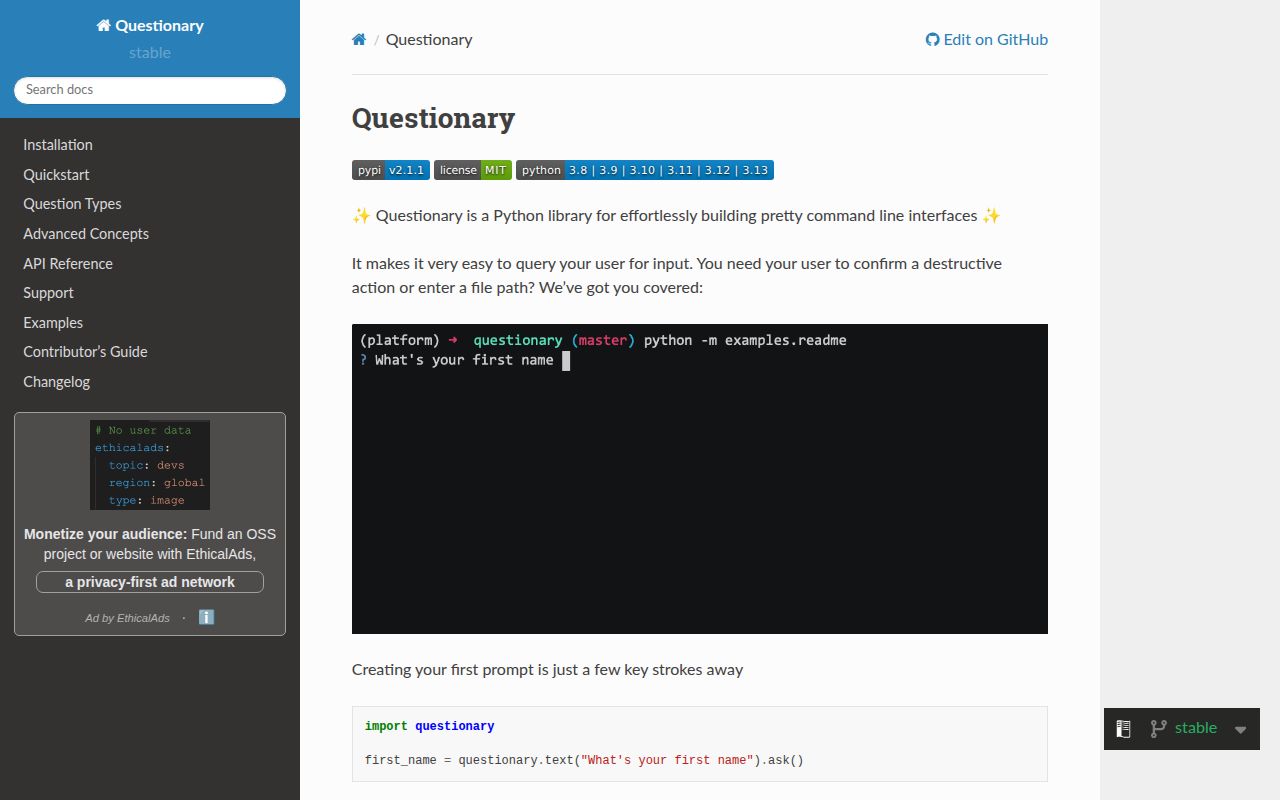
Questionary 2.1.1 wraps `prompt_toolkit` with ready-made text, password, path, confirm, select, raw-select, checkbox, autocomplete, and keypress prompts. It can combine named questions into a form, validate or filter answers, return application values behind friendly labels, apply terminal styles, and run prompts through sync or async methods. Version 2.1.1 fixes an `AttributeError` triggered by `prompt_toolkit` 3.0.52 and raises the supported Python floor to 3.9. Our install confirmed a typed pure-Python package rather than a command parser or full terminal UI framework.
Questionary 2.1.1 installed in 0.4 seconds and used 4 MB across 3 packages in our sandbox, with `py.typed` and 0 pip-audit findings; it fits human-run Python CLIs that need richer prompts than `input()`. Keep a flags-based path for automation, use async prompts inside event loops, and treat `None` as a normal cancellation result.
We installed it
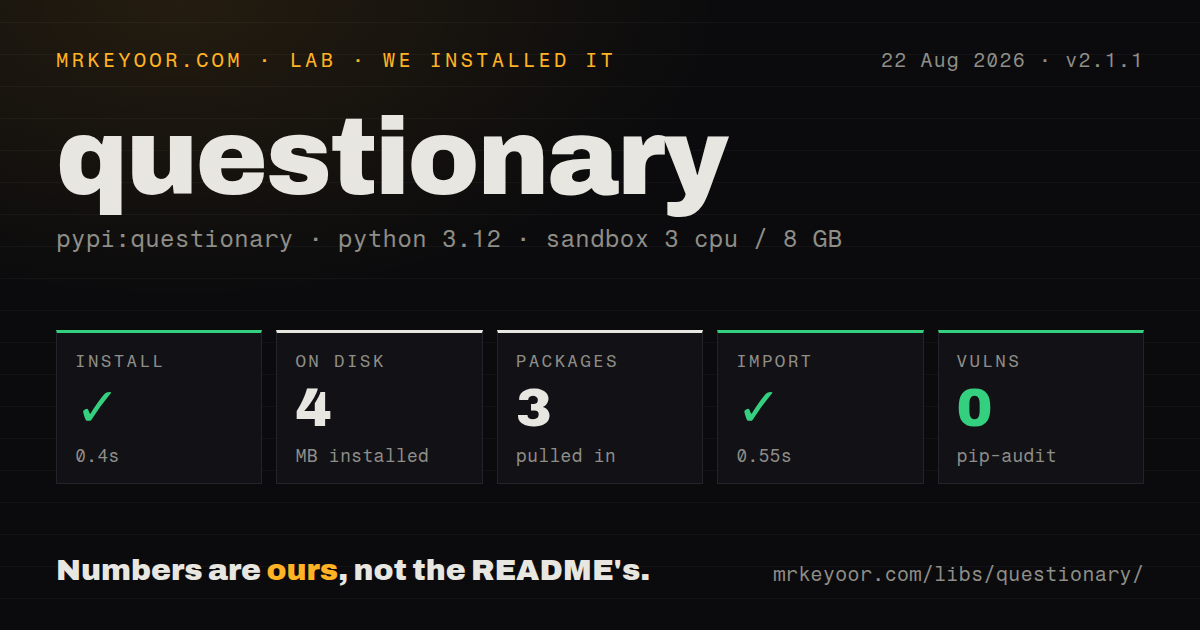
| Install | ✓ · 0.4s | 3 packages on disk · 4 MB |
| Import | ✓ | import questionary in 0.55s · pure Python · py.typed · requires Python >=3.9 |
| Known vulns | 0 | (pip-audit) |
Answers from our run
Does questionary install cleanly?
Yes. In a fresh container with an empty cache, pip install questionary finished in 0.4s, leaving 3 packages and 4 MB on disk. pip-audit reported no known vulnerabilities.
What does questionary need to run?
Python >=3.9, and nothing compiled: it is pure Python. In our run import questionary succeeded in 0.55s, and the package ships py.typed for type checkers.
questionary or InquirerPy: which should you use?
InquirerPy: You want fuzzy selection and a larger Inquirer-style prompt set. Questionary 2.1.1 installed in 0.4 seconds and used 4 MB across 3 packages in our sandbox, with py.typed and 0 pip-audit findings; it fits human-run Python CLIs that need richer prompts than input().
When should you not use questionary?
The program runs unattended in CI, cron, or redirected input: Questionary assumes an interactive terminal, so flags, environment variables, or a defined stdin format are safer
Use it if
- A human-operated Python CLI needs arrow-key selection, checkboxes, autocomplete, validation, or styled prompts
- You want several named questions collected into one answer dictionary without building a prompt_toolkit layout
- An asyncio application needs to await a terminal question through `ask_async()`
- Displayed choice labels should stay readable while the program receives stable IDs or Python objects
- The program runs unattended in CI, cron, or redirected input: Questionary assumes an interactive terminal, so flags, environment variables, or a defined stdin format are safer
- You need subcommands, option parsing, help text, exit codes, or shell completion: Questionary only asks questions and still needs argparse, Click, or Typer around it
- Screen-reader access or a plain line-oriented terminal is a hard requirement: prompt_toolkit relies on cursor movement, full-screen controls, colors, and instruction text
- You want precise static types for every answer: choices can return arbitrary Python values and forms produce dynamically keyed dictionaries
- A checkbox must use a prompt_toolkit `Validator` class: the advanced guide says checkbox does not support that validation interface, although it accepts its own callable validation form
Setup reality
Our fresh Python 3.12 install of Questionary 2.1.1 succeeded in 0.4 seconds. It left 3 packages taking 4 MB, declared 1 direct dependency, imported as questionary in 0.55 seconds, and had 0 known vulnerabilities in pip-audit. The package is pure Python, requires Python 3.9 or newer, uses the MIT license, and includes py.typed. Its single runtime dependency is prompt_toolkit 2.x or 3.x below 4.0.
Questionary does not parse commands. Keep argparse, Click, or Typer responsible for flags, help output, exit codes, and a noninteractive path. Each builder returns a Question; the terminal opens only when .ask(), .unsafe_ask(), or an async equivalent runs. A normal .ask() catches Ctrl+C and returns None, while a form returns an empty dictionary. Use the unsafe methods when cancellation should raise KeyboardInterrupt and terminate the command.
The display needs a working TTY. Tests should patch the Questionary call at your application boundary or use prompt_toolkit's test input and output helpers instead of waiting for a keyboard. Logs from other threads can overwrite an active prompt; patch_stdout=True routes output around the prompt renderer. Terminal color support varies, and any style token you omit falls back to Questionary's default style.
Inside an event loop, call await question.ask_async() because .ask() blocks the loop. Validation runs as the user edits, so a database or network check will make keystrokes lag. Choice(title=..., value=...) separates labels from stored values, while separators and disabled choices do not become answers. Form names are plain dictionary keys, which means misspellings and conditional references fail at runtime rather than in the type checker.
Patterns
Collect and validate text ask-text
import questionary

name = questionary.text(
    "Project name:",
    validate=lambda value: True if value.strip() else "Enter a name",
).ask()
if name is None:
    raise SystemExit(130)
Safe `.ask()` returns `None` after Ctrl+C, so handle cancellation before using the answer.
Read a hidden secret ask-password
import questionary

token = questionary.password("API token:").ask()
if token is None:
    raise SystemExit(130)
Password masking protects the display, but the returned string is still a secret in process memory and should not be logged.
Confirm a destructive operation confirm-action
import questionary

confirmed = questionary.confirm(
    "Delete the local cache?",
    default=False,
).ask()
if confirmed:
    delete_cache()
A safe confirm can return `None` on cancellation as well as `False` for rejection; both paths avoid the action in this example.
Show labels and return stable values return-choice-value
import questionary
from questionary import Choice

environment = questionary.select(
    "Deploy where?",
    choices=[
        Choice("Development", value="dev"),
        Choice("Staging", value="staging"),
        Choice("Production", value="prod"),
    ],
).ask()
`Choice.value` is returned instead of the visible title, which keeps application logic independent of display wording.
Collect multiple choices select-many
import questionary
from questionary import Choice

features = questionary.checkbox(
    "Enable features:",
    choices=[
        Choice("Audit log", value="audit", checked=True),
        Choice("Email reports", value="email"),
        Choice("Legacy export", disabled="Unavailable"),
    ],
).ask()
Disabled choices cannot be selected, and the advanced docs exclude checkbox from the standard Validator-class path.
Autocomplete from known values autocomplete-value
import questionary

region = questionary.autocomplete(
    "Region:",
    choices=["us-east-1", "us-west-2", "eu-west-1"],
    validate=lambda value: value in {"us-east-1", "us-west-2", "eu-west-1"},
).ask()
Completion narrows suggestions, while validation decides whether arbitrary typed text is accepted.
Prompt for an existing file ask-path
from pathlib import Path
import questionary

config_path = questionary.path(
    "Config file:",
    validate=lambda value: Path(value).is_file() or "Choose an existing file",
).ask()
Path completion only suggests filesystem entries; it does not prove the final text names an existing file.
Return named answers from a form collect-form
import questionary

answers = questionary.form(
    service=questionary.text("Service name:"),
    replicas=questionary.text("Replica count:", default="2"),
    deploy=questionary.confirm("Deploy now?", default=False),
).ask()
if not answers:
    raise SystemExit(130)
A cancelled form returns an empty dictionary, and its keys come directly from the names passed to `form()`.
Skip a question based on an earlier answer ask-conditionally
import questionary

answers = questionary.prompt([
    {"type": "confirm", "name": "deploy", "message": "Deploy now?"},
    {
        "type": "select",
        "name": "region",
        "message": "Region:",
        "choices": ["us-east-1", "eu-west-1"],
        "when": lambda current: current["deploy"],
    },
])
`when` receives answers collected so far, so it can only reference names that appear earlier in the list.
Await a prompt in an event loop ask-asynchronously
import asyncio
import questionary

async def choose_environment():
    return await questionary.select(
        "Environment:",
        choices=["dev", "staging", "prod"],
    ).ask_async()

answer = asyncio.run(choose_environment())
Use `ask_async()` inside asyncio code; synchronous `.ask()` blocks the event loop while the terminal waits.
Let Ctrl+C terminate the command propagate-cancellation
import questionary

try:
    answer = questionary.text("Release tag:").unsafe_ask()
except KeyboardInterrupt:
    print()
    raise SystemExit(130)
`unsafe_ask()` propagates `KeyboardInterrupt`; ordinary `.ask()` catches it and returns `None`.
Keep background output from tearing the prompt protect-prompt-output
import questionary

answer = questionary.select(
    "Active job:",
    choices=["build", "test", "deploy"],
).ask(patch_stdout=True)
`patch_stdout=True` lets prompt_toolkit route concurrent prints above the active prompt instead of overwriting its display.
Alternatives
| Package | Registry | Pick it when |
|---|---|---|
| InquirerPy | PyPI | You want fuzzy selection and a larger Inquirer-style prompt set |
| prompt-toolkit | PyPI | You need custom buffers, layouts, completions, or key bindings below Questionary's preset prompts |
| click | PyPI | Command routing, options, generated help, and simple prompts matter more than interactive selection widgets |
| rich | PyPI | Your main task is formatted output, progress, tables, or status displays rather than collecting answers |
More cli & tooling guides
commander · chalk · typescript · esbuild · yargs · click · the whole shelf →
How this guide is made: grounded in the library's documentation, release notes, changelog, and issue history, on a fixed rubric — not a hands-on install of every release. The 50 most-downloaded entries are additionally install-verified in clean containers. Corrections: contact the desk.