pyspark review
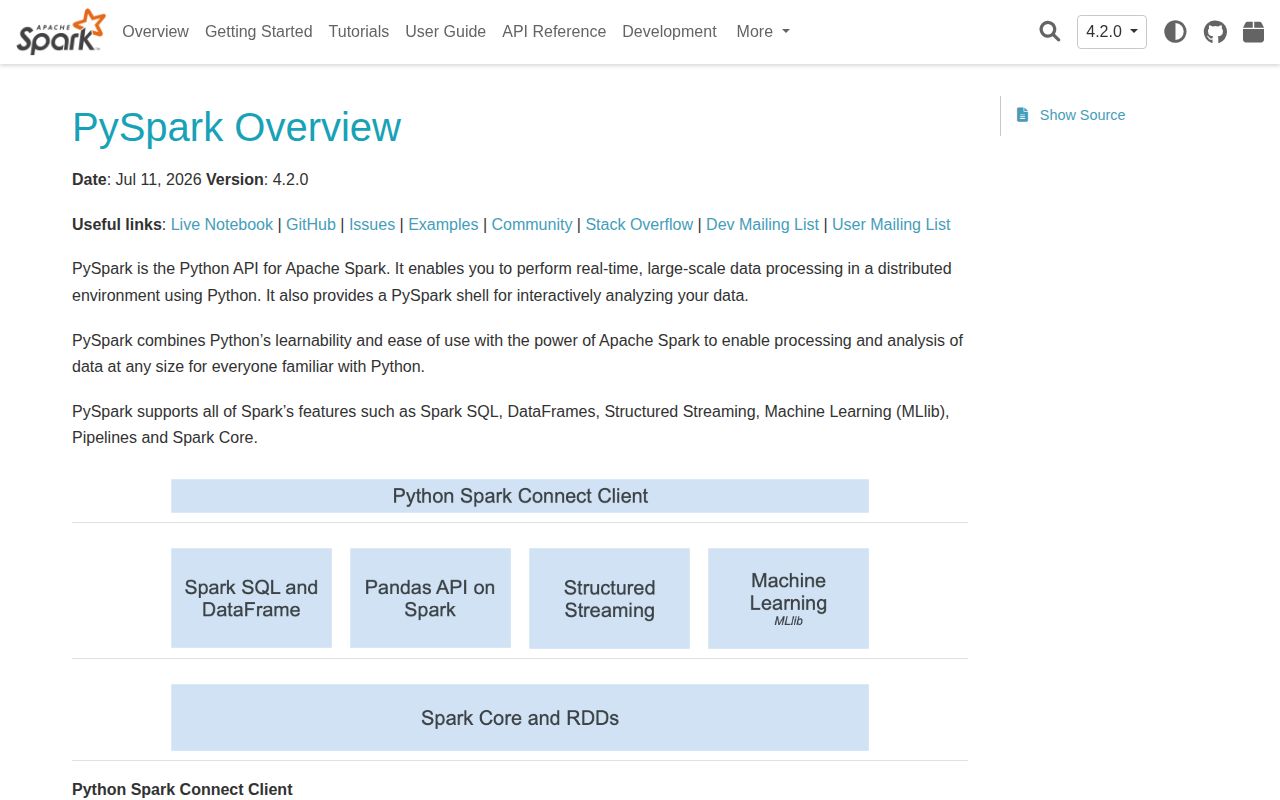
PySpark 4.2.0 is the Python entry point to Apache Spark's distributed SQL, DataFrame, streaming, and machine-learning engine. Python code builds a logical plan, while Spark's JVM driver divides it into stages and sends tasks to local threads or cluster executors. The PyPI source package contains Spark's JARs, so it is much larger than an ordinary Python client. Version 4.2 adds PySpark and Spark Connect access to change-data-capture reads, turns Arrow exchange and Arrow-backed regular Python UDFs on by default, adds native geospatial SQL types, and drops official PyPy support.
PySpark 4.2.0 used 473 MB and took 18.9 seconds to install in our sandbox before a JVM or SparkSession even started. Install it when you already need Spark's distributed engine; keep one-machine analytics on DuckDB or Polars unless the workload proves otherwise.
We installed it
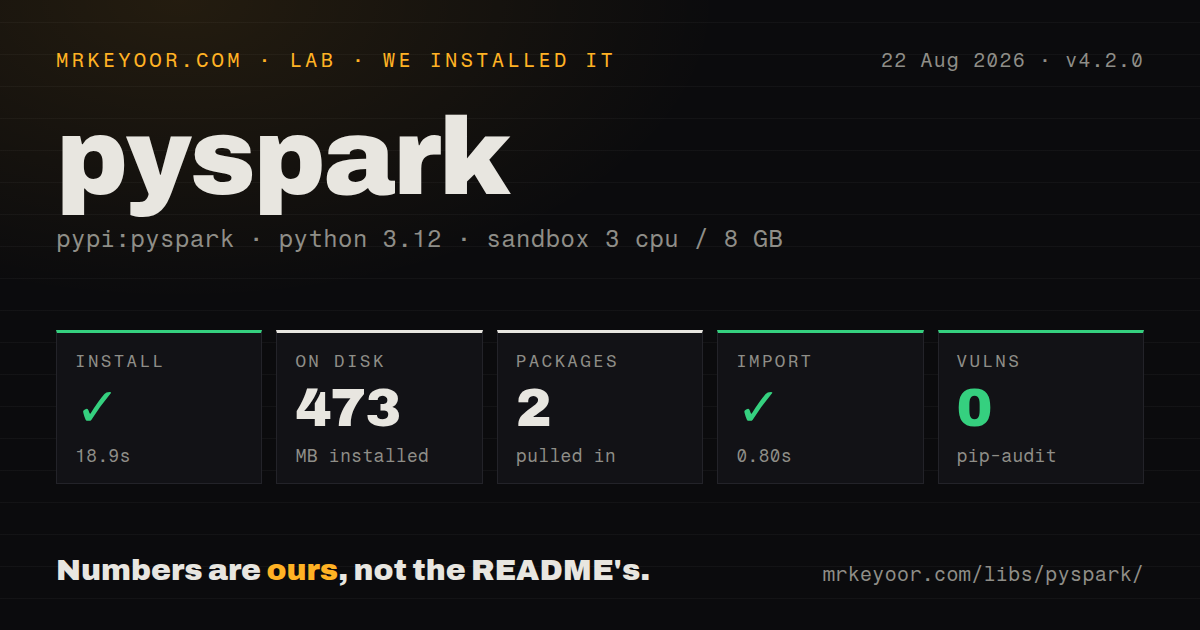
| Install | ✓ · 18.9s | 2 packages on disk · 473 MB |
| Import | ✓ | import pyspark in 0.80s · pure Python · py.typed · requires Python >=3.10 |
| Known vulns | 0 | (pip-audit) |
Answers from our run
Does pyspark install cleanly?
Yes. In a fresh container with an empty cache, pip install pyspark finished in 19 seconds, leaving 2 packages and 473 MB on disk. pip-audit reported no known vulnerabilities.
What does pyspark need to run?
Python >=3.10, and nothing compiled: it is pure Python. In our run import pyspark succeeded in 0.80s, and the package ships py.typed for type checkers.
pyspark or polars: which should you use?
polars: Use it for multithreaded DataFrame work when the data and intermediate state fit on one machine. PySpark 4.2.0 used 473 MB and took 18.9 seconds to install in our sandbox before a JVM or SparkSession even started.
When should you not use pyspark?
The dataset and intermediate results fit on one server; DuckDB or Polars avoids a 473 MB package, JVM startup, stages, and shuffle configuration
Use it if
- A join, aggregation, stateful stream, or scan exceeds one machine and needs Spark executors
- The organization already operates Spark through Kubernetes, YARN, Databricks, EMR, Dataproc, or a standalone cluster
- Python, SQL, Scala, and Java workloads need to share Spark tables, connectors, scheduling, and query plans
- Batch DataFrames and Structured Streaming should use one schema and execution engine
- The dataset and intermediate results fit on one server; DuckDB or Polars avoids a 473 MB package, JVM startup, stages, and shuffle configuration
- The code runs inside a latency-sensitive request; Spark scheduling and executor work target throughput rather than a short web-response budget
- You cannot add Java 17 or newer, Py4J calls, and JVM error traces to the Python deployment
- Most logic is row-by-row Python code; UDFs cross the Python-JVM boundary and hide work that built-in Spark expressions can optimize
- Nobody owns executor memory, partition counts, data skew, shuffle storage, retries, connector versions, and driver limits
Setup reality
We installed PySpark 4.2.0 in a fresh Python 3.12 sandbox in 18.9 seconds. The environment ended with 2 packages occupying 473 MB, and import pyspark took 0.80 seconds. pip-audit reported 0 known vulnerabilities. The distribution is pure Python, requires Python 3.10 or newer, includes py.typed, and uses Apache-2.0 licensing. Its metadata records 24 direct dependency entries across the base package and optional feature groups.
A successful import does not start Spark. Classic local or cluster execution still needs Java 17 or newer on PATH or through JAVA_HOME, plus a compatible Py4J package. The sql extra brings pandas, NumPy, and PyArrow; the connect extra adds those plus gRPC packages. Spark 4.2 requires PyArrow 18.0.0 or newer for its Arrow features and no longer lists PyPy as supported.
Choose the master URL, executor resources, serializer, shuffle partitions, warehouse, and connector JARs before the first SparkContext starts. getOrCreate() may return an existing context whose startup settings are already fixed. local[*] uses one machine but still launches a JVM and Spark services. A remote 4.2 cluster also needs reachable driver and executor networks, storage credentials, matching connectors, and a Python environment available on every worker.
Transformations remain lazy in 4.2; count(), show(), collect(), writes, and streaming starts trigger work. collect() and toPandas() copy the selected result into driver memory, so executor capacity cannot rescue an unbounded call. Cache only data reused by several actions, then unpersist it. Arrow exchange and Arrow execution for regular Python UDFs now default to true. Upgrade tests should cover nullable integer dtypes, schema coercion, NumPy conversion, and UDF output before jobs move to production.
Patterns
Start Spark with local worker threads create-local-session
from pyspark.sql import SparkSession

spark = (
    SparkSession.builder
    .appName("daily-etl")
    .master("local[*]")
    .config("spark.sql.shuffle.partitions", "8")
    .getOrCreate()
)
getOrCreate() can reuse a running SparkContext. Set context-level options before the first session starts or the new builder value may not take effect.
Avoid schema inference on CSV input read-csv-with-schema
orders = (
    spark.read
    .option("header", True)
    .schema("order_id STRING, user_id STRING, ts TIMESTAMP, amount DOUBLE")
    .csv("s3a://raw/orders/")
)
inferSchema requires another pass and can choose different types for different batches. s3a:// also needs compatible Hadoop AWS JARs and credentials.
Keep calculations inside Spark expressions filter-and-derive-columns
from pyspark.sql import functions as F

recent = (
    orders
    .filter(F.col("ts") >= F.lit("2026-01-01"))
    .withColumn("net_amount", F.col("amount") * F.lit(0.9))
    .select("order_id", "user_id", "net_amount")
)
Built-in expressions remain visible to Catalyst. Use them for common string, date, array, map, and arithmetic work before reaching for a Python UDF.
Compute totals for each user aggregate-by-key
totals = (
    orders
    .groupBy("user_id")
    .agg(
        F.sum("amount").alias("total_amount"),
        F.count_distinct("order_id").alias("order_count"),
    )
)
groupBy() normally causes a shuffle. A few dominant user_id values can create slow, oversized tasks even when the total cluster has spare capacity.
Send a small lookup to every executor broadcast-small-lookup
enriched = orders.join(
    F.broadcast(countries),
    on="country_code",
    how="left",
)
The broadcast side must fit in each executor's memory. Passing the shared key name produces one country_code column in the joined result.
Keep the newest event for each user select-latest-row-per-group
from pyspark.sql.window import Window

by_user = Window.partitionBy("user_id").orderBy(
    F.col("ts").desc(),
    F.col("event_id").desc(),
)
latest = (
    events
    .withColumn("position", F.row_number().over(by_user))
    .filter(F.col("position") == 1)
    .drop("position")
)
partitionBy() keeps the window distributed by user_id. The second ordering field makes the winner deterministic when timestamps match.
Run SQL against a DataFrame query-temporary-view
orders.createOrReplaceTempView("orders")

result = spark.sql("""
    SELECT user_id, SUM(amount) AS total
    FROM orders
    GROUP BY user_id
    ORDER BY total DESC
    LIMIT 20
""")
A temporary view belongs to its SparkSession and stores no independent copy of the rows. The SQL remains lazy until an action runs.
Lay out Parquet by event date write-partitioned-parquet
(
    events
    .write
    .mode("append")
    .partitionBy("event_date")
    .parquet("s3a://curated/events/")
)
A high-cardinality partition column creates many directories and small files. Partition by a field that future filters use and whose value count stays controlled.
Release cached blocks after the last action cache-reused-dataframe
valid = events.filter(F.col("is_valid")).cache()
try:
    valid.groupBy("type").count().write.mode("overwrite").parquet("/tmp/by-type")
    valid.groupBy("event_date").count().write.mode("overwrite").parquet("/tmp/by-day")
finally:
    valid.unpersist()
cache() is lazy and fills only after an action. unpersist() gives executor storage back after both consumers finish.
Check exchanges and join choices inspect-physical-plan
enriched.explain(mode="formatted")The formatted plan identifies scans, exchanges, and join operators. Review it after filters and hints are applied, using representative table statistics.
Declare the output type of a Python UDF define-python-udf
from pyspark.sql import functions as F
from pyspark.sql.types import StringType

@F.udf(returnType=StringType())
def email_domain(value):
    return value.rsplit("@", 1)[-1] if value else None

users = users.withColumn("domain", email_domain("email"))
Spark 4.2 enables Arrow execution for regular Python UDFs by default. Test nulls and coercion, and prefer built-in functions when they can express the same result.
Checkpoint a streaming aggregation start-structured-stream
query = (
    events.writeStream
    .format("parquet")
    .option("path", "s3a://curated/live-events/")
    .option("checkpointLocation", "s3a://checkpoints/live-events/")
    .outputMode("append")
    .start()
)
query.awaitTermination()
The checkpoint stores offsets and state required for recovery. Give each query a stable, exclusive checkpoint location on durable storage.
Alternatives
| Package | Registry | Pick it when |
|---|---|---|
| polars | PyPI | Use it for multithreaded DataFrame work when the data and intermediate state fit on one machine. |
| duckdb | PyPI | Use it for analytical SQL over local files or object-store Parquet when one process is sufficient. |
| dask | PyPI | Use it for distributed Python arrays, DataFrames, and task graphs when Python-native scheduling matters more than Spark SQL compatibility. |
| ray | PyPI | Use it for distributed Python functions, actors, serving, or training where the workload is broader than tabular Spark jobs. |
More data guides
numpy · pandas · fsspec · pyarrow · lxml · sqlalchemy · the whole shelf →
How this guide is made: grounded in the library's documentation, release notes, changelog, and issue history, on a fixed rubric — not a hands-on install of every release. The 50 most-downloaded entries are additionally install-verified in clean containers. Corrections: contact the desk.