duckdb review
DuckDB 1.5.5 is an analytical SQL engine that runs inside the Python process. It scans Parquet, CSV, JSON, pandas, Polars, and Arrow data without a separate database server, and it can persist tables in one local file. Its column-oriented execution suits scans, joins, and aggregates rather than a web application's stream of tiny concurrent writes. This release fixes NumPy deprecation trouble and repairs the DuckDBPyRelation.query alias.
DuckDB 1.5.5 took 0.5 seconds to install and occupied 59 MB in our sandbox, but its ADBC import failed without adbc_driver_manager; it is a strong local SQL engine, not a self-contained ADBC setup. Install it for analytical scans and mixed file formats under one process, and use a server database when independent writers must share state.
We installed it
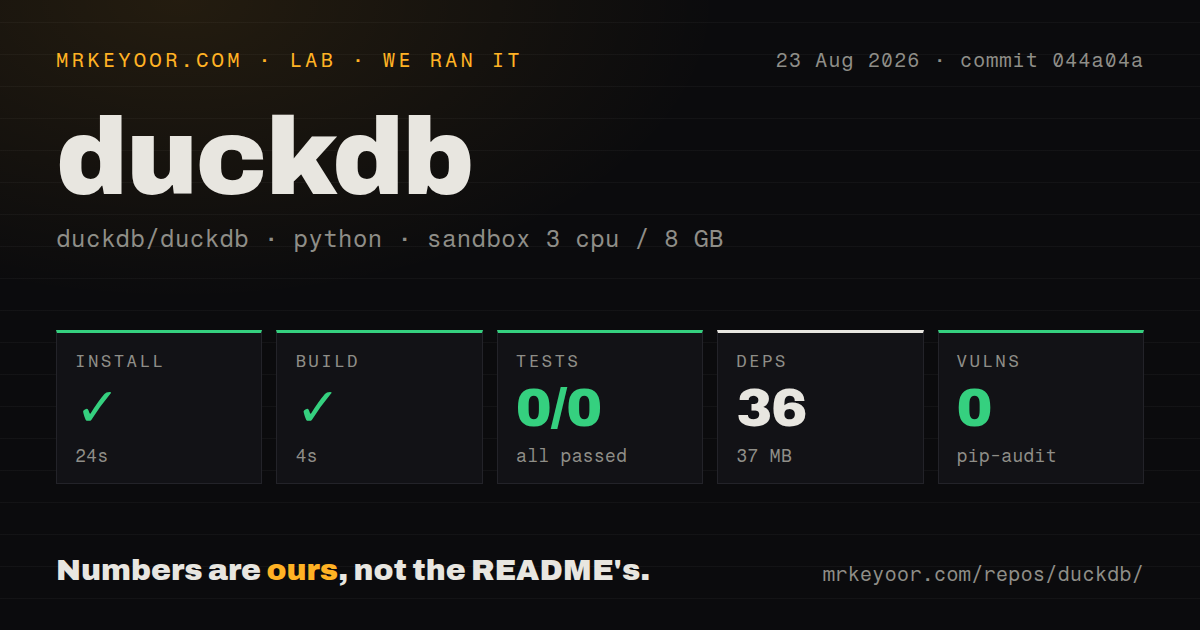
| Install | ✓ · 0.5s | 1 package on disk · 59 MB |
| Import | ✗ | import adbc_driver_duckdb · compiled extensions · py.typed · requires Python >=3.10.0 |
| Known vulns | 0 | (pip-audit) |
Answers from our run
Does duckdb install cleanly?
Yes. In a fresh container with an empty cache, pip install duckdb finished in 0.5s, leaving 1 package and 59 MB on disk. pip-audit reported no known vulnerabilities.
What does duckdb need to run?
Python >=3.10.0, and a platform wheel with compiled extensions. In our run import adbc_driver_duckdb failed, so it needs extra system packages, and the package ships py.typed for type checkers.
duckdb or polars: which should you use?
polars: Choose it when dataframe expressions communicate the local transformation more clearly than SQL. DuckDB 1.5.5 took 0.5 seconds to install and occupied 59 MB in our sandbox, but its ADBC import failed without adbc_driver_manager; it is a strong local SQL engine, not a self-contained ADBC setup.
When should you not use duckdb?
Several services must write the same database concurrently; DuckDB's documented multi-process model supports concurrent reads but does not coordinate general multi-process writes
Use it if
- A local Python job needs SQL over many Parquet files without first loading them into a warehouse
- You want one query to join a dataframe, an Arrow table, and files on disk
- An application needs a portable analytical database file and has one controlled writer process
- The result must move straight into pandas, Polars, NumPy, or Arrow
- Several services must write the same database concurrently; DuckDB's documented multi-process model supports concurrent reads but does not coordinate general multi-process writes
- Clients need a network endpoint, database users, replicas, or server-side access control; the engine lives inside each client process
- Most queries fetch or update one row at a time under concurrent transactions; PostgreSQL or SQLite is a closer fit for that OLTP workload
- Your current Polars pipeline is already readable and fast; adding a SQL planner and another set of data types creates conversion and debugging work
- Production images cannot download extensions and you have not bundled them; features such as remote HTTP and S3 reads can trigger extension installation
- You expect the wheel's ADBC module to import alone; our import adbc_driver_duckdb probe stopped at a missing adbc_driver_manager module
Setup reality
Our DuckDB 1.5.5 install completed in 0.5 seconds on Python 3.12 and put 1 package using 59 MB on disk. pip-audit reported 0 known vulnerabilities. The wheel requires Python 3.10.0 or newer, includes compiled .so extensions and py.typed, declares 6 direct dependencies, and identifies its license as MIT.
The import probe did not test the ordinary duckdb entry point. It ran import adbc_driver_duckdb, which failed with ModuleNotFoundError: No module named 'adbc_driver_manager'. That result draws a useful package boundary: install and pin the ADBC driver manager when you use the ADBC path, then exercise that exact import in the deployment image.
A filename passed to duckdb.connect() creates or opens persistent state. With no filename, the connection is in memory and disappears when the process exits. Local files need no account or config. S3 and other remote sources need an extension plus credentials, often through a DuckDB secret or credential provider. INSTALL can use the network on first run, so restricted containers should receive extensions during image construction.
One process can create more than 1 connection, but an unrelated writer process can collide with the file lock. A notebook holding a transaction is enough to surprise a scheduled job. Close connections and keep write transactions short. Bind user values with query parameters; parameters cannot stand in for a table name, file path, or other SQL identifier, so allowlist those separately.
Patterns
Run SQL without a database file query-memory
import duckdb

row = duckdb.sql('SELECT 42 AS answer').fetchone()
print(row)
Module-level queries use DuckDB's default in-memory connection. Any tables created there vanish when the Python process ends.
Write to a local DuckDB file persist-database
import duckdb

with duckdb.connect('analytics.duckdb') as con:
    con.execute('CREATE TABLE IF NOT EXISTS events (id BIGINT, kind VARCHAR)')
    con.execute('INSERT INTO events VALUES (?, ?)', [1, 'signup'])
The file keeps data across runs. It does not provide a network server or safe general-purpose writes from several processes.
Aggregate a Parquet directory scan-parquet
rows = duckdb.sql("""
    SELECT kind, count(*) AS total
    FROM read_parquet('logs/*.parquet')
    GROUP BY kind
    ORDER BY total DESC
""").fetchall()
DuckDB pushes supported projections and filters into the file scan, so no staging table is required for this query.
Read a pandas dataframe by name query-pandas
import pandas as pd

orders = pd.DataFrame({'user_id': [1, 2, 1], 'amount': [5, 9, 7]})
summary = duckdb.sql("""
    SELECT user_id, sum(amount) AS total
    FROM orders GROUP BY user_id
""").df()
Replacement scans resolve orders from Python scope. Register the object explicitly when name lookup would make library code hard to follow.
Register an Arrow table explicitly register-arrow
with duckdb.connect() as con:
    con.register('incoming', arrow_table)
    result = con.sql('SELECT * FROM incoming WHERE amount > 0').arrow()
The registered name belongs to that connection. Keep the source object alive until the query has consumed it.
Bind values in a query bind-parameters
with duckdb.connect('analytics.duckdb') as con:
    rows = con.execute(
        'SELECT * FROM events WHERE kind = ? AND id > ?',
        ['signup', 100],
    ).fetchall()
Parameters protect values. They cannot replace identifiers, so validate dynamic table names and file paths in application code.
Return an Arrow table fetch-arrow
with duckdb.connect() as con:
    table = con.execute(
        'SELECT range AS id FROM range(?)', [1000]
    ).fetch_arrow_table()
Arrow avoids a pandas conversion when the next component already accepts Arrow memory.
Write a query result to Parquet export-parquet
with duckdb.connect('analytics.duckdb') as con:
    con.execute("""
        COPY (SELECT * FROM events WHERE id >= 1000)
        TO 'events.parquet' (FORMAT PARQUET, COMPRESSION ZSTD)
    """)
The output path is SQL syntax, not a bound value. Validate any path assembled from external input.
Scan newline-delimited JSON read-jsonl
rows = duckdb.sql("""
    SELECT user_id, event
    FROM read_ndjson_auto('events/*.jsonl')
    WHERE event IS NOT NULL
""").fetchall()
Automatic detection is handy for exploration. Declare columns or options for jobs where a new record shape could change inferred types.
Load remote-file support read-s3
with duckdb.connect() as con:
    con.execute('INSTALL httpfs')
    con.execute('LOAD httpfs')
    con.execute('CREATE SECRET (TYPE s3, PROVIDER credential_chain)')
    count = con.execute(
        "SELECT count(*) FROM read_parquet('s3://bucket/data/*.parquet')"
    ).fetchone()
INSTALL may contact an extension repository. Put the extension in the image first when runtime network access is forbidden.
Build a lazy relation pipeline compose-relation
relation = (
    duckdb.read_csv('sales.csv')
    .filter('amount > 100')
    .aggregate('region, sum(amount) AS total', 'region')
    .order('total DESC')
)
rows = relation.fetchall()
Relation methods build a plan. A fetch or conversion call triggers execution and materializes results.
Commit related writes together control-transaction
with duckdb.connect('analytics.duckdb') as con:
    con.begin()
    try:
        con.execute('DELETE FROM staging')
        con.execute('INSERT INTO staging SELECT * FROM read_parquet(?)', ['new.parquet'])
        con.commit()
    except Exception:
        con.rollback()
        raise
Keep the transaction short because a writer holding the database file can block other processes that need to write.
Alternatives
| Package | Registry | Pick it when |
|---|---|---|
| polars | PyPI | Choose it when dataframe expressions communicate the local transformation more clearly than SQL |
| pandas | PyPI | Choose it for in-memory analysis that depends on the widest Python dataframe compatibility |
| datafusion | PyPI | Choose it when an Arrow-native query engine matches an existing Apache Arrow stack |
More data guides
numpy · pandas · fsspec · pyarrow · lxml · sqlalchemy · the whole shelf →
How this guide is made: grounded in the library's documentation, release notes, changelog, and issue history, on a fixed rubric — not a hands-on install of every release. The 50 most-downloaded entries are additionally install-verified in clean containers. Corrections: contact the desk.