dask review
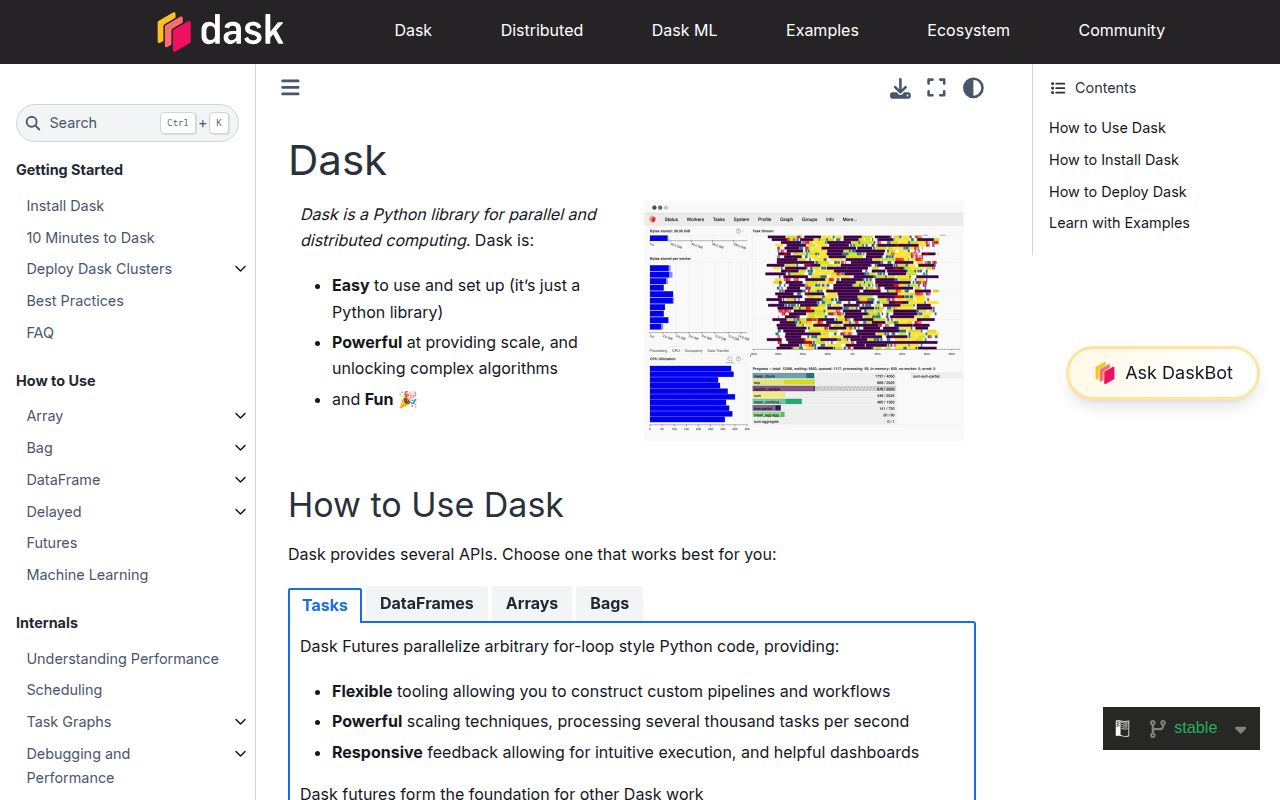
Dask turns array, dataframe, bag, and ordinary Python work into lazy task graphs. A local scheduler can execute those graphs with threads or processes; the separately installed distributed scheduler spreads them across workers and exposes memory and task diagnostics. Version 2026.8.0 is a small compatibility and documentation release, including a fix for its pixi setup with the matching distributed package and suppression of a pandas 4 warning caused by PyArrow. Dask helps when work divides into useful partitions. It cannot make global sorting, repeated shuffles, or row-dependent code cheap.
Dask 2026.7.1 installed in 0.7 seconds and 12 MB in our sandbox, but operating its task graph well requires far more thought than installing its 9 packages. Choose Dask for partitionable work that outgrows one process; stay with pandas, NumPy, or Polars when the data and result fit on one machine.
We installed it
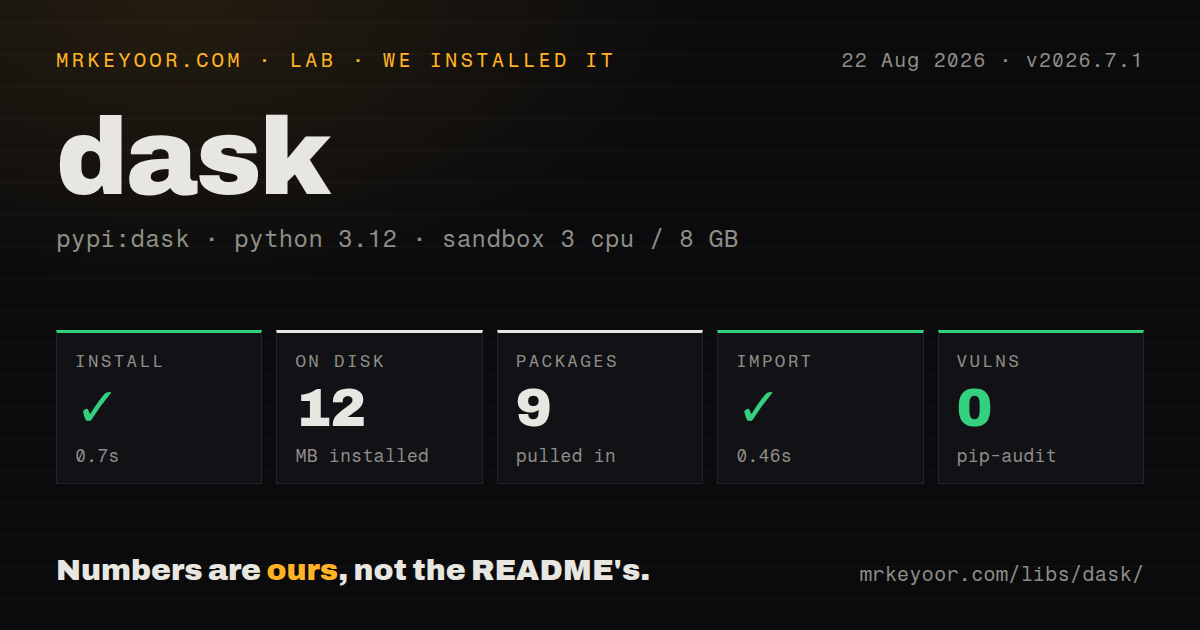
| Install | ✓ · 0.7s | 9 packages on disk · 12 MB |
| Import | ✓ | import dask in 0.46s · pure Python · py.typed · requires Python >=3.10 |
| Known vulns | 0 | (pip-audit) |
Answers from our run
Does dask install cleanly?
Yes. In a fresh container with an empty cache, pip install dask finished in 0.7s, leaving 9 packages and 12 MB on disk. pip-audit reported no known vulnerabilities.
What does dask need to run?
Python >=3.10, and nothing compiled: it is pure Python. In our run import dask succeeded in 0.46s, and the package ships py.typed for type checkers.
dask or polars: which should you use?
polars: Use it for fast single-machine dataframe queries when the workload can stay on one host. Dask 2026.7.1 installed in 0.7 seconds and 12 MB in our sandbox, but operating its task graph well requires far more thought than installing its 9 packages.
When should you not use dask?
The dataset fits comfortably in memory and pandas or NumPy already finishes promptly; graph scheduling adds work before your calculation starts
Use it if
- A NumPy-shaped or pandas-shaped workload exceeds memory and divides cleanly into chunks or partitions
- One lazy graph needs to combine file reads, dataframe work, array operations, and custom Python functions
- You want to develop on local threads before moving the same computation to Dask Distributed workers
- Your team will inspect task graphs, partition sizes, worker memory, spills, and the scheduler dashboard
- The dataset fits comfortably in memory and pandas or NumPy already finishes promptly; graph scheduling adds work before your calculation starts
- Most steps require a total ordering, row-by-row state, or a full-data shuffle; partitions cannot make those dependencies local
- You need every pandas method to behave identically; Dask DataFrame is lazy, partitioned, and sometimes needs explicit metadata or known divisions
- You do not want to run a scheduler, workers, shared package environments, reachable ports, temporary storage, and memory limits for distributed jobs
- Your graph contains thousands of tiny Python calls; Dask's own best-practice guide warns that scheduler overhead and graph size can outweigh their useful work
Setup reality
Our sandbox installed Dask 2026.7.1 in 0.7 seconds on Python 3.12. That plain install left 9 packages and 12 MB on disk, declared 25 direct dependencies, and imported in 0.46 seconds. It is pure Python, includes a py.typed marker, requires Python 3.10 or newer, and pip-audit found no known vulnerabilities. PyPI did not supply a license value for the measured build, while the repository carries BSD-3-Clause terms.
The base package is the graph and local-scheduler layer. Install extras such as dask[array], dask[dataframe], dask[distributed], or dask[complete] for the collections and services you use. Current dataframe support pulls in pandas 2 or newer and PyArrow 16 or newer. Keep dask and distributed on compatible calendar versions; the 2026.8.0 metadata constrains distributed to the matching 2026.8 line.
Lazy collections do no work until compute, persist, or a distributed submission. Repeated compute calls can repeat upstream reads unless you persist a shared result. Computing a large final collection pulls it into the client process and can exhaust that machine, so write partitions directly when the output remains large. Small partitions produce large graphs and scheduler overhead; oversized partitions reduce parallelism and increase spilling or worker termination.
Python-heavy functions can stall under the GIL on the threaded scheduler. Processes or distributed workers need importable functions, matching packages on every worker, and guarded script startup under if name == 'main'. Custom dataframe functions often need an explicit meta object because sample-based inference may execute the function early or infer the wrong dtype. Watch the dashboard's task stream, transfer, and memory panels before adding workers.
Patterns
Compute a chunked array expression parallel-array
import dask.array as da

x = da.from_array(values, chunks=(10_000, 1_000))
standardized = (x - x.mean(axis=0)) / x.std(axis=0)
result = standardized.compute()
Each worker needs room for several chunks. Tiny chunks create many scheduled tasks, while huge chunks limit parallel work.
Aggregate selected Parquet columns read-parquet
import dask.dataframe as dd

df = dd.read_parquet(
    's3://bucket/events/*.parquet',
    columns=['user_id', 'amount'],
)
totals = df.groupby('user_id').amount.sum()
result = totals.compute()
compute() collects the final grouped result into the client. Write it as a dataset if that result is still too large for client memory.
Filter rows before a distributed groupby reduce-before-shuffle
recent = df[df.timestamp >= cutoff][['account_id', 'amount']]
summary = recent.groupby('account_id').amount.sum(split_out=16)
summary.to_parquet('s3://bucket/account-summary/', write_index=False)
Early row and column filtering reduces the bytes moved by the groupby shuffle.
Declare the output of a partition function map-partitions
import pandas as pd

meta = pd.DataFrame({
    'user_id': pd.Series(dtype='int64'),
    'score': pd.Series(dtype='float64'),
})

def score(pdf):
    return pdf.assign(score=pdf.value / pdf.value.max())[['user_id', 'score']]

scored = df.map_partitions(score, meta=meta)
Explicit meta stops Dask from guessing the schema by running user code against sample data.
Connect custom file tasks build-delayed-graph
from dask import delayed

@delayed
def load(path):
    return read_one_file(path)

@delayed
def combine(parts):
    return merge(parts)

result = combine([load(path) for path in paths]).compute()
Make each delayed function coarse enough to justify scheduler overhead; wrapping every small expression creates an oversized graph.
Run distributed workers on one machine start-local-cluster
from dask.distributed import Client

if __name__ == '__main__':
    with Client(n_workers=4, threads_per_worker=2, memory_limit='4GiB') as client:
        print(client.dashboard_link)
        result = computation.compute()
Install dask[distributed]. The main guard prevents spawned worker processes from recursively starting another client.
Stream completed future results submit-futures
from dask.distributed import Client, as_completed

client = Client('tcp://scheduler.example:8786')
loaded = client.map(load_record, record_ids)
scored = [client.submit(score_record, item) for item in loaded]
for future in as_completed(scored):
    store(future.result())
future.result() transfers data to the client process. Keep large writes on workers and return only compact status values.
Reuse one filtered collection persist-intermediate
filtered = client.persist(df[df.active])

by_country = filtered.groupby('country').amount.sum().compute()
by_plan = filtered.groupby('plan').amount.sum().compute()
persist keeps partitions in cluster memory so both branches avoid rereading and refiltering the source.
Write partitions without gathering them write-output
cleaned.to_parquet(
    's3://bucket/cleaned-v2/',
    partition_on=['event_date'],
    write_index=False,
)
Writing a new versioned path is safer than overwrite, which can remove the existing dataset at the target.
Target a measured partition size resize-partitions
df = dd.read_parquet(source)
df = df.repartition(partition_size='256MB')
df.to_parquet(destination, write_index=False)
Repartitioning moves data and can cost more than the later calculation. Inspect current partitions before adding it.
Display progress for a local scheduler show-local-progress
from dask.diagnostics import ProgressBar

with ProgressBar():
    result = computation.compute(scheduler='threads')
ProgressBar covers local schedulers. A distributed Client exposes its own dashboard and task stream.
Put worker spill files on local storage set-spill-directory
import dask

dask.config.set({
    'temporary-directory': '/mnt/local-ssd/dask',
    'distributed.worker.memory.target': 0.60,
    'distributed.worker.memory.spill': 0.70,
})
Apply worker settings before workers start. A full or slow spill volume can stall every task on that worker.
Alternatives
| Package | Registry | Pick it when |
|---|---|---|
| polars | PyPI | Use it for fast single-machine dataframe queries when the workload can stay on one host |
| ray | PyPI | Use it for distributed actors, serving, and general Python jobs rather than pandas-shaped collections |
| modin | PyPI | Use it when pandas API compatibility matters more than directly controlling a task graph |
More data guides
numpy · pandas · fsspec · lxml · pyarrow · sqlalchemy · the whole shelf →
How this guide is made: grounded in the library's documentation, release notes, changelog, and issue history, on a fixed rubric — not a hands-on install of every release. The 50 most-downloaded entries are additionally install-verified in clean containers. Corrections: contact the desk.