openai review
openai 7.5.0 is OpenAI's generated JavaScript and TypeScript client for its HTTP APIs. The primary surface is `client.responses.create()`, with typed request and output items, server-sent events, file helpers, pagination, API error classes, retry policy, request IDs, webhook verification, and Realtime resources. Chat Completions remains for existing applications. Version 7.5 adds an Amazon Bedrock provider, workload-identity events, WebSocket stream IDs, structured MCP and WebSocket errors, service-tier and image-detail types, plus Sora API deprecation markers. It also repairs microphone cleanup, audio playback deadlocks, and unsafe redirects during workload-identity exchange. Our install found no runtime dependencies, but the package itself occupied 22 MB and requires Node 22.
openai 7.5.0 installed as 1 package in 2.7 seconds, used 22 MB, passed npm audit with 0 findings, and produced a 42.3 KB gzipped browser bundle in our sandbox. Use it for direct OpenAI API calls from a trusted Node 22 or supported edge runtime; do not ship a secret key to browsers simply because bundling succeeds.
We installed it
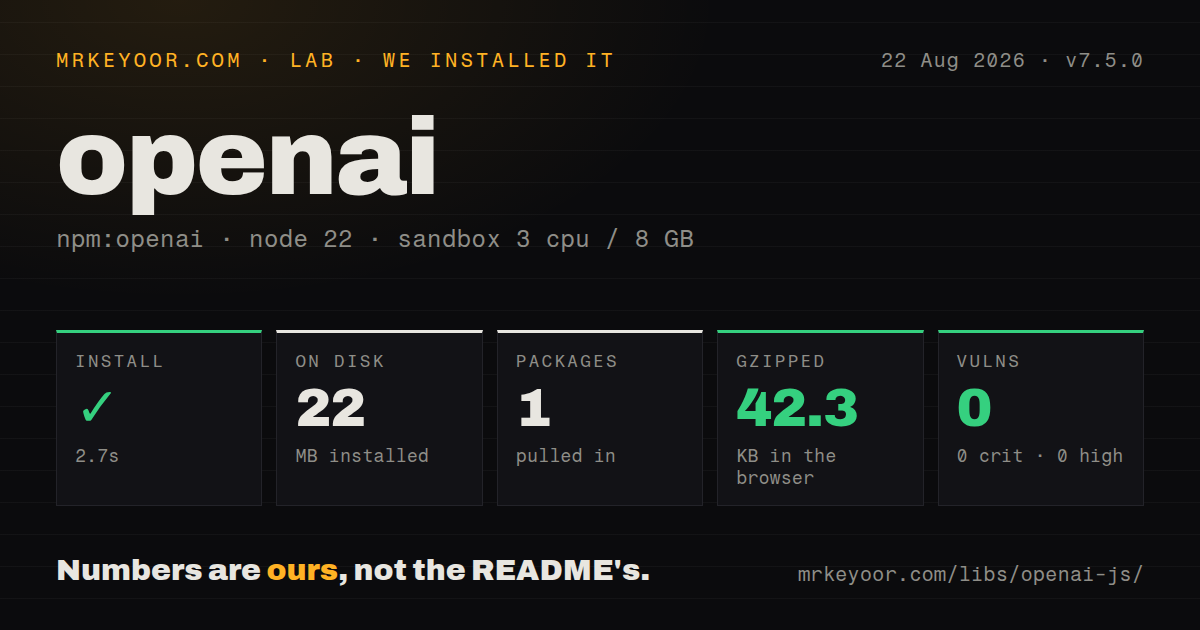
| Install | ✓ · 2.7s | 1 package on disk · 22 MB |
| Import | ✓ | ESM import works · require() works · CommonJS package with exports map |
| Browser | 42.3 KB | gzipped (169.1 KB minified), bundled with esbuild |
| Types | ✓ | TypeScript types bundled |
| Known vulns | 0 | 0 critical · 0 high · 0 moderate · 0 low (npm audit) |
Answers from our run
Does openai install cleanly?
Yes. In a fresh container with an empty cache, npm install openai finished in 3 seconds, leaving 1 package and 22 MB on disk. npm audit reported no known vulnerabilities.
How much does openai add to a browser bundle?
42.3 KB gzipped (169.1 KB minified) when the whole package is bundled for the browser with esbuild. Importing only part of it is usually smaller.
Does openai work with both ESM and CommonJS?
Yes. Both import 'openai' and require('openai') worked in Node 22 in our run. The package is published as CommonJS with an exports map.
Does openai include TypeScript types?
Yes, type declarations ship inside the package, so no @types install is needed.
openai or @ai-sdk/openai: which should you use?
@ai-sdk/openai: Use it inside the Vercel AI SDK when provider switching and its stream or UI abstractions shape the application. openai 7.5.0 installed as 1 package in 2.7 seconds, used 22 MB, passed npm audit with 0 findings, and produced a 42.3 KB gzipped browser bundle in our sandbox.
When should you not use openai?
The API key would live in ordinary browser JavaScript. Browser construction is blocked by default because dangerouslyAllowBrowser makes the credential available to visitors.
Discussed on
- hnOpenAI's board has fired Sam Altman5,710 points
- hnGoogle “We have no moat, and neither does OpenAI”2,455 points
- hnDiscovery of a new OpenAI agent message board2,301 points
- hnOpen models by OpenAI2,124 points
- hnWe have reached an agreement in principle for Sam to return to OpenAI as CEO1,980 points
Use it if
- A trusted Node 22, Bun, Deno, Cloudflare Worker, or Vercel Edge service needs typed access to OpenAI APIs.
- Responses streams, file uploads, pagination, request IDs, webhook signatures, and standard API errors should come from one maintained client.
- A server receives OpenAI webhooks and must authenticate the untouched request body before acting on an event.
- The same Responses-shaped code needs the SDK's separate Azure OpenAI or Amazon Bedrock provider entry points.
- The API key would live in ordinary browser JavaScript. Browser construction is blocked by default because `dangerouslyAllowBrowser` makes the credential available to visitors.
- Production still runs Node 20 or earlier. Version 7 raises the supported Node floor to 22, and unsupported releases receive no guaranteed fixes or security backports.
- The target is React Native. The repository requirements list that runtime as unsupported.
- One call site must switch freely among unrelated model vendors. A provider layer such as the Vercel AI SDK owns that abstraction more directly.
- Your TypeScript build assumes every minor SDK release is type-compatible. The project's versioning policy permits some type-only or narrowly scoped breaking changes in minor versions.
Setup reality
We installed openai 7.5.0 in a fresh Node 22 Bookworm sandbox in 2.7 seconds. It was the only package installed and used 22 MB. The tarball is 21,572 KB unpacked, declares 0 direct dependencies and 5 peer dependencies, and bundles TypeScript declarations. npm audit found 0 known vulnerabilities. CommonJS require() and ESM import both worked through the exports map. A full browser import measured 169.1 KB minified and 42.3 KB gzipped.
The client reads OPENAI_API_KEY unless credentials are passed explicitly. Keep that key in a trusted server or edge secret store. dangerouslyAllowBrowser: true only disables the SDK guard; it does not hide a shipped key. Workload identity is an alternative in supported environments and cannot be combined with apiKey. Azure uses AzureOpenAI and has documented response-shape differences. Bedrock SigV4 support pulls in AWS credential and Smithy signing peers when that provider path is selected.
Responses is the current general API path in official OpenAI documentation. previous_response_id continues a server-managed thread. If an application stores history itself, keep ordered output items or use the SDK conversion helper because plain assistant text omits tool, reasoning, and other typed items. Streaming yields several event families, so branch on event.type before reading delta. For uploads, toFile() may buffer a readable input; use toStreamingFile() when a large stream should not sit entirely in memory.
The default policy retries connection faults, HTTP 408, 409, 429, and 5xx responses 2 times. The default timeout is 10 minutes, and a timed-out request may be retried. Set both limits around your queue deadline and idempotency rules. Record _request_id or use withResponse() when diagnosing a call. Webhook unwrap() is asynchronous in 7.5.0 and needs the raw body string plus headers. JSON parsing before verification loses the exact signed bytes.
Patterns
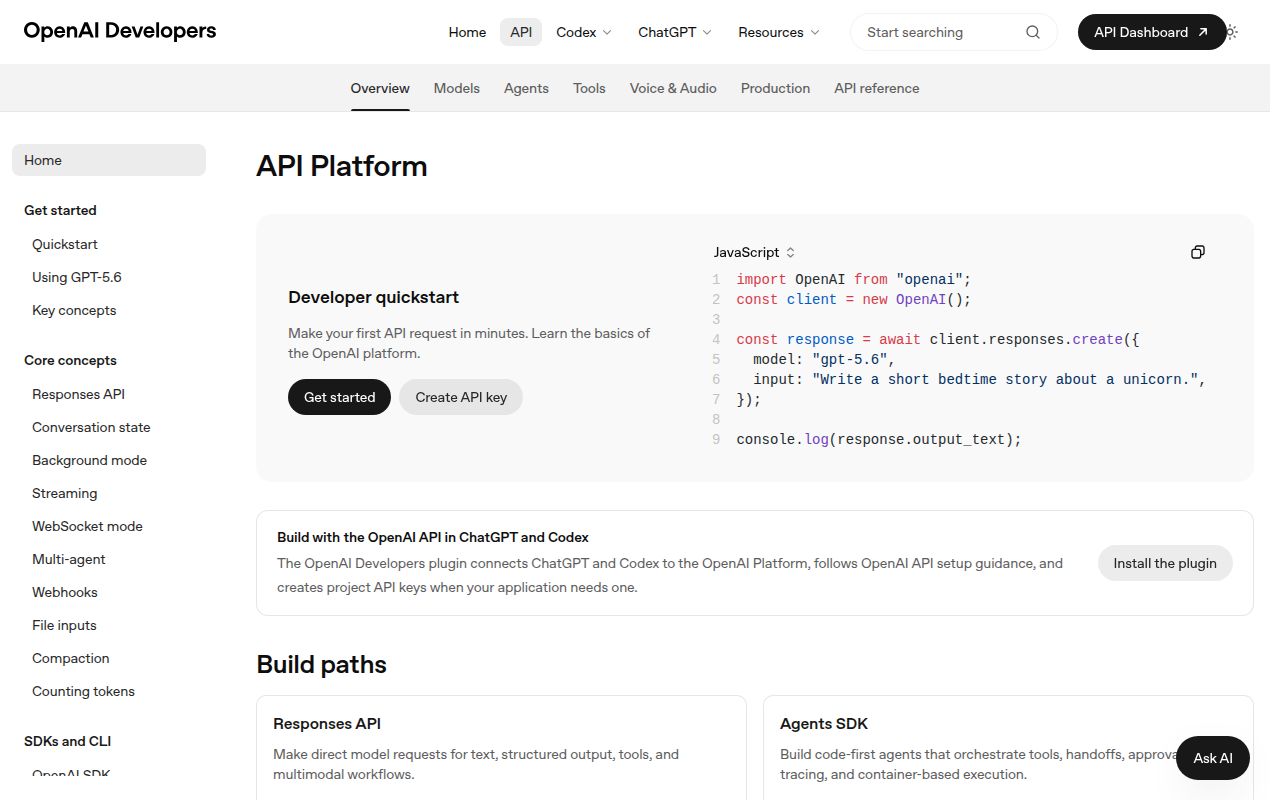
Generate a text response create-text-response
import OpenAI from 'openai';

const client = new OpenAI();
const response = await client.responses.create({
  model: 'gpt-5.6',
  instructions: 'Answer in two sentences.',
  input: 'Why does an index speed up a database query?',
});

console.log(response.output_text);
console.log(response._request_id);
The constructor reads `OPENAI_API_KEY`. `output_text` joins text parts for convenience, while `output` retains every typed item.
Print text deltas as they arrive stream-text-events
const stream = await client.responses.create({
  model: 'gpt-5.6',
  input: 'Explain write-ahead logging.',
  stream: true,
});

for await (const event of stream) {
  if (event.type === 'response.output_text.delta') {
    process.stdout.write(event.delta);
  }
}
A stream carries lifecycle, item, content, text, and error events. Read `delta` only after narrowing `event.type`.
Continue from a response ID continue-conversation
const first = await client.responses.create({
  model: 'gpt-5.6',
  input: 'Remember the project code ORBIT.',
});

const followUp = await client.responses.create({
  model: 'gpt-5.6',
  previous_response_id: first.id,
  input: 'What project code did I give you?',
});
`previous_response_id` relies on server-managed state. Store ordered output items when your application reconstructs history itself.
Offer a strict function tool declare-function-tool
const response = await client.responses.create({
  model: 'gpt-5.6',
  input: 'What is the weather in Jaipur?',
  tools: [{
    type: 'function',
    name: 'get_weather',
    description: 'Read current weather for a city',
    strict: true,
    parameters: {
      type: 'object',
      properties: { city: { type: 'string' } },
      required: ['city'],
      additionalProperties: false,
    },
  }],
});
The API emits a `function_call` item. Application code executes it and sends a `function_call_output` with the matching call ID.
Ask about a remote image send-image-input
const response = await client.responses.create({
  model: 'gpt-5.6',
  input: [{
    role: 'user',
    content: [
      { type: 'input_text', text: 'List visible safety hazards.' },
      { type: 'input_image', image_url: imageUrl, detail: 'high' },
    ],
  }],
});
The API must be able to fetch the URL. Do not place long-lived credentials in an image query string.
Upload a large readable stream upload-streaming-file
import fs from 'node:fs';
import OpenAI, { toStreamingFile } from 'openai';

const client = new OpenAI();
const file = await client.files.create({
  file: toStreamingFile(
    fs.createReadStream('training.jsonl'),
    'training.jsonl',
    { type: 'application/jsonl' },
  ),
  purpose: 'fine-tune',
});
`toFile()` can buffer stream input. `toStreamingFile()` avoids first holding the full JSONL file in memory.
Log a typed API failure handle-api-error
try {
  await client.responses.create({ model: 'gpt-5.6', input: 'hello' });
} catch (error) {
  if (error instanceof OpenAI.APIError) {
    console.error({
      status: error.status,
      type: error.name,
      requestId: error.request_id,
    });
  } else {
    throw error;
  }
}
Automatic retries may already have run before this catch. Keep the request ID with application logs for diagnosis.
Shorten a request deadline bound-retries-and-timeout
const client = new OpenAI({
  maxRetries: 1,
  timeout: 30_000,
});

const response = await client.responses.create(
  { model: 'gpt-5.6', input: 'Summarize this incident.' },
  { maxRetries: 0, timeout: 15_000 },
);
SDK defaults are 2 retries and a 10-minute timeout. A timeout can be retried unless `maxRetries` is 0.
Verify the untouched webhook body verify-webhook-signature
const client = new OpenAI({
  webhookSecret: process.env.OPENAI_WEBHOOK_SECRET,
});

export async function POST(request) {
  const rawBody = await request.text();
  try {
    const event = await client.webhooks.unwrap(rawBody, request.headers);
    await handleEvent(event);
    return Response.json({ ok: true });
  } catch {
    return new Response('Invalid signature', { status: 400 });
  }
}
In 7.5.0, `unwrap()` is asynchronous and expects the raw string. Parsing and reserializing JSON changes the signed bytes.
Walk fine-tuning jobs iterate-paginated-jobs
for await (const job of client.fineTuning.jobs.list({ limit: 20 })) {
  console.log(job.id, job.status);
}
The async iterator retrieves later pages. Add a counter or date cutoff when an account can contain many jobs.
Read headers with parsed data inspect-http-response
const { data, response, request_id } = await client.responses
  .create({ model: 'gpt-5.6', input: 'Say hello.' })
  .withResponse();

console.log(data.output_text);
console.log(request_id);
console.log(response.headers.get('x-ratelimit-remaining-requests'));
`withResponse()` parses the body. `asResponse()` gives access after headers when application code needs the raw body.
Select the Bedrock provider use-bedrock-provider
import OpenAI from 'openai';
import { bedrock } from 'openai/providers/bedrock/aws';

const client = new OpenAI({
  provider: bedrock({ region: 'us-west-2' }),
});

const response = await client.responses.create({
  model: 'openai.gpt-5.4',
  input: 'Say hello.',
});
The AWS path needs credential-provider and Smithy signing peers. The chosen Bedrock model must expose a Responses-compatible endpoint.
Alternatives
| Package | Registry | Pick it when |
|---|---|---|
| @ai-sdk/openai | npm | Use it inside the Vercel AI SDK when provider switching and its stream or UI abstractions shape the application. |
| ai | npm | Use the Vercel AI SDK core when a provider-neutral generation and tool-loop interface matters more than direct OpenAI resource coverage. |
| openai-fetch | npm | Use it for a smaller fetch-oriented wrapper when the official SDK's generated resource tree and helpers are unnecessary. |
More ai / ml guides
@modelcontextprotocol/sdk · openai · mcp · huggingface-hub · @anthropic-ai/sdk · tiktoken · the whole shelf →
How this guide is made: grounded in the library's documentation, release notes, changelog, and issue history, on a fixed rubric — not a hands-on install of every release. The 50 most-downloaded entries are additionally install-verified in clean containers. Corrections: contact the desk.