@ai-sdk/openai review
@ai-sdk/openai is the OpenAI provider adapter for Vercel's AI SDK. It supplies model factories for the Responses API, Chat Completions, embeddings, images, speech, transcription, realtime sessions, files, and OpenAI-hosted tools while the separate `ai` package runs generation and streaming. Version 4.0.47 adds typed batch-job callback metadata, although direct OpenAI batches report webhook callbacks as unsupported. Our 4.0.46 install worked through both ESM import and require(), included TypeScript declarations, and requires Node 22 or newer.
Install @ai-sdk/openai when direct OpenAI access must fit an existing AI SDK application, especially one using provider-swappable streams or hosted Responses tools. A single-provider service can stay closer to OpenAI's API with the first-party SDK and fewer abstraction changes.
We installed it
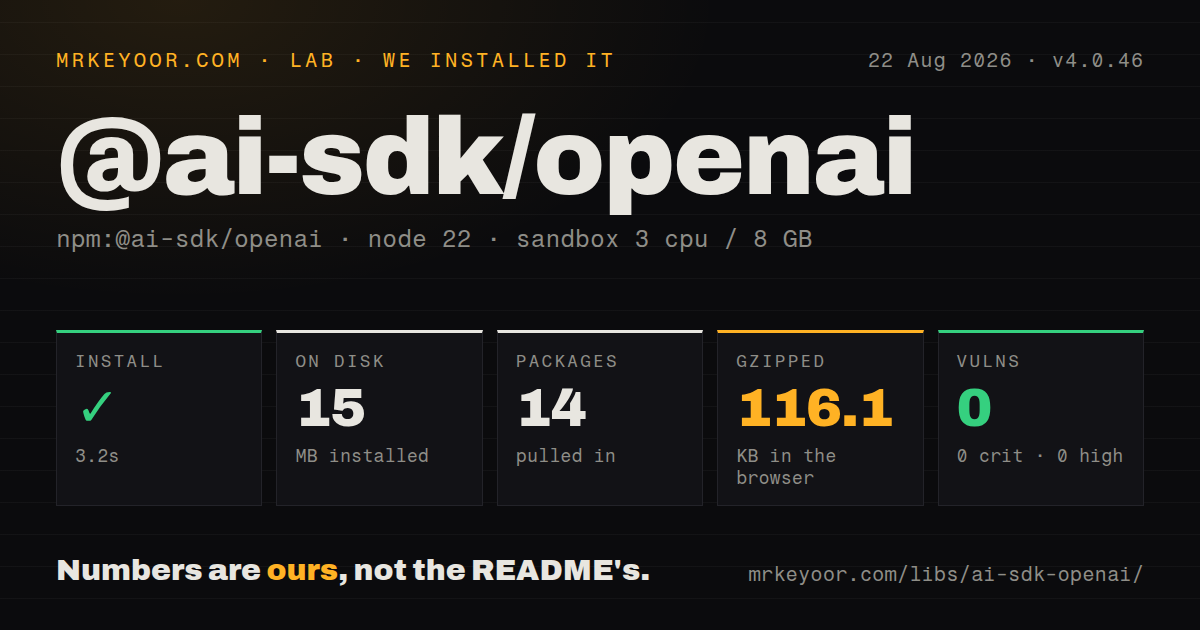
| Install | ✓ · 3.2s | 14 packages on disk · 15 MB |
| Import | ✓ | ESM import works · require() works · ESM package with exports map |
| Browser | 116.1 KB | gzipped (532.4 KB minified), bundled with esbuild |
| Types | ✓ | TypeScript types bundled |
| Known vulns | 0 | 0 critical · 0 high · 0 moderate · 0 low (npm audit) |
Answers from our run
Does @ai-sdk/openai install cleanly?
Yes. In a fresh container with an empty cache, npm install @ai-sdk/openai finished in 3 seconds, leaving 14 packages and 15 MB on disk. npm audit reported no known vulnerabilities.
How much does @ai-sdk/openai add to a browser bundle?
116.1 KB gzipped (532.4 KB minified) when the whole package is bundled for the browser with esbuild. Importing only part of it is usually smaller.
Does @ai-sdk/openai work with both ESM and CommonJS?
Yes. Both import '@ai-sdk/openai' and require('@ai-sdk/openai') worked in Node 22 in our run. The package is published as ESM with an exports map.
Does @ai-sdk/openai include TypeScript types?
Yes, type declarations ship inside the package, so no @types install is needed.
@ai-sdk/openai or openai: which should you use?
openai: Use the first-party SDK when OpenAI's native request types and endpoints are the whole job. Install @ai-sdk/openai when direct OpenAI access must fit an existing AI SDK application, especially one using provider-swappable streams or hosted Responses tools.
When should you not use @ai-sdk/openai?
Your project runs on Node 20 or an older runtime; version 4 declares Node 22 as its minimum engine
Use it if
- Your application already uses AI SDK functions such as generateText, streamText, embed, or ToolLoopAgent and needs direct OpenAI billing
- You want to swap OpenAI and other AI SDK providers without rewriting the surrounding generation or UI stream code
- OpenAI Responses features such as hosted web search, file search, code interpreter, MCP, or previous-response continuation belong in the same typed call path
- You need one provider object for text, embeddings, image generation, transcription, speech, files, or realtime models
- Your project runs on Node 20 or an older runtime; version 4 declares Node 22 as its minimum engine
- You only call OpenAI and prefer the first-party request and response shapes; the `openai` package avoids the AI SDK abstraction and its companion core package
- You route model strings through Vercel AI Gateway; the AI SDK can use `openai/model` strings without installing this direct provider
- A 116.1 KB gzipped measured browser import is too much for the client path; keep model credentials and provider code on the server
- You cannot follow frequent AI SDK major migrations; provider factory names, option locations, and structured-output APIs have changed between recent majors
Setup reality
We installed @ai-sdk/openai 4.0.46 in a clean Node 22 Bookworm container. npm finished in 3.2 seconds, left 14 packages, and used 15 MB on disk. The package has two direct dependencies, one peer dependency, and 3,148 KB unpacked. npm audit found no known vulnerabilities. It is an ESM package with an exports map, but both require() and ESM import loaded successfully. TypeScript declarations are included. A full esbuild browser import measured 532.4 KB minified and 116.1 KB gzipped.
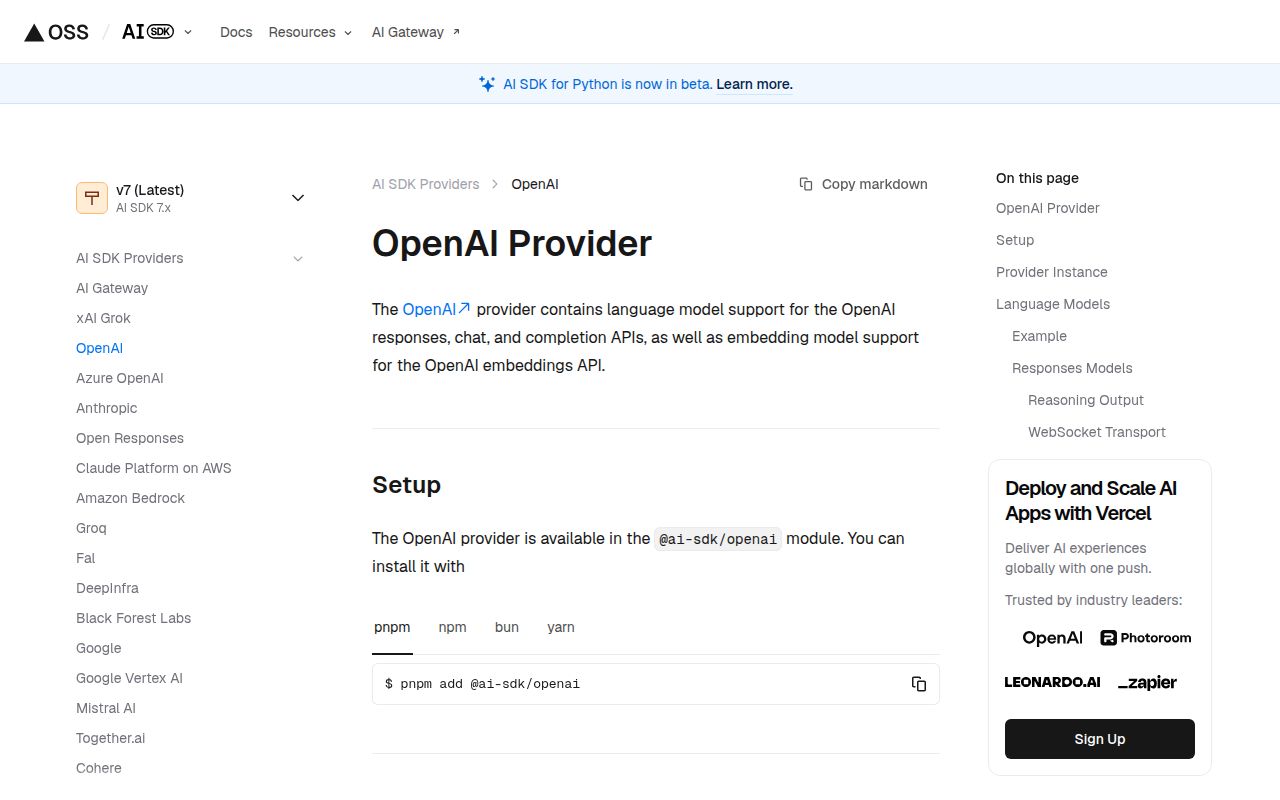
Install the matching ai package because this provider supplies model implementations rather than top-level generation functions. Zod is a peer dependency for schema-backed output. The default openai instance reads OPENAI_API_KEY; createOpenAI() accepts an explicit key, organization, project, base URL, headers, custom fetch, and WebSocket implementation. Keep the key in server-side environment variables. Azure OpenAI has a separate provider package and should not be configured by guessing a replacement URL here.
Calling openai('model-id') selects the Responses API. Use openai.chat('model-id') when a proxy or feature depends on Chat Completions. Provider-only settings belong under providerOptions.openai, which is easy to miss when moving code from the first-party SDK. Stored Responses can continue through a previous response ID; storage-disabled flows require you to pass enough prior tool state yourself. Tool execution also needs a trust boundary, especially for shell, computer, MCP, and custom tools.
Keep this package off the browser even though esbuild can bundle it. Besides the measured size, a client bundle would expose credentials and let users issue billable calls. Version 4.0.47 accepts batch webhook metadata at the shared batch layer, but the direct OpenAI batch provider emits an unsupported warning for that option. Treat the batch helper as experimental and check the returned warnings instead of assuming a callback was registered.
Patterns
Run a Responses text call generate-text
import { openai } from '@ai-sdk/openai';
import { generateText } from 'ai';

const result = await generateText({
  model: openai('gpt-5-mini'),
  prompt: 'Summarize this incident report in five lines.',
});

console.log(result.text);
The callable provider uses the Responses API. OPENAI_API_KEY is read from the server environment.
Consume text as it arrives stream-text
import { openai } from '@ai-sdk/openai';
import { streamText } from 'ai';

const result = streamText({
  model: openai('gpt-5-mini'),
  prompt: 'Explain this stack trace for an on-call engineer.',
});

for await (const text of result.textStream) {
  process.stdout.write(text);
}
The request starts when a result stream or response helper consumes the output.
Choose Chat Completions explicitly use-chat-completions
import { openai } from '@ai-sdk/openai';
import { generateText } from 'ai';

const { text } = await generateText({
  model: openai.chat('gpt-5-mini'),
  prompt: 'Write a concise release note.',
});
Use openai.chat() when a proxy or OpenAI option expects Chat Completions rather than Responses.
Create a provider with explicit settings create-provider
import { createOpenAI } from '@ai-sdk/openai';

const companyOpenAI = createOpenAI({
  apiKey: process.env.COMPANY_OPENAI_KEY,
  organization: process.env.OPENAI_ORG_ID,
  project: process.env.OPENAI_PROJECT_ID,
});

const model = companyOpenAI('gpt-5-mini');
A named instance keeps credentials and headers scoped. Do not import it into client components.
Request schema-checked output generate-object
import { openai } from '@ai-sdk/openai';
import { generateText, Output } from 'ai';
import { z } from 'zod';

const result = await generateText({
  model: openai('gpt-5-mini'),
  output: Output.object({
    schema: z.object({ status: z.enum(['pass', 'fail']), reasons: z.array(z.string()) }),
  }),
  prompt: 'Classify the supplied test log.',
});

console.log(result.output);
Read `output` when an Output schema is present. Zod must satisfy the provider's declared peer range.
Create one embedding embed-text
import { openai } from '@ai-sdk/openai';
import { embed } from 'ai';

const { embedding } = await embed({
  model: openai.embedding('text-embedding-3-small'),
  value: 'database connection timeout after deploy',
});
Version 4 names the factory `embedding`; `textEmbedding` remains only as a deprecated alias.
Attach OpenAI web search search-the-web
import { openai } from '@ai-sdk/openai';
import { generateText } from 'ai';

const result = await generateText({
  model: openai('gpt-5-mini'),
  prompt: 'Find the latest official release note and cite it.',
  tools: {
    web: openai.tools.webSearch({ searchContextSize: 'medium' }),
  },
});
Web search is provider-executed and billable. Preserve returned source metadata when citations reach users.
Let OpenAI run analysis code use-code-interpreter
import { openai } from '@ai-sdk/openai';
import { generateText } from 'ai';

const result = await generateText({
  model: openai('gpt-5-mini'),
  prompt: 'Calculate the median and flag outliers in the attached data.',
  tools: { python: openai.tools.codeInterpreter() },
});
Code Interpreter runs on OpenAI's side. File inputs and generated artifacts need separate retention rules.
Transcribe an audio file transcribe-audio
import { openai } from '@ai-sdk/openai';
import { transcribe } from 'ai';
import { readFile } from 'node:fs/promises';

const result = await transcribe({
  model: openai.transcription('gpt-4o-mini-transcribe'),
  audio: await readFile('meeting.mp3'),
});

console.log(result.text);
Load and size-check untrusted uploads before sending them. The audio bytes are transmitted to OpenAI.
Synthesize speech generate-speech
import { openai } from '@ai-sdk/openai';
import { generateSpeech } from 'ai';

const result = await generateSpeech({
  model: openai.speech('gpt-4o-mini-tts'),
  text: 'The deployment completed successfully.',
  voice: 'alloy',
});
Save or stream the returned audio according to the core AI SDK result type. Voice availability depends on the chosen model.
Call an OpenAI image model generate-image
import { openai } from '@ai-sdk/openai';
import { generateImage } from 'ai';

const result = await generateImage({
  model: openai.image('gpt-image-1'),
  prompt: 'A flat technical diagram of a message queue, white background',
});

const image = result.image;
Image results can be large. Store the returned bytes outside a JSON response when your framework has body limits.
Continue a stored Responses conversation continue-response
import { openai } from '@ai-sdk/openai';
import { generateText } from 'ai';

const next = await generateText({
  model: openai('gpt-5-mini'),
  prompt: 'Turn the previous answer into a checklist.',
  providerOptions: { openai: { previousResponseId: savedResponseId } },
});
A previous response ID relies on OpenAI-side state. Set and document your storage and deletion policy before using it.
Alternatives
| Package | Registry | Pick it when |
|---|---|---|
| openai | npm | Use the first-party SDK when OpenAI's native request types and endpoints are the whole job |
| @ai-sdk/azure | npm | Use it for Azure OpenAI resources, deployments, and Azure-specific authentication |
| ai | npm | Use gateway model strings from the core AI SDK when you do not need a direct OpenAI provider instance |
More ai / ml guides
@modelcontextprotocol/sdk · openai · mcp · huggingface-hub · @anthropic-ai/sdk · openai · the whole shelf →
How this guide is made: grounded in the library's documentation, release notes, changelog, and issue history, on a fixed rubric — not a hands-on install of every release. The 50 most-downloaded entries are additionally install-verified in clean containers. Corrections: contact the desk.