ai review
Our browser build makes the tradeoff visible: importing all of AI SDK 7.0.77 produced 459 KB of minified JavaScript, or 119.2 KB gzipped. This is Vercel's TypeScript layer for model calls, streamed responses, typed output, tool execution, and chat UI across several model providers. Server code imports generateText, streamText, or ToolLoopAgent from ai; framework hooks come from separate packages such as @ai-sdk/react. The current patch updates @ai-sdk/provider-utils and @ai-sdk/gateway, while major 7 supplies the API shape shown here.
AI SDK fits a TypeScript product that genuinely uses provider choice, streaming UI, or typed tools. A single-provider backend has a shorter path through the official client, and browser code should not casually import the 119.2 KB gzipped root bundle we measured.
We installed it
| Install | ✓ · 3.4s | 16 packages on disk · 22 MB |
| Import | ✓ | ESM import works · require() works · ESM package with exports map |
| Browser | 119.2 KB | gzipped (459 KB minified), bundled with esbuild |
| Types | ✓ | TypeScript types bundled |
| Known vulns | 0 | 0 critical · 0 high · 0 moderate · 0 low (npm audit) |
Answers from our run
Does ai install cleanly?
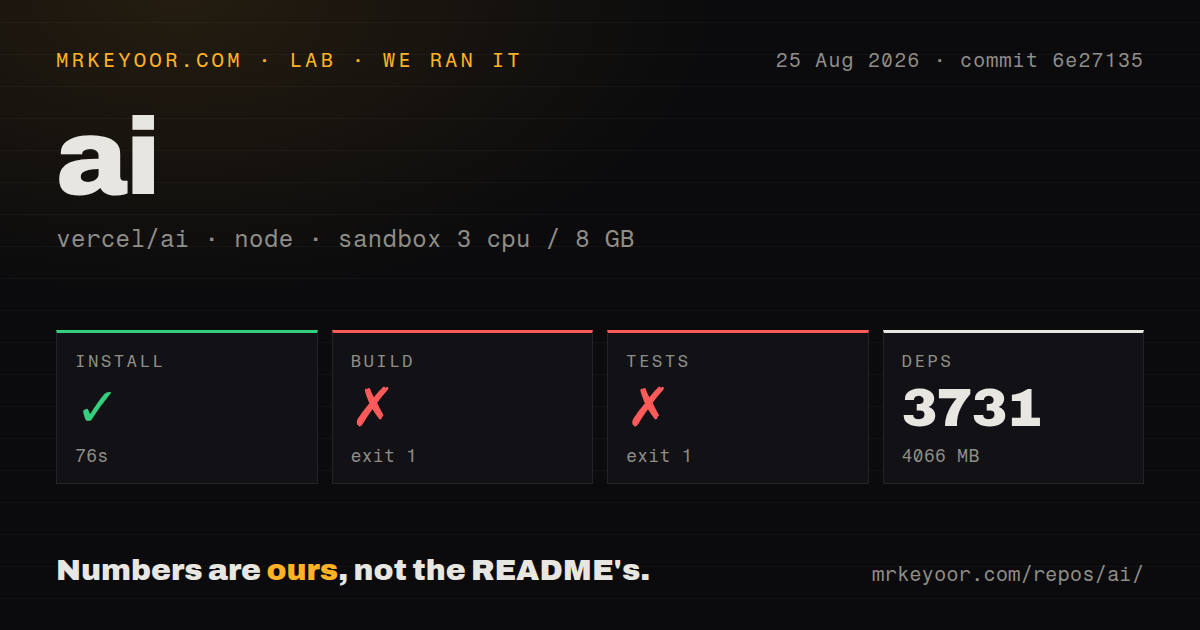
Yes. In a fresh container with an empty cache, npm install ai finished in 3 seconds, leaving 16 packages and 22 MB on disk. npm audit reported no known vulnerabilities.
How much does ai add to a browser bundle?
119.2 KB gzipped (459 KB minified) when the whole package is bundled for the browser with esbuild. Importing only part of it is usually smaller.
Does ai work with both ESM and CommonJS?
Yes. Both import 'ai' and require('ai') worked in Node 22 in our run. The package is published as ESM with an exports map.
Does ai include TypeScript types?
Yes, type declarations ship inside the package, so no @types install is needed.
ai or openai: which should you use?
openai: Use the official client for an OpenAI-only application that needs the vendor API directly. AI SDK fits a TypeScript product that genuinely uses provider choice, streaming UI, or typed tools.
When should you not use ai?
You use one model vendor and need its newest endpoint or beta option immediately; the official SDK exposes vendor features without waiting for an adapter
Use it if
- Your TypeScript service must switch among OpenAI, Anthropic, Google, and gateway models behind one call shape
- A streamed chat interface needs typed message parts shared between a server route and a framework client
- You want schema-checked model output through Output.object instead of parsing generated JSON
- Your agent needs a defined tool loop with typed inputs, streamed state, and a stopping policy you control
- You use one model vendor and need its newest endpoint or beta option immediately; the official SDK exposes vendor features without waiting for an adapter
- You plan to ship the root package wholesale to a browser; our full import reached 459 KB minified and 119.2 KB gzipped
- Your runtime is Node 20 or older; version 7.0.77 declares Node 22 as its minimum
- You expect ai alone to provide every connection; direct access and framework hooks require separate packages
- You cannot schedule migration work around major releases; older message, tool, and UI examples often no longer type-check
Setup reality
Our fresh Node 22 install of ai 7.0.77 finished in 3.4 seconds. It put 16 packages and 22 MB on disk, and npm audit reported zero known vulnerabilities. The package itself declares three direct dependencies and one peer, occupies 8,380 KB unpacked, and includes TypeScript declarations. It is ESM with an exports map; both require() and ESM import succeeded. A whole-package browser import measured 459 KB minified and 119.2 KB gzipped.
A bare model string such as openai/gpt-5.4 uses Vercel AI Gateway, so the process needs gateway authentication. Calling a vendor directly adds its provider package and credential, for example @ai-sdk/openai plus OPENAI_API_KEY. The React chat hook is another install. Keep secrets in the server route. A useChat component should receive streamed UI messages, never the provider key.
Streaming changes error handling. streamText can surface failures inside the stream after the initial call has returned, so a try/catch around construction does not cover the whole response. Consume error parts or provide the documented onError callback, and connect cancellation to an AbortSignal. Tool execute functions run application code; validate input, authorize side effects, cap loop steps, and record failed runs.
The shared API does not make models equivalent. Tool support, structured output, usage fields, safety behavior, and providerOptions still vary. Version 7.0.77 only updates provider-utils and gateway dependencies. Pin the core and provider packages together, then read the matching major-version docs before an upgrade.
Patterns
Generate one text response generate-text
import { generateText } from 'ai';

const result = await generateText({
  model: 'openai/gpt-5.4',
  prompt: 'Explain optimistic locking in two sentences.',
});
console.log(result.text);
A provider/model string goes through Vercel AI Gateway and needs gateway authentication.
Use a provider adapter use-direct-provider
import { generateText } from 'ai';
import { openai } from '@ai-sdk/openai';

const { text } = await generateText({
  model: openai('gpt-5.4'),
  prompt: 'Write a release note for a cache fix.',
});
Install @ai-sdk/openai separately and keep OPENAI_API_KEY on the server.
Consume text as it arrives stream-text
import { streamText } from 'ai';

const result = streamText({
  model: 'anthropic/claude-opus-4.6',
  prompt: 'Describe TCP backpressure.',
});
for await (const text of result.textStream) process.stdout.write(text);
Errors may arrive after streaming starts, so handle the stream as well as construction.
Validate structured output generate-object
import { generateText, Output } from 'ai';
import { z } from 'zod';

const result = await generateText({
  model: 'openai/gpt-5.4',
  output: Output.object({ schema: z.object({ title: z.string(), tags: z.array(z.string()) }) }),
  prompt: 'Create metadata for an article about Redis pipelining.',
});
console.log(result.output);
Read the validated value from output. An invalid model response raises an error.
Declare a typed server tool define-tool
import { tool } from 'ai';
import { z } from 'zod';

const lookupOrder = tool({
  description: 'Find an order by its numeric ID',
  inputSchema: z.object({ id: z.number().int().positive() }),
  execute: async ({ id }) => orders.findById(id),
});
Schema validation does not replace authorization inside execute.
Run a bounded tool agent run-agent
import { ToolLoopAgent, stepCountIs } from 'ai';

const agent = new ToolLoopAgent({
  model: 'openai/gpt-5.4',
  instructions: 'Use tools only for order questions.',
  tools: { lookupOrder },
  stopWhen: stepCountIs(5),
});
const result = await agent.generate({ prompt: 'Where is order 42?' });
Set a finite stopping condition and put approval checks around side effects.
Return a Next.js chat stream serve-ui-stream
import { convertToModelMessages, streamText } from 'ai';

export async function POST(request: Request) {
  const { messages } = await request.json();
  const result = streamText({
    model: 'openai/gpt-5.4',
    messages: await convertToModelMessages(messages),
  });
  return result.toUIMessageStreamResponse();
}
Convert UI messages before passing history to the model.
Send messages from React build-react-chat
'use client';
import { useChat } from '@ai-sdk/react';

export function Chat() {
  const { messages, sendMessage } = useChat();
  return <button onClick={() => sendMessage({ text: 'Summarize this page' })}>
    Ask ({messages.length})
  </button>;
}
Install @ai-sdk/react separately and render each message part according to its type.
Cancel a model call abort-generation
const controller = new AbortController();
const pending = generateText({
  model: 'openai/gpt-5.4',
  prompt: 'Draft a long report.',
  abortSignal: controller.signal,
});
controller.abort();
await pending;
Connect the signal to the client request if disconnecting should stop provider work.
Alternatives
| Package | Registry | Pick it when |
|---|---|---|
| openai | npm | Use the official client for an OpenAI-only application that needs the vendor API directly |
| @ai-sdk/openai | npm | Pair it with ai for the common API while sending requests directly to OpenAI |
| langchain | npm | Choose it when retrievers, document pipelines, and its integration catalog matter more than chat hooks |
More ai / ml guides
@modelcontextprotocol/sdk · openai · mcp · huggingface-hub · @anthropic-ai/sdk · openai · the whole shelf →
How this guide is made: grounded in the library's documentation, release notes, changelog, and issue history, on a fixed rubric — not a hands-on install of every release. The 50 most-downloaded entries are additionally install-verified in clean containers. Corrections: contact the desk.