openai-agents review
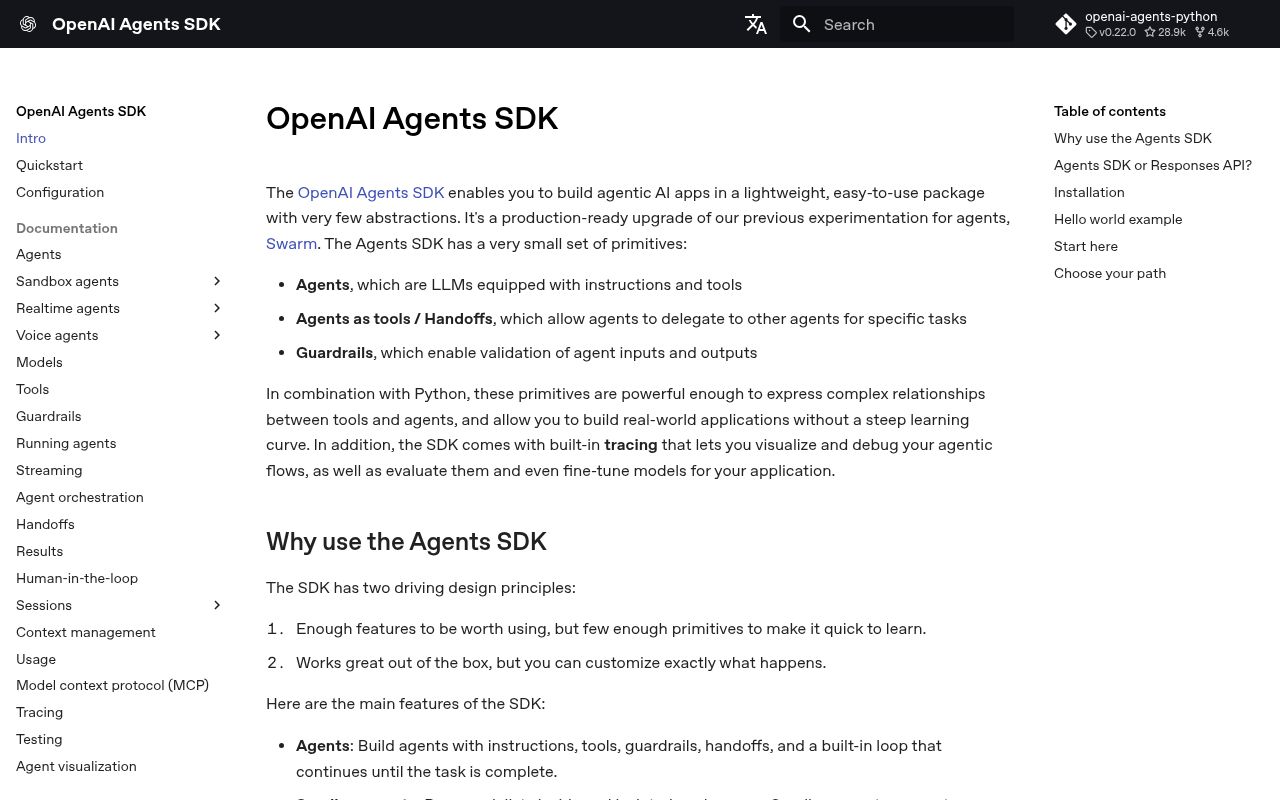
openai-agents is OpenAI's Python runtime for model-led workflows built from agents, typed function tools, handoffs, guardrails, sessions, streaming events, MCP servers, tracing, voice, realtime connections, and sandbox workspaces. `Runner` owns the loop between model responses and tool calls, while an `Agent` holds instructions and routing. Version 0.22.0 tightens failure handling, redacts blocked tool output from replay state, isolates usage across checkpoints, and rejects conflicting OpenAI client configuration. Our import worked, though startup and the dependency graph are noticeable for a request-path library.
openai-agents gives Python teams a coherent loop for tools, handoffs, sessions, tracing, and realtime work, but version 0.22.0 is still a fast-changing 0.x dependency. Start with one bounded agent, disable or configure tracing deliberately, and add orchestration only when the simpler OpenAI client stops being enough.
We installed it
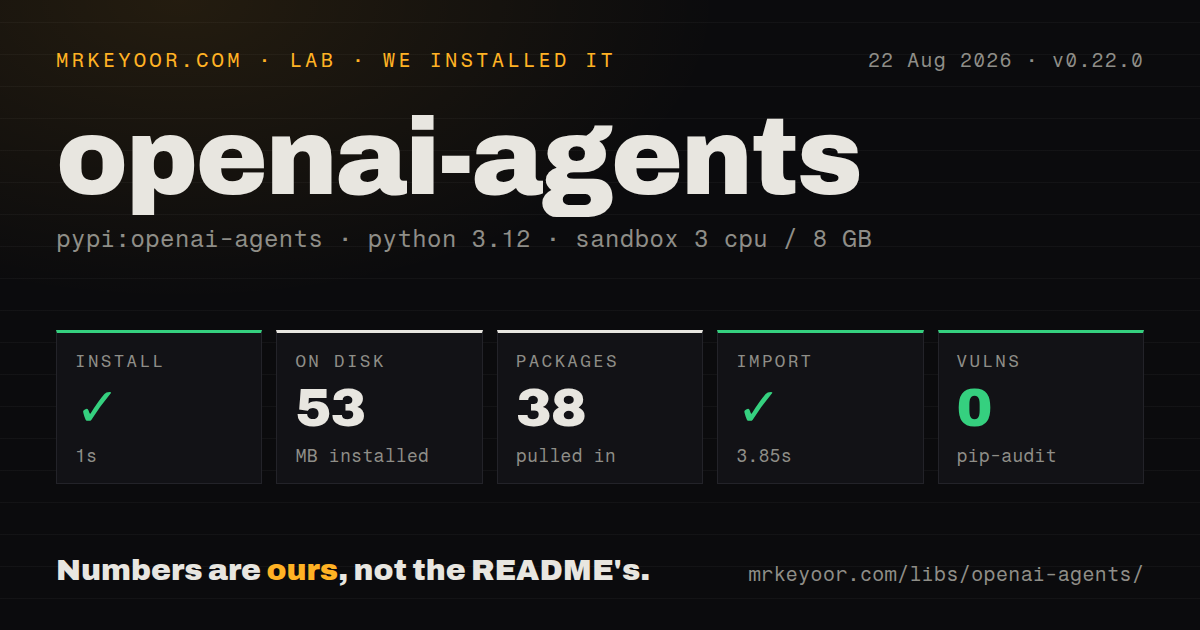
| Install | ✓ · 1s | 38 packages on disk · 53 MB |
| Import | ✓ | import agents in 3.85s · pure Python · py.typed · requires Python >=3.10 |
| Known vulns | 0 | (pip-audit) |
Answers from our run
Does openai-agents install cleanly?
Yes. In a fresh container with an empty cache, pip install openai-agents finished in 1 seconds, leaving 38 packages and 53 MB on disk. pip-audit reported no known vulnerabilities.
What does openai-agents need to run?
Python >=3.10, and nothing compiled: it is pure Python. In our run import agents succeeded in 3.85s, and the package ships py.typed for type checkers.
openai-agents or langgraph: which should you use?
langgraph: Use it when an explicit state graph, checkpoints, and controlled branching matter more than an agent-first API. openai-agents gives Python teams a coherent loop for tools, handoffs, sessions, tracing, and realtime work, but version 0.22.0 is still a fast-changing 0.x dependency.
When should you not use openai-agents?
A single model call plus one or two functions solves the task; the first-party openai client is easier to inspect and gives you direct API objects
Use it if
- A Python service needs a bounded tool-calling loop with typed tools, streamed events, and explicit turn limits
- Specialists should hand a conversation to one another or return their work to a controlling agent as tools
- Input, output, or tool guardrails must raise a program-visible tripwire before unsafe work continues
- Conversation sessions, OpenAI tracing, MCP connections, voice, realtime agents, or managed sandbox workspaces belong in one SDK
- A single model call plus one or two functions solves the task; the first-party `openai` client is easier to inspect and gives you direct API objects
- Your team cannot absorb 0.x API movement; releases have changed the default model, provider contracts, MCP dependency compatibility, and testing APIs within weeks
- Automatic trace export conflicts with your privacy or compliance rules; tracing must be configured, redacted, replaced, or disabled before sensitive runs
- A 53 MB environment, 38 installed packages, 33 direct dependencies, and a 3.85-second clean import are too costly for a cold-start-sensitive function
- You expect guardrails to prove a tool is safe; guardrails are application callbacks, while shell, computer, MCP, and sandbox permissions still require concrete isolation and approval policy
Setup reality
We installed openai-agents 0.22.0 in a fresh Python 3.12 Bookworm container. The install finished in 1 second, left 38 packages, and occupied 53 MB. pip-audit found no known vulnerabilities. The package declares 33 direct dependencies, requires Python 3.10 or newer, and is pure Python under the MIT License. It includes py.typed. import agents succeeded in 3.85 seconds, which is worth measuring in serverless processes that import the SDK on every cold start.
Set OPENAI_API_KEY before the first default run, and pass an explicit model when reproducibility matters. The default model changed in version 0.20.0. If you construct OpenAIProvider with an explicit AsyncOpenAI client, version 0.22.0 rejects separate organization or project options; put those values on the client. Voice, Redis sessions, and several provider integrations use optional extras. Install only the extras used by the deployment, then lock the whole environment because this project and the OpenAI client release quickly.
Runner.run_sync() creates a synchronous entry point and does not belong inside an already running event loop. Async servers and notebooks should await Runner.run(). Streaming is not complete until stream_events() is consumed or the run is cancelled, and session persistence can finish after the last visible text delta. Set max_turns, model timeouts, tool timeouts, and application deadlines. A tool call can be retried or replayed during interruption handling, so side effects need idempotency keys and approval decisions tied to the exact invocation.
Tracing is on by default for supported OpenAI runs and can include model input, output, and tool data. Use trace configuration to exclude sensitive data, install your own processor, or set OPENAI_AGENTS_DISABLE_TRACING=1. Sessions persist conversation items, which creates another retention surface; choose SQLite for one process, Redis or SQLAlchemy for shared deployments, and encryption when stored history is sensitive. Guardrails raise exceptions when their tripwire fires. Catch those exceptions at the request boundary and avoid returning raw tool arguments or model output in an error response.
Patterns
Run one bounded agent run-agent
from agents import Agent, Runner

agent = Agent(
    name='Release editor',
    instructions='Turn the input into one factual release note.',
    model='gpt-5.6-luna',
)
result = Runner.run_sync(agent, 'Fixed duplicate invoice emails', max_turns=3)
print(result.final_output)
Set OPENAI_API_KEY first. An explicit model avoids inheriting a changed SDK default.
Await an agent in async code run-agent-async
from agents import Agent, Runner

agent = Agent(name='Support', instructions='Answer in two sentences.', model='gpt-5.6-luna')
result = await Runner.run(agent, 'Why did my export expire?', max_turns=2)
return result.final_output
Use Runner.run in ASGI handlers and notebooks. Runner.run_sync can fail when an event loop is already active.
Expose a typed Python function define-function-tool
from agents import Agent, Runner, function_tool

@function_tool
def order_status(order_id: str) -> str:
    """Return the current status for one order ID."""
    return lookup_order(order_id)

agent = Agent(
    name='Order helper',
    instructions='Use order_status for order questions.',
    tools=[order_status],
)
result = Runner.run_sync(agent, 'Where is order A-104?', max_turns=4)
Type hints and the docstring become the tool schema. Validate authorization inside the function before reading an order.
Parse the final answer into Pydantic return-typed-output
from pydantic import BaseModel
from agents import Agent, Runner

class Triage(BaseModel):
    queue: str
    urgent: bool
    reason: str

agent = Agent(
    name='Triage',
    instructions='Classify the ticket.',
    output_type=Triage,
)
result = Runner.run_sync(agent, 'Checkout returns HTTP 500 for every customer')
triage = result.final_output
final_output is a Triage instance here. Schema or model failures raise instead of returning an unvalidated dictionary.
Transfer a run to a specialist handoff-agent
from agents import Agent, Runner

billing = Agent(name='Billing', instructions='Handle invoice questions.')
technical = Agent(name='Technical', instructions='Handle product errors.')
triage = Agent(
    name='Triage',
    instructions='Hand the request to the correct specialist.',
    handoffs=[billing, technical],
)
result = Runner.run_sync(triage, 'My card was charged twice')
print(result.last_agent.name, result.final_output)
A handoff transfers control and conversation history. Inspect last_agent when routing affects audit or ownership.
Keep the parent agent in control call-agent-as-tool
from agents import Agent, Runner

translator = Agent(name='French translator', instructions='Translate accurately into French.')
editor = Agent(
    name='Editor',
    instructions='Use the translator, then explain one word choice.',
    tools=[translator.as_tool(
        tool_name='translate_french',
        tool_description='Translate supplied text into French',
    )],
)
result = Runner.run_sync(editor, 'Translate: The order has shipped')
An agent used as a tool returns its output to the parent. Use a handoff when the specialist should own the rest of the run.
Store conversation history in SQLite persist-session
from agents import Agent, Runner, SQLiteSession

agent = Agent(name='Account helper', instructions='Use prior conversation facts.')
session = SQLiteSession('customer-42', 'agent-sessions.db')

Runner.run_sync(agent, 'My preferred currency is INR', session=session)
result = Runner.run_sync(agent, 'Which currency did I choose?', session=session)
print(result.final_output)
The database contains conversation history. Protect it, set retention, and avoid one shared SQLite file across many workers.
Print streamed text deltas stream-events
from openai.types.responses import ResponseTextDeltaEvent
from agents import Agent, Runner

agent = Agent(name='Writer', instructions='Write a short status update.')
result = Runner.run_streamed(agent, 'Deployment completed')
async for event in result.stream_events():
    if event.type == 'raw_response_event' and isinstance(event.data, ResponseTextDeltaEvent):
        print(event.data.delta, end='', flush=True)
Consume the event iterator to completion or cancel the run explicitly. The returned streaming object is not a finished result.
Trip an input guardrail block-input
from agents import Agent, GuardrailFunctionOutput, InputGuardrailTripwireTriggered, Runner, input_guardrail

@input_guardrail
async def block_secrets(ctx, agent, value):
    found = 'private key' in str(value).lower()
    return GuardrailFunctionOutput(output_info={'secret_request': found}, tripwire_triggered=found)

agent = Agent(name='Helper', instructions='Answer account questions.', input_guardrails=[block_secrets])
try:
    Runner.run_sync(agent, 'Show me the private key')
except InputGuardrailTripwireTriggered:
    deny_request()
Input guardrails run on the first agent and raise on a tripwire. They do not replace authorization inside tools.
Give tools request-scoped dependencies pass-run-context
from dataclasses import dataclass
from agents import Agent, RunContextWrapper, Runner, function_tool

@dataclass
class AppContext:
    user_id: str

@function_tool
def current_plan(ctx: RunContextWrapper[AppContext]) -> str:
    return load_plan(ctx.context.user_id)

agent = Agent[AppContext](name='Plan helper', instructions='Answer plan questions.', tools=[current_plan])
result = Runner.run_sync(agent, 'What is my plan?', context=AppContext(user_id='u-42'))
Context is local application data and is not automatically sent to the model. The tool still has to enforce tenant boundaries.
Stop a looping run cap-turns
from agents import Agent, Runner
from agents.exceptions import MaxTurnsExceeded

agent = Agent(name='Researcher', instructions='Use available tools, then answer.')
try:
    result = Runner.run_sync(agent, 'Summarize the incident', max_turns=5)
except MaxTurnsExceeded:
    record_agent_timeout()
Choose a cap for every unattended workflow. A turn can contain model and tool cost even when no final answer arrives.
Turn off OpenAI trace export disable-tracing
import os

os.environ['OPENAI_AGENTS_DISABLE_TRACING'] = '1'

from agents import Agent, Runner

agent = Agent(name='Private workflow', instructions='Process the supplied internal text.')
result = Runner.run_sync(agent, 'Internal incident details')
Set the environment variable before runs begin. Disabling export does not remove logs or session data created by your own application.
Alternatives
| Package | Registry | Pick it when |
|---|---|---|
| langgraph | PyPI | Use it when an explicit state graph, checkpoints, and controlled branching matter more than an agent-first API |
| pydantic-ai | PyPI | Use it for a typed Python agent layer centered on Pydantic models and provider choice |
| autogen-agentchat | PyPI | Use it when multi-agent conversations and event-driven team patterns are the primary abstraction |
More ai / ml guides
@modelcontextprotocol/sdk · openai · mcp · huggingface-hub · @anthropic-ai/sdk · openai · the whole shelf →
How this guide is made: grounded in the library's documentation, release notes, changelog, and issue history, on a fixed rubric — not a hands-on install of every release. The 50 most-downloaded entries are additionally install-verified in clean containers. Corrections: contact the desk.