fancy-log review
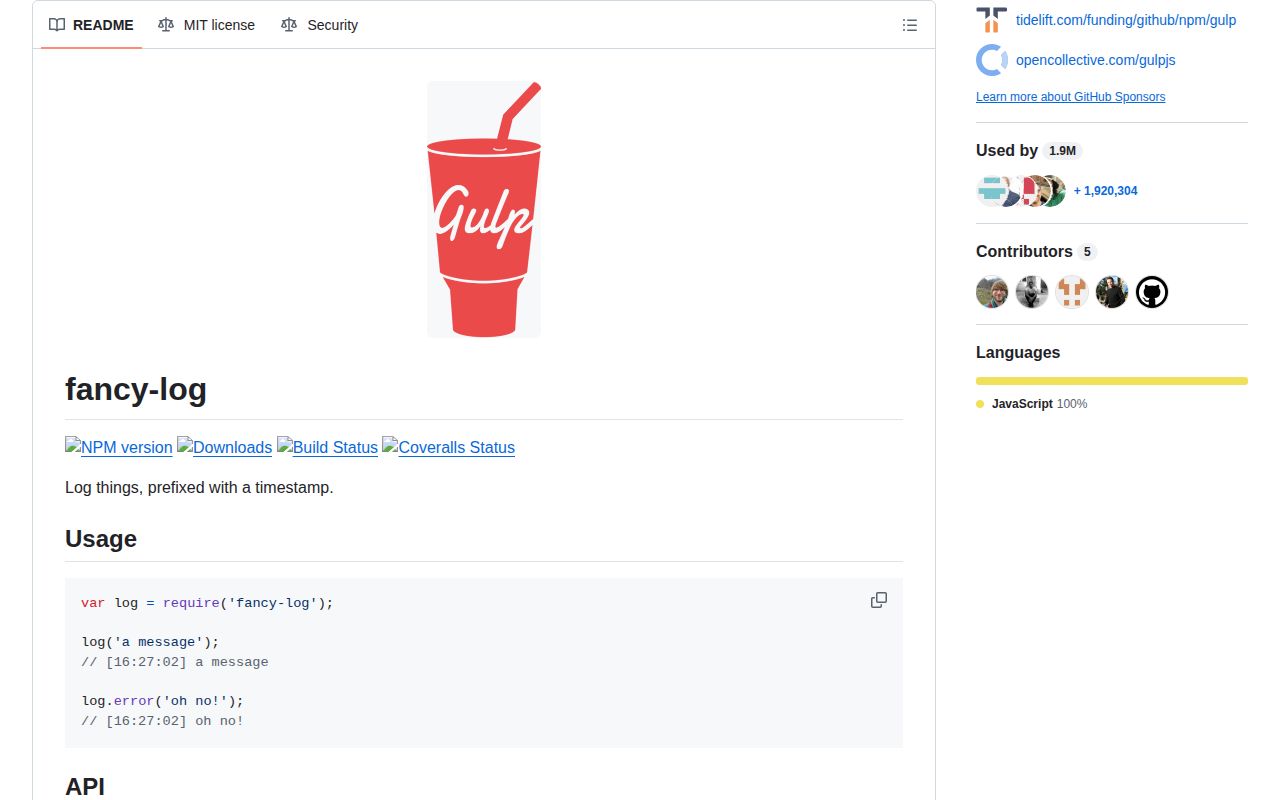
Fancy-log 2.0.0 is a Node console wrapper that prefixes each call with local time in [HH:mm:ss] form. The callable export plus info and dir write through a Console attached to stdout; warn and error use stderr. Arguments keep Node's usual Console formatting, and supported terminals color the timestamp using the util.inspect Date style. Version 2 made that timestamp styling the default and dropped Node releases below 10.13. That is the entire scope. There are no structured records, log filters, child contexts, transports, redaction rules, rotation, or persistence, which makes it suitable for Gulp tasks and small build scripts rather than production application logging.
Fancy-log 2.0.0 installed in 0.8 seconds and occupied 1 MB across 2 packages on our box, but it supplied no types and could not produce a browser bundle. Use it for human-readable Gulp output; choose a structured logger as soon as records need filtering, fields, redaction, or storage.
We installed it
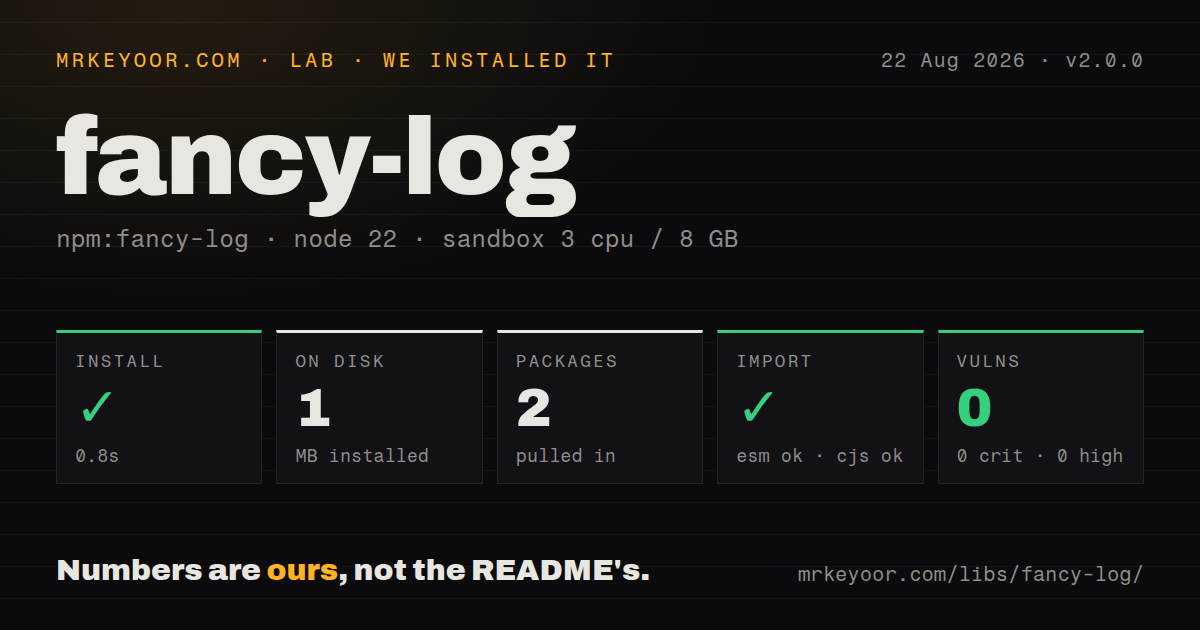
| Install | ✓ · 0.8s | 2 packages on disk · 1 MB |
| Import | ✓ | ESM import works · require() works · CommonJS package |
| Browser | n/a | could not be bundled for the browser (Node-only code, most likely) |
| Types | — | no TypeScript types found |
| Known vulns | 0 | 0 critical · 0 high · 0 moderate · 0 low (npm audit) |
Answers from our run
Does fancy-log install cleanly?
Yes. In a fresh container with an empty cache, npm install fancy-log finished in 0.8s, leaving 2 packages and 1 MB on disk. npm audit reported no known vulnerabilities.
Can fancy-log run in a browser?
Not directly: esbuild could not bundle it for the browser in our run, which normally means it depends on Node built-ins. Use it on the server, or find a browser-targeted alternative.
Does fancy-log work with both ESM and CommonJS?
Yes. Both import 'fancy-log' and require('fancy-log') worked in Node 22 in our run. The package is published as CommonJS.
Does fancy-log include TypeScript types?
No type declarations were found in our install, so TypeScript users need their own declarations.
fancy-log or pino: which should you use?
pino: Use it for production Node services that need structured JSON, levels, redaction, child loggers, and transport support. Fancy-log 2.0.0 installed in 0.8 seconds and occupied 1 MB across 2 packages on our box, but it supplied no types and could not produce a browser bundle.
When should you not use fancy-log?
Production services need JSON fields, log levels, child loggers, serializers, redaction, destinations, or rotation. Fancy-log implements none of them.
Use it if
- A Gulpfile or Node build script should print the same timestamped console style as the surrounding Gulp tools.
- Existing console-style placeholders and object arguments must keep working without logger configuration.
- Warnings and errors need stderr while ordinary progress messages stay on stdout.
- Build users expect literal --color and --no-color switches to control timestamp coloring.
- Production services need JSON fields, log levels, child loggers, serializers, redaction, destinations, or rotation. Fancy-log implements none of them.
- Timestamps must compare across hosts. The output has local wall-clock time only, without a date, time zone, milliseconds, or ISO mode.
- Severity should control whether a record is emitted. info, warn, and error only choose Console methods and streams; every call is written.
- Your TypeScript policy forbids untyped packages. Version 2.0.0 ships no declarations, and our package inspection found no types.
- A browser or shared runtime imports the logger. Our esbuild browser build failed, and the package binds a Node Console to process.stdout and process.stderr.
Setup reality
We installed fancy-log 2.0.0 in a fresh unprivileged Node 22 Bookworm sandbox. npm finished in 0.8 seconds and left 2 packages using 1 MB on disk. Fancy-log itself is 20 KB unpacked, declares 1 direct dependency and 0 peers, and requires Node 10.13 or newer. npm audit found 0 known vulnerabilities. Its CommonJS entry worked with require() and ESM import, but there is no exports map and no TypeScript declaration file. Our esbuild browser build failed because the implementation depends on Node process streams and Console.
No credentials, native compilation, or config file are involved. CommonJS users call require('fancy-log'); Node ESM can import the CommonJS default in our measured environment. TypeScript projects need a local declaration, an external community type package if one remains compatible, or a typed logger instead. Version 2's visible change is timestamp coloring through util.inspect; it also raised the runtime floor from older Node releases to 10.13.
The module constructs one Console against process.stdout and process.stderr when loaded. You cannot inject a test stream or create an isolated logger instance. It writes the prefix separately from the message, so concurrent writers can interleave output between those writes. log, info, and dir go to stdout. warn and error put both prefix and content on stderr. None of those method names acts as a severity threshold.
Time comes from Date.toLocaleTimeString('en', { hour12: false }), which means local hours, minutes, and seconds. There is no UTC, date, millisecond, or prefix-off option. Color support is detected unless process.argv contains --color or --no-color; --no-color wins if both appear. Changing util.inspect.styles.date alters process-wide Date styling, not one fancy-log instance. Wrap this package at your own boundary if tests or machine ingestion need control.
Patterns
Print a timestamped progress line log-progress
const log = require('fancy-log');

log('Compiling templates');
// [16:27:02] Compiling templates
The prefix uses the machine's local time and contains no date, zone, or milliseconds.
Use Node Console placeholders format-console-values
const log = require('fancy-log');

log('Built %d files in %d ms', fileCount, elapsedMs);
log('Manifest: %j', manifest);
Node Console performs the formatting. A circular object cannot be represented by the %j JSON placeholder.
Write informational output write-info
log.info('Watching', sourceGlob);info always emits to stdout. Fancy-log has no configured threshold that could suppress this call.
Send a warning to stderr write-warning
log.warn('Source map is missing for', filename);warn writes its timestamp and message to stderr but does not deduplicate, count, or promote repeated warnings.
Report an error and fail the process write-error
try {
  await build();
} catch (error) {
  log.error('Build failed:', error);
  process.exitCode = 1;
}
log.error only writes to stderr. Set process.exitCode or throw if the surrounding task must fail.
Inspect a build object inspect-object
log.dir({
  task: 'styles',
  inputs: ['src/main.css'],
  cached: false,
});
log.dir delegates to Console.dir on stdout. Fancy-log provides no per-call option for inspect depth or color.
Disable timestamp color in CI disable-timestamp-color
node build.js --no-colorThe package checks process.argv for the literal --no-color token. ANSI sequences emitted by your own message values are unaffected.
Force color for captured output force-timestamp-color
node build.js --colorWhen both color switches appear, --no-color takes precedence because the implementation checks it first.
Change the timestamp color change-date-style
const util = require('node:util');
const log = require('fancy-log');

util.inspect.styles.date = 'red';
log('Using red timestamps');
util.inspect.styles is global to the process, so other inspected Date values can change color too.
Report work from a Gulp task use-in-gulp-task
const { src, dest } = require('gulp');
const log = require('fancy-log');

function copyAssets() {
  log('Copying assets');
  return src('src/assets/**/*').pipe(dest('dist/assets'));
}

exports.assets = copyAssets;
Return the stream so Gulp observes completion. Fancy-log reports progress but has no role in task lifecycle.
Alternatives
| Package | Registry | Pick it when |
|---|---|---|
| pino | npm | Use it for production Node services that need structured JSON, levels, redaction, child loggers, and transport support. |
| consola | npm | Use it for developer-facing CLIs that need levels, reporters, polished output, and better TypeScript ergonomics. |
| debug | npm | Use it in libraries that need namespace-based diagnostics enabled through an environment variable. |
More cli & tooling guides
commander · chalk · typescript · esbuild · yargs · click · the whole shelf →
How this guide is made: grounded in the library's documentation, release notes, changelog, and issue history, on a fixed rubric — not a hands-on install of every release. The 50 most-downloaded entries are additionally install-verified in clean containers. Corrections: contact the desk.