vite review
Vite 8.2.2 is a frontend development server and production build tool. Development serves source modules on demand, transforms framework syntax through plugins, pre-bundles dependencies, and sends hot updates. The build command uses Rolldown to emit optimized assets, chunks, manifests, or library files. Vite 8 replaced the prior production Rollup path with Rolldown and added options such as TypeScript path resolution and console forwarding. Patch 8.2.2 fixes circular-import HMR, lazy bundled-dev errors, sourcemap paths, symlink-root resolution, Lightning CSS targets, and one SSR transform case. Our install was ESM and its browser build failed because Vite itself runs in Node.
Vite 8.2.2 took 6.4 seconds and 34 MB across 18 packages in our sandbox, with zero audit findings and a browser build that failed because the tool is Node-side. It is a strong default for supported client frameworks, but every Rolldown migration must pass both development and production builds.
We installed it
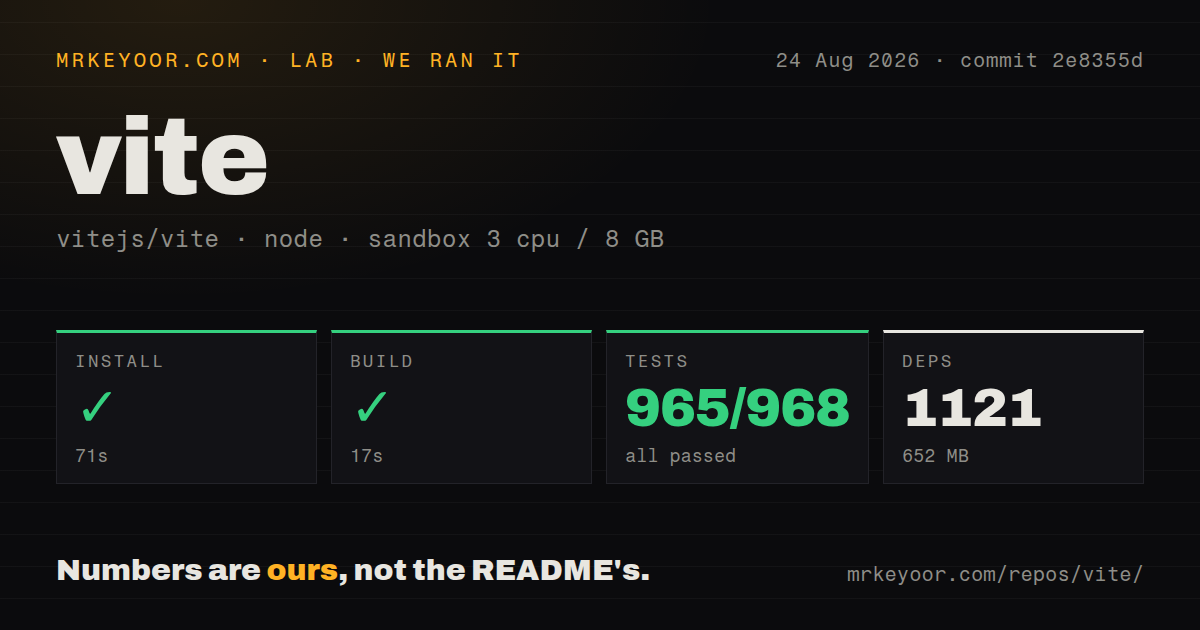
| Install | ✓ · 6.4s | 18 packages on disk · 34 MB |
| Import | ✓ | ESM import works · require() works · ESM package with exports map |
| Browser | n/a | could not be bundled for the browser (Node-only code, most likely) |
| Types | — | no TypeScript types found |
| Known vulns | 0 | 0 critical · 0 high · 0 moderate · 0 low (npm audit) |
Answers from our run
Does vite install cleanly?
Yes. In a fresh container with an empty cache, npm install vite finished in 6 seconds, leaving 18 packages and 34 MB on disk. npm audit reported no known vulnerabilities.
Can vite run in a browser?
Not directly: esbuild could not bundle it for the browser in our run, which normally means it depends on Node built-ins. Use it on the server, or find a browser-targeted alternative.
Does vite work with both ESM and CommonJS?
Yes. Both import 'vite' and require('vite') worked in Node 22 in our run. The package is published as ESM with an exports map.
Does vite include TypeScript types?
No type declarations were found in our install, so TypeScript users need their own declarations.
vite or webpack: which should you use?
webpack: Choose it for loader-heavy established builds or Module Federation deployments whose behavior is already proven. Vite 8.2.2 took 6.4 seconds and 34 MB across 18 packages in our sandbox, with zero audit findings and a browser build that failed because the tool is Node-side.
When should you not use vite?
Routing, server rendering, data loading, and deployment need one opinionated system; use the framework's supported meta-framework instead of assembling those layers around Vite
Use it if
- A client application needs an HTML-aware dev server, hot updates, asset handling, CSS processing, and a production bundle
- The chosen UI framework publishes a maintained Vite plugin and starter for the installed major version
- Local development needs API proxying, environment modes, web-worker imports, or import.meta.glob file discovery
- A JavaScript library has straightforward entries and formats that fit Vite library mode plus separate declaration generation
- Routing, server rendering, data loading, and deployment need one opinionated system; use the framework's supported meta-framework instead of assembling those layers around Vite
- An existing webpack build depends on loaders or Module Federation behavior with no tested Vite and Rolldown equivalent
- The job is one small server-side transform or bundle with no browser HTML, HMR, CSS, or asset pipeline; a direct esbuild or Rolldown script has less machinery
- A critical Rollup plugin has not been tested against Vite 8; Rolldown aims at compatibility, but output details and less common hooks can still differ
- The deployment runtime cannot meet Node ^20.19.0 or >=22.12.0; Vite 8's ESM distribution requires those ranges
- Your team plans to store secrets under VITE_ variables; every prefixed value is compiled into browser code and is public
Setup reality
We installed Vite 8.2.2 in a fresh Node 22 sandbox in 6.4 seconds. It left 18 packages and 34 MB on disk. Vite declares five direct dependencies and 12 peer dependencies, while its own unpacked package measured 2,416 KB under MIT. npm audit reported zero known vulnerabilities. The package is ESM with an exports map; require() and ESM import both worked in our checks. Our inspection found no TypeScript declaration entry. The browser build failed on Node-only code, so Vite belongs in development and build processes.
Node must match ^20.19.0 or >=22.12.0. Add the framework plugin your project uses; Sass, Less, and other preprocessors remain separate installs. vite.config is Node code and can load per-mode values. Version 8 moved production output to Rolldown, so test plugin hooks, CommonJS edges, chunk naming, and output manifests during migration. Monorepos may also need optimizeDeps or symlink settings when automatic dependency discovery selects the wrong entry.
Only variables carrying the configured client prefix, VITE_ by default, appear in import.meta.env. They arrive as strings and are replaced at build time. Unprefixed secrets can be read inside vite.config with loadEnv, but do not copy them into define or client source. The development proxy disappears after vite build; production still needs a reverse proxy, API origin, or CORS policy. Set base for a subpath deployment and test direct routes plus dynamic imports at that real URL.
Development and production do different work even under Vite 8. A module can pass hot development and fail in the Rolldown build because of plugin order, dynamic import analysis, CommonJS interop, or browser globals. Run vite build and a preview smoke test in CI. The 34 MB preview server is for checking dist, not for production hosting. Library mode still needs declarations, peer externalization, a package exports map, and a fresh packed-consumer test.
Patterns
Create a React TypeScript project scaffold-react-typescript
npm create vite@latest dashboard -- --template react-ts
cd dashboard
npm install
npm run dev
The double dash forwards template arguments through npm; confirm the generated Vite version and Node engine before committing.
Configure React transforms register-react-plugin
import { defineConfig } from 'vite'
import react from '@vitejs/plugin-react'

export default defineConfig({
  plugins: [react()],
  server: { port: 3000 },
})
Use a React plugin version documented for Vite 8, and remember that plugin order can change transformations.
Read a client-visible build value expose-public-environment
# .env.production
VITE_API_ORIGIN=https://api.example.com

// browser source
const apiOrigin = import.meta.env.VITE_API_ORIGIN
Every VITE_ value becomes public browser code and arrives as a string; never place a credential under that prefix.
Read an unprefixed value in config load-private-config-environment
import { defineConfig, loadEnv } from 'vite'

export default defineConfig(({ mode }) => {
  const env = loadEnv(mode, process.cwd(), '')
  return {
    server: { proxy: { '/api': env.API_ORIGIN } },
  }
})
An unprefixed value stays in Node config unless you deliberately inject it through define or return it to client code.
Forward development API calls proxy-local-api
export default defineConfig({
  server: {
    proxy: {
      '/api': {
        target: 'http://127.0.0.1:8080',
        changeOrigin: true,
      },
    },
  },
})
server.proxy runs only under the Vite development server; the production deployment needs its own routing or CORS setup.
Build for a nested public path set-subpath-base
export default defineConfig({
  base: '/dashboard/',
})
Test HTML entry points, router bases, public files, and dynamic chunks under /dashboard/ rather than only at localhost root.
Resolve TypeScript path aliases enable-tsconfig-paths
export default defineConfig({
  resolve: {
    tsconfigPaths: true,
  },
})
Vite 8 can read tsconfig paths directly, but the option has a small resolution cost and is disabled by default.
Create an explicit source alias define-source-alias
import { fileURLToPath, URL } from 'node:url'

export default defineConfig({
  resolve: {
    alias: { '@': fileURLToPath(new URL('./src', import.meta.url)) },
  },
})
Mirror this alias in TypeScript or editor configuration unless resolve.tsconfigPaths already provides the same mapping.
Build lazy page importers lazy-load-matched-files
const pages = import.meta.glob('./pages/*.tsx')
const loadSettings = pages['./pages/Settings.tsx']
if (!loadSettings) throw new Error('missing settings page')
const module = await loadSettings()
Glob patterns and options must remain statically analyzable; modules are lazy unless the eager option is set.
Bundle a web worker URL start-module-worker
const worker = new Worker(
  new URL('./search.worker.ts', import.meta.url),
  { type: 'module' },
)
worker.postMessage({ query })
The new URL pattern must be visible to Vite as written; terminate the worker when its owning screen or task is done.
Externalize React in library mode build-react-library
export default defineConfig({
  build: {
    lib: {
      entry: 'src/index.ts',
      formats: ['es', 'cjs'],
      fileName: 'index',
    },
    rolldownOptions: {
      external: ['react', 'react-dom'],
    },
  },
})
Vite 8 uses Rolldown. Generate declarations separately and define package exports before publishing the built files.
Build and preview dist verify-production-output
npm run build
npm run preview -- --host 127.0.0.1
Preview checks the production files locally; it is not a hardened server for a live deployment.
Alternatives
| Package | Registry | Pick it when |
|---|---|---|
| webpack | npm | Choose it for loader-heavy established builds or Module Federation deployments whose behavior is already proven |
| parcel | npm | Choose it when automatic entry and asset conventions fit better than maintaining an explicit Vite configuration |
| @rsbuild/core | npm | Choose it for an Rspack-based application build with webpack-oriented compatibility and more application defaults |
More cli & tooling guides
commander · chalk · typescript · esbuild · yargs · click · the whole shelf →
Related reading
How this guide is made: grounded in the library's documentation, release notes, changelog, and issue history, on a fixed rubric — not a hands-on install of every release. The 50 most-downloaded entries are additionally install-verified in clean containers. Corrections: contact the desk.