colorlog review
colorlog 6.12.0 is a formatter layer for Python's standard `logging` module. It supplies ANSI escape-code fields such as `%(log_color)s`, `%(reset)s`, and secondary level-based colors while leaving logger creation, handlers, filters, and routing to `logging`. The release fixes `LevelFormatter` so a custom or unmapped level uses its fallback format instead of raising `KeyError`. Our sandbox install was pure Python, included `py.typed`, and imported successfully, which makes it a narrow typed addition rather than a replacement logging stack.
colorlog 6.12.0 installed in 0.2 seconds, left 1 package and 1 MB in our sandbox, imported in 0.14 seconds, and produced 0 audit findings. Install it for colored standard-logging output; skip it when the destination expects structured events or the terminal needs more than a formatter.
We installed it
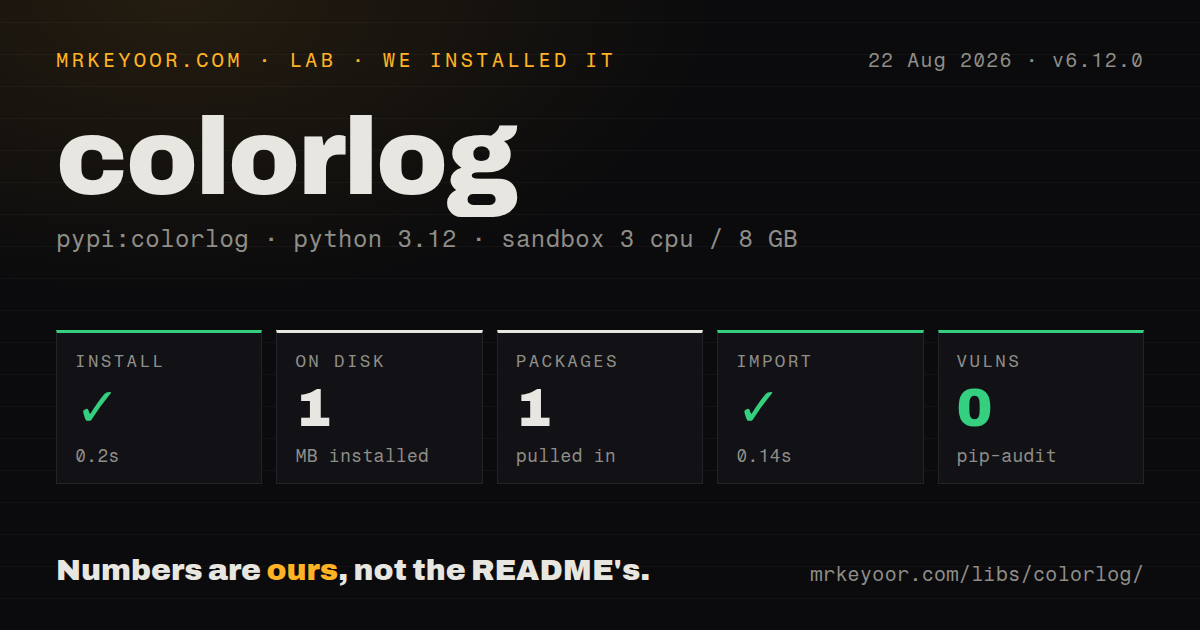
| Install | ✓ · 0.2s | 1 package on disk · 1 MB |
| Import | ✓ | import colorlog in 0.14s · pure Python · py.typed · requires Python >=3.6 |
| Known vulns | 0 | (pip-audit) |
Answers from our run
Does colorlog install cleanly?
Yes. In a fresh container with an empty cache, pip install colorlog finished in 0.2s, leaving 1 package and 1 MB on disk. pip-audit reported no known vulnerabilities.
What does colorlog need to run?
Python >=3.6, and nothing compiled: it is pure Python. In our run import colorlog succeeded in 0.14s, and the package ships py.typed for type checkers.
colorlog or rich: which should you use?
rich: Choose it when logs share a terminal with styled tracebacks, tables, or progress displays. colorlog 6.12.0 installed in 0.2 seconds, left 1 package and 1 MB in our sandbox, imported in 0.14 seconds, and produced 0 audit findings.
When should you not use colorlog?
Logs go straight to JSON ingestion. colorlog emits decorated strings; structlog or python-json-logger preserves fields for machines.
Use it if
- Your code already uses Python logging and only the human-facing terminal handler needs colored levels.
- Logging is configured with `dictConfig` or `fileConfig`, and changing the formatter class is preferable to replacing the logging API.
- Different record fields need separate level-aware colors through `secondary_log_colors`.
- A library or CLI still supports Python 3.6 and needs one formatter that spans that runtime range.
- Logs go straight to JSON ingestion. colorlog emits decorated strings; structlog or python-json-logger preserves fields for machines.
- You need formatted tracebacks, tables, prompts, or progress bars. Rich handles a whole terminal presentation layer, while colorlog only formats log records.
- The project depends on frequent new features. Its README labels the code maintenance mode and says compatibility rules out breaking changes.
- One handler writes to both a terminal and a file. ANSI sequences can leak into stored logs unless the destinations use separate formatters.
- You want rotation, retention, sinks, or context binding included. Those remain jobs for standard logging handlers or a different logging package.
Setup reality
We installed colorlog 6.12.0 in a fresh Python 3.12 Bookworm sandbox in 0.2 seconds. The result was 1 package occupying 1 MB, and import colorlog completed in 0.14 seconds. pip-audit reported 0 known vulnerabilities. The distribution is pure Python, carries py.typed, declares 6 direct dependencies in the measured metadata, and accepts Python 3.6 or newer.
No service account, token, or project file is involved. Put %(log_color)s where coloring begins and %(reset)s where it ends. A dictConfig formatter needs the () factory entry set to colorlog.ColoredFormatter. Supplying log_colors replaces the built-in level map, so a custom mapping should name every standard level that the handler can receive.
TTY behavior depends on the stream passed to ColoredFormatter. Give it the same sys.stderr or sys.stdout used by the handler so a redirect can turn ANSI output off. NO_COLOR disables colors by presence, while FORCE_COLOR overrides it. Files and collectors should get a plain logging.Formatter; a second handler is clearer than trying to strip escape bytes later.
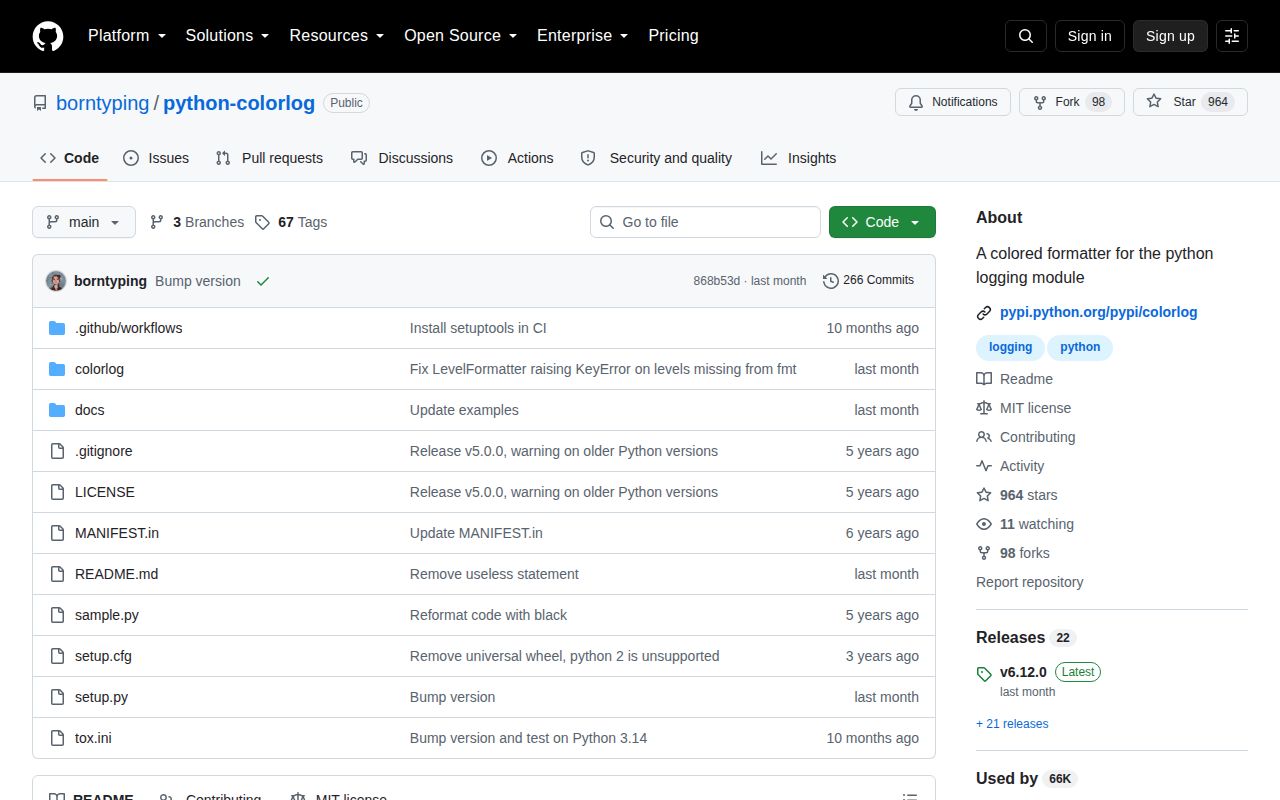
Windows installs use colorama for ANSI support. Custom logging levels work once registered with logging.addLevelName, but their names also need entries in the color map. LevelFormatter can select a different format per level; version 6.12.0 changed an absent mapping from a KeyError into fallback behavior. That is the only current-version change documented by the release commit.
Patterns
Color one stderr handler color-console-handler
import logging
import sys
from colorlog import ColoredFormatter

console = logging.StreamHandler(sys.stderr)
console.setFormatter(ColoredFormatter(
    '%(log_color)s%(levelname)-8s%(reset)s %(message)s',
    stream=sys.stderr,
))
log = logging.getLogger('jobs')
log.setLevel(logging.INFO)
log.addHandler(console)
log.warning('retrying upload')
`stream=sys.stderr` lets colorlog disable ANSI output when the 1 console stream is redirected.
Set up a small command configure-basic-logging
import colorlog

colorlog.basicConfig(
    level='INFO',
    format='%(log_color)s%(levelname)s%(reset)s %(message)s',
)
colorlog.getLogger('sync').info('scan complete')
`basicConfig` follows the standard logging rule: existing root handlers make this call a no-op.
Choose a color for every level map-level-colors
from colorlog import ColoredFormatter

formatter = ColoredFormatter(
    '%(log_color)s%(levelname)s%(reset)s %(message)s',
    log_colors={
        'DEBUG': 'cyan', 'INFO': 'green', 'WARNING': 'yellow',
        'ERROR': 'red', 'CRITICAL': 'bold_red',
    },
)
A custom `log_colors` dictionary replaces the default map instead of merging with its 5 standard levels.
Build the formatter through dictConfig use-dict-config
import logging.config

logging.config.dictConfig({
    'version': 1,
    'formatters': {
        'color': {
            '()': 'colorlog.ColoredFormatter',
            'format': '%(log_color)s%(levelname)s%(reset)s %(message)s',
        },
    },
    'handlers': {'console': {'class': 'logging.StreamHandler', 'formatter': 'color'}},
    'root': {'level': 'INFO', 'handlers': ['console']},
})
The `()` key is required because `dictConfig` must construct `colorlog.ColoredFormatter`, not the standard formatter.
Color the message independently separate-message-color
from colorlog import ColoredFormatter

formatter = ColoredFormatter(
    '%(log_color)s%(levelname)s%(reset)s %(message_log_color)s%(message)s%(reset)s',
    secondary_log_colors={
        'message': {'ERROR': 'red', 'CRITICAL': 'bold_red'},
    },
)
The secondary name `message` creates the record field `message_log_color`; the 2 names must match.
Honor redirected output respect-no-color
import logging
import sys
from colorlog import ColoredFormatter

handler = logging.StreamHandler(sys.stdout)
handler.setFormatter(ColoredFormatter(
    '%(log_color)s%(message)s%(reset)s',
    stream=sys.stdout,
))
With the real stream supplied, a non-TTY destination receives text without ANSI color unless `FORCE_COLOR` is present.
Force color for a captured terminal force-terminal-color
from colorlog import ColoredFormatter

formatter = ColoredFormatter(
    '%(log_color)s%(message)s%(reset)s',
    force_color=True,
)
`force_color=True` wins over `no_color`; use it only when the 1 downstream consumer interprets ANSI escapes.
Register and color TRACE format-custom-level
import logging
from colorlog import ColoredFormatter

TRACE = 5
logging.addLevelName(TRACE, 'TRACE')
formatter = ColoredFormatter(
    '%(log_color)s%(levelname)s%(reset)s %(message)s',
    log_colors={'TRACE': 'light_black'},
)
Register the numeric level first, then use its exact uppercase name in the formatter's map.
Use a detailed format for DEBUG select-level-format
from colorlog import LevelFormatter

formatter = LevelFormatter(fmt={
    'DEBUG': '%(log_color)s%(message)s [%(module)s:%(lineno)d]',
    'INFO': '%(log_color)s%(message)s',
    'DEFAULT': '%(log_color)s%(levelname)s %(message)s',
})
colorlog 6.12.0 uses `DEFAULT` when a level name has no entry instead of raising `KeyError`.
Format with brace syntax use-brace-placeholders
from colorlog import ColoredFormatter

formatter = ColoredFormatter(
    '{log_color}{levelname:<8}{reset} {message}',
    style='{',
)
The `style='{'` argument must agree with every placeholder or Python logging rejects the format string.
Pick a 256-color terminal code use-256-colors
from colorlog import ColoredFormatter

formatter = ColoredFormatter(
    '%(fg_244)s%(asctime)s%(reset)s %(log_color)s%(message)s%(reset)s',
    datefmt='%H:%M:%S',
    log_colors={'WARNING': 'fg_214', 'ERROR': 'white,bg_red'},
)
`fg_N` and `bg_N` accept values from 0 through 255, but the visible result depends on terminal support.
Keep saved logs plain split-file-output
import logging
import sys
from colorlog import ColoredFormatter

console = logging.StreamHandler(sys.stderr)
console.setFormatter(ColoredFormatter(
    '%(log_color)s%(levelname)s%(reset)s %(message)s', stream=sys.stderr))
plain_file = logging.FileHandler('service.log')
plain_file.setFormatter(logging.Formatter(
    '%(asctime)s %(levelname)s %(name)s %(message)s'))
logging.basicConfig(level=logging.INFO, handlers=[console, plain_file])
Two handlers prevent ANSI bytes from entering the 1 file while preserving color on stderr.
Alternatives
| Package | Registry | Pick it when |
|---|---|---|
| rich | PyPI | Choose it when logs share a terminal with styled tracebacks, tables, or progress displays. |
| structlog | PyPI | Choose it when events must stay structured through processors and gain color only at the console renderer. |
| coloredlogs | PyPI | Choose it for a quick logger installation API and configurable field styles. |
| loguru | PyPI | Choose it when replacing standard logging with managed sinks, rotation, and bound context is acceptable. |
More cli & tooling guides
commander · chalk · typescript · esbuild · yargs · click · the whole shelf →
How this guide is made: grounded in the library's documentation, release notes, changelog, and issue history, on a fixed rubric — not a hands-on install of every release. The 50 most-downloaded entries are additionally install-verified in clean containers. Corrections: contact the desk.