cli-table3 review
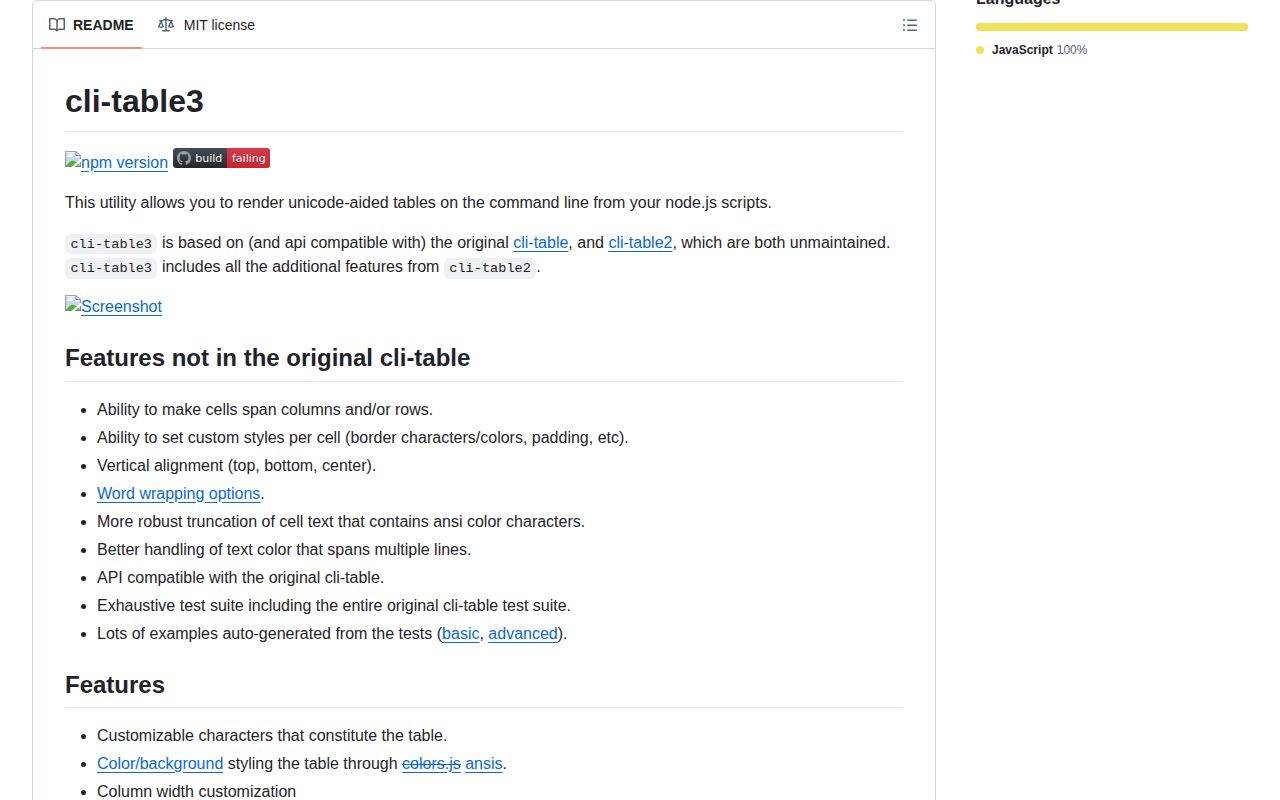
cli-table3 formats arrays and cell objects as bordered text tables for Node terminals. You choose widths, padding, alignment, wrapping, border characters, and row or column spans, then call `toString()` to render the entire table. Version 0.6.5 adds BigInt to the accepted cell types, puts word-wrap controls into the bundled TypeScript declarations, and corrects truncation of terminal hyperlink escape sequences. Our install confirmed that its small footprint comes with an old-style CommonJS entry point and no browser build.
cli-table3 0.6.5 installed in 0.4 seconds and occupied 1 MB in our sandbox, with bundled types and 0 audit findings, making it a cheap dependency for static Node terminal tables. Skip it for browser output, automatic record-to-column mapping, or live screen updates.
We installed it
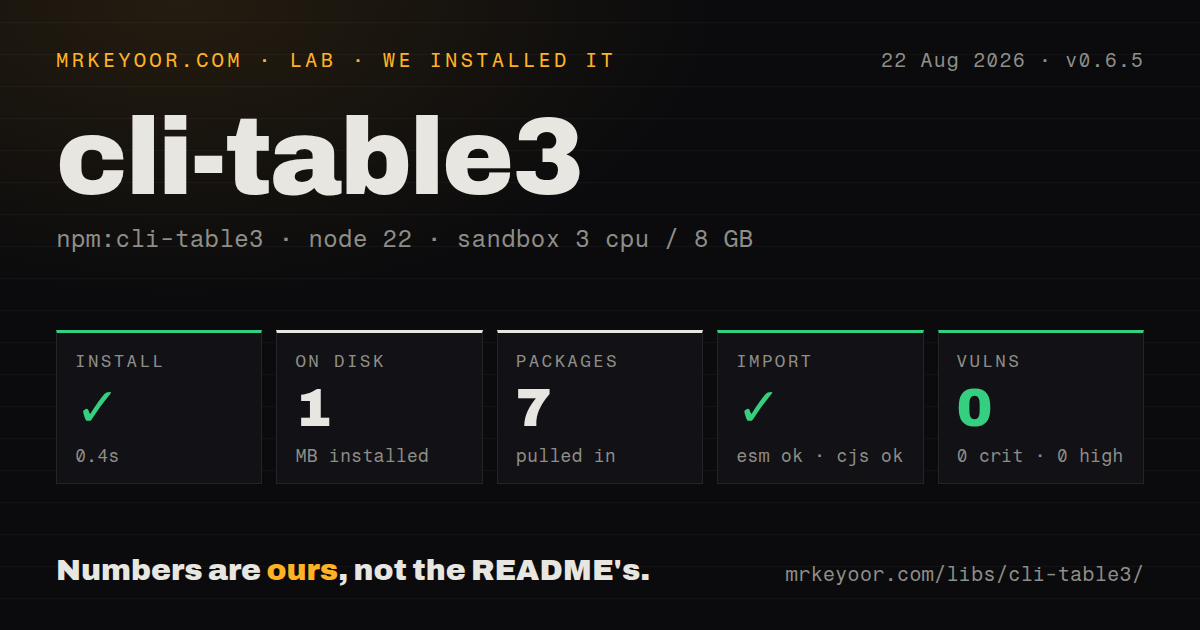
| Install | ✓ · 0.4s | 7 packages on disk · 1 MB |
| Import | ✓ | ESM import works · require() works · CommonJS package |
| Browser | n/a | could not be bundled for the browser (Node-only code, most likely) |
| Types | ✓ | TypeScript types bundled |
| Known vulns | 0 | 0 critical · 0 high · 0 moderate · 0 low (npm audit) |
Answers from our run
Does cli-table3 install cleanly?
Yes. In a fresh container with an empty cache, npm install cli-table3 finished in 0.4s, leaving 7 packages and 1 MB on disk. npm audit reported no known vulnerabilities.
Can cli-table3 run in a browser?
Not directly: esbuild could not bundle it for the browser in our run, which normally means it depends on Node built-ins. Use it on the server, or find a browser-targeted alternative.
Does cli-table3 work with both ESM and CommonJS?
Yes. Both import 'cli-table3' and require('cli-table3') worked in Node 22 in our run. The package is published as CommonJS.
Does cli-table3 include TypeScript types?
Yes, type declarations ship inside the package, so no @types install is needed.
cli-table3 or table: which should you use?
table: Choose it when declarative column configuration and a newer release line matter more than cli-table API compatibility. cli-table3 0.6.5 installed in 0.4 seconds and occupied 1 MB in our sandbox, with bundled types and 0 audit findings, making it a cheap dependency for static Node terminal tables.
When should you not use cli-table3?
The table must render in a browser. Our esbuild browser build failed, and the published package targets Node terminal output.
Use it if
- A Node CLI needs fixed-width status tables that stay aligned when cells contain ANSI color codes.
- Your layout needs cells spanning several rows or columns, with alignment and padding set per cell.
- You are moving from cli-table or cli-table2 and want the same Array-like push and `toString()` workflow.
- You want full control over Unicode border characters, including the option to remove inner or outer rules.
- The table must render in a browser. Our esbuild browser build failed, and the published package targets Node terminal output.
- Your project accepts only packages with native ESM metadata. Version 0.6.5 is CommonJS and has no exports map, although Node 22 could import it from ESM.
- You need rows to redraw in place for a live dashboard. `toString()` produces one complete text block and provides no cursor-control loop.
- Your input is an array of records and you expect automatic columns, sorting, or filtering. cli-table3 lays out the rows and cell options you supply.
- You need current color examples to match the published tarball exactly. The default-branch README includes newer `ansis` examples, while npm still serves version 0.6.5 from May 2024.
Setup reality
Our clean Node 22 Bookworm install of cli-table3 0.6.5 finished in 0.4 seconds. It left 7 packages using 1 MB on disk; the package itself is 76 KB unpacked with 1 direct dependency and no peer dependencies. npm audit reported 0 known vulnerabilities at every severity. The declared engine range is Node 10 or Node 12 and newer.
There is no config file or startup step. Construct a Table, push rows, and print table.toString(). Column widths count the padding and border space, so a colWidths: [20] setting does not leave 20 visible characters for content. Turn on wordWrap when clipped text is worse than a taller row, and set wrapOnWordBoundary per table or cell when long tokens must split.
Version 0.6.5 is CommonJS without an exports map. require('cli-table3') worked in our sandbox, and Node's ESM loader also accepted import Table from 'cli-table3'. TypeScript declarations ship in the package. That keeps ordinary Node builds simple, though strict ESM tooling may reject a package whose metadata still exposes only the CommonJS entry.
The browser check failed when esbuild tried to bundle an import of the package. Treat that result as a platform boundary and keep table rendering in a Node CLI or server process. Rendering is synchronous and returns the whole block; frequent refreshes, terminal clearing, output serialization, and backpressure remain the caller's job.
Patterns
Print rows beneath a header render-horizontal-table
const Table = require('cli-table3');

const table = new Table({ head: ['Job', 'State'] });
table.push(['backup', 'done'], ['deploy', 'waiting']);
console.log(table.toString());
`toString()` renders the entire table synchronously; writing rows does not print anything by itself.
Lay out key-value rows vertically render-key-value-table
const table = new Table();
table.push(
  { Version: '0.6.5' },
  { Runtime: 'Node.js' },
);
console.log(table.toString());
A single-key object creates a vertical row with the key in the left cell and its value on the right.
Add headers across both axes render-cross-table
const table = new Table({ head: ['', 'p50', 'p95'] });
table.push(
  { API: ['42 ms', '110 ms'] },
  { Worker: ['18 ms', '70 ms'] },
);
console.log(table.toString());
Cross tables require an empty first header because each object key occupies the row-header column.
Fix widths and numeric alignment set-column-widths
const table = new Table({
  head: ['Package', 'Downloads'],
  colWidths: [24, 14],
  colAligns: ['left', 'right'],
});
table.push(['cli-table3', '34,271,309']);
Each declared width includes cell padding and borders, so the usable content width is smaller than the number given.
Wrap descriptions at word boundaries wrap-long-content
const table = new Table({
  colWidths: [18, 36],
  wordWrap: true,
  wrapOnWordBoundary: true,
});
table.push(['warning', 'The deployment is waiting for database approval.']);
`wordWrap: true` makes rows taller instead of replacing overflow with the truncation marker.
Split one long token inside a cell override-cell-wrapping
table.push([
  'digest',
  {
    content: '8d4c1a270fea9188d4c1a270fea9188',
    wordWrap: true,
    wrapOnWordBoundary: false,
  },
]);
Version 0.6.5 exposes both wrapping flags on TypeScript cell options, so one token can split without changing every column.
Center a heading over two columns span-header-columns
table.push([
  { content: 'Latency', colSpan: 2, hAlign: 'center' },
]);
table.push(['p50', 'p95']);
A `colSpan` cell consumes the following column slots in that row; do not add placeholder cells for them.
Share one label across several rows span-label-rows
table.push(
  [{ content: 'production', rowSpan: 2, vAlign: 'center' }, 'api'],
  ['worker'],
);
The second row omits the occupied first column because the `rowSpan: 2` cell already covers it.
Replace the box drawing characters customize-borders
const table = new Table({
  chars: {
    top: '=', 'top-mid': '+', 'top-left': '+', 'top-right': '+',
    bottom: '=', 'bottom-mid': '+', 'bottom-left': '+', 'bottom-right': '+',
    left: '|', 'left-mid': '+', mid: '-', 'mid-mid': '+',
    right: '|', 'right-mid': '+', middle: '|',
  },
});
Every junction and edge has its own named slot; partial overrides leave the remaining Unicode defaults in place.
Keep the frame and remove row dividers remove-inner-rules
const table = new Table({
  chars: { mid: '', 'left-mid': '', 'mid-mid': '', 'right-mid': '' },
});
table.push(['one', 'ready'], ['two', 'queued']);
Empty mid-line strings suppress separators between body rows while the outer frame remains.
Produce plain aligned columns render-borderless-columns
const table = new Table({
  chars: {
    top: '', 'top-mid': '', 'top-left': '', 'top-right': '',
    bottom: '', 'bottom-mid': '', 'bottom-left': '', 'bottom-right': '',
    left: '', 'left-mid': '', mid: '', 'mid-mid': '',
    right: '', 'right-mid': '', middle: ' ',
  },
  style: { 'padding-left': 0, 'padding-right': 0 },
});
Clearing all edges and using one space for `middle` yields columns without Unicode box characters.
Collect renderer diagnostics inspect-layout-messages
const table = new Table({ debug: 1 });
table.push(['a', 'b']);
table.toString();
for (const message of table.messages) console.error(message);
Table.reset();
Debug messages are populated during rendering; call `toString()` before reading them and reset between separate tables.
Alternatives
| Package | Registry | Pick it when |
|---|---|---|
| table | npm | Choose it when declarative column configuration and a newer release line matter more than cli-table API compatibility. |
| easy-table | npm | Choose it for compact report columns assembled one cell and row at a time. |
| cli-table | npm | Choose it only when an existing application is pinned to the original API and migration risk outweighs its unmaintained status. |
More cli & tooling guides
commander · chalk · typescript · esbuild · yargs · click · the whole shelf →
How this guide is made: grounded in the library's documentation, release notes, changelog, and issue history, on a fixed rubric — not a hands-on install of every release. The 50 most-downloaded entries are additionally install-verified in clean containers. Corrections: contact the desk.