easy-table review
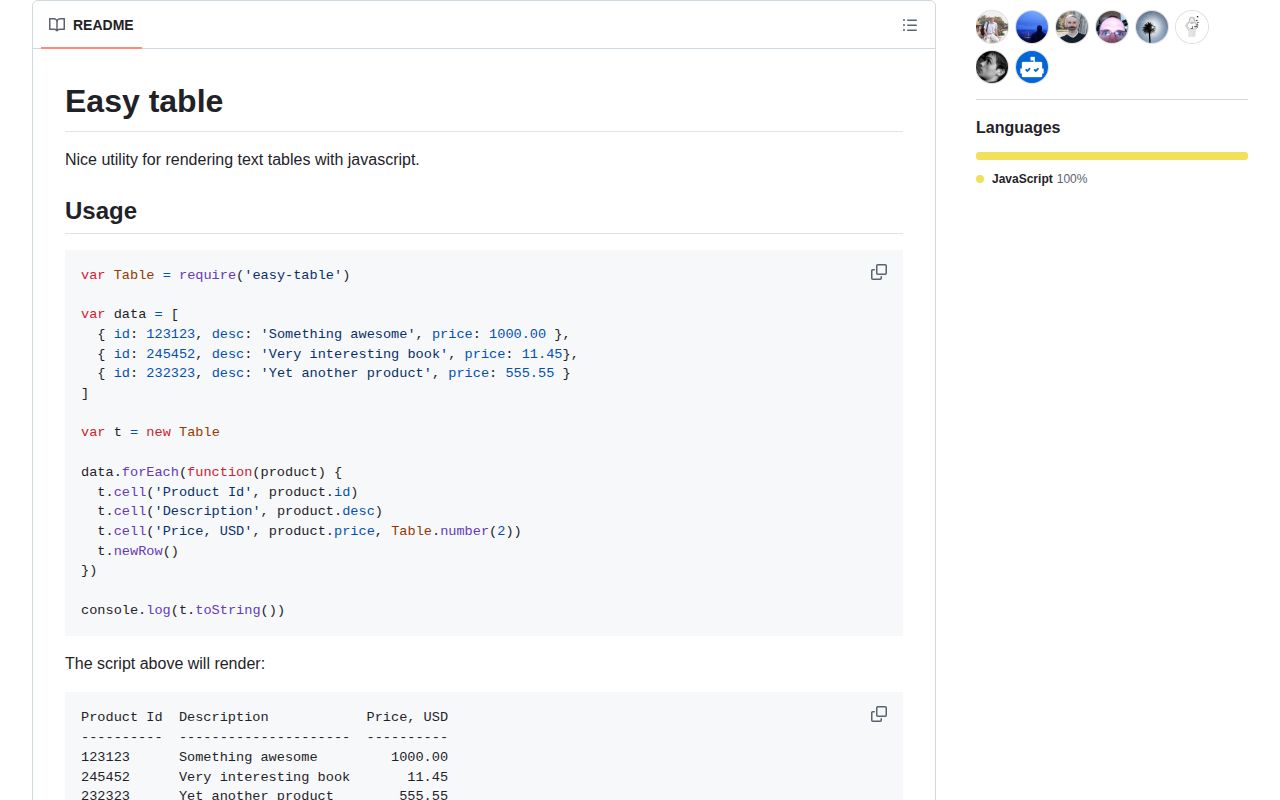
easy-table 1.2.0 formats JavaScript values as aligned, borderless text tables for terminals and logs. Its stateful builder collects named cells into rows, measures each column, and renders headings, separators, body rows, and optional totals. Static helpers can print an array directly or transpose one object into key/value lines. Sorting, fixed-decimal number printers, ANSI-aware width measurement, and custom two-pass printers cover small CLI reports without a UI layer. The current release adds bundled TypeScript declarations and newer ANSI handling; our CommonJS and ESM loading checks both worked.
easy-table 1.2.0 installed in 0.9 seconds and used 1 MB in our sandbox, with 0 audit findings and bundled types. Choose it for short borderless CLI reports; choose another formatter as soon as wrapping, borders, multiline cells, or active release cadence matters.
We installed it
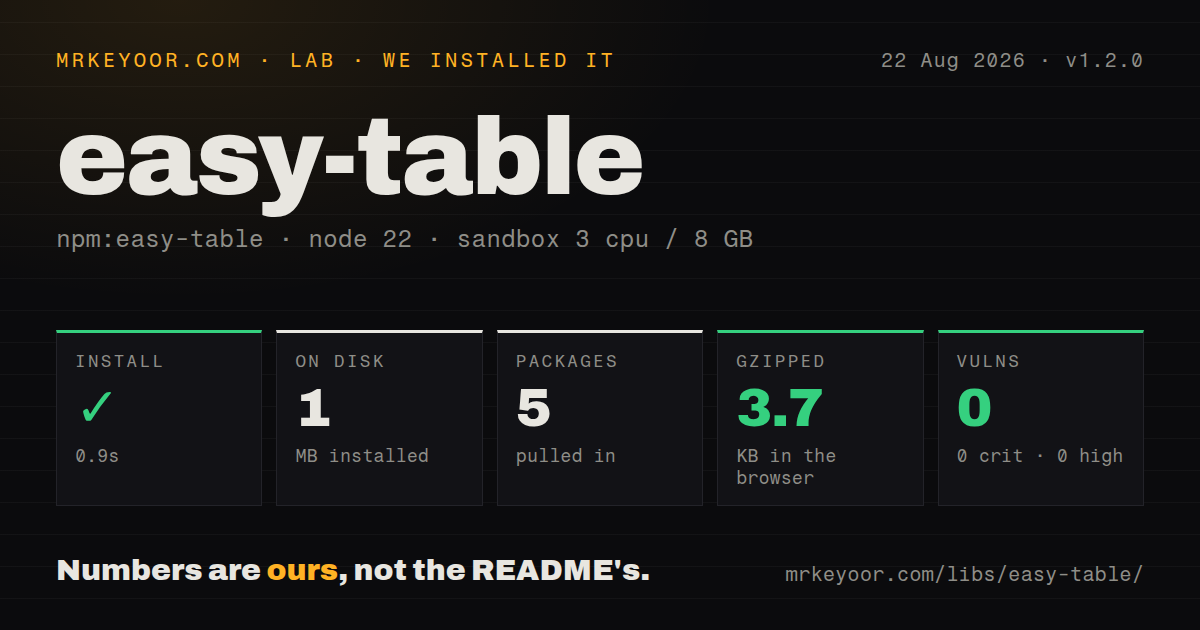
| Install | ✓ · 0.9s | 5 packages on disk · 1 MB |
| Import | ✓ | ESM import works · require() works · CommonJS package |
| Browser | 3.7 KB | gzipped (8.6 KB minified), bundled with esbuild |
| Types | ✓ | TypeScript types bundled |
| Known vulns | 0 | 0 critical · 0 high · 0 moderate · 0 low (npm audit) |
Answers from our run
Does easy-table install cleanly?
Yes. In a fresh container with an empty cache, npm install easy-table finished in 0.9s, leaving 5 packages and 1 MB on disk. npm audit reported no known vulnerabilities.
How much does easy-table add to a browser bundle?
3.7 KB gzipped (8.6 KB minified) when the whole package is bundled for the browser with esbuild. Importing only part of it is usually smaller.
Does easy-table work with both ESM and CommonJS?
Yes. Both import 'easy-table' and require('easy-table') worked in Node 22 in our run. The package is published as CommonJS.
Does easy-table include TypeScript types?
Yes, type declarations ship inside the package, so no @types install is needed.
easy-table or cli-table3: which should you use?
cli-table3: Use it when borders, spanning, wrapping, colors, and the familiar cli-table API are required. easy-table 1.2.0 installed in 0.9 seconds and used 1 MB in our sandbox, with 0 audit findings and bundled types.
When should you not use easy-table?
Cells can contain long or multiline text; easy-table neither wraps nor sanitizes newlines, so one value can break the row layout
Use it if
- A Node CLI needs compact plain-text columns without borders, wrapping, or color management
- Rows need numeric alignment plus a sum or average footer
- An object array should become a report with renamed columns and per-column printers
- A custom printer can express the output in one physical line and behave deterministically across two render passes
- Cells can contain long or multiline text; easy-table neither wraps nor sanitizes newlines, so one value can break the row layout
- You need borders, spanning, truncation rules, color themes, or responsive column widths; the only layout decoration exposed is the separator string
- The input contains nested objects or getters; static print enumerates properties and ordinary string conversion can yield [object Object] or execute a getter
- Terminal alignment must be correct for every wide Unicode sequence; ANSI codes are excluded from width, while Unicode width depends on wcwidth behavior
- A recently released formatter is required; npm 1.2.0 dates to 2021 and the repository has no tagged GitHub release
Setup reality
We installed easy-table 1.2.0 in a fresh unprivileged Node 22 Bookworm container. npm finished in 0.9 seconds and left 5 packages using 1 MB on disk. The package itself was 44 KB unpacked, declared 1 direct dependency and no peer dependencies, and carried an MIT license. npm audit reported 0 known vulnerabilities, and there were no native builds, credentials, or configuration files.
Version 1.2.0 is CommonJS and has no exports map. require() and ESM import both worked in our sandbox, and the package includes TypeScript declarations. An esbuild browser import measured 8.6 KB minified and 3.7 KB gzipped. The code can bundle, though its purpose is terminal text; shipping it to a browser rarely makes sense unless the product deliberately displays preformatted CLI-style output.
The builder holds a current row. cell() records a value under a column label, and newRow() commits that row. Forgetting newRow() silently leaves the last values out of rendered output. Column order follows the first appearance of labels across committed rows. print() emits body lines only, while toString() includes headings and divider lines. Sorting changes the stored row order, and the documented descending suffix is |des.
A custom printer runs twice: first to measure its minimum width, then with the selected width to produce final text. Side effects or different content between those calls will corrupt alignment. Table.number() expects numbers; normalize numeric strings before formatting. The package removes ANSI escape sequences when calculating width and uses Unicode-width logic for wide characters. It does not wrap embedded newlines, so clean or reject multiline input before cell().
Patterns
Commit rows to a table build-table
const Table = require('easy-table');

const table = new Table();
for (const job of jobs) {
  table.cell('Job', job.name);
  table.cell('State', job.state);
  table.newRow();
}
process.stdout.write(table.toString());
newRow() commits the current cells. The last record will be absent if the loop finishes without that call.
Right-align decimal values format-number
const money = Table.number(2);
for (const item of items) {
  table.cell('Item', item.name);
  table.cell('Price', item.price, money);
  table.newRow();
}
Table.number(2) expects a JavaScript number and prints two decimal places. Convert numeric strings before passing them.
Print an object array directly print-array
const text = Table.print(records, {
  id: { name: 'ID' },
  elapsed: { name: 'Elapsed ms', printer: Table.number(1) },
});
console.log(text);
Static print reads enumerable object properties. Map domain records first when nested values, getters, or unwanted fields are present.
Transpose one object print-object
console.log(Table.print({
  service: 'api',
  region: 'ap-south-1',
  healthy: true,
}));
A single object becomes key/value rows. Passing an array uses the ordinary column-headed layout instead.
Render rows without headings print-body
const body = table.print();
process.stdout.write(body);
print() emits committed body rows only. toString() adds column headings and dashed divider rows.
Change the gap between columns set-separator
table.separator = '  |  ';
table.cell('Name', 'worker').cell('State', 'ready').newRow();
console.log(table.toString());
separator changes the text between columns. easy-table does not generate outer borders or vertical cell frames.
Sort by stored column labels sort-columns
table.sort(['State|asc', 'Elapsed ms|des']);
console.log(table.toString());
The descending marker is |des, not |desc. sort() mutates the order of rows already stored in the table.
Sort with a comparator custom-sort
const order = { failed: 0, running: 1, done: 2 };
table.sort((left, right) => order[left.State] - order[right.State]);
Comparator arguments are row objects keyed by the labels supplied to cell(). Use those display labels exactly.
Add a numeric total sum-column
table.total('Price', {
  printer: Table.number(2),
});
console.log(table.toString());
The default total reducer adds raw stored values. Missing values and numeric strings can change the result through JavaScript coercion.
Print an average footer average-column
table.total('Latency', {
  reduce: Table.aggr.avg,
  init: 0,
  printer: Table.aggr.printer('Avg: ', Table.number(1)),
});
The aggregate footer appears in toString() when committed rows exist. print() is the body-only renderer and leaves totals out.
Write a two-pass printer custom-printer
function percent(value, width) {
  const text = (value * 100).toFixed(1) + '%';
  return width ? Table.padLeft(text, width) : text;
}

table.cell('Success', 0.984, percent).newRow();
easy-table calls the printer once without width and again with width. Return stable text and keep side effects outside the function.
Import easy-table in TypeScript typescript-import
import Table = require('easy-table');

const table = new Table();
table.cell('Count', 42, Table.number(0)).newRow();
The bundled declaration uses the CommonJS export-assignment shape. A default TypeScript import depends on esModuleInterop or equivalent tooling.
Alternatives
| Package | Registry | Pick it when |
|---|---|---|
| cli-table3 | npm | Use it when borders, spanning, wrapping, colors, and the familiar cli-table API are required |
| table | npm | Use it for configurable borders, column widths, alignment, truncation, and word wrapping |
| console-table-printer | npm | Use it when a higher-level terminal table API with colors and column options fits the report |
More cli & tooling guides
commander · chalk · typescript · esbuild · yargs · click · the whole shelf →
How this guide is made: grounded in the library's documentation, release notes, changelog, and issue history, on a fixed rubric — not a hands-on install of every release. The 50 most-downloaded entries are additionally install-verified in clean containers. Corrections: contact the desk.