browser-use review
Browser Use is a Python framework that lets an LLM operate Chromium through high-level actions such as opening pages, clicking controls, entering text, and extracting a final result. The useful unit is an async Agent run with a task, a model adapter, and an optional Browser or Tools instance. Version 0.13.8 changes the default ChatBrowserUse model to bu-2-0-mini-preview and fixes concrete failure cases around remote downloads, stored cookies, structured tool output, empty responses, and sensitive-value redaction. Our install shows the cost of that reach: 60 direct dependencies, 100 packages on disk, and 6 known vulnerabilities in the resolved environment.
Browser Use earns its place when the page flow changes enough to justify model-selected actions. For stable tests, high-risk account workflows, or lean containers, its 220 MB environment, 100 installed packages, and 6 audit findings make Playwright the calmer default.
We installed it
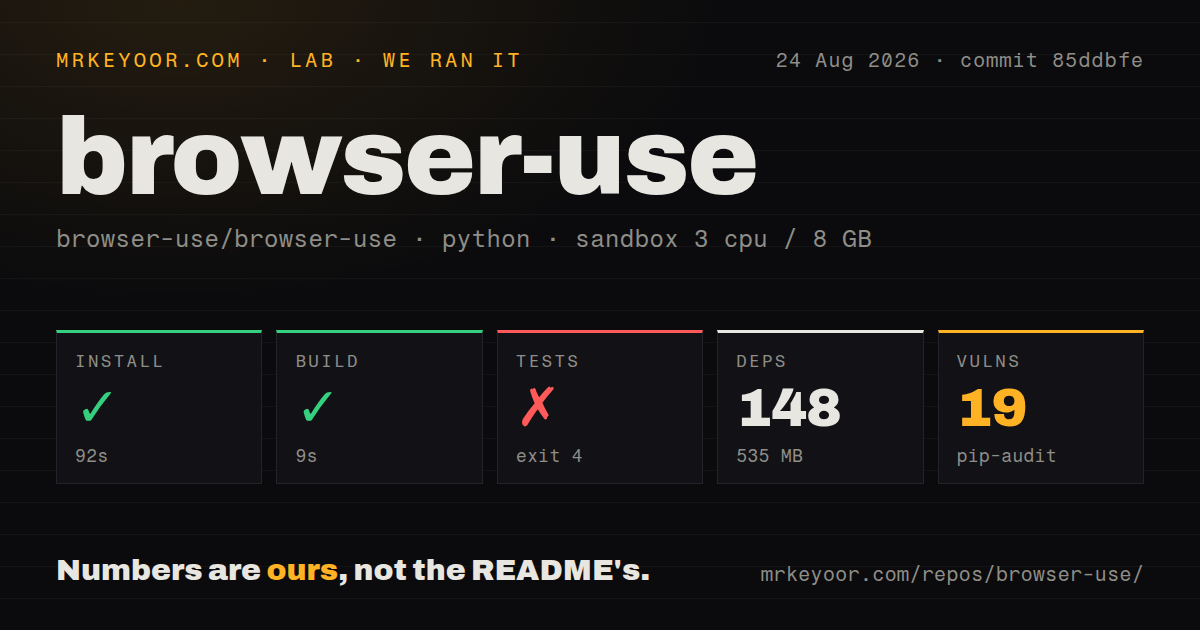
| Install | ✓ · 4.4s | 100 packages on disk · 220 MB |
| Import | ✓ | import browser_use in 0.89s · pure Python · py.typed · requires Python <4.0,>=3.11 |
| Known vulns | 6 | (pip-audit) |
Answers from our run
Does browser-use install cleanly?
Yes. In a fresh container with an empty cache, pip install browser-use finished in 4 seconds, leaving 100 packages and 220 MB on disk. pip-audit reported 6 known vulnerabilities.
What does browser-use need to run?
Python <4.0,>=3.11, and nothing compiled: it is pure Python. In our run import browser_use succeeded in 0.89s, and the package ships py.typed for type checkers.
browser-use or playwright: which should you use?
playwright: Choose it for deterministic browser tests and scrapers where you can write selectors, assertions, and explicit retry rules. Browser Use earns its place when the page flow changes enough to justify model-selected actions.
When should you not use browser-use?
The path through the site is known and deterministic. Playwright gives you direct selectors, assertions, tracing, and fewer moving parts for tests or stable scraping jobs.
Use it if
- You need an LLM to work through a changing site where fixed selectors and a hand-written Playwright flow would be brittle.
- You want to swap among Browser Use, OpenAI, Anthropic, Google, or supported local model adapters without replacing the browser agent loop.
- Your task needs typed final output, custom Python actions, an audit trail of visited URLs, or a connection to an existing Chrome session.
- You are building repeatable browser automation in Python and can budget for model calls, Chromium processes, retries, and human review of consequential actions.
- The path through the site is known and deterministic. Playwright gives you direct selectors, assertions, tracing, and fewer moving parts for tests or stable scraping jobs.
- You need a small dependency footprint. Our clean install resolved 100 packages and used 220 MB before any browser binary or model cache was added.
- Your security policy cannot let model-selected actions touch authenticated pages. CDP and saved profiles expose the authority of the logged-in browser to the agent.
- You expect local open-source mode to solve CAPTCHA, residential proxy, or browser fingerprinting problems. The README directs those workloads to the paid cloud service.
- You require a clean vulnerability audit at install time. pip-audit reported 6 known vulnerabilities in the environment produced by browser-use 0.13.8 on our test date.
Setup reality
We installed browser-use 0.13.8 in a fresh Python 3.12 Bookworm container. Installation succeeded in 4.4 seconds and left 100 packages using 220 MB. The distribution declares 60 direct dependencies, requires Python 3.11 or newer, is pure Python, includes py.typed, and uses the MIT license. import browser_use completed in 0.89 seconds. pip-audit found 6 known vulnerabilities in the resolved environment, so inspect the exact advisory set before approving it for a sensitive runner.
An agent still needs a model and its credentials. ChatBrowserUse reads BROWSER_USE_API_KEY; the provider wrappers use their own environment variables. Browser jobs are async, and Agent.run() can make many model calls unless you set max_steps. Structured output validates the final model response, while sensitive_data substitutes secrets locally when the task refers to placeholder names. Neither feature makes a destructive click safe by itself.
Chromium is the operational burden. Headless pages can render differently, one browser per concurrent agent consumes substantial memory, and authenticated CDP sessions carry real account access. A dedicated browser profile limits the blast radius. Sites may block automation or present CAPTCHA challenges; the project documents its hosted browsers for stealth, proxy rotation, and CAPTCHA handling. Version 0.13.8 fixes remote-download callbacks and in-memory cookie application, but production code still needs timeouts, run-history logging, cleanup, and an approval step before purchases, messages, or account changes.
Patterns
Run one browser task run-basic-agent
import asyncio
from browser_use import Agent, ChatBrowserUse

async def main():
    agent = Agent(
        task='Find the latest Python release and return its version',
        llm=ChatBrowserUse(),
    )
    history = await agent.run(max_steps=20)
    print(history.final_result())

asyncio.run(main())
ChatBrowserUse reads BROWSER_USE_API_KEY. Keep a step cap because each agent step can trigger another model call.
Select a model through ChatBrowserUse select-hosted-model
from browser_use import Agent, ChatBrowserUse

llm = ChatBrowserUse(model='anthropic/claude-sonnet-4-6')
agent = Agent(task='Summarize the account activity page', llm=llm)
Provider-prefixed model IDs still use BROWSER_USE_API_KEY because Browser Use routes the request. Version 0.13.8 defaults this adapter to bu-2-0-mini-preview when model is omitted.
Use an OpenAI adapter directly use-provider-adapter
from browser_use import Agent, ChatOpenAI

agent = Agent(
    task='Collect the titles from the first results page',
    llm=ChatOpenAI(model='gpt-5.5'),
)
This adapter reads OPENAI_API_KEY. Import the wrapper from browser_use; examples built around unrelated LangChain chat classes may have different behavior.
Validate the final result with Pydantic return-structured-data
from pydantic import BaseModel
from browser_use import Agent, ChatBrowserUse

class Result(BaseModel):
    title: str
    url: str

agent = Agent(
    task='Return the first result title and URL',
    llm=ChatBrowserUse(),
    output_model_schema=Result,
)
history = await agent.run()
result = Result.model_validate_json(history.final_result())
Final output can still fail validation. Catch Pydantic validation errors and decide whether to retry the whole run or reject the result.
Provide a headless browser configure-headless-browser
from browser_use import Agent, Browser, ChatBrowserUse

browser = Browser(
    headless=True,
    window_size={'width': 1280, 'height': 900},
)
agent = Agent(task='Check the pricing table', llm=ChatBrowserUse(), browser=browser)
Viewport and headless mode can change responsive layouts. Reproduce failures in a visible browser before blaming the model.
Attach to a running Chrome session attach-over-cdp
from browser_use import Agent, Browser, ChatBrowserUse

browser = Browser(cdp_url='http://127.0.0.1:9222')
agent = Agent(
    task='Open my dashboard and report the latest status',
    llm=ChatBrowserUse(),
    browser=browser,
)
Start Chrome with remote debugging first. Use a separate profile because the agent inherits the cookies and permissions of that session.
Substitute sensitive values locally protect-login-values
from browser_use import Agent, ChatBrowserUse

agent = Agent(
    task='Sign in with x_username and x_password',
    llm=ChatBrowserUse(),
    sensitive_data={
        'x_username': 'dev@example.com',
        'x_password': 'read-from-a-secret-store',
    },
)
The task must name the placeholders. The browser receives the real values locally, so logs, screenshots, and the destination site still need normal secret handling.
Register a Python action add-custom-action
from browser_use import Agent, ChatBrowserUse, Tools

tools = Tools()

@tools.action(description='Store one approved finding')
def save_finding(text: str) -> str:
    with open('findings.txt', 'a', encoding='utf-8') as fh:
        fh.write(text + '\n')
    return 'saved'

agent = Agent(task='Research the topic and save one finding', llm=ChatBrowserUse(), tools=tools)
The action description guides model selection. Validate arguments and restrict side effects inside the function because the model chooses when to call it.
Inspect the completed run inspect-run-history
history = await agent.run(max_steps=25)

print(history.urls())
print(history.action_names())
print(history.errors())
print(history.total_duration_seconds())
print(history.final_result())
Persist these fields for failed production runs. They separate navigation trouble, blocked actions, and final-answer errors better than the final text alone.
Gather independent agent runs run-agents-concurrently
import asyncio
from browser_use import Agent, ChatBrowserUse

async def run_one(task: str):
    return await Agent(task=task, llm=ChatBrowserUse()).run(max_steps=15)

results = await asyncio.gather(
    run_one('Read the status page'),
    run_one('Read the release page'),
)
Independent browsers multiply Chromium memory use. Set a concurrency limit instead of gathering an unbounded task list.
Disable anonymous telemetry disable-telemetry
# Set before the Python process imports browser_use
ANONYMIZED_TELEMETRY=false
Put this in the runtime environment or .env before imports for privacy-sensitive jobs; changing it after initialization may be too late.
Start a hosted browser run call-hosted-agent-api
curl -X POST https://api.browser-use.com/api/v4/runs \
  -H "X-Browser-Use-API-Key: $BROWSER_USE_API_KEY" \
  -H "Content-Type: application/json" \
  -d '{"task":"Collect the visible plan names"}'
This uses the hosted service rather than the local Python runtime. Account pricing, data handling, and remote-browser behavior apply.
Alternatives
| Package | Registry | Pick it when |
|---|---|---|
| playwright | PyPI | Choose it for deterministic browser tests and scrapers where you can write selectors, assertions, and explicit retry rules. |
| selenium | PyPI | Choose it when WebDriver compatibility, Grid deployments, or an existing Selenium test estate matters more than an LLM agent loop. |
| helium | PyPI | Choose it for concise, human-readable browser scripts that still follow a programmer-defined sequence instead of model-selected actions. |
More ai / ml guides
@modelcontextprotocol/sdk · openai · mcp · huggingface-hub · @anthropic-ai/sdk · openai · the whole shelf →
How this guide is made: grounded in the library's documentation, release notes, changelog, and issue history, on a fixed rubric — not a hands-on install of every release. The 50 most-downloaded entries are additionally install-verified in clean containers. Corrections: contact the desk.