as-table review
Our install of as-table 1.0.55 produced a 3.1 KB minified browser bundle, but its real home is terminal output. Give its single exported function an array of objects or arrays and it returns a padded text table. Object keys become headings; array rows print without headings. It understands ANSI escape sequences when measuring width, can trim columns to a shared width limit, and lets you replace value and heading formatters. It does not draw a data grid, wrap cells, sort rows, or write to stdout for you.
as-table 1.0.55 installed in 0.8 seconds and left 2 packages and 1 MB on disk in our sandbox, with bundled types and 0 audit findings. Install it for compact ANSI-aware CLI reports; choose a fuller table package when wrapping, borders, or CJK width accuracy is required.
We installed it
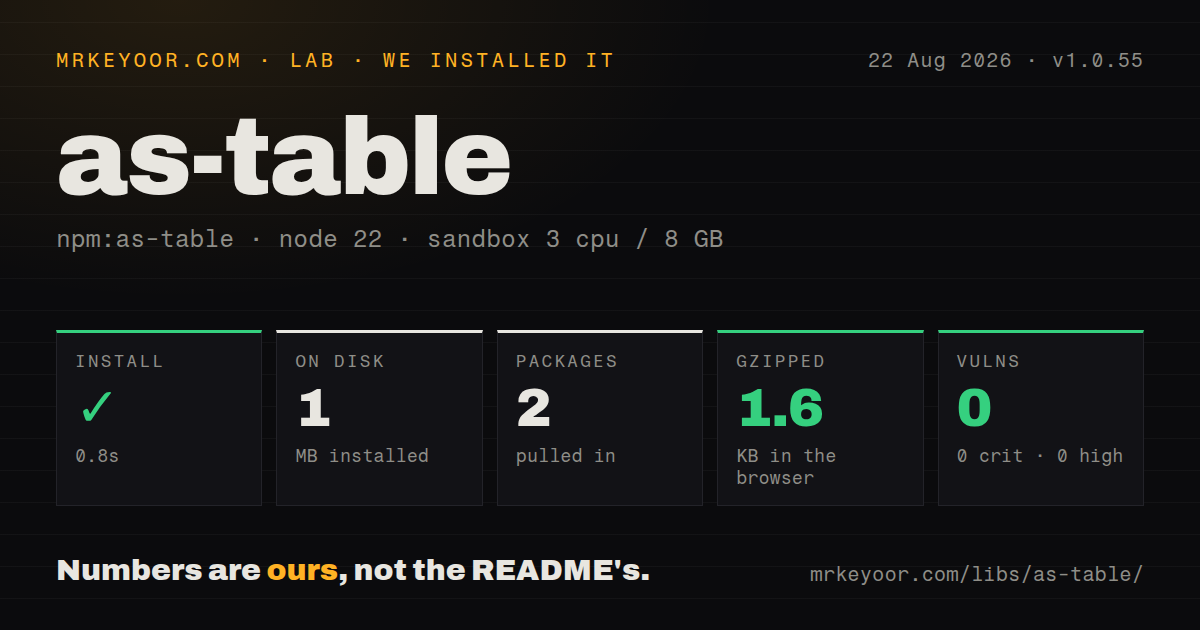
| Install | ✓ · 0.8s | 2 packages on disk · 1 MB |
| Import | ✓ | ESM import works · require() works · CommonJS package |
| Browser | 1.6 KB | gzipped (3.1 KB minified), bundled with esbuild |
| Types | ✓ | TypeScript types bundled |
| Known vulns | 0 | 0 critical · 0 high · 0 moderate · 0 low (npm audit) |
Answers from our run
Does as-table install cleanly?
Yes. In a fresh container with an empty cache, npm install as-table finished in 0.8s, leaving 2 packages and 1 MB on disk. npm audit reported no known vulnerabilities.
How much does as-table add to a browser bundle?
1.6 KB gzipped (3.1 KB minified) when the whole package is bundled for the browser with esbuild. Importing only part of it is usually smaller.
Does as-table work with both ESM and CommonJS?
Yes. Both import 'as-table' and require('as-table') worked in Node 22 in our run. The package is published as CommonJS.
Does as-table include TypeScript types?
Yes, type declarations ship inside the package, so no @types install is needed.
as-table or cli-table3: which should you use?
cli-table3: Use it when borders, cell wrapping, explicit widths, and per-column alignment matter. as-table 1.0.55 installed in 0.8 seconds and left 2 packages and 1 MB on disk in our sandbox, with bundled types and 0 audit findings.
When should you not use as-table?
Rows must wrap instead of being clipped: the formatter shortens cells under maxTotalWidth, and issue #11 asks for wrapping that the API still lacks
Use it if
- A Node command needs to turn object records into a readable string without owning terminal output
- Colored ANSI values must line up even though their escape bytes make JavaScript string lengths misleading
- A log or CI report needs a fixed total width and clipped cells are acceptable
- One formatter callback for values and one for headings cover all of your presentation rules
- Rows must wrap instead of being clipped: the formatter shortens cells under maxTotalWidth, and issue #11 asks for wrapping that the API still lacks
- You need borders, row numbers, or alignment chosen per column: issue #13 requests those controls, while version 1.0.55 applies right alignment across the whole table
- CJK text must align predictably: issue #12 reports incorrect widths for double-width Unicode characters, despite support for ANSI strings and emoji
- The output needs sorting, pagination, keyboard controls, or accessible HTML semantics: this package only returns newline-separated text
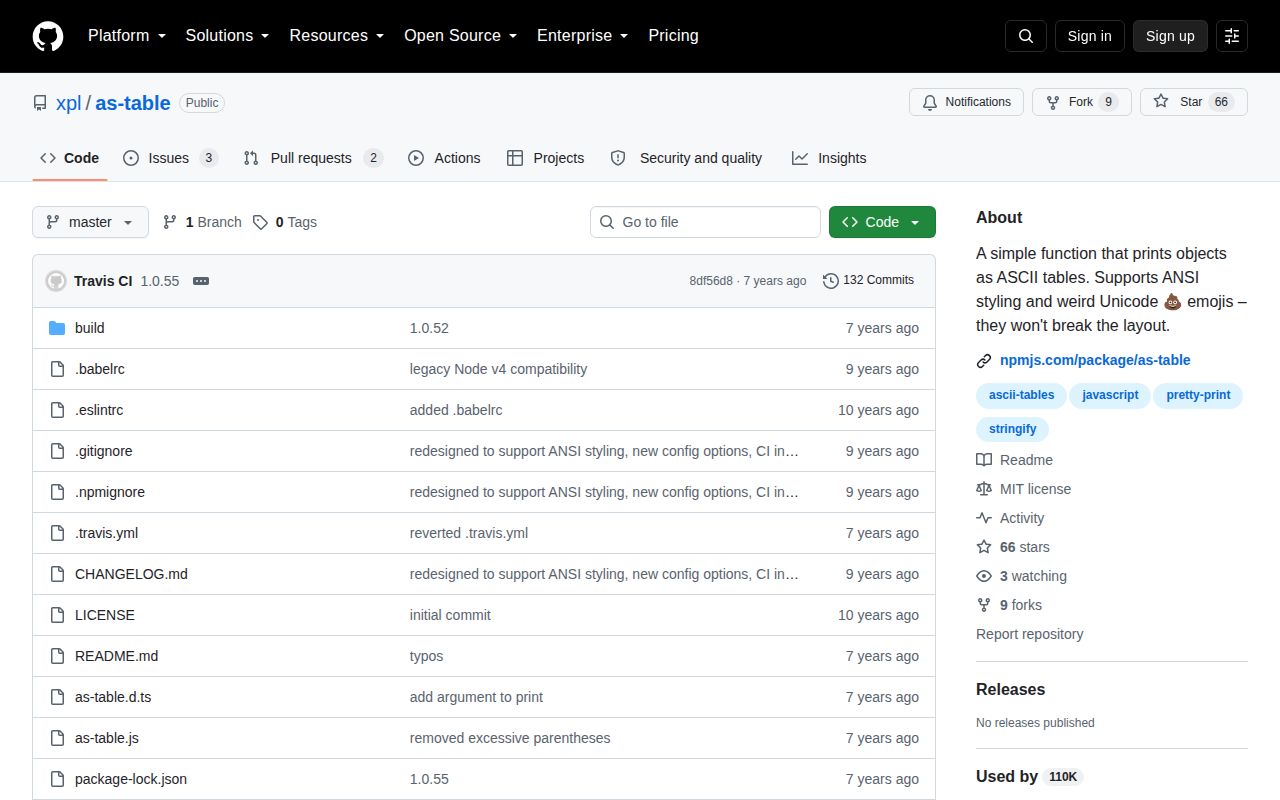
- Your dependency policy requires recent releases: 1.0.55 was published in September 2019, and the repository currently has five open issues and pull requests
Setup reality
Our fresh npm install of as-table 1.0.55 finished in 0.8 seconds. It left 2 packages and 1 MB on disk, with one direct dependency, no peers, and 0 known audit vulnerabilities. The package is 64 KB unpacked under the MIT license. Bundled TypeScript declarations were present in the installed package.
There are no credentials, services, native builds, or config files. The package uses CommonJS without an exports map; both require() and ESM import worked in our Node 22 sandbox. An esbuild browser test also succeeded at 3.1 KB minified and 1.6 KB gzipped, although the API still produces terminal-style text rather than browser markup.
Input shape comes from the first row. Object rows collect headings from enumerable keys, while an array first row switches the whole call to positional columns. Missing object properties and undefined array entries print as blanks. A newline inside a cell becomes the visible characters \n; as-table does not create a second display line. Guard an empty result before calling it, and normalize rows that mix arrays and objects.
configure() returns another formatter, so reusable presets do not alter the original export. maxTotalWidth trims columns proportionally with an ellipsis, and minColumnWidths can keep an important column readable. Those minimums can also defeat a tight width target. ANSI coloring comes from your own strings or another package; as-table only accounts for escape sequences while padding.
Patterns
Turn records into a headed table format-object-rows
const asTable = require('as-table');

const text = asTable([
  { service: 'api', state: 'up', latencyMs: 18 },
  { service: 'worker', state: 'down', latencyMs: 0 },
]);
console.log(text);
Object keys become headings in first-seen order. A property absent from one record prints as an empty cell.
Print positional rows without headings format-array-rows
const asTable = require('as-table');

console.log(asTable([
  ['alpha', 12, 'ready'],
  ['beta', 3, 'queued'],
]));
An array in the first position selects positional mode for the call, and no heading separator is generated.
Clip a report to a total width cap-output-width
const table = require('as-table').configure({
  maxTotalWidth: 40,
  delimiter: ' | ',
});

console.log(table(rows));
Version 1.0.55 shortens cells proportionally and adds an ellipsis. It does not wrap the removed text onto another line.
Right-align the complete table align-numbers-right
const rightTable = require('as-table').configure({ right: true });
console.log(rightTable(rows));
The `right` switch affects every heading and cell. There is no option for choosing alignment column by column.
Format values by property name format-object-values
const table = require('as-table').configure({
  print(value, key) {
    if (key === 'createdAt') return new Date(value).toISOString();
    if (key === 'price') return '$' + Number(value).toFixed(2);
    return String(value);
  },
});

console.log(table(rows));
For object input, the second `print` argument is the original property name. Return a string for every branch.
Format a positional column format-array-values
const table = require('as-table').configure({
  print(value, column) {
    return column === 1 ? Number(value).toFixed(1) + ' ms' : String(value);
  },
});

console.log(table([['api', 18.25], ['db', 4.8]]));
Array rows pass a zero-based column index as the second callback argument instead of a field name.
Render friendlier object headings rename-headings
const table = require('as-table').configure({
  title(key) {
    return key.replace(/([A-Z])/g, ' $1').toUpperCase();
  },
});

console.log(table([{ firstName: 'Ada', lastName: 'Lovelace' }]));
The heading callback changes displayed text only. Value callbacks still receive `firstName` and `lastName`.
Omit the separator below headings remove-heading-rule
const table = require('as-table').configure({ dash: false });
console.log(table([{ name: 'api', state: 'ready' }]));
The runtime treats a falsy `dash` value as no separator, although the bundled declaration describes this option as a string.
Set minimum widths before clipping protect-column-widths
const table = require('as-table').configure({
  maxTotalWidth: 60,
  minColumnWidths: [16, 8, 10],
});

console.log(table(rows));
Minimum widths follow column order. If their sum plus delimiters exceeds 60 characters, the result can miss the requested cap.
Keep colored statuses aligned print-ansi-values
const asTable = require('as-table');

const green = '\u001b[32mready\u001b[39m';
const red = '\u001b[31mfailed\u001b[39m';
console.log(asTable([
  { service: 'api', state: green },
  { service: 'db', state: red },
]));
The package ignores ANSI escape bytes during width calculations. It does not supply the colors or decide when to disable them.
Share one table preset reuse-formatter
const table = require('as-table').configure({
  delimiter: '  |  ',
  maxTotalWidth: 80,
});

console.log(table(activeJobs));
console.log(table(failedJobs));
Each `configure()` call creates a separate formatter, so using this preset does not change the base package export.
Check for zero rows first handle-empty-results
const asTable = require('as-table');

const output = rows.length === 0 ? '(no rows)' : asTable(rows);
console.log(output);
The implementation has no documented empty-array contract and derives its layout from row content. Handle zero rows at the call site.
Alternatives
| Package | Registry | Pick it when |
|---|---|---|
| cli-table3 | npm | Use it when borders, cell wrapping, explicit widths, and per-column alignment matter |
| console-table-printer | npm | Use it for named columns, cell colors, row insertion, and direct console printing |
| easy-table | npm | Use it when rows are assembled incrementally and each column needs its own formatter |
More cli & tooling guides
commander · chalk · typescript · esbuild · yargs · click · the whole shelf →
How this guide is made: grounded in the library's documentation, release notes, changelog, and issue history, on a fixed rubric — not a hands-on install of every release. The 50 most-downloaded entries are additionally install-verified in clean containers. Corrections: contact the desk.