@anthropic-ai/sdk review
@anthropic-ai/sdk is Anthropic's typed JavaScript client for the Claude API. It covers Messages, streaming, token counting, files, skills, and tool execution without making you assemble HTTP requests or parse server-sent events. Version 0.120.0 adds configuration for managed-agent web search and memory for self-hosted sandboxes. Our browser build failed because the package pulled in Node-only code, which matches the README's server-side focus and its default block on browser credentials.
Install it for a server-side TypeScript service that talks directly to Claude. Keep it out of browser bundles, pin the 0.x version, and use a multi-provider client if vendor switching is part of the design.
We installed it
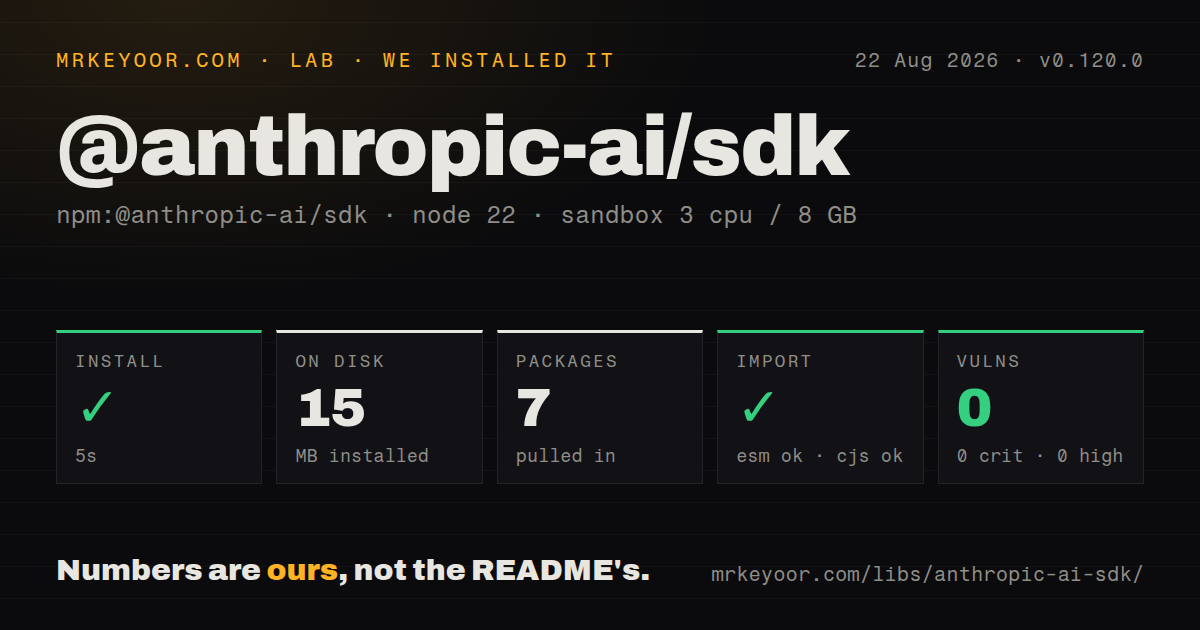
| Install | ✓ · 5s | 7 packages on disk · 15 MB |
| Import | ✓ | ESM import works · require() works · CommonJS package with exports map |
| Browser | n/a | could not be bundled for the browser (Node-only code, most likely) |
| Types | ✓ | TypeScript types bundled |
| Known vulns | 0 | 0 critical · 0 high · 0 moderate · 0 low (npm audit) |
Answers from our run
Does @anthropic-ai/sdk install cleanly?
Yes. In a fresh container with an empty cache, npm install @anthropic-ai/sdk finished in 5 seconds, leaving 7 packages and 15 MB on disk. npm audit reported no known vulnerabilities.
Can @anthropic-ai/sdk run in a browser?
Not directly: esbuild could not bundle it for the browser in our run, which normally means it depends on Node built-ins. Use it on the server, or find a browser-targeted alternative.
Does @anthropic-ai/sdk work with both ESM and CommonJS?
Yes. Both import '@anthropic-ai/sdk' and require('@anthropic-ai/sdk') worked in Node 22 in our run. The package is published as CommonJS with an exports map.
Does @anthropic-ai/sdk include TypeScript types?
Yes, type declarations ship inside the package, so no @types install is needed.
@anthropic-ai/sdk or ai: which should you use?
ai: Use it when the same application switches among Anthropic, OpenAI, Google, and other model providers. Install it for a server-side TypeScript service that talks directly to Claude.
When should you not use @anthropic-ai/sdk?
Your code runs only in a browser: the client blocks that runtime unless dangerouslyAllowBrowser is set because an Anthropic API key would be exposed
Use it if
- Your Node, Bun, Deno, Worker, or Vercel Edge service calls Claude directly and you want request and response types bundled with the client
- You need streamed text plus a final typed Message object after the stream closes
- Your application uses Claude tools, files, token counting, or the new managed-agent web search configuration
- You want API errors split into rate-limit, connection, authentication, and other status-specific classes
- Your code runs only in a browser: the client blocks that runtime unless dangerouslyAllowBrowser is set because an Anthropic API key would be exposed
- You ship React Native: the current README explicitly lists it as unsupported
- You need one abstraction across several model vendors: the Vercel ai package is a better fit than writing provider-specific paths
- You require a stable 1.x contract: this package is still 0.x and 0.119.0 and 0.120.0 both added API surface within the same day
- You expect a small browser dependency: our esbuild browser bundle did not compile, and bypassing the browser safety check would still put a secret in client code
Setup reality
Our clean Node 22 install of 0.120.0 finished in 5 seconds. It left 7 packages using 15 MB on disk. The package itself has 2 direct dependencies, 1 peer dependency, and 11,896 KB unpacked. npm audit reported 0 known vulnerabilities. Both require() and ESM import worked, and the package includes TypeScript declarations.
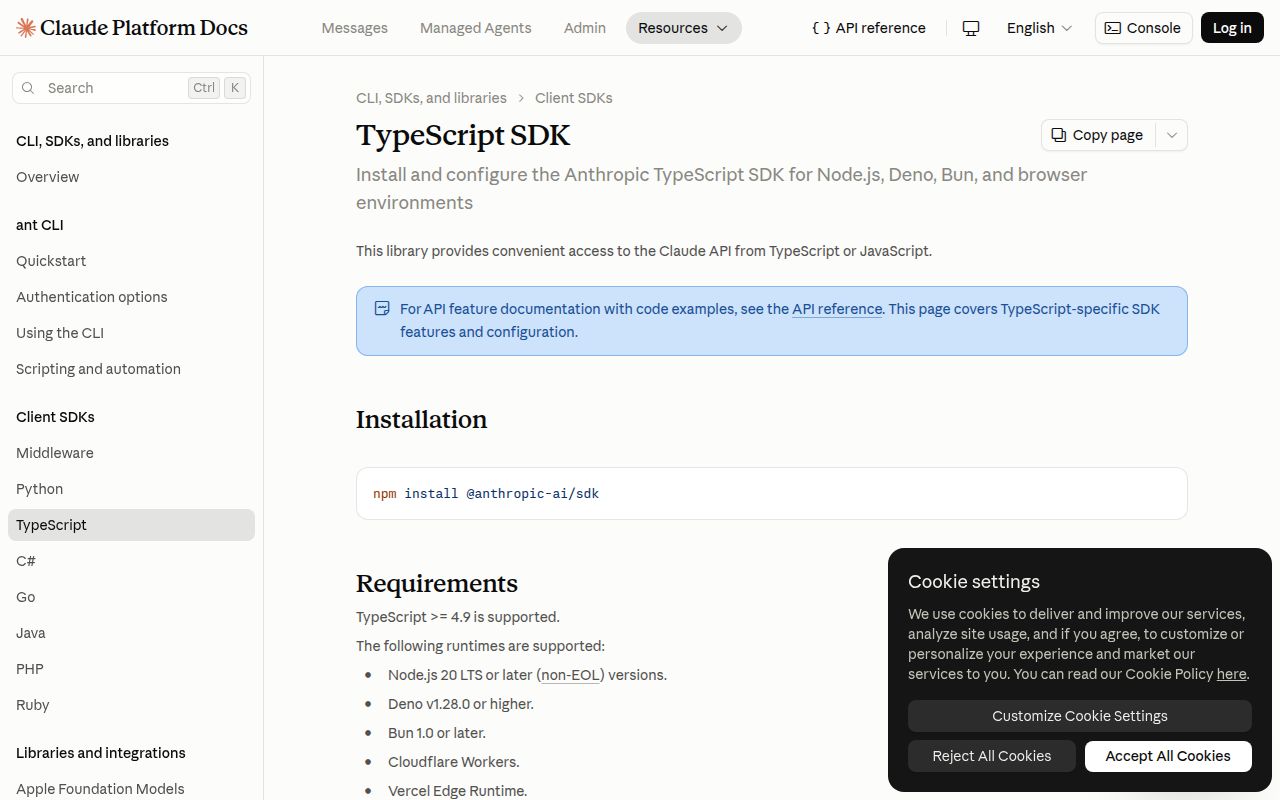
Set ANTHROPIC_API_KEY on the server and new Anthropic() reads it by default. The README supports TypeScript 4.9 or newer, Node 20 LTS or newer, Deno 1.28+, Bun 1.0+, Cloudflare Workers, and Vercel Edge. Jest needs its node environment; jsdom is unsupported. React Native is also outside the supported list.
Browser bundling failed in our esbuild check because Node-only code entered the graph. The SDK disables browser use unless you pass dangerouslyAllowBrowser: true. That option removes a guard, not the credential exposure. Put the call behind your own authenticated endpoint. Zod is a peer dependency, so install it only when you use helpers that validate tool inputs or parsed output.
Streaming has two useful layers: event callbacks for deltas and finalMessage() for the completed response. The client retries selected connection failures, 408, 409, 429, and 5xx responses twice by default. A timeout applies to each attempt, so retries can make total wall time much longer than the timeout value. Pin 0.120.0 and read release notes before updating because the API surface moves quickly.
Patterns
Send a message create-message
import Anthropic from '@anthropic-ai/sdk';

const anthropic = new Anthropic();
const message = await anthropic.messages.create({
  model: 'claude-opus-4-6',
  max_tokens: 1024,
  messages: [{ role: 'user', content: 'Explain this stack trace.' }],
});

for (const block of message.content) {
  if (block.type === 'text') console.log(block.text);
}
The client reads ANTHROPIC_API_KEY by default. Message content is an array, so narrow each block by type before reading text.
Add system instructions add-system-prompt
const message = await anthropic.messages.create({
  model: 'claude-opus-4-6',
  max_tokens: 700,
  system: 'Return valid PostgreSQL and one sentence of explanation.',
  messages: [{ role: 'user', content: 'Find duplicate email addresses.' }],
});
The Messages API takes system at the top level. Do not insert a message with role set to system.
Stream text and collect the final message stream-text
const stream = anthropic.messages.stream({
  model: 'claude-opus-4-6',
  max_tokens: 2048,
  messages: [{ role: 'user', content: 'Draft a migration plan.' }],
});

stream.on('text', text => process.stdout.write(text));
const finalMessage = await stream.finalMessage();
console.log(finalMessage.usage.output_tokens);
finalMessage() waits for completion and returns the normal Message object, including usage.
Count tokens before generation count-input-tokens
const count = await anthropic.messages.countTokens({
  model: 'claude-opus-4-6',
  messages: [{ role: 'user', content: documentText }],
});

console.log(count.input_tokens);
Use the API's model-specific count when enforcing a request budget instead of applying a tokenizer built for another provider.
Send a JSON Schema tool define-tool
const response = await anthropic.messages.create({
  model: 'claude-opus-4-6',
  max_tokens: 1024,
  tools: [{
    name: 'lookup_order',
    description: 'Look up an order by id',
    input_schema: {
      type: 'object',
      properties: { id: { type: 'string' } },
      required: ['id'],
    },
  }],
  messages: [{ role: 'user', content: 'Where is order A-42?' }],
});
Your application still has to execute the named tool and send a tool_result block back unless it uses a tool-runner helper.
Continue after a tool call return-tool-result
const toolUse = response.content.find(block => block.type === 'tool_use');
if (!toolUse || toolUse.type !== 'tool_use') throw new Error('No tool call');

const next = await anthropic.messages.create({
  model: 'claude-opus-4-6', max_tokens: 1024, tools,
  messages: [...messages,
    { role: 'assistant', content: response.content },
    { role: 'user', content: [{ type: 'tool_result', tool_use_id: toolUse.id, content: JSON.stringify(order) }] },
  ],
});
Keep the assistant tool_use content in history and match tool_use_id exactly in the following tool_result.
Send a base64 image send-image
import { readFile } from 'node:fs/promises';

const data = (await readFile('chart.png')).toString('base64');
const message = await anthropic.messages.create({
  model: 'claude-opus-4-6', max_tokens: 800,
  messages: [{ role: 'user', content: [
    { type: 'image', source: { type: 'base64', media_type: 'image/png', data } },
    { type: 'text', text: 'Summarize the trend in this chart.' },
  ] }],
});
Set media_type to the file's real MIME type. The base64 data must not include a data URL prefix.
Branch on typed API errors handle-api-errors
try {
  await anthropic.messages.create(request);
} catch (error) {
  if (error instanceof Anthropic.RateLimitError) console.error('rate limited');
  else if (error instanceof Anthropic.APIConnectionError) console.error('network failure', error.cause);
  else if (error instanceof Anthropic.APIError) console.error(error.status, error.message);
  else throw error;
}
The client retries selected failures automatically. Application-level retries need a total deadline to avoid multiplying wait time.
Set retries and timeout configure-retries
const anthropic = new Anthropic({
  apiKey: process.env.ANTHROPIC_API_KEY,
  maxRetries: 1,
  timeout: 30_000,
});

await anthropic.messages.create(request, { maxRetries: 0, timeout: 10_000 });
Client values apply by default and request options override them. Timeout values are milliseconds.
Read response metadata inspect-response-headers
const { data: message, response } = await anthropic.messages
  .create(request)
  .withResponse();

console.log(response.headers.get('request-id'));
console.log(message.stop_reason);
withResponse() returns the parsed body and the underlying Response, which is useful when logging request IDs.
Iterate through every page paginate-results
for await (const item of anthropic.beta.skills.list({ limit: 20 })) {
  console.log(item.id, item.display_title);
}
Async iteration requests later pages as needed. Use the page object methods when you need explicit control over each request.
Enable browser calls only for non-secret credentials allow-browser-explicitly
const browserClient = new Anthropic({
  apiKey: shortLivedUserToken,
  dangerouslyAllowBrowser: true,
});
Do not place a normal Anthropic API key in shipped JavaScript. The option only disables the SDK's safety check.
Alternatives
| Package | Registry | Pick it when |
|---|---|---|
| ai | npm | Use it when the same application switches among Anthropic, OpenAI, Google, and other model providers. |
| openai | npm | Use the first-party client when the service is built around OpenAI APIs instead of Claude. |
| anthropic | PyPI | Use Anthropic's Python client when the calling service and its type checks live in Python. |
More ai / ml guides
@modelcontextprotocol/sdk · openai · mcp · huggingface-hub · openai · tiktoken · the whole shelf →
How this guide is made: grounded in the library's documentation, release notes, changelog, and issue history, on a fixed rubric — not a hands-on install of every release. The 50 most-downloaded entries are additionally install-verified in clean containers. Corrections: contact the desk.