langchain review
LangChain.js 1.5.10 is an agent framework built around `createAgent`, tools, middleware, structured responses, streaming, and LangGraph state. It provides a shared interface across model providers, while provider adapters such as `@langchain/openai` remain separate installs. Version 1.5 added typed streams for subagents launched through tools; 1.5.10 updates LangGraph dependencies for a serialization fix. Our install worked through both ESM import and CommonJS require and bundled TypeScript declarations. A whole-package browser import was 342.9 KB gzipped, before any model provider package, so frontend code should import narrowly.
Our langchain 1.5.10 install used 65 MB and its whole-package browser import measured 342.9 KB gzipped, so it earns its place only when agent tools, state, provider swapping, or tracing remove more code than the framework adds. For a small number of direct model calls, install the provider SDK instead.
We installed it
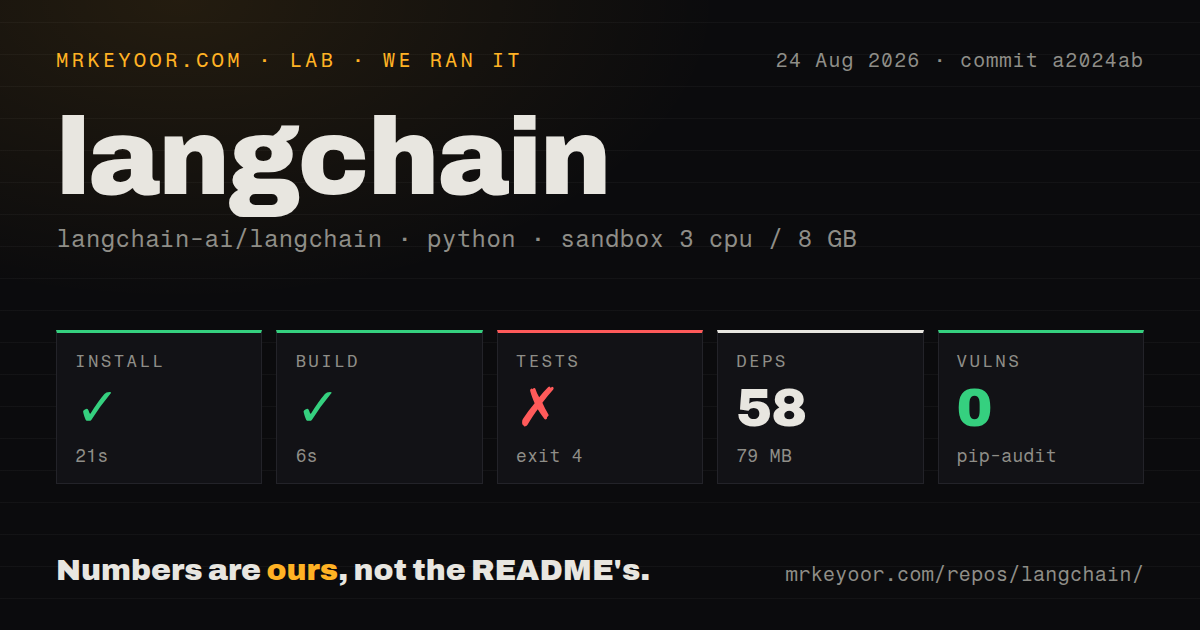
| Install | ✓ · 6s | 25 packages on disk · 65 MB |
| Import | ✓ | ESM import works · require() works · ESM package with exports map |
| Browser | 342.9 KB | gzipped (1307.5 KB minified), bundled with esbuild |
| Types | ✓ | TypeScript types bundled |
| Known vulns | 0 | 0 critical · 0 high · 0 moderate · 0 low (npm audit) |
Answers from our run
Does langchain install cleanly?
Yes. In a fresh container with an empty cache, npm install langchain finished in 6 seconds, leaving 25 packages and 65 MB on disk. npm audit reported no known vulnerabilities.
How much does langchain add to a browser bundle?
342.9 KB gzipped (1307.5 KB minified) when the whole package is bundled for the browser with esbuild. Importing only part of it is usually smaller.
Does langchain work with both ESM and CommonJS?
Yes. Both import 'langchain' and require('langchain') worked in Node 22 in our run. The package is published as ESM with an exports map.
Does langchain include TypeScript types?
Yes, type declarations ship inside the package, so no @types install is needed.
langchain or ai: which should you use?
ai: Use the AI SDK for direct model calls, tool use, and streaming UI integration with less agent framework machinery. Our langchain 1.5.10 install used 65 MB and its whole-package browser import measured 342.9 KB gzipped, so it earns its place only when agent tools, state, provider swapping, or tracing remove more code than the framework adds.
When should you not use langchain?
The application sends one or two prompts to one provider; that provider's SDK exposes fewer layers and a smaller debugging surface
Use it if
- An agent must call several typed tools, stream intermediate work, and return a schema-checked result
- You expect to test multiple model providers through one message and tool interface
- Conversation state, checkpoints, human approval, or custom orchestration will grow into LangGraph
- LangSmith traces and evaluations are part of the production debugging plan
- The application sends one or two prompts to one provider; that provider's SDK exposes fewer layers and a smaller debugging surface
- A 0.x application cannot fund a migration; the 1.x agent and middleware model differs enough that old chain-oriented tutorials and imports do not map cleanly
- Browser payload is tight; our bare whole-package test reached 342.9 KB gzipped before installing a provider integration
- You cannot keep `langchain`, `@langchain/core`, LangGraph, and provider versions aligned; the package declares `@langchain/core ^1.2.9` as a peer
- Deterministic workflow steps matter more than model-directed tool choice; ordinary functions or a directly modeled LangGraph can be easier to test than an open-ended agent loop
Setup reality
Our install of langchain 1.5.10 completed in 6 seconds, leaving 25 packages and 65 MB on disk. The package was 4460 KB unpacked with 4 direct dependencies and 1 peer dependency. npm audit reported 0 known vulnerabilities. It requires Node 20 or newer, uses ESM with an exports map, and worked with both ESM import and CommonJS require. TypeScript declarations were bundled. Our whole-package esbuild check measured 1307.5 KB minified and 342.9 KB gzipped.
The base install does not provide a model. Add a provider package, such as @langchain/openai, and set that provider's API key in the runtime environment. Install a compatible @langchain/core for the declared ^1.2.9 peer range. Partial upgrades can leave two core copies or incompatible types, so inspect the lockfile when instanceof, message types, or tool schemas behave strangely.
createAgent runs until the model stops requesting tools or a configured limit interrupts it. Each tool description and Zod schema becomes model input, so vague descriptions and permissive schemas cause real tool-selection errors. Version 1.5 exposes nested tool-dispatched agents on typed subagent streams, while 1.5.10 pulls a LangGraph serialization correction. Pin related packages when checkpoints must survive deployments.
MemorySaver is process memory and disappears on restart. Production conversations need a persistent checkpointer plus a stable thread_id. LangSmith tracing is optional, but debugging an agent without step traces gets expensive quickly. Streaming modes emit different shapes: message mode yields token/message activity, while state-oriented modes can expose much larger updates. Keep provider credentials and privileged tools on the server even though the README lists browser and edge environments.
Patterns
Run an agent with no tools create-agent
import { createAgent } from 'langchain';

const agent = createAgent({ model: 'openai:gpt-5.5', tools: [] });
const result = await agent.invoke({
  messages: [{ role: 'user', content: 'What is 6 times 7?' }],
});
The `provider:model` shortcut still needs the matching provider package and its API key; langchain 1.5.10 does not include a model.
Give an agent a typed tool define-tool
import { createAgent, tool } from 'langchain';
import * as z from 'zod';

const search = tool(({ query }) => lookup(query), {
  name: 'search',
  description: 'Search the product catalog by exact words',
  schema: z.object({ query: z.string().min(2) }),
});
const agent = createAgent({ model: 'openai:gpt-5.5', tools: [search] });
The model sees the name, description, and schema. Narrow descriptions and validation reduce invalid or irrelevant tool calls.
Validate the final response structured-response
import { createAgent } from 'langchain';
import * as z from 'zod';

const Answer = z.object({ summary: z.string(), confidence: z.number().min(0).max(1) });
const agent = createAgent({ model: 'openai:gpt-5.5', tools, responseFormat: Answer });
const result = await agent.invoke({ messages: [{ role: 'user', content: 'Summarize the report' }] });
console.log(result.structuredResponse);
In 1.x the parsed value is `structuredResponse`. Schema or provider parsing failures must be handled as agent errors.
Read streaming message chunks stream-messages
const stream = await agent.stream(
  { messages: [{ role: 'user', content: 'Check the weather in Delhi' }] },
  { streamMode: 'messages' },
);

for await (const [message, metadata] of stream) {
  console.log(metadata.langgraph_node, message.contentBlocks);
}
Message mode exposes model and tool activity. State modes produce different, often larger, payloads, so select the mode before building a UI protocol.
Reuse one conversation thread persist-thread
import { createAgent } from 'langchain';
import { MemorySaver } from '@langchain/langgraph';

const agent = createAgent({ model: 'openai:gpt-5.5', tools: [], checkpointer: new MemorySaver() });
const config = { configurable: { thread_id: 'support-42' } };
await agent.invoke({ messages: [{ role: 'user', content: 'My order is A17' }] }, config);
await agent.invoke({ messages: [{ role: 'user', content: 'Where is it?' }] }, config);
`MemorySaver` loses all threads when the process exits. A production deployment needs a persistent checkpointer.
Extract the last agent message read-final-message
const result = await agent.invoke({
  messages: [{ role: 'user', content: 'Hello' }],
});
const last = result.messages.at(-1);
console.log(last?.content);
The result keeps model requests, tool calls, and tool results. The last message is the final reply only after the agent loop completes.
Skip the agent loop for one completion call-model-directly
import { ChatOpenAI } from '@langchain/openai';

const model = new ChatOpenAI({ model: 'gpt-5.5', maxRetries: 2 });
const response = await model.invoke([
  { role: 'system', content: 'Translate English to French.' },
  { role: 'user', content: 'Good morning' },
]);
console.log(response.content);
Direct model invocation avoids agent iteration. Recent 1.5 patches let callers bound provider retries per call.
Pipe a prompt template into a model compose-prompt
import { ChatPromptTemplate } from '@langchain/core/prompts';
import { ChatOpenAI } from '@langchain/openai';

const prompt = ChatPromptTemplate.fromMessages([
  ['system', 'Translate English to {language}.'],
  ['user', '{text}'],
]);
const chain = prompt.pipe(new ChatOpenAI({ model: 'gpt-5.5' }));
const output = await chain.invoke({ language: 'French', text: 'Hello' });
Prompt templates come from the required `@langchain/core` peer. Duplicate core versions can produce type and runtime identity problems.
Alternatives
| Package | Registry | Pick it when |
|---|---|---|
| ai | npm | Use the AI SDK for direct model calls, tool use, and streaming UI integration with less agent framework machinery. |
| @langchain/langgraph | npm | Use LangGraph directly when transitions, checkpoints, and human approval should be explicit rather than hidden inside createAgent. |
| llamaindex | npm | Compare it when document ingestion, indexing, and retrieval are the center of the application. |
| @mastra/core | npm | Compare it for a TypeScript agent stack that packages workflows, memory, evaluation, and integrations under a different API. |
More ai / ml guides
@modelcontextprotocol/sdk · openai · mcp · huggingface-hub · @anthropic-ai/sdk · openai · the whole shelf →
How this guide is made: grounded in the library's documentation, release notes, changelog, and issue history, on a fixed rubric — not a hands-on install of every release. The 50 most-downloaded entries are additionally install-verified in clean containers. Corrections: contact the desk.