The 7,060-file monorepo delivers three ways to use one agent
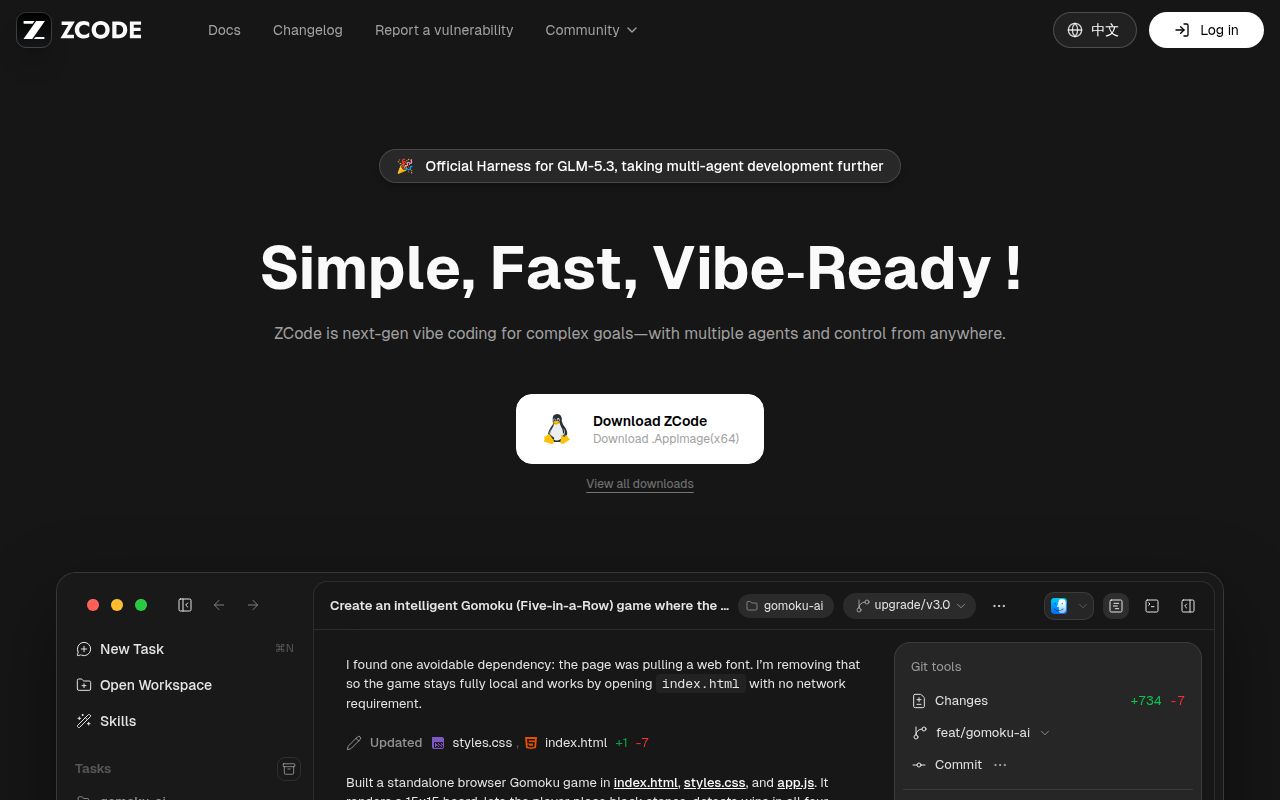
ZCode combines an Electron desktop app, local Web workspace, and terminal interface with the Agent CLI and runtime in one repository. The command-line distribution opens a TUI by default, starts Web mode with --web, and passes other arguments to the agent. The same tree also contains backend services, shared React UI, provider code, RPC packages, remote connections, and packaging scripts. That breadth is the product: you can move among interfaces without adopting separate agents for each one.
Our checkout contained 7,060 files, about 891,551 lines of source, and occupied 73.3 MB before installation. This is closer to a full coding environment than a small command-line utility. The README describes local projects plus SSH and WSL workflows, while the project notice covers plugins, skills, MCP connections, browser tools, hooks, scheduled work, and background tasks. Each feature adds a useful route into a project and another place where execution or data can cross a boundary.
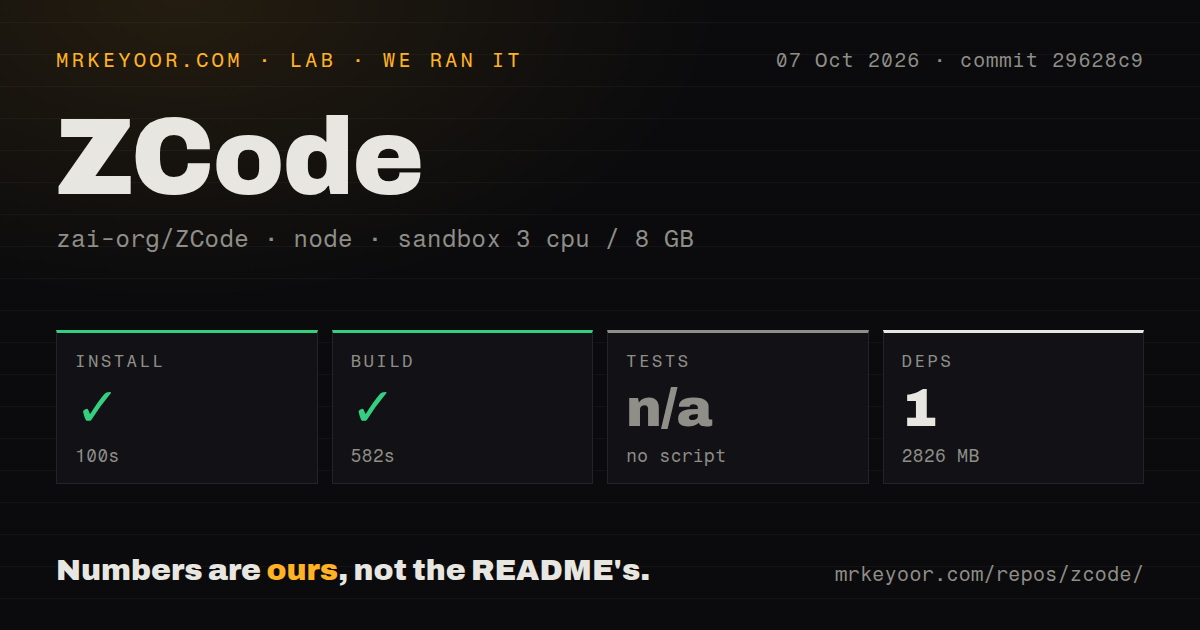
The install reached 2,826 MB before any normal agent session
ZCode pins Node.js 24.14.0 and pnpm 10.33.2 in mise.toml. Its bootstrap command installs workspace dependencies, prepares desktop runtime assets, and performs a bootstrap build. Remote-workspace development uses a separate path that prepares remote assets. Desktop startup then builds the agent, prepares local runtime files, launches Electron, and watches source. A contributor has to understand which path matches desktop, Web, CLI, or remote work instead of treating pnpm install as the complete setup.
Our sandbox finished installation in 100 seconds. The step reported 1 package installed, yet the resulting dependency tree occupied 2,826 MB on disk. That is the number to budget for a clean development environment, container layer, or CI cache. The repository itself was only 73.3 MB, so almost all of the working footprint arrived during setup. We did not download model weights or measure an interactive agent session, and the supplied run contains no inference latency or token-cost result.
What happened when we ran it
Our run built commit 29628c9 successfully in 582 seconds after the 100-second install. The measurement setup used an unprivileged Node 22 lab container with 3 CPUs, 8 GB of RAM, and no secrets. The repository documents Node 24.14.0 for development, so our result shows that this measured build completed in the stated lab image, not that Node 22 is a supported replacement for the pinned toolchain.
There was no test script or target, so the harness skipped tests rather than reporting a pass or failure. Our scan also found 0 CI workflow files, no Dockerfile, and no tests directory. None of those facts proves the application is defective, but together they leave a buyer without a visible repository-level regression gate. A 582-second successful build confirms that the packages compile along the path we ran. It does not validate agent decisions, desktop behavior, remote access, or the shipped interfaces.
The project notice says there is no default operating-system sandbox
ZCode's own notice says the shared Agent execution adapter does not provide a default operating-system sandbox. File, terminal, Git, Node REPL, plugin, MCP, and external-process actions can use the permissions of the account that runs them. It also says noninteractive CLI work started with --prompt uses yolo mode when no mode is supplied. On a codebase with about 891,551 source lines and several execution surfaces, that is a deployment decision, not a small preference buried in settings.
The notice is unusually specific about the consequences. Shared Agent logs can contain prompts, code, context, tool arguments, and model replies by default outside the test environment. Credentials may live in encrypted local files whose default keys derive from machine information, while Web OAuth data may use localStorage. Remote environments can receive selected provider configuration and credentials. The 2,826 MB install is inconvenient; these permission and data paths are the part a security review must settle before real repository access.
Web authentication changes when the server leaves loopback
The unified zcode --web command listens on 127.0.0.1 without token authentication by default, chooses a free port, and opens the browser. Binding to 0.0.0.0 generates an access token by default, and users may override or disable it. The direct server entry uses ZCODE_SERVER_AUTH_TOKEN for HTTP and WebSocket authentication. Those are sensible local defaults, but the notice warns that app login does not replace deployment-level access control or transport protection.
Packaging adds another layer beyond the 582-second build. Desktop output defaults to macOS arm64, while Windows, Linux, x64, and other targets need matching tools and signing configuration. The combined CLI distribution needs a download base URL, and it still requires Node at runtime. Teams wanting a ready application can use official builds. Teams modifying and redistributing it must own native libraries, notices, installers, update sources, remote assets, and per-platform verification.
The September 29 push is recent, but public issue activity is unavailable
GitHub showed 7,515 stars and a last push on September 29, 2026. Release v3.14.3 arrived September 24 with workflow concurrency changes, status improvements, and crash fixes. The public history began with three commits between September 20 and September 24. GitHub's repository metadata reported 11 combined issues and pull requests, yet Issues are disabled and the public issue and pull-request queries returned no open records. That makes the latest push useful health evidence while leaving community triage impossible to judge from the tracker.
ZCode earns a trial when its three interfaces and remote workspace model solve a real coordination problem. Our 100-second install and 582-second build both succeeded, which is better than a repository that merely documents an unreproducible bootstrap. The missing test target, absent visible CI workflows, and explicit lack of a default OS sandbox keep it out of low-risk recommendation territory. Run it with a restricted account and disposable project first, then decide whether its broad workspace is worth owning.