Should you choose Open Video Downloader?
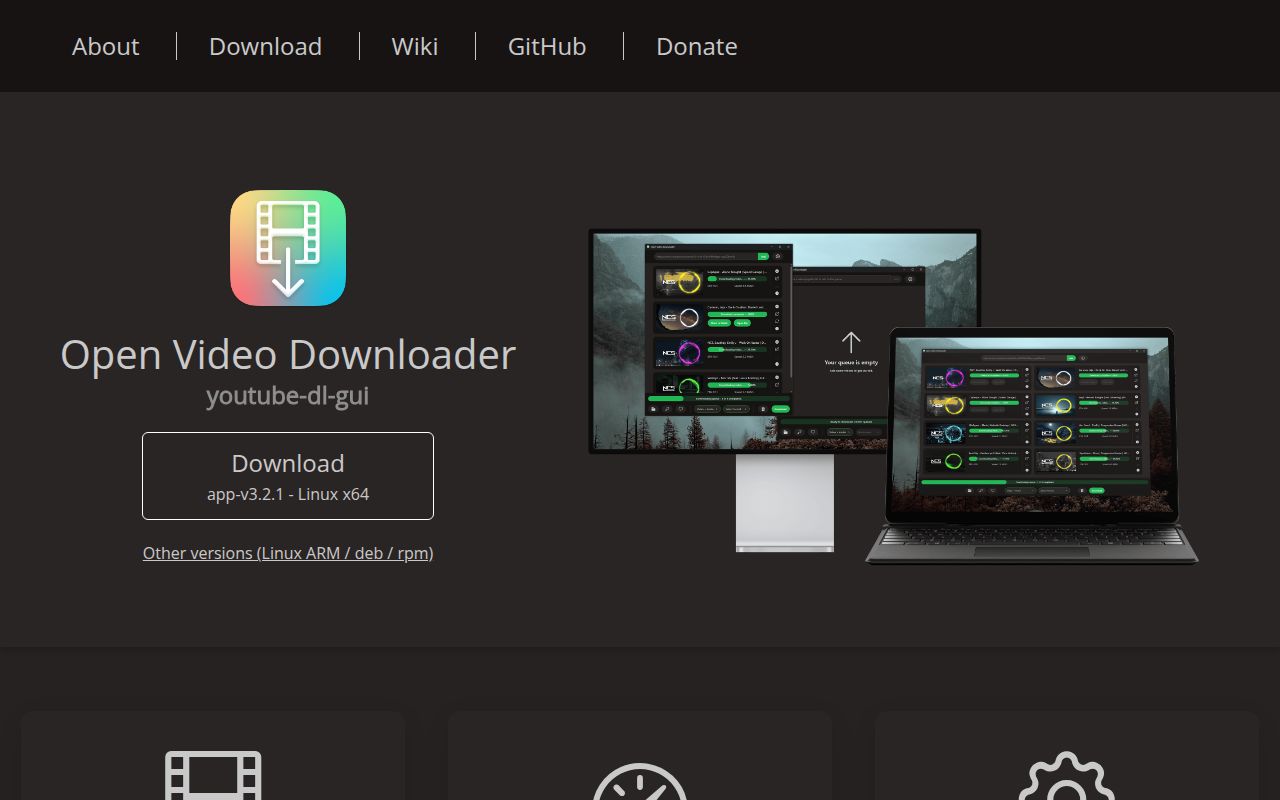
Open Video Downloader is a desktop interface for yt-dlp. Its README documents a queue, quality selection, playlists, subtitles, metadata, filename templates and authentication. Consider it when you want those controls in a desktop application and can verify the resulting files. The available evidence supports evaluating that interface; it does not establish download reliability on your chosen sites.
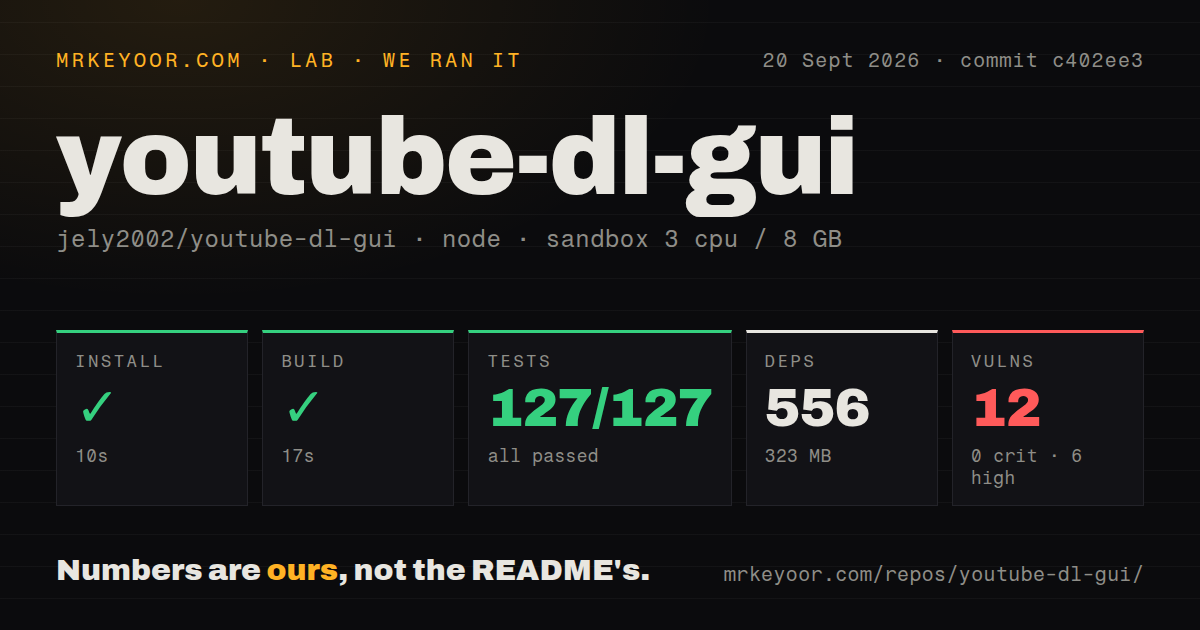
Our run on September 20, 2026, at commit c402ee3 recorded a successful frontend build and an unsuccessful test command. We did not verify native packaging, installation of a released application, a completed media download, live authentication or unattended operation. A useful first check is one permitted video with the format and subtitles you actually need, followed by inspection of its picture, audio and captions.
What did our sandbox establish?
The build log shows TypeScript checking and Vite builds for the frontend and isolation page. Its successful exit does not establish that a native Tauri application was packaged or launched. The stored harness records installation, build and test success flags, exit codes and elapsed times independently of its parser summaries.
The attached stored parser summary records 127 passed, 0 failed and 0 skipped tests under Vitest. Those fields remain unchanged. They do not establish exhaustive unique coverage of the complete test command, which returned exit code 1. The raw unit-suite footer reports passing tests, while the separate Chromium-suite footer reports failures. We have not added the suite figures together or reconciled the complete logs.
The visible updater failures report a missing Chromium executable. The browser footer also names authentication, playlist-selection and queue-action cases, but the supplied tail does not expose every underlying error. It cannot establish that every listed case reached application assertions or shared the same cause. Browser workflow behavior remains unverified by our run.
The MrKeyoor testing methodology explains how command outcomes and parsed counts differ from workload verification. It provides provenance context here; its current version does not establish which procedure version the September run used. This correction uses the existing sandbox record and includes no new execution.
How should you install it?
The Open Video Downloader README directs desktop users to packaged downloads for Windows, macOS and Linux. It recommends GitHub releases over the Microsoft Store because Store updates take longer and the Store build cannot automatically update yt-dlp. These are documented installation choices, not package installations verified by our sandbox.
For source development, the contributor guide requires Node.js v24+ and latest stable Rust, followed by npm install and npm run tauri dev. Our Node 22 environment was below that stated requirement. The installation tail also contains an engine warning for a dependency requiring Node 24 and npm 11.
The stored dependency measurement is 556 packages occupying 323 MB. The console separately reports that installation added 591 packages and audited 592. These are different recorded outputs with unreconciled counting scopes. The console figures do not replace the stored dependency measurement or establish audit scan coverage.
What does v3.2.1 document?
The v3.2.1 release notes describe date and size filters, playlist ranges, text and CSV URL imports, clipboard watching and subtitle-selection controls. They also describe preventing HTML injection in clickable links and preventing sensitive yt-dlp arguments from being logged. These are release-note claims, not capabilities or security fixes independently exercised in our run.
Our stored npm audit result records 12 advisories: 6 high, 5 moderate and 1 low, with none marked critical. The record has no scannedPackages field, so scan coverage is unknown. These advisories do not establish exploitability, reachability in a packaged application or the application's overall security.
Which alternatives answer a different need?
Choose yt-dlp directly when you need its command-line download-archive control. The yt-dlp option reference documents recording downloaded video IDs and downloading only videos absent from that archive. yt-dlp is the engine Open Video Downloader uses and an alternative interface for controlling downloads. It can also complement a desktop workflow when particular jobs need direct command-line control. We did not compare their reliability.
Parabolic supports concurrent downloads, metadata and video subtitles. Its repository identifies it as a yt-dlp frontend and shows GNOME and Windows interfaces. Consider it as another desktop interface if those suit your workflow. The supplied evidence does not establish that it is simpler or more reliable than Open Video Downloader.
What do the editorial scores mean?
The five-point rubric is: 1 indicates substantial evidenced obstacles; 2 indicates significant preparation or gaps; 3 indicates useful evidence with material limits; 4 indicates clear documentation or processes with remaining verification limits; 5 requires broader verification of the assessed dimension. These are editorial judgments, not performance or adoption measurements.
Setup ease is 4 for documented packaged installation, with more demanding source prerequisites. Documentation is 4 for platform guidance, development instructions and separate unit, browser and Rust test commands. Community is 4 specifically for documented contribution, review and translation processes; participation, response times and adoption remain unmeasured. Maturity is 3 because v3.2.1 documents features and fixes while native packaging and completed downloads remain unverified. A missing browser executable does not establish defective playlist or updater behavior.