Agent Desktop leaves the planning loop in your agent
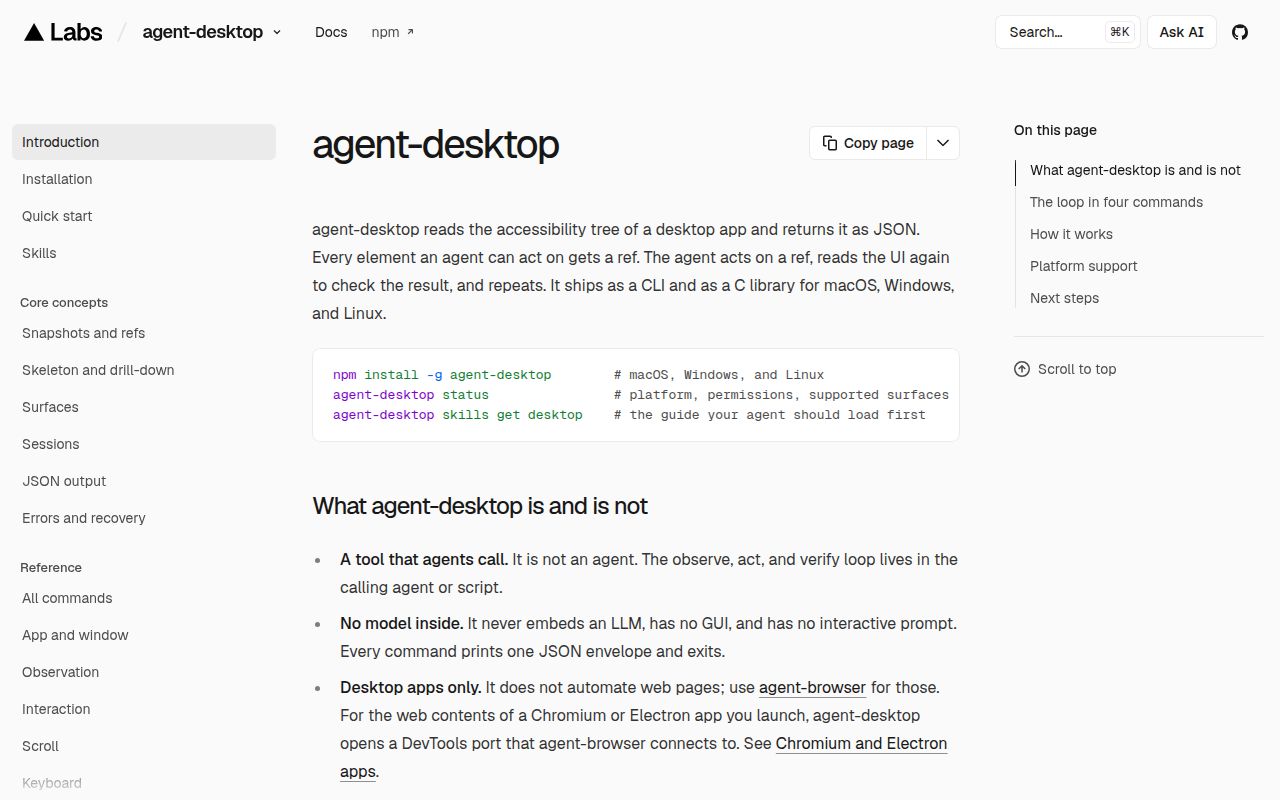
Agent Desktop returns JSON snapshots with references to desktop controls, then lets the caller act on those references and observe again. That is a useful integration shape if you already have an agent deciding what to do. You get an interface to desktop applications without making screenshot coordinates the only way to identify a target. The README leaves the planning and verification loop in your agent.
The current platform table covers macOS, Windows and Linux. Their capabilities differ, and none was exercised by our sandbox run. Choose the target desktop before designing the workflow. In particular, Linux graphical-session access and Wayland restrictions can decide whether the interface covers your task at all.
What happened when we ran it
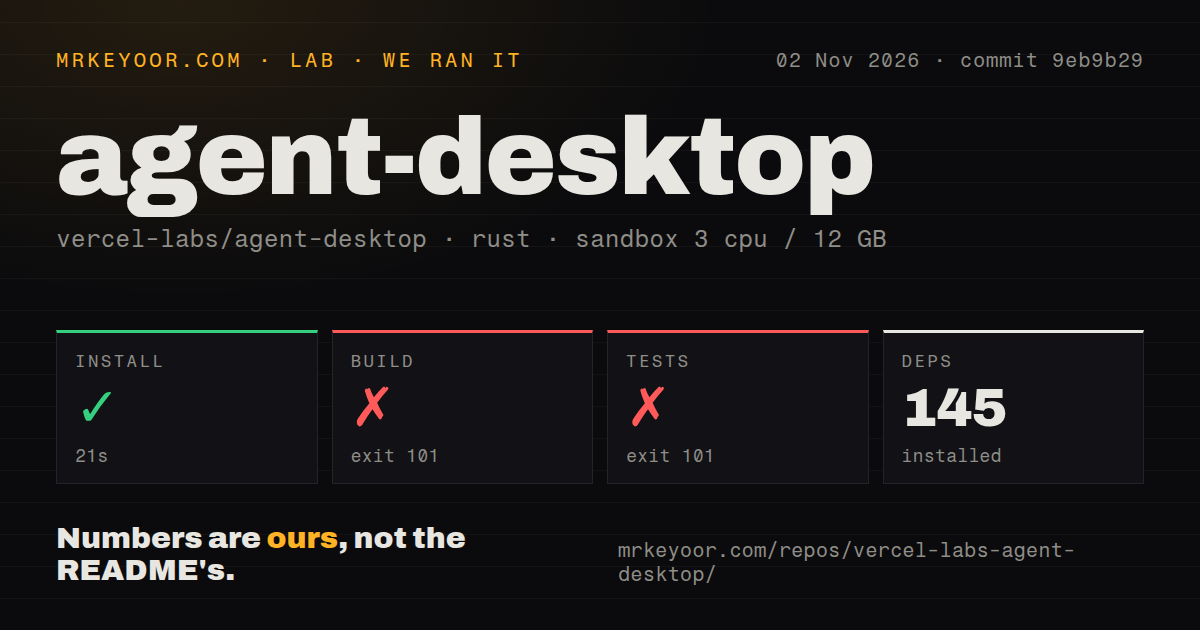
Our Agent Desktop run installed 145 dependencies in 21 seconds at commit 9eb9b29 on November 2, 2026. The build failed with exit 101 after 116 seconds. Its tail named agent-desktop-macos and reported 122 errors and 74 warnings, including an unresolved accessibility_sys reference in renderer_probe.rs.
The test command failed with exit 101 after 25 seconds. Its tail ended with the same macOS-library compilation summary. These are failed commands, not a count of failed test cases. The supplied record contains no completed-case summary, so it cannot support a passing-test claim or a conclusion about action correctness.
The compiler output also listed several Rust error codes. The unresolved module is a concrete failure location, but the tail does not establish why the crate reached that state. The README now says each platform adapter builds only on its own OS and scopes development commands to host packages. That instruction matters for the next attempt. It does not prove which command or environment condition caused this one to fail.
Our recorded sandbox had 3 CPUs, 12 GB RAM and image label lab-rust:1. Actual runtime and OS versions require the raw logs. The checkout occupied 60.2 MB, with 3,681 files and approximately 416,687 source lines. The scan found 8 CI workflow files and a tests directory, with no Dockerfile. We did not observe a live desktop, inspect a screenshot or verify a delivered click.
Snapshot references require fresh observations
The README rejects bare element references and associates each usable reference with its snapshot. When the UI changes, the documented response can be STALE_REF or AMBIGUOUS_TARGET. Your agent needs to take another snapshot and choose again. That contract is more useful than silently clicking a nearby control, provided the implementation behaves as documented. Our run did not verify it.
Multiple windows also require a decision. The documented error supplies candidate window IDs, and the caller chooses one explicitly. For a dense application, the skeleton view and branch drill-down offer a way to inspect a smaller region. Evaluate those operations against the actual application your agent must use, including screens that change while the agent is reasoning.
Errors carry retry information, and the README says to retry only when the disposition marks it safe. A failed command should therefore enter your agent's recovery logic rather than trigger an unconditional repeat. Held-key and held-mouse commands are another explicit boundary: their names exist, but the README says they refuse to run until a daemon can own release of the input.
Linux needs the user's graphical session
The installation guide says a TTY or SSH shell without the graphical session's environment cannot see its apps. Linux requires at-spi2-core; its primary documented target is Ubuntu with GNOME. Plan where the process runs before evaluating its application coverage.
Wayland has a narrower action surface. On Wayland, app pointer input refuses and native window control is unsupported. Semantic accessibility actions remain documented, while clipboard handling needs wl-clipboard. If your task depends on physically dragging inside an application or moving its window, that distinction can rule out the deployment even though the platform table says Linux is supported.
macOS requires Accessibility permission, with additional grants for screenshots and Notification Center operations. Windows can send input only at the appropriate integrity level. These are operating conditions for the tool. A successful dependency installation cannot establish that the running terminal has them.
Desktop observations can contain private application data
The README warns that snapshots, clipboard reads and screenshots can contain private desktop content. Treat the returned JSON and debug artifacts accordingly when connecting the CLI to agent logs. The optional JEV helper sends screen descriptions to a configured model provider, separately from the native CLI. Decide which observations the agent needs before forwarding them elsewhere.
The documented package and archive routes bundle native helpers. For a direct archive deployment, the installation guide says to keep the executable and helper together and replace both from the same release. That packaging requirement deserves attention in a deployment script, but we did not reproduce either route.
Peekaboo and nut.js change who owns the workflow
Peekaboo is a macOS CLI and menu-bar app with screen capture, accessibility inspection and native UI automation. It also has an agent mode and an MCP interface. Evaluate it when those entry points are part of the requirement. Its README requires macOS 15 or later for the released app and CLI.
nut.js provides keyboard, mouse and image-matching automation. Its README limits Linux support to X11 and distinguishes source availability from subscription-based prebuilt packages. It fits a different integration decision: writing programmatic UI scripts with those interfaces. We have no comparative reliability result for either alternative.
Documentation earns 4 on our editorial scale: 1 means essential guidance is absent, 2 means major gaps, 3 means a usable path with gaps, 4 means detailed guidance with explicit limits, and 5 requires corroboration through the reviewed workflow. Setup, support quality and operational maturity remain unassessed. On your target desktop, capture a read-only snapshot and confirm the intended control is identifiable before granting the agent a mutation task.