The current script controls playback and course navigation
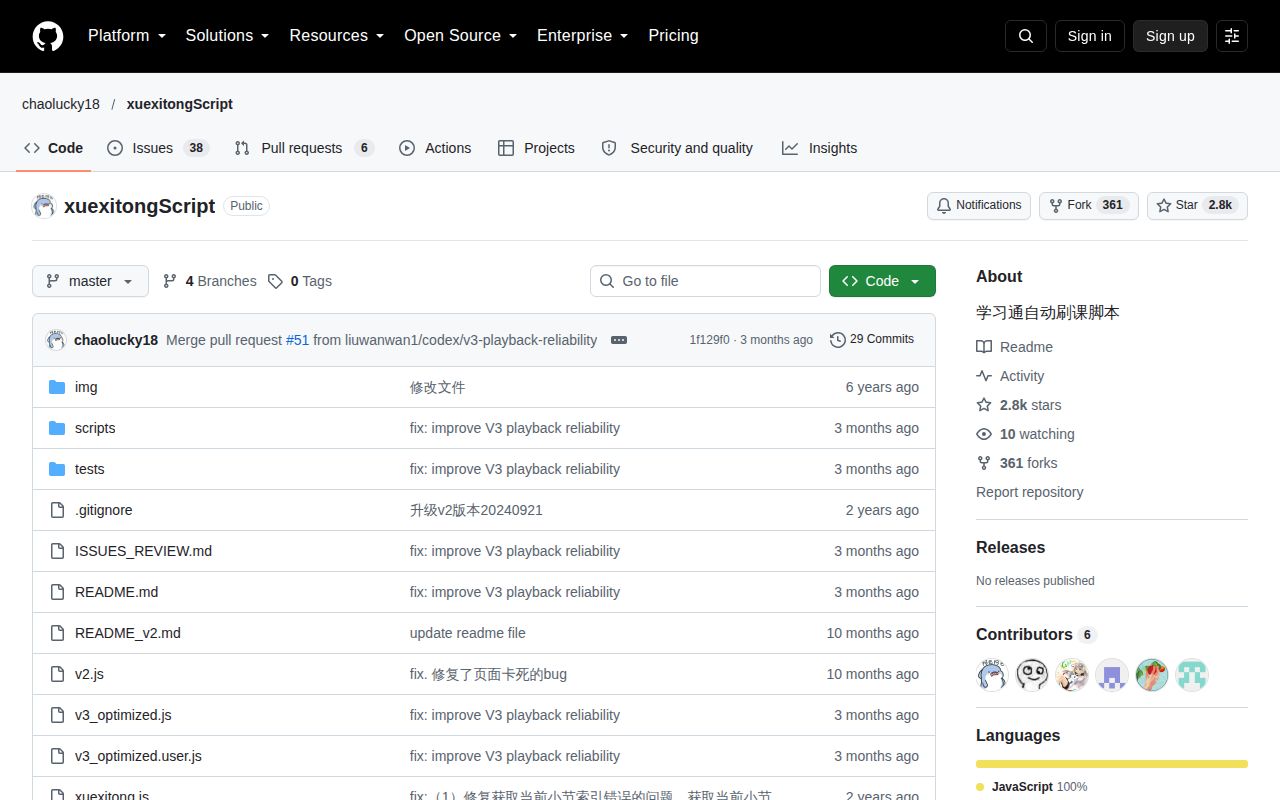
Moving to the next video is easy until the course page adds a worksheet, a quiz, or another player inside the same section. xuexitongScript automates that page-level work on Xuexitong. Its Chinese README describes automatic playback, recovery after interruptions, and navigation when a video ends. The current source also tries to move from the learning-objectives step to the video tab. No English guide appears in the repository's root documentation.
The README identifies v3_optimized.js as the source and v3_optimized.user.js as its generated Tampermonkey counterpart. That gives a reader a clear place to inspect behavior before putting code into an authenticated browser session. Use that current pair. Older scripts also remain in the root directory, and their presence alone does not establish that they support the same page structure or receive the same maintenance.
What happened when we ran it
Our lab did not run xuexitongScript commit 1f129f0 on October 9, 2026: the harness found no supported ecosystem for this JavaScript project and no Dockerfile. The sandbox specification listed 3 CPUs and 8 GB of RAM, with no image selected, no secrets, and no elevated privileges. There is no install, build, test, dependency-count, or vulnerability result to report.
This records a limit of our harness. It does not show a failed browser session, a broken script, or an unsupported JavaScript runtime in general. No playback speed, successful course transition, or completion rate was measured. A decision about using this project therefore rests on the documented behavior and current source, with the actual course page still requiring a separate check.
The userscript only attaches to matching course URLs
The current userscript header targets Chaoxing course URLs and declares version 3.3.0. It runs after the document becomes idle and requests no special userscript grants. That last setting does not isolate the code from the logged-in page. You are still authorizing JavaScript to inspect its DOM and operate its playback and navigation controls.
Issue 62, updated October 9, discusses a school-hosted domain outside those match rules. If your institution uses its own hostname, enabling the extension may leave the script inactive. Verify the actual address before diagnosing the player. The source also waits for the course tree and loads jQuery from its public CDN when necessary, so a different layout or blocked external script can affect startup.
Playback recovery can still leave a course paused
The README describes a normal playback attempt followed by muted playback when that fails. It also explains that a page transition or player initialization can interrupt a play request. Those details make the documented recovery logic understandable. They do not promise that a background tab will keep progressing, particularly when the site changes or reloads its embedded video element.
Issue 59 reports pauses during minimized or background playback. Issue 55 describes the visible playback status disagreeing with a paused video. These reports concern the course-player workflow under review. A user-supplied workaround in an issue is not evidence of an upstream fix. If you need to watch the material, muted recovery also deserves attention: the video advancing without audible narration can defeat your purpose.
Non-video tasks stop automatic advancement by default
The current configuration sets autoAdvanceNoVideo to false. The README explains why: blindly moving past an unrecognized page can repeatedly trigger the platform's unfinished-task warning. It leaves manual advancement available after you have established that the current node needs no further work. That is a sensible default for an automation script whose view of completion comes from the page structure.
Course sections with multiple videos are another boundary. Open pull request 60 proposes handling remaining video tasks before moving to the next section. Its description says the existing behavior can leave tasks unfinished. The README's limited chapter-quiz navigation also differs from answering an assessment. Issue 61 reports an in-video quiz that blocks progress. Do not buy into a claim that the current script completes every course task.
July code activity and October reports show different kinds of attention
The repository's last push was July 13, 2026. GitHub listed 2,771 stars and 44 open issues and PRs combined, and the latest-release endpoint returned no release. September and October reports show users still encountering the script. Those dates indicate ongoing use and discussion, but they do not prove that the reported playback and navigation problems have been repaired in the default branch.
GitHub detected no license, and the root file listing contains no license file. That is a practical reason for a developer to avoid folding this code into a redistributed product without clarifying permission. The Chinese README does explain concrete page behavior and troubleshooting. I would give that specificity more weight than the word stable in the project heading, especially with the domain and pause reports still open.
OCS and Playwright answer different automation needs
OCS is another course-assistant project to assess if you want a broader packaged workflow. Playwright gives developers browser control, assertions, and failure traces for a workflow they write themselves. Neither comparison establishes Xuexitong compatibility without checking the actual course page. Decide whether you need an existing userscript or a maintainable automation task you control.
For this script, keep the first trial supervised and within the platform's permitted use. Watch what happens after the first video ends and when a worksheet or embedded question appears. Then inspect the platform's own task status. A console message saying the course is finished cannot substitute for that check.