The 94,580-line project renders terminals but runs no shell
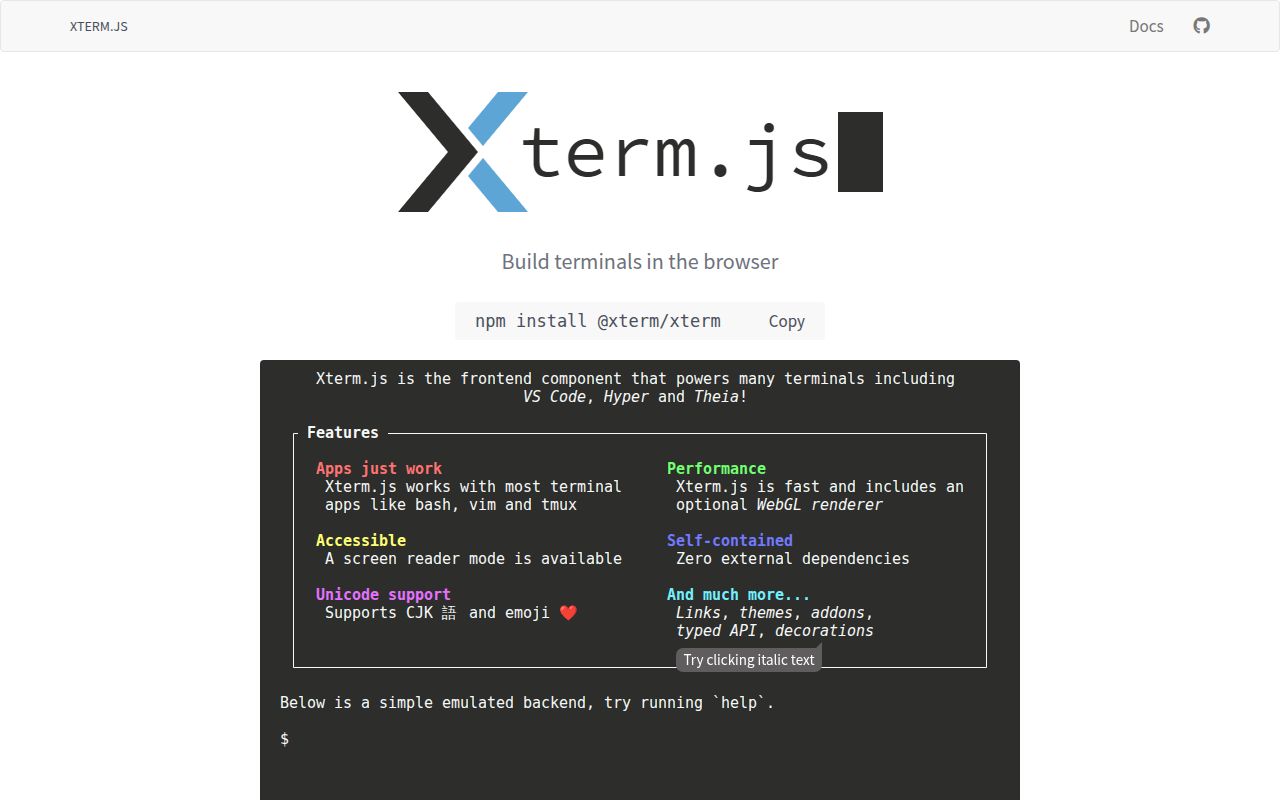
xterm.js parses terminal control sequences, maintains a screen buffer, captures keyboard and mouse input, and renders the result in a browser element. Our checkout contained about 94,580 source lines across 761 files, reflecting much more than a styled text area. Curses programs, selection, scrollback, Unicode, links, custom glyphs, theming, and alternate screen behavior all meet inside this component. The dividing line is firm: xterm.js does not start Bash, open SSH connections, or decide who may access a machine.
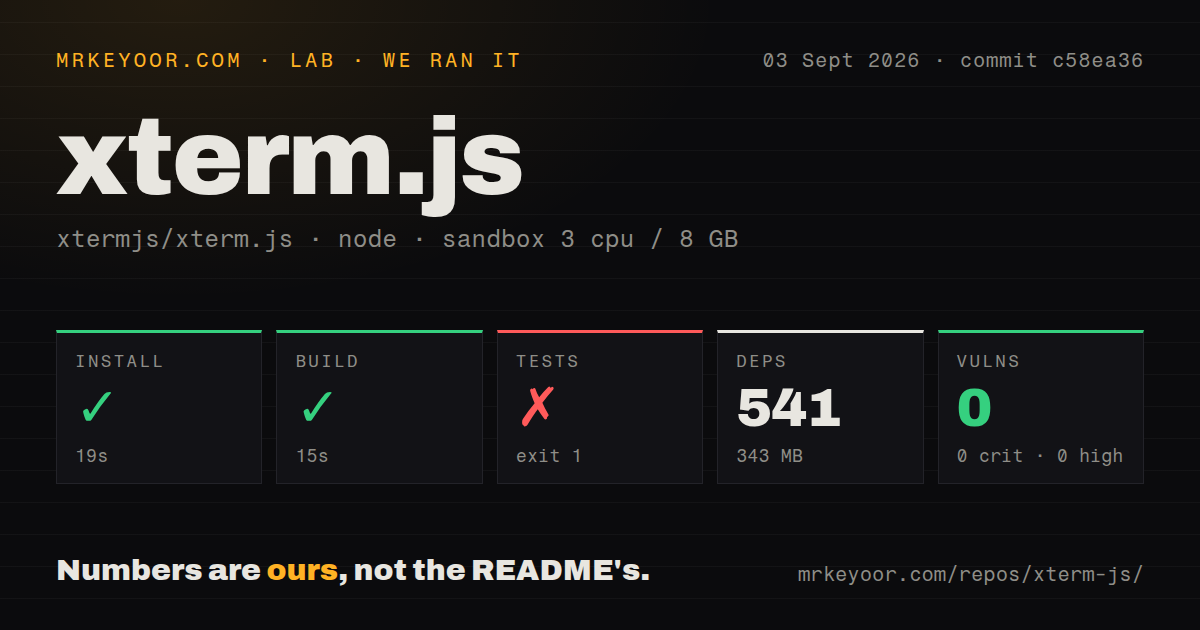
A usable remote terminal therefore has two halves. The browser sends onData events to an authenticated backend, and that backend writes them to a pseudoterminal such as node-pty. Process output travels back to term.write, while resize events must update both the renderer and PTY. In our development checkout, npm installed 541 packages and occupied 343 MB. The consumer package has a different footprint. Contributors and CI machines still carry the repository's development cost.
Thirteen maintained add-ons keep the core focused
The README lists 13 maintained add-ons covering WebSocket attachment, clipboard access, fitting, images, ligatures, progress, search, serialization, Unicode variants, web fonts, web links, and WebGL rendering. Keeping these capabilities separate lets an application avoid shipping every optional path. It also creates a compatibility matrix: core, renderer, browser, font, and add-on versions need to be exercised together. Experimental APIs carry weaker stability promises and may change more sharply than the ordinary semantic-versioned surface.
Version 6.0.0 made that maintenance cost visible. Its release notes move the overview-ruler option, change viewport and scrollbar behavior, remove the old Alt-to-Ctrl arrow mapping, and drop the canvas renderer in favor of DOM or WebGL. The same release adds ESM output, shadow-DOM support for WebGL, detailed ligatures, synchronized output, and a progress add-on. Our build succeeded in 15 seconds, but a clean compiler result cannot tell whether a product's custom keybindings or layout assumptions survived those changes.
What happened when we ran it
Our run cloned commit c58ea36 into a fresh unprivileged container with 3 CPUs, 8 GB of RAM, and Node 22. The repository occupied 18.6 MB before dependencies. npm completed installation in 19 seconds, adding 541 packages and taking 343 MB on disk. The build then succeeded in 15 seconds. Npm audit reported 0 known vulnerabilities across the installed dependency tree: 0 critical, 0 high, 0 moderate, and 0 low.
The test command failed with exit code 1 after 10 seconds. It invoked npm run test-unit, which ran node ./bin/test_unit.js, then printed Error: No test files found: "**/out-esbuild/**/*.test.js". The log contains no test-case summary because the runner did not discover files at that path. We will not guess why the expected compiled tests were absent. The narrow finding is that install and build passed, while the repository's default test route did not run unit cases in our sandbox.
Version 6.0.0 still needs product-specific input tests
Terminal input crosses browser event order, operating-system composition, keyboard layout, and shell editing rules. Issue 6144 reports that xterm.js 6.0.0 can drop the first full-width punctuation character from the macOS Chinese input source in a WKWebView. Issue 5887 describes rapid pairs losing the second character with some third-party macOS IMEs across v5.5.0, v6.0.0, and a v6.1.0 beta. The reports cover specific configurations and do not establish behavior for every IME.
Wide characters create another boundary. Issue 6135 says Alt-click cursor positioning emits movement by buffer cell, while common line editors move by character. In the report's abc中文def example, double-width characters cause the target to overshoot. A product serving CJK users should automate composition and cursor-placement tests with its actual browser shell. Our repository scan found a tests directory and 4 CI workflows, yet the failed local discovery step means we cannot claim those scenarios passed on commit c58ea36.
WebGL speed brings lifecycle and version constraints
The optional WebGL add-on moves rendering into a GPU-backed canvas, a useful choice for dense output. Issue 6068 reports that disposing repeated WebGL terminals can leave contexts alive until Chromium starts losing contexts used by an active terminal. Issue 6143 describes addon-webgl 0.19.0 throwing during disposal with xterm.js 5.5.0 even though the declared peer range accepts that core version. Both reports concern cleanup paths that simple typing demos rarely exercise.
Applications with tabs, split panes, reconnection, or session restoration should repeatedly create and dispose terminals during testing. Track context-loss events, listener cleanup, PTY termination, and WebSocket closure. The repository had 236 combined issues and pull requests on September 3, 2026, so an open report is not unusual for this project size. What matters is whether the exact core and add-on versions in your lockfile reproduce the behavior, followed by a pinned fix or a renderer fallback.
September 2026 activity outweighs the older stable tag
GitHub recorded the last push on September 2, 2026, while stable v6.0.0 was published on December 22, 2025. The README explains that stable releases happen when needed and beta packages are published continuously from master. VS Code commonly tracks a recent beta, but the page advises stability-sensitive users to use betas mainly for testing unless they can follow incoming changes. This model gives active consumers fixes sooner at the price of closer release monitoring.
Recent issue handling supports the active-project reading. A publishing outage filed on August 24, 2026 was closed within an hour, while performance and image-rendering reports also moved that month. Our 10-second failed test launch is still a release gate for anyone changing the repository itself. For an application consumer, xterm.js remains the strongest general browser-terminal base here, provided the backend security, browser matrix, input methods, resize behavior, and add-on disposal paths are treated as product code rather than library defaults.